
guide · DevMeme field guide
How to Save Programming Memes
Direct answer
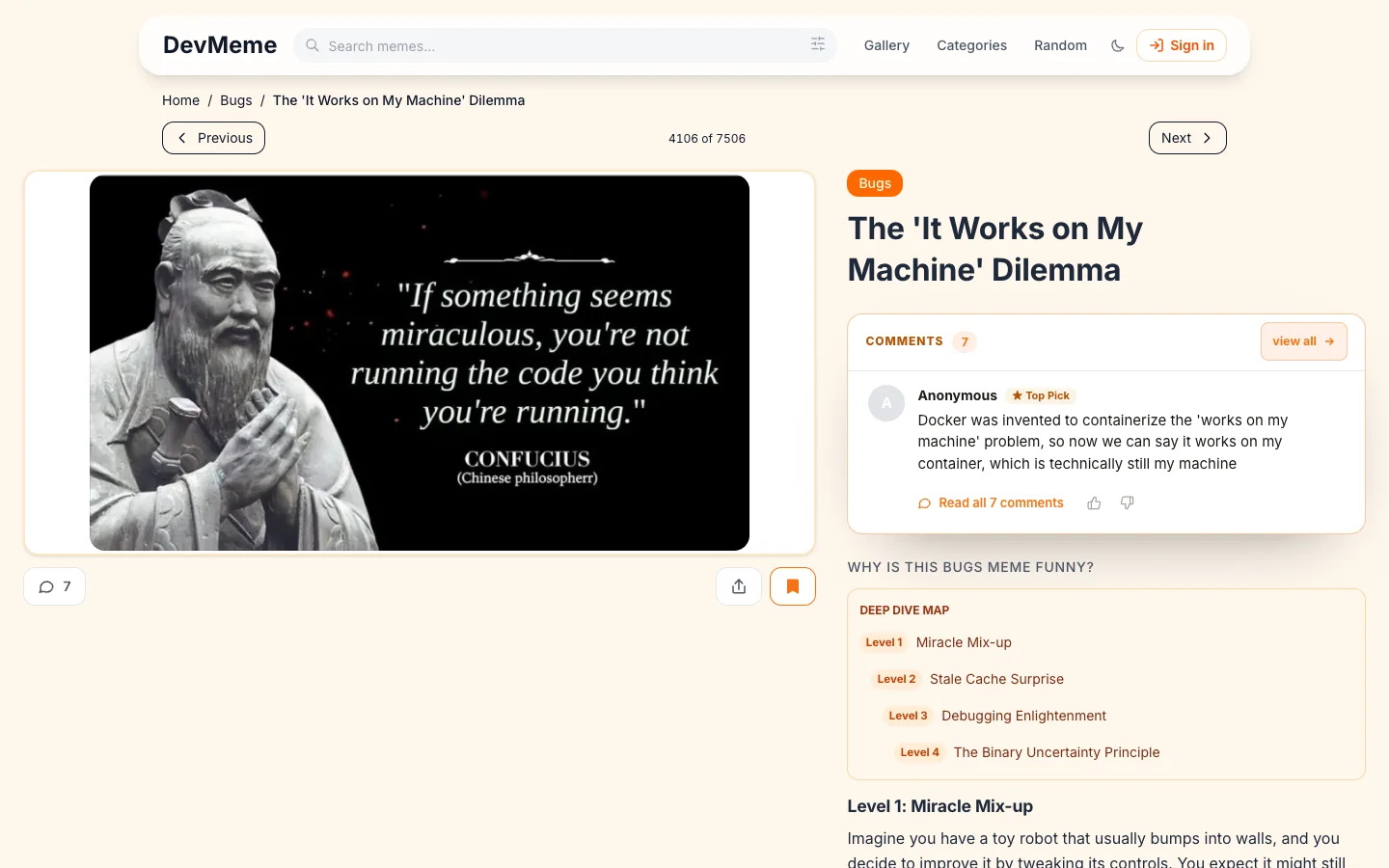
Open a meme and select Save. In compact view, the same action uses the bookmark icon. The control becomes active immediately and the signed-out bookmark is written to this browser before any account sync is attempted.
Prerequisites
- A browser that allows local storage for
devme.me. - A public meme page, such as Ancient Debugging Wisdom from Confucius.
- Sign-in only if you want supported saves to follow your account across devices.
Steps
- Open the meme you want to keep.
- Select Save or the bookmark icon.
- Confirm that the control is pressed and its accessible label changes to the remove action.
- Open Profile and choose Saved to review the collection.
Selecting the active control again removes the bookmark. The interface updates optimistically, so the result feels immediate even when a signed-in account sync still needs the network.
Expected result
The meme appears in the Saved collection. For a signed-out visitor, DevMeme stores a devmeme:bookmarks record with a local timestamp and an unsynced state. For a signed-in visitor, the local action remains the immediate source of feedback and the account request follows.
Limitations
- Guest saves are specific to one browser and site origin.
- Private browsing, blocked storage, or cleared site data can remove unsynced saves.
- Saving does not migrate viewed history, feed position, search preferences, reader comments, or appearance settings.
- A save is a DevMeme bookmark, not a downloaded copy of the image.
Troubleshooting
The save disappears after a reload. Check whether the browser blocks or clears local storage for the site.
The save is missing on another device. Return to the original browser, sign in there, and follow the guest activity migration guide.
A signed-in save reports a network problem. Keep the local bookmark, reconnect, and revisit the profile. The import path can retry without discarding the local action.
The Saved shelf is empty. Confirm that you are using the same browser and origin where the save was made, then open the profile’s Saved screen.
What you will see
Related resources
- How to Search Programming MemesUse DevMeme search, understand its URL and browser state, refine the visible gallery, and troubleshoot common result issues.
- Browse Programming Memes by Category and TagUse DevMeme categories for broad engineering areas and tags for specific tools, errors, languages, and recurring themes.
- Move Guest Activity into a DevMeme AccountImport supported guest bookmarks, model-joke votes, and achievement unlocks from the same browser into a DevMeme account.
Sources
- Example DevMeme page with the save control official-product · checked 2026-07-16
- DevMeme compact profile official-product · checked 2026-07-16
- DevMeme Privacy Policy official-product · checked 2026-07-16
Real reader questions
- Where does a signed-out DevMeme save live?
- It is stored under DevMeme's bookmark data in local storage for the current browser and site origin. It is not yet attached to an account.
- Will a signed-out save appear on another device?
- No. It remains in the browser where you made it until you sign in there and the supported bookmark import succeeds.
- What happens if account bookmark sync fails?
- The save is written locally first, so a network or account-sync failure does not remove that local bookmark. Reconnect and revisit your profile to let the authenticated import retry.
- Can clearing browser storage remove my saved memes?
- Yes. Clearing site data removes guest saves that have not been imported into an account. Sign in and verify the Saved collection before clearing the original browser.
- Does saving a meme also sync my viewed history?
- No. Bookmarks and viewed history are separate. Supported saves can sync after sign-in, while viewed history stays local to the browser.