
guide · DevMeme field guide
How to Search Programming Memes
Direct answer
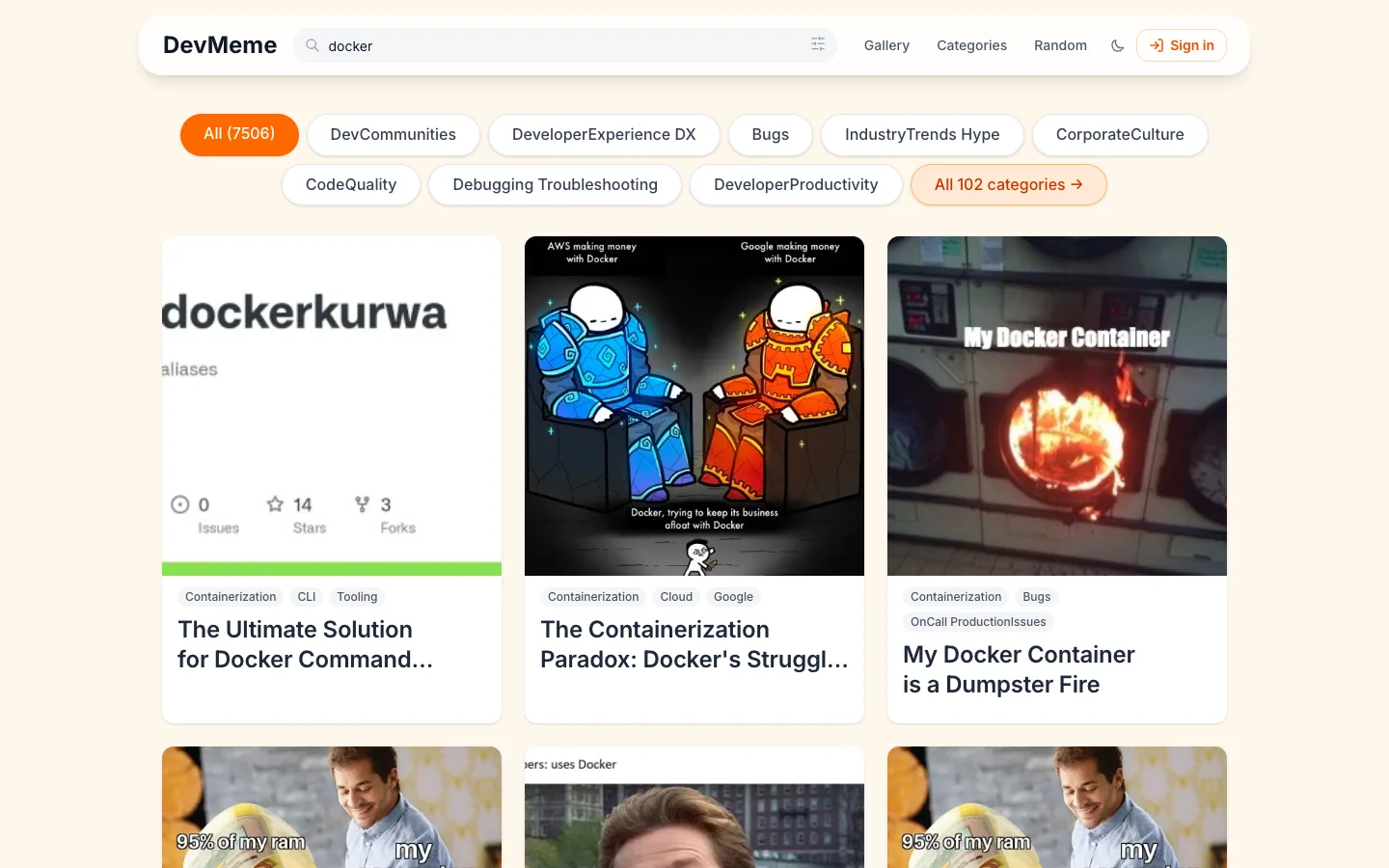
Open /?q={query} or enter text in Search memes. A direct query URL is server-rendered. Editing the query updates the visible grid in the browser and writes the new value to ?q=.
Prerequisites
- A browser with JavaScript enabled.
- Access to the public DevMeme gallery; no account is required.
- A text query such as a tool, error, language, situation, or phrase.
Steps
- Open the DevMeme gallery.
- Select the search field in the floating header.
- Enter a short, specific phrase such as
docker,merge conflict, orworks on my machine. - Use the search settings when you need relevance, newest, or oldest order, or a 30, 60, or 90-result request size.
- Open a promising meme. When you go Back, DevMeme restores the query from the gallery URL.
Searches can lead into the underlying catalog. For example, DevOps and SRE memes provide a broad topic feed when a keyword search is too narrow.
Expected result
The initial response and visible result count match the query. Later edits update without a full page reload. The address bar keeps the query, such as /?q=docker, and more matching cards can load as you continue down the page.
Limitations
- The server renders the initial query page. JavaScript is required for in-place query edits, browser-local search settings, and continuation.
/?q=is a browser workflow, not a versioned public API response.- Results reflect the current indexed DevMeme catalog and can change as that catalog changes.
- Sort and result-count settings stay in local storage for this browser. They are not part of the shared URL and do not sync to an account.
- Search URLs are utility state. Use the canonical meme URL when you cite or share one result.
Troubleshooting
The grid never changes. Confirm that JavaScript is enabled, reload once, and check whether the page reports that the search service is temporarily unavailable.
The query returns nothing useful. Shorten the query or move to categories and tags.
A shared URL does not show the requested query. Confirm that the URL contains a non-empty q parameter, then reload once. The initial HTML should already match it.
The result order differs on another browser. Check that both browsers use the same query and sort setting. Sort and request-size preferences are browser-local.
What you will see
Related resources
- Browse Programming Memes by Category and TagUse DevMeme categories for broad engineering areas and tags for specific tools, errors, languages, and recurring themes.
- How to Save Programming MemesSave a DevMeme item in your browser, find it in the Saved profile collection, and understand when account sync applies.
- Find a Programming Meme with a BrowserUse DevMeme's server-rendered search page and canonical public meme pages in an agent workflow without relying on an internal API.
- Discover New Programming Memes with RSSRead DevMeme's unauthenticated RSS 2.0 feed, handle its 50-item index order and cache headers, and retry truthful 503 failures.
Sources
- DevMeme gallery and search official-product · checked 2026-07-28
- DevMeme category directory official-product · checked 2026-07-16
Real reader questions
- Do I need an account to search DevMeme?
- No. Search, category pages, tag pages, and public meme pages work while you are signed out. An account is useful when you want supported saves and votes to follow you across devices.
- Can I bookmark a DevMeme search URL?
- Yes. A URL such as https://devme.me/?q=docker restores the query when JavaScript runs. The URL records the words you searched for, but not your browser-local sort or result-count preference.
- Are search results present in the first HTML response?
- Yes. Opening a URL such as https://devme.me/?q=docker server-renders the initial matching page. JavaScript handles later query edits and continuation.
- Where are my search sort and result-count settings stored?
- They stay in this browser. DevMeme supports relevance, newest, or oldest order and 30, 60, or 90 results per request, but those preferences are not encoded in the shared search URL or synced to an account.
- What happens when I open a search URL on a phone?
- A mobile browser is sent to compact Discover with the q parameter preserved. The editorial guide remains at one responsive canonical URL, while the product search uses the existing compact discovery screen.