
guide · DevMeme field guide
Browse Programming Memes by Category and Tag
Direct answer
Use Categories for broad engineering areas and Tags for precise subjects. A category can cover a whole kind of work; a tag can identify one language, tool, error, practice, or cultural reference.
Prerequisites
- No account is required.
- The directories and their first result pages are server-rendered.
- JavaScript is optional for following links, but it enables the category sort toggle and continuous card loading.
Steps
Browse by category
- Open the category directory.
- Leave Most memes selected to start with the densest topics, or switch to A–Z.
- Open a broad area such as DevOps and SRE.
- Use the related-category pills or the page’s pagination links when you want to continue.
The category tiles are ordered by meme count before the page renders. The A–Z control reorders those same tiles in the browser; it does not request a different directory.
Browse by tag
- Open the tag directory.
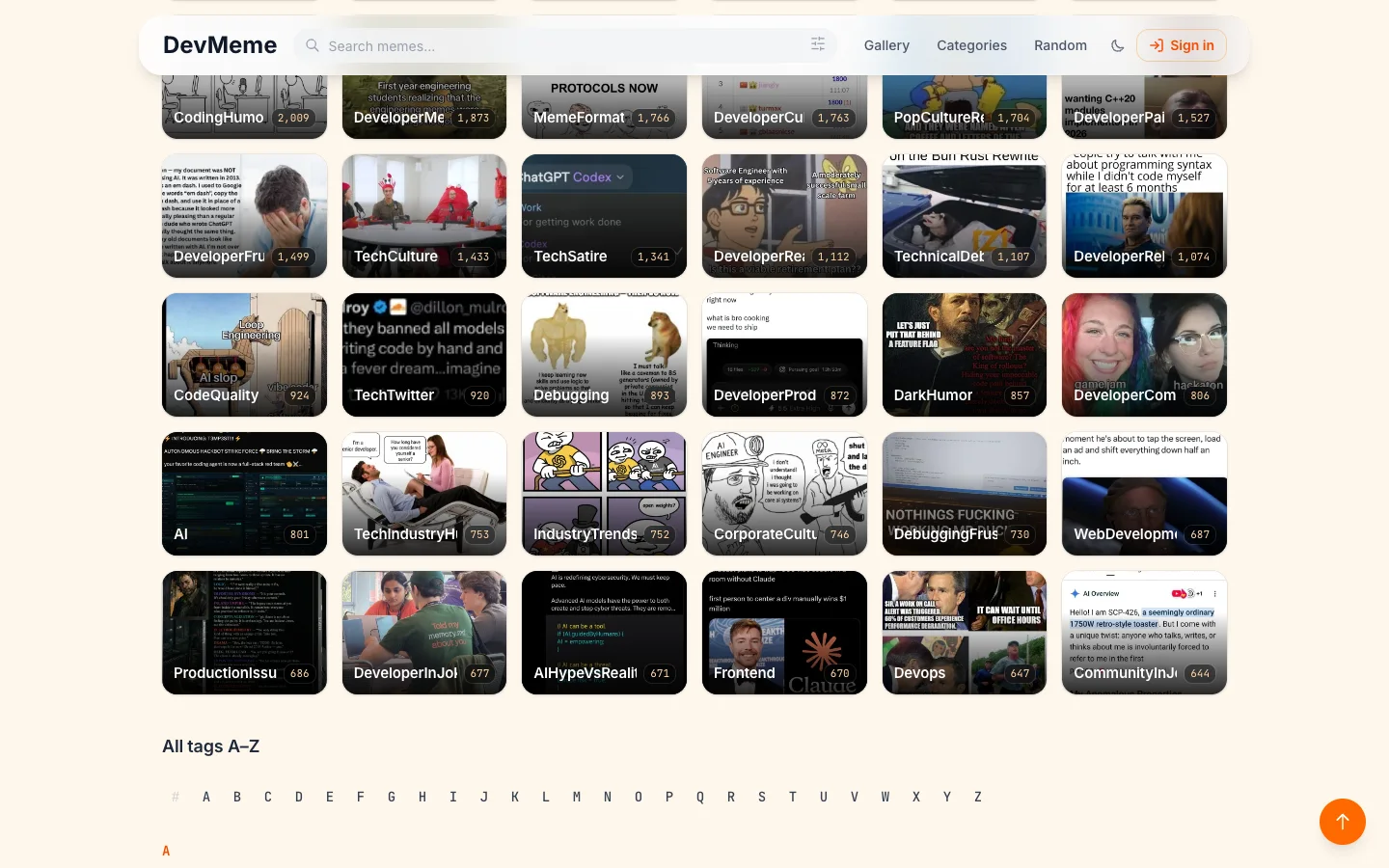
- Start with one of the 36 popular cover tiles, or move to All tags A–Z.
- Use the letter links to jump through the full text index.
- Open a precise topic such as authentication.
Tags are useful when a broad category contains too many different situations. If you remember a phrase rather than a taxonomy label, use keyword search instead.
Expected result
A category or tag page starts with 30 matching meme cards, a total count, and canonical links to individual meme pages. Desktop JavaScript can load later batches while the page retains crawlable pagination links.
Limitations
- Category and tag membership follows the current indexed catalog, so counts and related topics can change.
- A meme can belong to more than one category or tag.
- The directories do not combine several filters into one saved query.
- If the search index is unavailable, the directory or detail page returns a temporary-unavailable state rather than an incomplete list.
Troubleshooting
You cannot find the exact wording you remember. Search the phrase directly; tags are curated labels, not every word present in every meme.
The category order does not change. Enable JavaScript, then use the Most memes or A–Z buttons.
A tag page has fewer results than expected. Check nearby tags, its related categories, or a broader keyword query. Similar ideas can use different indexed labels.
The directory reports a service problem. Reload later. DevMeme does not substitute stale or fabricated facet data when its search service is unavailable.
What you will see
Related resources
- How to Search Programming MemesUse DevMeme search, understand its URL and browser state, refine the visible gallery, and troubleshoot common result issues.
- How to Save Programming MemesSave a DevMeme item in your browser, find it in the Saved profile collection, and understand when account sync applies.
- Find a Programming Meme with a BrowserUse DevMeme's server-rendered search page and canonical public meme pages in an agent workflow without relying on an internal API.
Sources
- DevMeme category directory official-product · checked 2026-07-28
- DevMeme tag directory official-product · checked 2026-07-16
Real reader questions
- What is the difference between a DevMeme category and a tag?
- A category represents a broad area of developer work, such as DevOps and SRE or debugging. A tag is narrower and may name a specific tool, technique, error, language, or recurring joke.
- How are categories ordered when I open the directory?
- The category directory starts in Most memes order. With JavaScript enabled, you can switch the same server-rendered tiles to A–Z without fetching them again.
- Does the tag directory include only popular tags?
- No. It begins with 36 popular tags that have cover tiles, then provides a complete text directory grouped A–Z for every non-empty indexed tag.
- How many memes appear on a category or tag page at first?
- A detail page starts with 30 memes. Pagination links remain available, and the desktop page can append later batches as you scroll when JavaScript is enabled.
- Do I need to sign in to browse categories or tags?
- No. The category directory, tag directory, and public detail pages are available while signed out.