
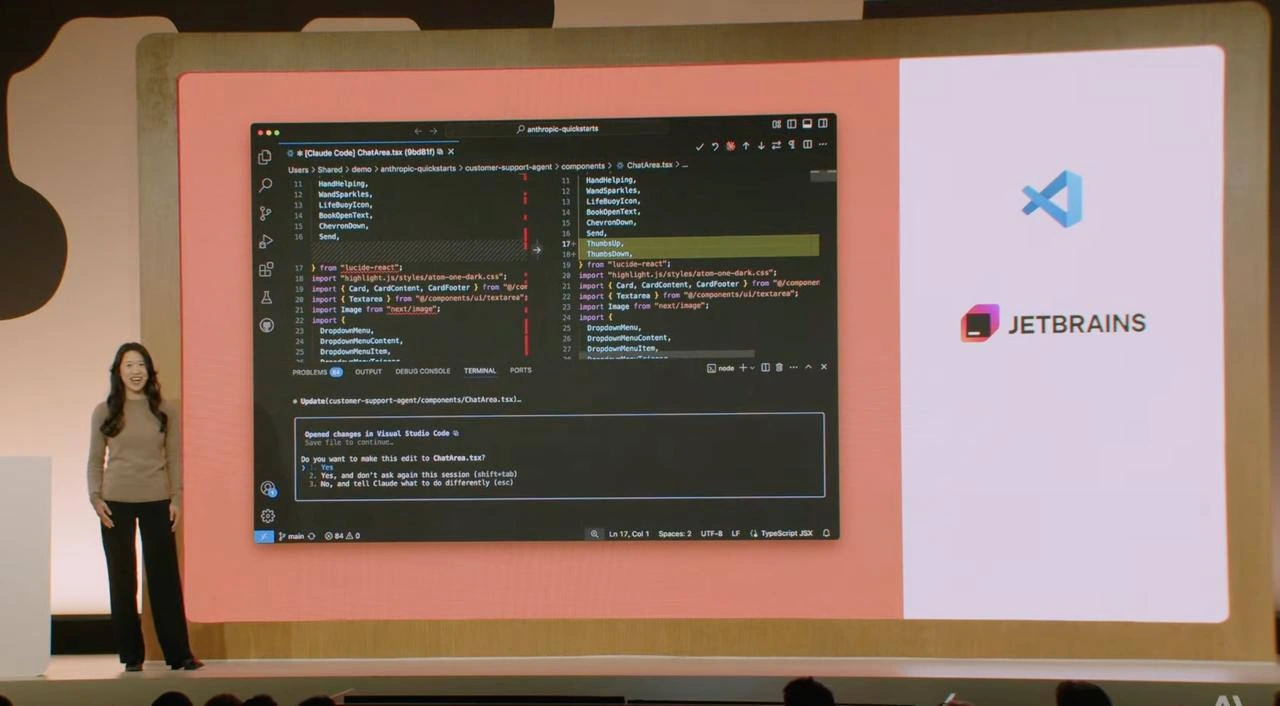
AI Coding Assistant Demo Questions the Real Value of IDE Integration
Description
A photograph taken during a tech presentation. On stage, a presenter stands next to a large screen displaying a code editor, specifically Visual Studio Code, in dark mode. The editor shows a side-by-side diff of a TypeScript JSX file named 'ChatArea.tsx'. This diff highlights changes suggested by an AI coding assistant, as indicated by a terminal prompt at the bottom from 'Claude' asking for confirmation to apply the edit. To the right of the main editor view is a separate white panel displaying the logos for Visual Studio Code and, below it, JetBrains. The overall scene captures a live demonstration of an AI's capability to refactor code within a popular IDE. For experienced developers, the humor is subtle and layered. It contrasts the specific, perhaps clunky, AI-integrated workflow being presented (where the AI takes over the editor) with the established, powerful capabilities of sophisticated IDEs like those from JetBrains, which are renowned for their superior diffing, refactoring, and code analysis tools. The juxtaposition of the logos implies a critique: is this new AI feature just a less efficient version of what developers already do with powerful, dedicated tools?
Comments
32Comment deleted
Presenting an AI that writes code in VS Code is cool, but many of us already have a powerful AI assistant. It's called the JetBrains indexing engine, and its main purpose is to tell me all the ways my own code is wrong, not to write more of it
Nothing unites a room of senior engineers faster than a live diff and the promise of yet another "which IDE really kills your battery slower" thread
The ultimate irony: presenting VS Code's AI assistant at a JetBrains event - it's like bringing a Tesla to a Ferrari convention and asking if anyone wants to talk about autopilot features
When your AI coding assistant asks permission to make changes, you know we've finally achieved the perfect balance: automation with accountability. It's like having a junior dev who actually reads the PR guidelines and asks before force-pushing to main - except this one never takes coffee breaks or argues about tabs vs spaces
JetBrains linter: The unflinching auditor that turns your 'battle-tested' monolith into a refactor roadmap before the architect even scrolls
LLM pair-programming: 'Yes, and don't ask again this session' is basically 'merge to main with admin override' - see you at the 3am postmortem
Pressing "Yes, and don’t ask again this session" is basically granting merge rights to a stochastic intern who writes TypeScript and never sleeps
Since initial hype wave my main problem with usage of all IDEs with integrated API was their foundation on top of VSCode And I’m kinda far from being VSCode fan 🌚 Comment deleted
this is why I hate new jetbrains UI Comment deleted
I feel you, brother. A long time JetBrains enjoyer here, but had to switch to Cursor some months ago. Stuff is just too good to ignore. Still, all those months later missing the JetBrains look and feel (even with all jetbrains-like plugins: highlighting, hotkeys, etc) Comment deleted
I use both in parallel Comment deleted
Why? Comment deleted
AI in Cursor, normal coding with hands in jetBrains. It still does many things better, like moving files with references changes, renamings, built-in refactorings. Sometimes harder to explain to AI, faster to do the old way. Comment deleted
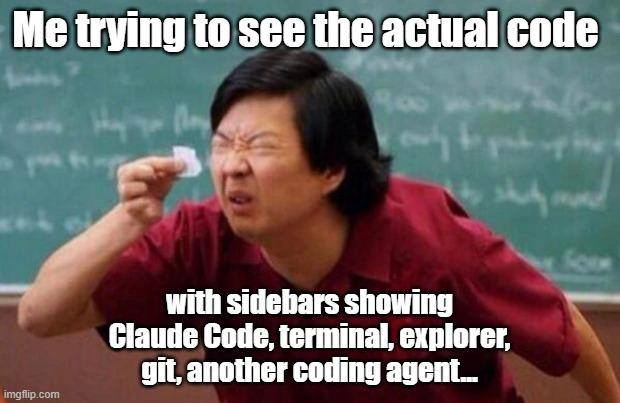
can't even tell if the editor on the slide is vscode or webstorm, they look practically the same now Comment deleted
hummm Comment deleted
Haven't tried Junie yet, but GH Copilot in Jetbrains sucks, compared to Cursor agentic mode Comment deleted
Коллаба недели Comment deleted
Fully agree, but please, let’s keep all conversations solely in English pray 🙏 Comment deleted
@denissexy has no clue what's going on. pls ignore him Comment deleted
Am too lazy for that ) I chose suffering in VScode Comment deleted
agent works 90 minutes on code, shows changes and gets "still not working, find the bug, don't break everything else, please" Comment deleted
there are a lot of UI differences between Jetbrains New UI and vscode based ones Comment deleted
minor differences - sure, and it's still jetbrains underneath so it doesn't require 9000 plugins to work correctly. but it's the same icon design (just tweaked enough so it's legal), same placement of elements, same piss-poor usability, massive paddings on everything (probably looks great on 27" display but I don't use those), toolbars squished into the title bar, textophobia (because apparently reading is hard) and overall feel of a poorly designed Mac app agree to disagree, I/we clearly lost this battle, jetbrains won't back off and will likely kill Classic UI plugin at some point this year. I just cancelled my subscription and will stay at 2024.1 until it stops working Comment deleted
I personally love how their own documentation shows everything that is wrong with this redesign. If you open https://www.jetbrains.com/help/webstorm/new-ui.html and switch between New and Classic you can see how much space is for actual code (you know, the reason why I even open this app) vs unnecessary fluff Comment deleted
WAIT WTF Comment deleted
WHY IN THE GODDAMN FUCK ALL THAT TIME I WAS JUST USING OLD UI Comment deleted
Best UI/UX Comment deleted
enjoy your shitty vscode clone 🥲 Comment deleted
if you're using Jetbrains, use Jetbrains IA, not copilot Comment deleted
With Jetbrains IA + Junie, nothing from "Cursor" (a browser with a web page — vscode —) is missing... even Jebtrains support MCP Comment deleted
I'm a hardcore laptop user, no external screens, just 14" screen of my laptop and alt-tabbing everything (I used to work my first job on a 8.9" back when I was piss poor and couldn't afford anything better). I can accept larger margins in apps where screen estate is not premium but it's a massive PITA when editing code, especially in codebases where 120 limit is often ignored or impractical 💀 Comment deleted
I will report back after weekend on how it feels Comment deleted