
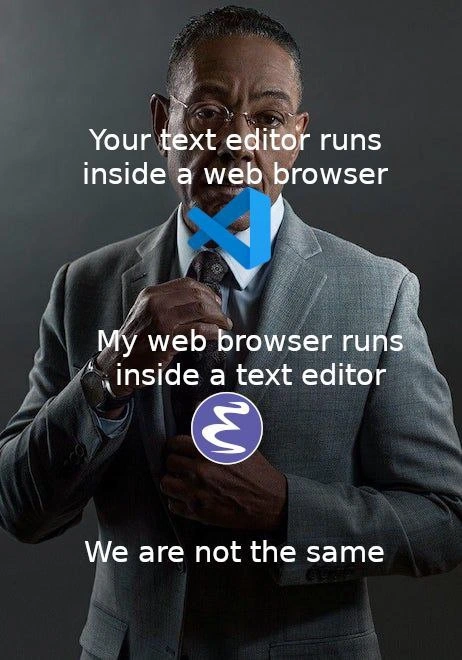
When your editor is a browser but my browser is an editor
Description
The image uses the classic "suited man adjusting his tie" template on a dark background. White text is overlaid in three parts: "Your text editor runs inside a browser" at the top, "My web browser runs inside a text editor" in the middle, and "We are not the same" at the bottom. A blue Visual Studio Code logo is placed at the tie knot, while a purple GNU Emacs swirl logo sits on the suit chest, emphasizing the punchline. The meme highlights that VS Code is an Electron (Chromium) application - so a text editor inside a browser - whereas Emacs can embed a full web browser (EWW), flipping the relationship. It humorously references the long-running editor wars, developer tooling choices, and the blurred boundary between browsers and native development environments

Comments
6Comment deleted
VS Code ships a whole Chromium just to highlight braces; Emacs writes a browser in Lisp inside a buffer - one of them understands recursion, the other is just nested iframes until swap starts screaming
Your editor uses 300MB of RAM to render a blinking cursor. Mine uses 30KB to implement a Lisp interpreter that accidentally became sentient in 1976 and now handles my email, calendar, and existential dread
The real irony is that both camps spend more time configuring their editors than actually writing code - VS Code users installing extensions to make it feel like a real IDE, while Emacs users write Lisp to make it do literally everything except edit text efficiently. At least VS Code users can close their editor without consulting the manual
VS Code users tweak settings.json; Emacs users forge a browser from Elisp while the build compiles
Your editor rides on Electron; my “browser” is M-x eww in a buffer - one amortizes latency across renderer processes, the other across a decade of muscle memory
Electron solved 'write once, run anywhere' by bundling Chrome; Emacs solved it by making the browser a minor mode - guess which one needs 2GB to open README.md