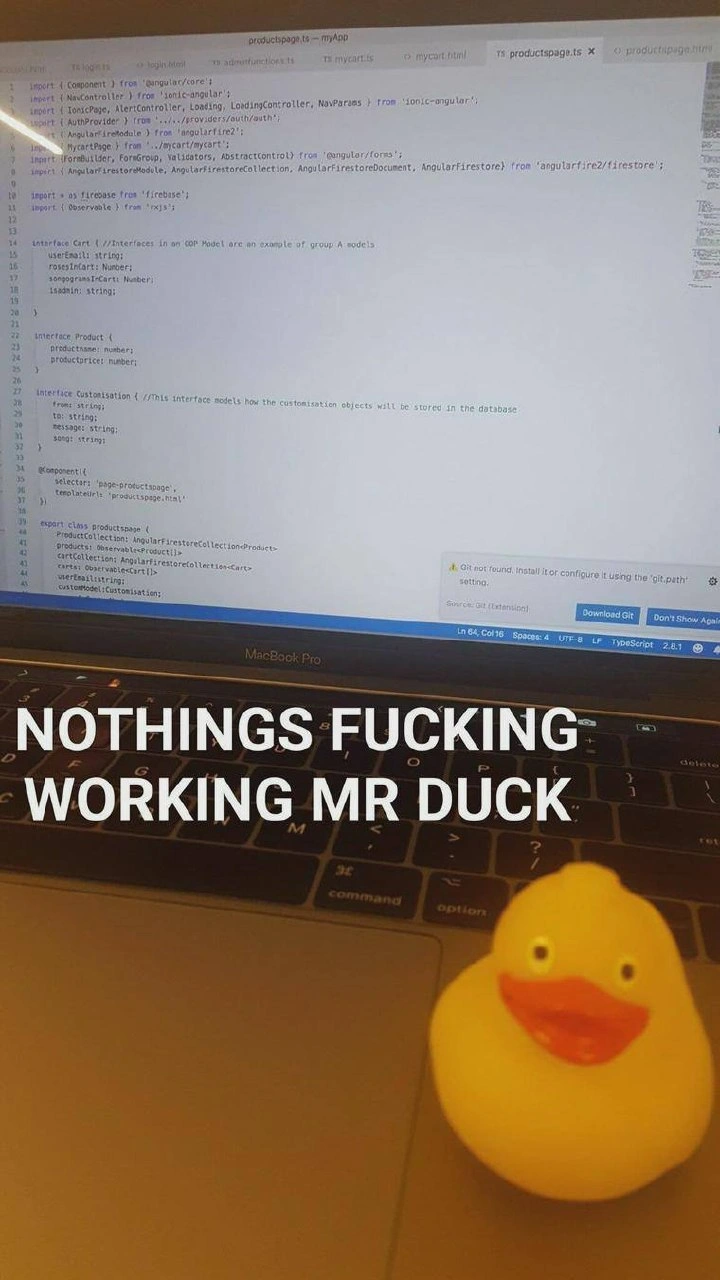
The ultimate 'it works on my machine' solution
Why is this Bugs meme funny?
Level 1: Only My Oven Bakes This Cake
Imagine you made a yummy cake at home using your own oven, and it came out perfect. But when you go to a friend’s house and try the same recipe in their oven, the cake just won’t bake right – it stays mushy or burns. Your friend’s like, “Why isn’t this working? Do we need a special oven or something?” So, as a joke, you roll in your entire oven from home and say, “I guess we need this oven, because it only bakes correctly in mine!” It’s a silly picture, right? You dragging your heavy oven down the street, just to bake one cake.
That’s exactly the joke in this picture. The “cake” is a computer program, and the “oven” is the developer’s own computer. The program worked fine on his computer at home, but nowhere else. So when the boss asks, “Does it need special hardware to run?”, the guy literally brings in his whole big computer to show it. It’s funny because it’s such an over-the-top solution – kind of like bringing your entire kitchen to someone else’s house just to make one recipe work. The feeling behind it is frustration mixed with humor: sometimes when nothing else seems to fix the problem, the only thing you can do is laugh and say, “Well, it did work on my machine!”
Level 2: Configuration Chaos
At its core, this meme is about a very common software development problem: “Works on my machine, but nowhere else.” That phrase is practically a running gag among programmers. It means the code runs perfectly on the developer’s own computer, but when someone else (like the project leader or a teammate) tries it on a different computer, it breaks or doesn’t work correctly. This situation leads to major debugging frustration. You can imagine the developer scratching their head, wondering why in the world this program is throwing errors on every other PC. Often, the culprit is the environment setup – basically all the things about a computer that the code relies on. The environment includes the operating system (Windows, Linux, etc.), installed libraries and software versions, configuration files, path settings, even hardware details. If any of these differ between two computers, you can get a bug that appears in one place and not in another.
Let’s break down the meme conversation. The Project Leader is essentially saying: “This code isn’t working on my side. Did you require some special hardware or setup to run it?” Maybe they suspect the developer’s machine has something unique. Now the developer’s response isn’t spoken – instead, he shows up with the actual PC where it last worked. Picture a programmer walking into the meeting room carrying a huge old desktop tower, with the keyboard strapped on top and the mouse dangling. It’s a ridiculous sight – and that’s the joke! When asked if there’s a specific hardware requirement, he’s basically saying, “Yup, the requirement is my machine itself.” In other words, I couldn’t get it working anywhere else either, so I’m bringing the one environment where it does run. This is poking fun at the desperation a developer might feel when a bug is untraceable: you almost want to lug your whole desk to show, “See, I’m not crazy, it does run… but only here.”
For a newer developer (or anyone new to this relatable dev experience), it’s important to understand why code might behave differently on another computer. Some key reasons:
- Missing Dependencies: Perhaps the coder installed some tool or library on their own PC and forgot to tell everyone. The program needs that to run. On their machine it’s there, on others it’s not, so it crashes elsewhere.
- Different Configurations: The program might be looking for a file or a setting that exists in one computer and not in another. For example, it might read from a file path or a database that’s only set up on the dev’s PC.
- Software Versions: Imagine the developer wrote the code using Python 3.9, but the tester is using Python 3.7. Those little version differences can sometimes cause big problems. The developer’s machine might have the “right” version for the code, and others don’t.
- Environment Variables: These are like hidden settings on a computer. A classic mistake is when a dev’s system has an environment variable (like
API_KEYorENV_MODE=debug) that the code expects. On a different machine, that variable isn’t set, and the code misbehaves. - Hardware Differences: Though rarer these days, some programs might rely on specific hardware features. For example, maybe the code uses all the cores of a CPU and assumes a certain CPU type. The developer’s beefy PC can handle it, but another machine with less CPU or a different architecture might choke.
The meme specifically shows old hardware (that beige tower PC is a throwback to late-90s legacy hardware). This exaggeration plays into hardware humor – the idea that maybe the code only runs on that crusty old computer in the corner, and nowhere else, which is a comically poor “hardware requirement”! In reality, when someone asks about hardware requirements, they’re expecting something like “Needs 16GB of RAM and a 64-bit OS,” not “Needs this exact physical machine.” But here the developer humor is literalizing the excuse.
What should a developer actually do in this scenario (besides hitting the gym to carry PCs around)? The proper solution is to replicate the environment in a more practical way. This might mean setting up a consistent development environment for everyone or using tools like virtual machines or Docker containers that create the same environment on any computer. The meme, however, skips straight to the laughable last resort: just bring your whole desktop over. It’s funny because it’s an exaggeration, but it underscores a real lesson for juniors: always consider environment setup and configuration when debugging. If someone says “It works on my machine,” the next step is figuring out what’s different about their machine. The faster you find those differences, the sooner you’ll fix the bug. And hopefully, you won’t literally have to cart hardware between offices to do it!
Level 3: Write Once, Run Only Here
In the software trenches, this meme nails the “works on my machine” nightmare with wicked sarcasm. The developer is literally hauling a 90s-era beige tower PC – keyboard strapped on with belts, mouse and yellow power cable dangling – as if to say: “Oh, you want the hardware requirement? Here it is, the entire machine is the requirement!” This scene is so absurd it’s painfully familiar. It lampoons a bug that only runs on the original environment and fails everywhere else. Seasoned engineers recognize this as the hallmark of a configuration nightmare or a hardware-specific bug. The humor comes from taking that common excuse (“It works on my machine”) to its extreme but logical conclusion: just drag my machine into the meeting.
Under the hood, this image is calling out the environment drift that plagues many projects. Maybe the code relies on a particular library version, an OS-specific quirk, or some legacy hardware driver that exists only on that developer’s PC. Perhaps the developer’s machine has an environment variable, hidden config file, or ancient voodoo custom setting that isn’t documented anywhere. The Project Leader’s question – “Is there any specific hardware requirement?” – is usually a reasonable query about system specs. But our dev’s deadpan response (lugging in the whole PC) highlights that the only requirement might be the unique snowflake configuration of that one box. It’s a relatable dev experience for anyone who’s debugged a “but it worked on my workstation” issue at 3 AM. Senior devs have battle stories: the app that only ran on Windows XP SP2, or the script fine on a laptop but segfaulting on the server because of a different CPU architecture. In one company’s folklore, a critical service only ran on a single creaky server under a dev’s desk – nobody dared change it because nobody could reproduce its exact setup. This meme is that entire saga distilled into one image, equal parts hilarious and horrifying.
The industry answer to this fiasco has been “Make it work everywhere by replicating environment.” Modern DevOps folks saw too many people schlepping their PCs (figuratively, we hope) and created tools like virtual machines and Docker containers to package that “it works on my machine” state into something portable. Instead of physical drag-and-drop deployments of hardware, we now do docker run my-app to ship the environment in software form. It’s a slick solution to an old problem – but the meme wryly suggests that when all else fails, a frustrated dev might just cut to the chase and literally deliver the hardware. After all, you can’t get closer to replicating the environment than bringing the exact environment with you! The joke lands because every experienced programmer knows that sinking feeling: when your bug report gets closed with “Unable to reproduce,” you half-jokingly consider shipping your entire PC to QA. This picture says, “Fine, I’ll do it.” It’s a darkly comic reminder that debugging often demands 100% parity between environments – and sometimes achieving that feels as heavy as carrying a 40-pound tower across the office.
- Common culprits that make code work only on one machine:
- Hidden Dependencies: Developer’s PC has a library or tool installed that others don’t (oops, forgot to add it to
requirements.txt). - Configuration Differences: e.g. a config file path is hard-coded to
C:\Users\Dev\…that only exists on the dev’s box. - Environment Variables: Perhaps an environment variable like
SPECIAL_MODE=1is set on the dev machine and nowhere else. - OS and Hardware Quirks: The code might unintentionally rely on 64-bit vs 32-bit differences, specific CPU instruction sets, or even timing that only that hardware produces.
- Legacy Software: The dev’s machine might be running an out-of-date database, framework or OS that the code unknowingly depends on.
- Hidden Dependencies: Developer’s PC has a library or tool installed that others don’t (oops, forgot to add it to
Each of these can produce a bug that is devilishly hard to reproduce elsewhere. The meme’s exaggerated solution of carrying the whole PC is poking fun at how debugging frustration can drive us to extreme measures. It’s saying: “Yes, the code runs – but only in this one magical PC-shaped container.” Seasoned developers are laughing (and maybe crying) because they’ve been that person, struggling to troubleshoot why a program fails on every other machine. The text layout mimics a classic Q&A: the Project Leader’s reasonable question and the Dev’s unspoken answer in action. The developer humor shines through the contrast: corporate problem vs. coder solution. Instead of a scientific explanation, the dev resorts to brute force: carry the entire desktop to the boss’s office. We know this feeling all too well, and that’s why it’s both funny and painfully accurate.
In summary, the meme blends Bugs and Configuration woes into a single sight gag. It’s a tribute to every debugging pain that ever made us mutter “It worked yesterday… on that one machine.” The next time someone says “works on my machine,” just picture this meme and ask if you need to fetch some lifting straps – the absurdity might prompt a move towards proper environment setup instead. After all, nobody wants to be the dev actually dragging a beige dinosaur PC through the office halls!
Description
A popular tech meme format with text at the top and an image below. The text dialogue reads: 'Project Leader: Tell me why this code is not working! Is there any specific hardware requirement for it?' followed by 'Me: *with the PC on which it worked last time*'. The image shows a person from the torso down, carrying an old beige desktop PC tower using a shoulder strap harness. Tucked into a mesh pocket on the side of the harness are a keyboard, mouse, and coiled cables. The meme hilariously illustrates the classic developer excuse 'it works on my machine' by taking it to its most absurd, literal conclusion. For senior engineers, this resonates deeply, representing the frustration of environment inconsistencies and the temptation to just ship the entire development machine to solve a problem that can't be reproduced elsewhere

Comments
8Comment deleted
Before Docker, this was the only way to achieve true environment immutability
Our legacy CI/CD pipeline predates Docker - around here it still means “Courier Integrated / Chassis Delivered” because the only reliable artifact is the whole beige box
After 20 years in tech, I've learned the real solution to 'works on my machine' isn't Docker containers or virtualization - it's apparently TSA PreCheck and a really good luggage strap. Though I'm pretty sure this violates our disaster recovery plan's definition of 'portable backup solution.'
When your project leader asks about hardware requirements and you realize your 'infrastructure as code' strategy is actually 'infrastructure as beige tower strapped to my back' - because sometimes the only guaranteed deployment environment is the one you can physically carry to the meeting
Hardware requirements? Sure - BIOS F.12, that cursed GPU driver, and this exact beige tower; we’ve productized it as Works-on-My-Machine-as-a-Service
Reproducible builds? Try reproducible rigs - hardware abstraction layers can't compete with a good backpack
Dev - prod parity achieved: pin the BIOS date, the NIC driver, and the mystery USB license, then ship the literal host - aka Docker with a wrist strap
I think the specific hardware is trackball mouse to effect code Comment deleted