The Physical Manifestation of Technical Debt
Why is this LegacySystems meme funny?
Level 1: Tangled Wires
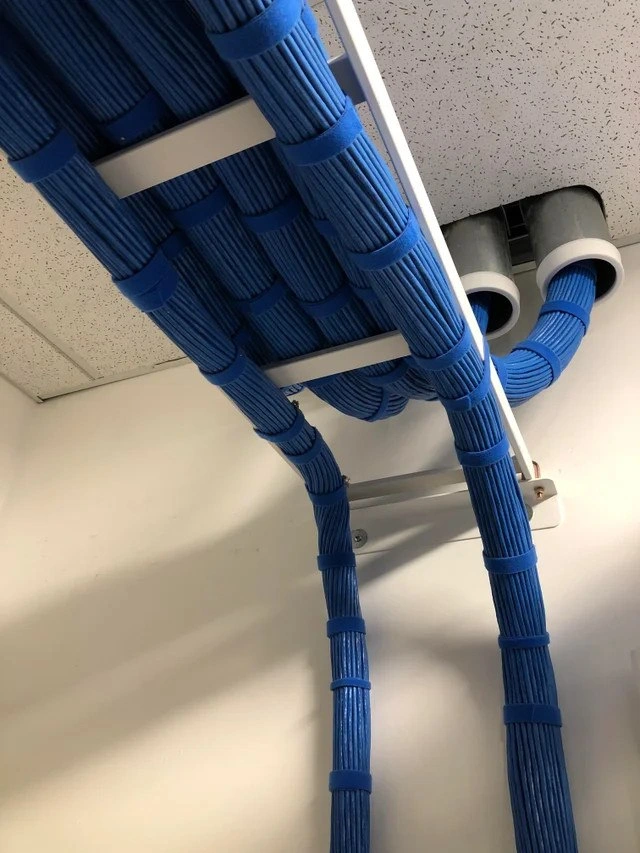
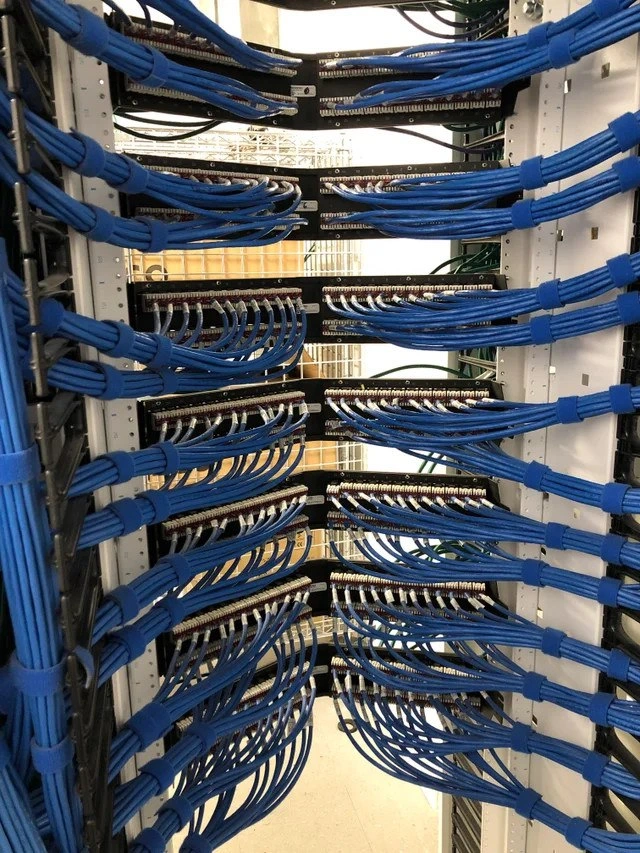
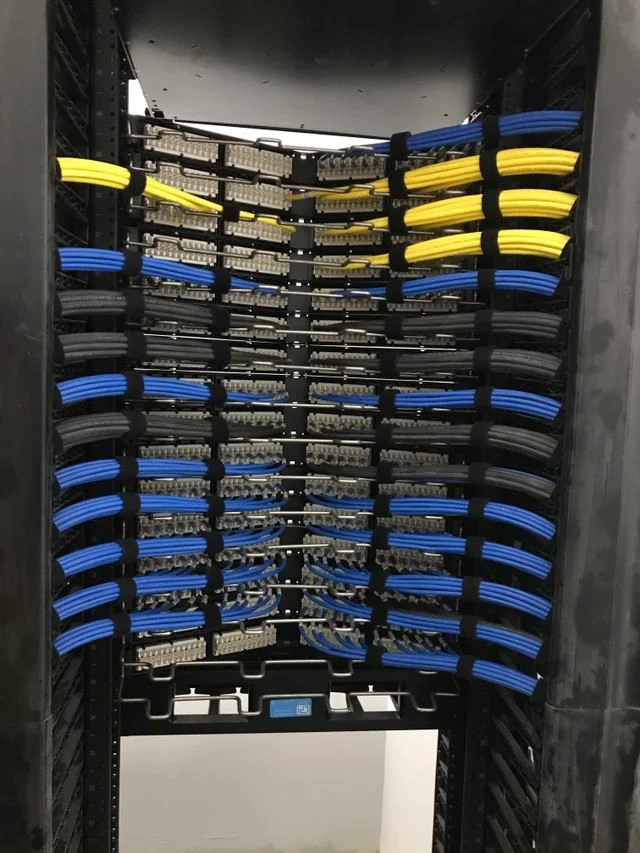
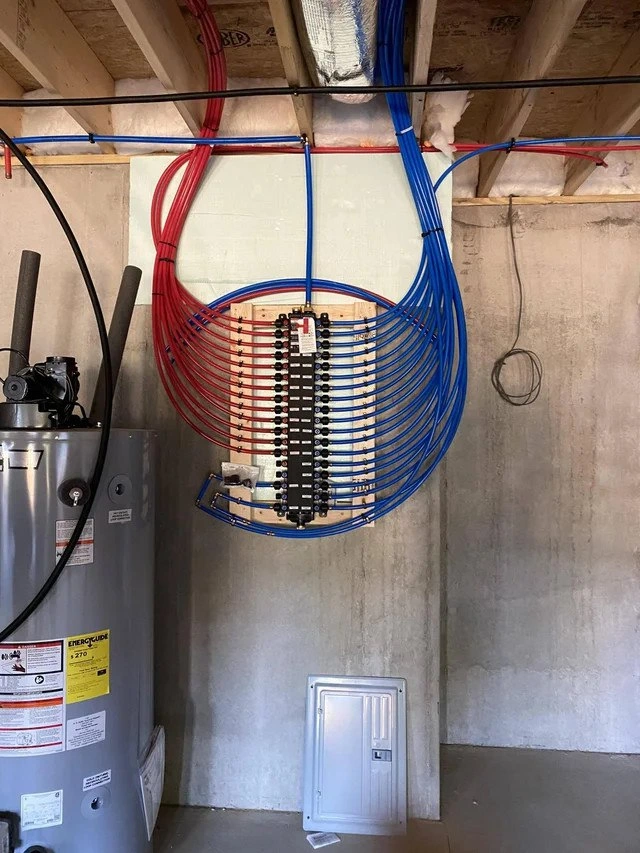
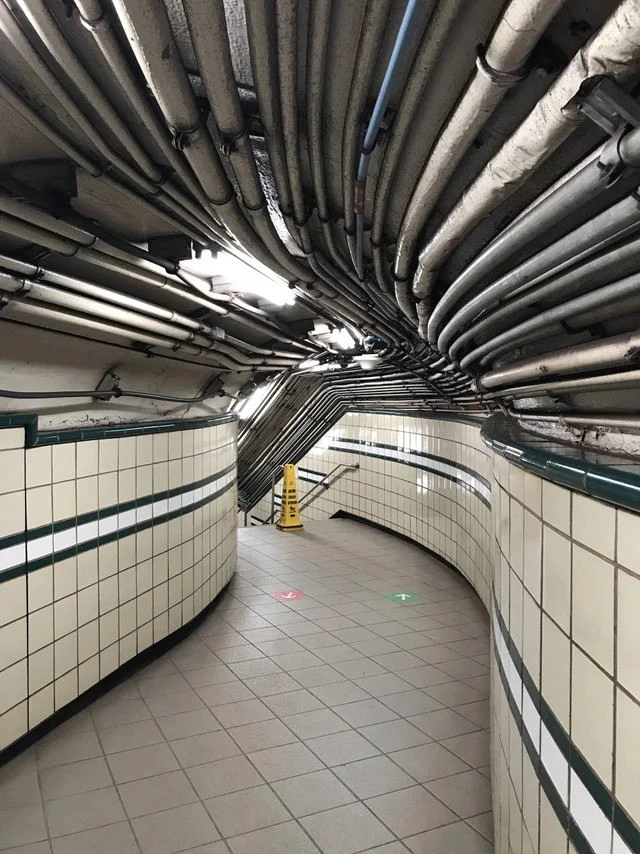
Imagine you have a bunch of wires or strings all jumbled up in a big knot. Maybe you’ve seen something like a box full of tangled charging cables, or a ball of yarn the cat played with, or those holiday lights that come out of storage in one giant knot. It’s a big mess, right? If you try to pull one wire out, a whole bunch of others come along with it and knots get tighter. This picture of the subway ceiling is funny because it shows that kind of mess on a HUGE scale – so many wires going everywhere that it almost looks silly, like a work of abstract art. It makes you think, “Who could ever fix or understand that jumble?”
Now, the meme joke is saying a computer program (the code) can end up looking like this on the inside. That means the program wasn’t organized well, so all the parts are tangled up like those wires. Why is that funny? Well, it’s a bit of a laugh of disbelief – “Ha ha, my code feels exactly this messy!” It’s like when you open a closet and a bunch of stuff falls on you because nothing was put away properly; you can either cry about the mess or laugh at how over-the-top it is. Developers choose to laugh and make a meme out of it. So, in simple terms: the meme compares messy code to a bunch of crazy tangled wires, and we find it funny because we know how frustrating (and absurd) it is to deal with such a mess, whether it’s cables or code. It’s comforting to joke that, sometimes, code can be as hard to straighten out as a pile of spaghetti — and seeing it on a ceiling like that just makes the comparison really easy to understand and chuckle at.
Level 2: Tangled Dependencies
Let’s break this down more simply. The meme is comparing a messy bunch of cables on a ceiling to a messy bunch of dependencies in a codebase. In software, a dependency is when one piece of code relies on another piece of code to work. For example, your program might depend on a math library to do calculations, or one part of your app calls another part to get something done. If you imagine each dependency as a line or wire connecting two parts of the system, you can draw a dependency graph showing how everything is connected. Ideally, that graph should look organized – maybe like a tree or a few neat layers. But sometimes, especially in large codebases that have been worked on by many people over many years, the dependency graph turns into a big tangled web. That’s what we’re joking about here: the code’s internal connections have become so complex that it’s like looking at a ceiling jam-packed with random cables going in all directions.
This kind of mess often happens in older or rushed projects. People add new features quickly, which means they might plug new code into whatever spot seems to work, rather than carefully planning the structure. Over time, you get a lot of these ad-hoc connections. For instance, Module A calls Module B, and Module B also calls Module A (uh-oh, that’s a circular dependency). Or Module C needs some functionality, so instead of writing it cleanly, a developer just imports a bunch of other modules and uses bits of them. Before you know it, Module C is pulling in everything including the kitchen sink. This is what developers affectionately (or despairingly) call spaghetti code – code that’s tangled and twisted in logic, much like a plate of spaghetti where you can’t follow one strand easily because it’s all intertwined with others. Spaghetti code is hard to follow, hard to maintain, and easy to break by accident.
We also use the term “dependency hell” to describe the situation when dealing with such tangled dependencies becomes a nightmare. Imagine you want to update one library in your project to a newer version because it has a bug fix you need. In a cleanly structured project, that might be simple. But in dependency hell, updating that one library might cause another part of your project to break, because somewhere else, some code was relying on the older version or assumed things that the newer version changed. It’s like a house of cards: remove or change one piece, and a whole section of the system might fall down. Many new developers first experience dependency hell when working with package managers (like npm for JavaScript or pip for Python), where you update one package and suddenly get a bunch of “conflict” or “version mismatch” errors. That happens because all those packages have their own web of interdependencies – not unlike multiple cables sharing the same conduit and interfering with each other.
Now, let’s talk about technical debt in simpler terms. Technical debt is a metaphor we use in development: it’s like financial debt, but instead of owing money, your project “owes” clean-up and fixes. You incur technical debt when you choose an easy but messy solution now, rather than a cleaner but harder solution that might take more time. Just like with money, a little debt might not hurt, but if you keep borrowing (i.e., keep making quick-and-dirty fixes) and never pay it back (i.e., never go back and refactor or clean up the code), you end up “paying interest”. Here, interest shows up as the extra effort it takes to work around the messy code later. The photo of the messy cables is a perfect illustration: each of those cables was probably added when someone said “we need this new connection fast, just put it through!” and nobody tidied up the routing. After many years, you have this maintainability_horror – it’s very hard (costly in time and risk) to make any changes because everything is intertwined. The legacy code in such a system is scary for new developers because it feels like a giant Jenga tower; pull out the wrong block (change the wrong piece of code) and the whole thing might collapse (the program might crash or produce gibberish).
In more concrete terms for a junior developer: suppose you have a function that calculates a user’s score in a game, and it directly accesses the database, calls the email service, and updates the on-screen display all by itself because over time people added more duties to this one function. This function now has multiple dependencies (database, email system, UI). If any of those parts change – say the database schema updates – this one function might break the game. It would’ve been better to separate those concerns (one piece handles score logic, another handles database, another handles email, etc.). That separation is like organizing cables into separate channels. But since everything got lumped together, you have a fragile setup. If you’ve ever plugged too many things into one power outlet with a bunch of adapter cords, you know it’s not a good idea – one plug out of place can cut power to many devices at once. That’s essentially what happened in the code.
The meme’s image comes from a real-world infrastructure scenario, likely an old subway system. In such systems, cable management wasn’t a top priority decades ago – they just needed things to work quickly. Over time, more and more cables got added (for new signals, new lights, new tech), and removing old ones was deemed unnecessary or risky (“What if that cable still powers something? Better leave it.”). In the software world, the same thing happens. Old code stays because “What if something still uses it?” and new code gets bolted on around it. Without periodic clean-ups, you get a situation where the system complexity is through the roof. Newcomers look at it and are stunned, much like you might be stunned looking at that photo wondering how on earth an electrician could debug which cable goes where. The truth is, whether in code or cables, someone can figure it out – but it takes a lot of time and patience, and you’re likely to make a facepalm or two along the way.
So essentially, for a junior or someone newer to these concepts: this meme is saying “Our code has become a huge mess of interconnected parts, as messy as this ceiling full of wires.” It’s both a joke and a little bit of a warning. The joke part is the exaggeration – most codebases (hopefully) don’t get that bad in a literal sense, but it sure feels like it when you’re the one stuck untangling the mess. And the warning part is: if you don’t manage dependencies and code structure as you go, you could end up with a situation that is a real pain to work with. It resonates with common tags like LegacyCode, SpaghettiCode, and DependencyHell because those all describe the plight of dealing with old, tangled code. The visual of physical messy_cable_routing just drives the point home in a way that’s easy to understand. Even without knowing all the terms, anyone can look at that and intuitively go, “Wow, that looks complicated.” Exactly – and that’s how a messy program feels on the inside.
Level 3: Technical Debt Ceiling
This meme strikes a chord with any senior engineer who’s faced a legacy system grown out of control. The subway ceiling jam-packed with twisting pipes and conduits is basically a physical echo of a software project suffering from extreme technical debt. It’s funny because it’s true: over years of quick fixes and patchwork solutions, a codebase’s dependency graph can end up looking just like that cluster of cables – confusing, labyrinthine, and a little bit terrifying. We often joke about spaghetti code, and here we literally see spaghetti-like wiring in an infrastructure context. The humor has an edge of pain to it: people laugh seeing this because they remember some project that felt just as messy. It’s the “I’ve been there” laugh of recognition among developers.
In a healthy codebase, you might have clear module boundaries – like tidy conduits where each cable (dependency) runs in a designated track. In the horror-show codebases, everything is intertwined. Maybe that one utility class ended up importing half the project, or you discover that updating a 3rd-party library requires touching 20 files because of tight coupling. That’s dependency hell – when adding or upgrading one thing results in a cascade of dependency conflicts or breakages. This typically happens in large codebases that were not refactored regularly. Each time someone needed a quick solution, they just added another “cable” across the ceiling rather than spending time to route things cleanly. After a decade, you have a situation where Module X depends on Module Y, which depends on Module Z, which… depends back on Module X! Such circular dependencies are the software equivalent of a cable loop that someone forgot to untangle.
To make matters worse, nobody wants to touch it now. There’s often an unwritten rule in teams dealing with a fragile legacy system: “If it’s working (even by miracle), do not disturb it.” That CAUTION WET FLOOR sign in the photo embodies this mindset perfectly. It’s like a big yellow warning from the system: “Caution: one wrong step and you’ll slip!” In code terms, it’s the comment at the top of a scary function that reads // WARNING: Here be dragons. Everyone on the team knows that part of the code is dangerous to modify because it’s so entangled that a small change could have unforeseen consequences. Just as a wet floor caution sign tells you to walk carefully, a messy legacy codebase teaches developers to make changes very carefully (often with extensive testing and a rollback plan ready). In the picture, you even have two arrows on the floor, one red pointing left and one green pointing right, possibly indicating two “approved” paths to navigate this mess. That’s hilarious in a programming analogy sense: it’s like the codebase has multiple conflicting guides or “workarounds” – you might hear, “Oh, don’t use that new framework fully; we half-implemented it, so sometimes you call the old API (go left), sometimes the new one (go right).” Confusing? Absolutely. Realistic? Sadly, yes in many legacy projects that underwent partial migrations or design changes mid-way.
Think of an older enterprise application that started as a monolith, then partially moved to microservices, but never fully. You end up with hybrid architecture – some calls go through the new service layer (green arrow), others still shortcut directly (red arrow) because they never untangled the old dependencies. The result is nobody is quite sure which path is correct, and the documentation might be as outdated as that subway map from 1970. Meanwhile, there are definitely “Ops nightmare” vibes here. If you’re on call for a system like this and something fails, troubleshooting is a journey through a maze. Following one cable (investigating one suspected component) will likely lead you down a twisty passage to another component, and another, ad nauseam. It’s like trying to trace one of those ceiling conduits from one end to wherever it goes – you might lose it behind others. The meme exaggerates it to a comedic extreme (that ceiling is really packed), but the core joke lands because of how plausible it feels to anyone who’s debugged a hairy production outage. Often the issue isn’t a single bug in isolation; it’s how one fault cascades through all these tightly-coupled pieces.
Why do systems end up like this? Usually because of time and growth. A system might start clean, but business needs force rapid changes. Shortcuts get taken: instead of redesigning the whole wiring (architecture), they’ll run one more cable to add the new feature. Those context switches add up. Over years, you get what we call “cruft” – bits of old code and weird connections that no one cleaned up. Removing any of it is risky because no one remembers exactly what it does, and there are no tests (or the tests themselves are intertwined with the old assumptions). So technical debt accumulates interest: the system becomes slower to change and more prone to failure. Management might even acknowledge “Yes, we have to pay down that debt,” but it’s like raising the debt ceiling in financial terms – they keep kicking the can down the road because addressing it is expensive and doesn’t directly add new features. The meme’s title “dependency graph looks like subway ceiling wiring” nails this absurdity with a visual; it’s more impactful (and funnier) than just saying “our dependencies are a bit tangled.”
To survive such a codebase, senior devs develop a healthy sense of humor (and cynicism). For example, an ops veteran might quip: “We can’t remove that 15-year-old cable… er, module… because the moment we do, something mission-critical will inevitably stop working.” This is practically folk wisdom in legacy IT departments. It’s why you’ll find ancient functions still lurking in a modern application – nobody has the confidence to rip them out. Like an old cable labeled “DO NOT UNPLUG – unknown usage,” the code has pieces labeled “// TODO: remove this someday” that never got removed. The photo’s underground corridor setting even adds to the mood: working on a legacy system often feels like delving into the bowels of an old facility, headlamp on, trying not to disturb the wrong thing. It’s a dirty job (metaphorically), but someone’s got to do it. And when you finally do tidy up one section, it feels like a heroic feat – until someone upstairs says, “Great, now add this new feature,” and you reach for another cable… 😅
To summarize the senior-engineer perspective: this image is a perfect satire of a system architecture that has grown uncontrolled, turning into a maze of dependencies. It’s funny because it’s painfully familiar, and it communicates instantly what would otherwise take a thousand words of explanation. The laugh it induces is one of relief (“Ha! Our code isn’t the only disaster out there!”) and commiseration among peers. Below is a tongue-in-cheek comparison of best intentions vs. reality in such projects:
| In Theory (Good Practice) | In Reality (Legacy Codebase) |
|---|---|
| Clear module boundaries: each piece has minimal, well-defined dependencies. | Maximal coupling: every piece knows about and relies on many others. |
| Remove unused code/cables: old wires get pulled out during upgrades. | Dead code accumulates: “Don’t remove that, who knows what it’s connected to?” |
| Isolated changes: updating one component doesn’t break the rest. | Ripple effects: a tiny change in one place causes bugs in unrelated modules. |
| Up-to-date docs & diagrams: the architecture is well-documented (you have a map). | Lost in transit: documentation is outdated or missing, so the only “map” is this tangled ceiling in your mind. |
| Regular refactoring: the design is cleaned up periodically to prevent rot. | Procrastinated cleanup: “We’ll refactor later” — repeated for years until “later” is massive and daunting. |
Each row in that table is basically an irony you learn with experience. The photo humorously shows what happens when everything in the right column has been happening for too long. Technical debt has literally hit the ceiling (pun intended), and now it’s a structural part of the environment. The only thing left is to put a big caution sign on it and maybe some arrows to help newcomers navigate the mess. 😅 In short, the meme gets a knowing chuckle from seasoned devs because it visualizes the exact scenario we dread yet often find ourselves in: dependency hell manifest as a physical tangle. It’s absurd, a bit horrifying, and completely relatable.
Level 4: Graph Theory Overhead
At the most technical level, this meme highlights a nightmare in terms of graph theory and complexity. In an ideal world, a codebase’s dependency relationships form a nice Directed Acyclic Graph (DAG) – meaning you can draw lines from module to module in one direction without loops. That makes things like building the project or loading modules straightforward because you can perform a topological sort (an ordering of components that respects dependencies). But the subway-ceiling chaos in the photo is the opposite of a clean DAG. Those cables criss-crossing and looping back are like circular dependencies in software – situations where Module A depends on B, and B depends on A (directly or through a chain). In graph theory terms, the code’s dependency graph has strongly connected components (yikes!). A graph that tangled isn’t far from a complete graph (where everything is connected to everything). The result? It’s theoretically NP-hard to untangle. (Side note: resolving complex package dependencies can literally be NP-complete – akin to solving a SAT problem – if you allow arbitrary version constraints. So this isn’t just metaphorical; there’s real computational complexity in dependency hell scenarios.)
From a computer science perspective, each cable overhead corresponds to an edge in a dependency graph. Seeing dozens of cables bunched and twisted together suggests an extremely high connectivity in that graph. High connectivity means any given component in the system knows about or relies on many others, violating the ideal of minimal coupling. In fact, if you tried to draw this dependency graph on paper, you’d get a non-planar graph – you can’t lay it out without a ton of crossing lines, just like the photo. That implies we’ve lost any clear layering or separation of concerns. A well-structured system might have layers (like UI -> Service -> Database) analogous to organized cable trays that separate wires by purpose. Here, everything’s running alongside everything else. The absence of structure isn’t just visually messy, it has mathematical consequences: the system’s cyclomatic complexity (a measure of independent paths through the code) is probably off the charts. Each additional interconnection multiplies the number of ways things can interact, which grows combinatorially. It’s a bit like trying to trace a single spaghetti noodle in a full bowl – mathematically, the number of possible paths a change could take through the system explodes.
There’s also a hint of chaos theory in such badly tangled systems. In a highly-coupled network of code, a small change in one module can have butterfly-effect consequences in modules far away, because there are so many indirect paths. This is analogous to a perturbation in a complex network: you tug one cable, and who knows what it’s connected to on the other end? Maybe the lights two corridors over flicker. In software, we’ve seen tiny edits cause unexpected side effects when the dependencies are not well-understood (e.g., updating one library version suddenly breaks five other modules due to some deep transitive dependency conflict). Formally, reasoning about the correctness of a change in such a system might require considering an exponential number of cases, which is infeasible. Formal verification or rigorous testing in this context becomes extraordinarily difficult, because there isn’t a clean modular separation to allow assumptions about what remains unchanged. It’s like trying to prove properties of a program when the entire program is one giant function calling itself in roundabout ways. No wonder such systems often rely on a lot of manual testing and superstition (“if we deploy on a Tuesday with version X it usually works…”).
One could even draw parallels to distributed systems complexity or a poorly designed network topology. The cables evoke networking imagery, and indeed a fully meshed network (where every node connects to every other) doesn’t scale – it hits fundamental limits of manageability, analogous to how fully meshed dependencies in code hit maintainability limits. Imagine if each cable in that ceiling is a microservice calling another microservice; you’d have an $n$-by-$n$ integration test matrix nightmare. The CAP theorem in distributed systems tells us we must balance trade-offs (consistency, availability, partition tolerance); similarly, in code architecture there’s a trade-off between quick integration and long-term simplicity. Over decades, choosing quick integration (just add one more cable!) over restructuring leads to this kind of entropic tangle. In theoretical terms, it’s an instance of accidental complexity overshadowing the inherent complexity of the problem domain.
For a theorist, this tangled dependency graph is fascinating (or horrifying) as a case study: it’s like a dense graph with no obvious layering, meaning no simple abstraction can summarize it. For a programmer, it’s simply a giant headache. They might not break out the term “NP-hard” on the job – more likely they’ll mutter “this is impossible to unravel”. Or as the cynical saying goes: In academia, they’d call this configuration NP-hard; in the engineering trenches, we just call it “legacy system”. In other words, this is complexity so bad that even algorithms struggle, yet it’s the kind of problem senior developers fight in real life, armed with coffee and code intuition, one careful change at a time.
Description
A photograph taken in a curving, tiled underground passageway, likely a subway station. The ceiling is a dense, chaotic jungle of thick, grimy pipes and conduits running in parallel along the curve of the tunnel. The sheer volume and chaotic organization of the pipes create a sense of overwhelming complexity. The walls are covered in beige and green tiles, and on the grey tiled floor, there are red and green circular stickers with arrows for foot traffic direction. In the distance, a yellow 'Caution' cone stands guard. This scene is a powerful visual metaphor for a legacy codebase: a critical piece of infrastructure that has grown over time, with layer upon layer of additions, making it a nightmare to navigate, understand, or maintain. It represents the concept of 'technical debt' in a tangible, physical form
Comments
7Comment deleted
This is our monolith's dependency graph. We don't have a CI/CD pipeline; we have a priest who performs last rites before every deployment
Our 15-year-old monolith’s import graph looks exactly like that ceiling - layers of transitive dependencies shoved through one namespace, and the only thing stopping a circular-dependency deadlock is a lonely TODO acting like those floor arrows: “← don’t require upstream.”
When the infrastructure team says they've finally achieved "perfect service mesh observability" but you still can't trace why that one request takes 3 seconds every Tuesday at 2:47 PM
This is what happens when you let 47 different teams each add 'just one more pipe' to production over 30 years without a unified infrastructure plan. Notice how nobody can identify which pipes are actually still in use versus which ones are just load-bearing legacy - much like that 15-year-old microservice nobody dares to deprecate because three critical systems might depend on it. The real kicker? The documentation for this setup is probably a hand-drawn napkin sketch from 1987, stored in a filing cabinet that was decommissioned in 2003
Clean architecture on the slide; above your head: the anti‑corruption layer, three meshes, five proxies, and one blue cable no one dares unplug
This is our service mesh: ten years of 'temporary' workarounds - debugging requires a tone generator and an anthropology degree
Physical IaC before Terraform: 'Just zip-tie it and pray for no outages.'