Skip to content
DevMeme
6580 of 7435
ChatGPT Account Deletion: The Nuclear Option After Sora Rejects Everything
AI ML Post #7213, on Oct 4, 2025 in TG

ChatGPT Account Deletion: The Nuclear Option After Sora Rejects Everything

Why is this AI ML meme funny?

Level 1: Big Red Button

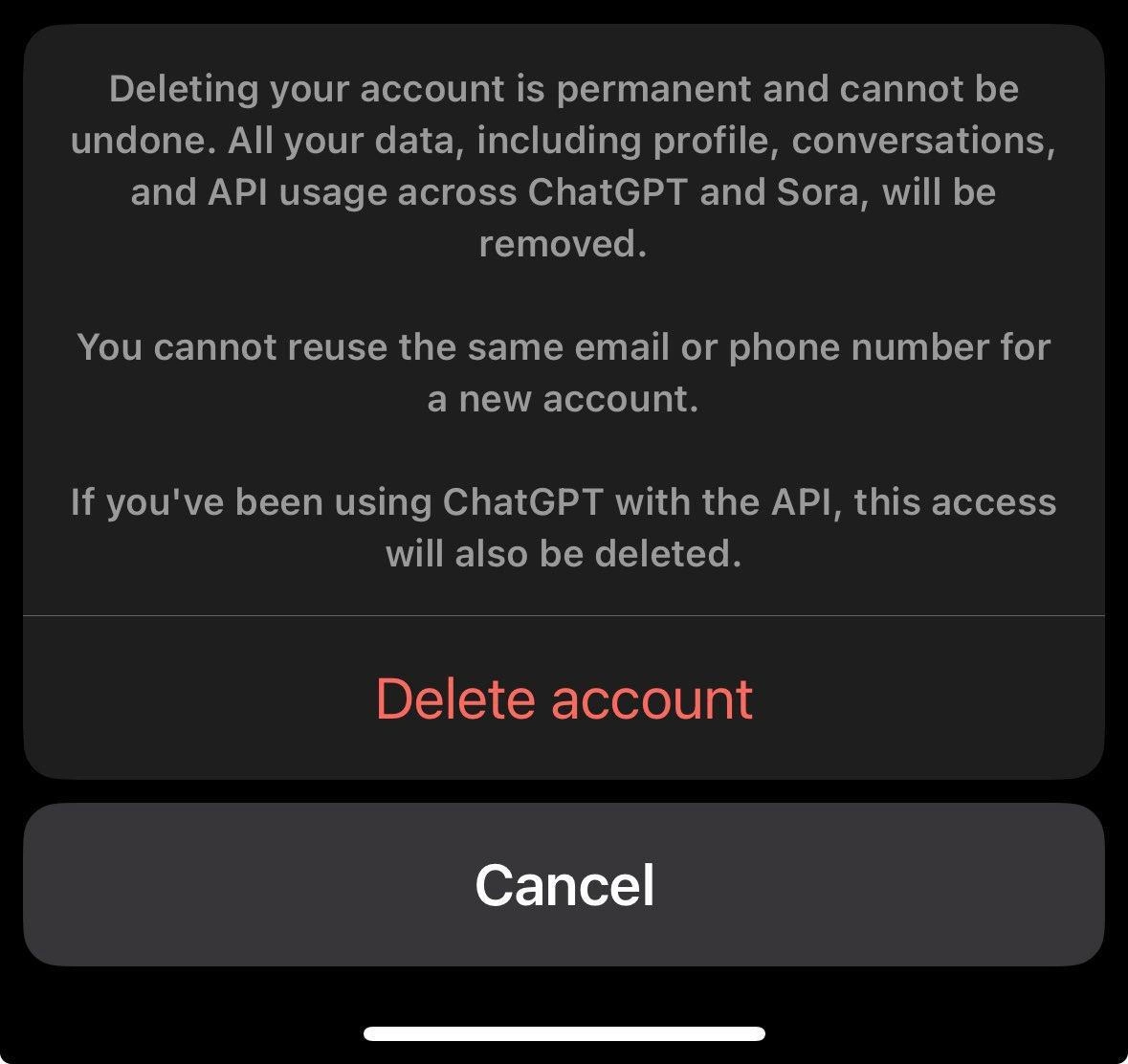
Imagine you have a big red magic button that, if you press it, will erase all your stuff forever – your photos, your messages, everything – and you can’t ever get it back. That’s what this picture is joking about. It’s a phone pop-up that basically says, “If you click this, all your toys and memories will be gone and you can never undo it.” It even says you can’t use the same name or email to come back later, so it’s really like burning a bridge. The funny part is it feels like the phone is warning you as seriously as a parent or teacher would before you do something drastic: “Are you REALLY sure you want to do this?” It’s a bit scary and makes you stop and think. The meme compares this little pop-up to the most serious thing a computer person deals with (something called “prod,” which is like the real live version of a website where mistakes are super scary). And it says this delete warning is even more intense! In simple terms, it’s humorous because the phone’s message is so dramatic and stern – almost like the phone is staring at you with big wide eyes, making sure you know you’re about to do something permanent. Just like a big red button labeled “SELF DESTRUCT – NO GOING BACK,” it’s both funny and a little terrifying, so you can’t help but nervously laugh at how extreme it sounds for a simple click.

Level 2: No Undo Button

When software asks “Are you sure? This cannot be undone,” it really means business. This meme shows a confirmation modal for account deletion. A modal is a pop-up dialog that locks the screen until you make a choice – here the choice is between a big red “Delete account” button and a gray “Cancel” button. This design is used for destructive actions, which are actions that permanently destroy data or settings. In development, we call something irreversible if you can’t easily undo it. For example, deleting a user’s account will erase all their information forever (no simple way to get it back). The interface is trying to prevent mistakes by highlighting the danger: the text explicitly says everything will be permanently removed – your profile, your chat history, even any API usage you had through ChatGPT or a related service (called Sora, likely another part of the platform). It’s basically listing all the things that will disappear so you’re fully aware.

For a junior developer or someone new to these terms, think of prod as shorthand for “production environment,” which is the live system where real users and real data exist. Developers are always cautious with prod because a bug or wrong command there has real consequences (unlike in a test environment). There’s a common nervousness about doing risky operations in prod – like deploying new code or deleting data – because if you mess up, you affect actual customers. The meme jokes that this “Delete account” warning dialog is so intense, it feels even more threatening than doing something risky in production. In other words, the app’s message is scarier than the prospect of a developer messing up the live site! That’s a funny exaggeration, but it speaks to how strongly the app is warning the user.

Let’s break down some of the key terms and design choices in that dialog. The text color scheme (light gray on black with red highlights) is a UX design choice to convey seriousness. Red is universally used in UIs to mean “danger” or “stop.” That’s why the delete button is red – it’s a final destructive action. The cancel button is gray, indicating the safe or neutral action (backing out without doing anything). This follows common UserExperienceDesign principles: make the dangerous option clearly identifiable (and a bit scary), and the safe option easy to find for anyone who has second thoughts. The wording is deliberately stern. Phrases like “permanent and cannot be undone” or “will be removed” are there to ensure the user understands the gravity. This is sometimes called scare copy – not to frighten the user for no reason, but to prevent casual, accidental clicks. It’s the app saying, “This is serious. You will lose everything.

Why such heavy warnings? Part of it is DataPrivacy and Security compliance. Regulations like GDPR (General Data Protection Regulation) give users the right to delete their data. When a user chooses to delete an account, the company must erase personal data completely. So the modal is reflecting that promise: it’s telling you all your data across their services (ChatGPT, Sora, etc.) will be wiped out. It even mentions you can’t reuse the same email or phone number for a new account – this implies that once deleted, your old identity is gone from their systems, and they won’t let someone (even you) immediately re-create an account with those same credentials. That could be a security measure to prevent confusion or abuse (imagine if someone deleted an account and a bad actor tried to grab that email to impersonate them – disallowing reuse prevents that at least in the short term). It’s also likely meant to make you pause and think: “Do I really never want to use this email here again?” Many services do this to underscore that deletion is final.

The mention of API usage is important for developers. API stands for Application Programming Interface – basically a way for programs (or developers) to talk to the service. If you had been using ChatGPT’s API (for example, you wrote some code to access ChatGPT or Sora programmatically with a secret key), deleting your account will also revoke that access. That means any apps or scripts you wrote that use your ChatGPT account or keys will stop working. This detail shows how thorough the deletion process is: it’s not just your UI data (profiles, chats) but also backend connections tied to your account. A junior dev might not have used an API yet, but think of it like a special password for apps to use your account – and deleting the account invalidates that password.

So overall, this “Delete account” modal is a strong safety net. It’s designed to protect users from accidentally doing something drastic. For a newcomer, it’s a great example of UXDesignPrinciples in action: use clear language, highlight the consequences, and give the user a straightforward way out (the cancel button) if they change their mind. The meme is poking fun at how serious and intimidating this dialog is. It’s like the app is more cautious about deleting data than even developers are when dealing with a live system – which is saying a lot, because developers treat live systems with great care! In summary, this modal is a mix of good UserExperienceDesign (preventing user error), DataPrivacy compliance (fulfilling the promise to truly erase data), and a touch of humor in how over-the-top it feels. It’s a bit scary, yes, but it’s supposed to be: better to scare you for a second than let you regret a permanent deletion later on.

Level 3: The Red Button Paradox

The meme captures a destructive-action confirmation UI at its most dramatic. In developer lingo, prod (production environment) is the scariest place – one wrong command in prod and you can bring down a live system. Yet here we have a “Delete account” modal so intense it feels even scarier than deploying to prod. The humor comes from that contrast: a simple mobile dialog is staring you down like a boss fight, dripping with warnings about permanent consequences. It’s like the software is saying, “Go ahead, press the big red button… if you dare.”

Under the hood, this is a textbook example of UX design principles for irreversible actions. The UI is dark-themed with ominous gray text on black, topped with a bright red CTA (Call To Action) button reading “Delete account.” Red means danger – a visual stop sign. This pattern of a red destructive button plus a safe gray “Cancel” option is intentional. It’s the app giving you a final chance to bail out. The copy is classic scare wording: “permanent and cannot be undone”, “all your data will be removed”. They even specify API key revocation (removing your developer access) and forbid reusing the same email or phone – extra clauses to make you think twice. For developers, this language is both painfully familiar and darkly funny. We’ve written scripts with irreversible DROP TABLE commands and know the weight of “Are you sure? There’s no Ctrl+Z.” Here, that seriousness is packaged for end-users. It’s a bit like the GUI equivalent of those terminal warnings in bright red text that make even senior engineers double-check before hitting Enter.

There’s a practical side to all this drama: Data privacy and security compliance. The modal’s stern tone is partially about legal obligations – think GDPR’s Right to be Forgotten. Under GDPR, when a user deletes their account, the company must truly erase personal data. That’s why the modal explicitly lists everything that will vanish: profile, conversations, API usage logs, poof gone. The “cannot reuse the same email or phone” line hints at how seriously they treat deletion – it’s meant to prevent ghost account issues or re-linking data. (It’s also a subtle nudge: “You won’t be able to come back easily, so maybe don’t leave?” Some might call that a slight UX dark pattern to reduce churn, albeit mild.) For developers, another wink here is the thoroughness: even your API access gets nuked. Imagine spending time setting up integrations with ChatGPT’s API, and this dialog reminds you that nuking your account is essentially calling DELETE /user/account on steroids – all your API keys and tokens will be invalidated. It’s a comprehensive “data wipe” across systems (ChatGPT and its sibling service Sora, presumably under the same account). Implementing such a complete purge is non-trivial; it likely involves orchestration across databases and microservices to remove every trace. The seasoned engineer in us appreciates that thorough data privacy cleanup, while the cynical side recalls how often security teams insist on “hard delete” and how much code it takes to truly scrub a user’s data from prod.

The reason this meme resonates is that it anthropomorphizes the UI – the modal dialog almost glares at you. Every developer knows the feeling of the computer double-checking: “Are you absolutely sure?” It triggers flashbacks to production deploys with scary prompts, or that time you tried to delete a critical AWS resource and it made you type the resource name as confirmation (just to hammer in the point: no undo!). Here, that same energy is given to a user-facing feature. The user experience (UX) is dead serious, because it has to be. And it’s oddly comforting (and comical) to see the machine take the role of the cautious ops manager, warning about irreversible doom. DataPrivacy meets UX_UI design in a showdown: the user’s right to vanish versus the designer’s duty to scream “This is permanent!” over sirens and flashing lights. The result? A dialog that’s somehow more intimidating than the wild west of prod deployments. It’s a moment of solidarity between developers and users – we both get sweaty palms reading that kind of message. In short, this little modal packs the gravitas of a production incident post-mortem: ”once you click, everything as you know it will be gone.” No wonder it stares back so hard!

Description

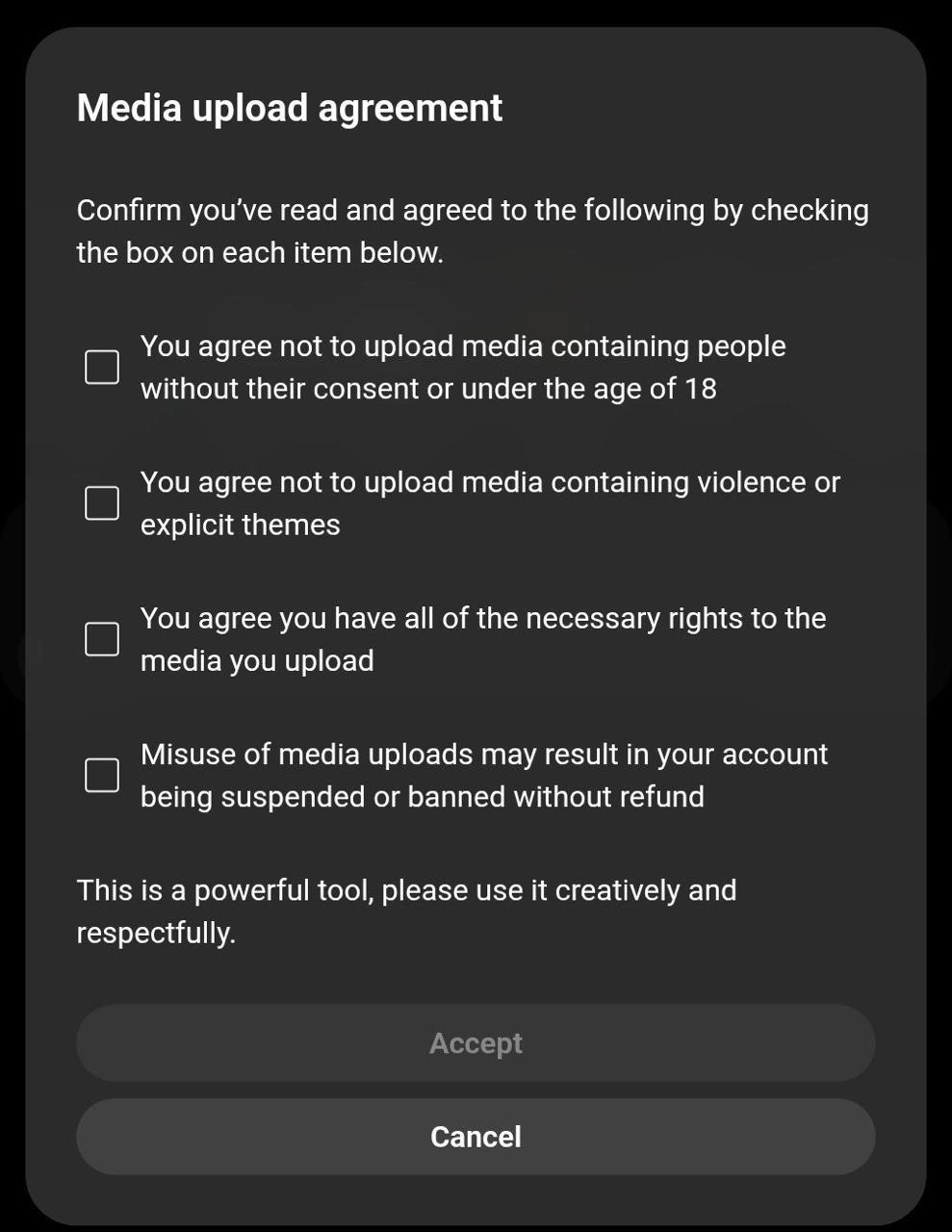
A screenshot of an iOS dialog from ChatGPT/OpenAI showing the account deletion confirmation. The warning text reads: 'Deleting your account is permanent and cannot be undone. All your data, including profile, conversations, and API usage across ChatGPT and Sora, will be removed. You cannot reuse the same email or phone number for a new account. If you've been using ChatGPT with the API, this access will also be deleted.' Two buttons appear: 'Delete account' in red text and 'Cancel' as a grey button. Part of a Sora frustration series -- after the upload agreement and endless content violations, the user rage-quits to the account deletion screen
Comments

8
Anonymous ★ Top Pick When Sora rejects every video you try to generate, the only successful deletion is your own account. rm -rf /account -- at least this operation completes without violating any guardrails
  1. Anonymous ★ Top Pick

    When Sora rejects every video you try to generate, the only successful deletion is your own account. rm -rf /account -- at least this operation completes without violating any guardrails

  2. Anonymous

    Deleting your OpenAI account is the one commit you can't revert. Forget `git rebase`, this is the `rm -rf` of your AI identity

  3. Anonymous

    Nothing makes a senior engineer question life choices faster than a red button that quietly promises full GDPR compliance *and* a one-way trip past your disaster-recovery playbook

  4. Anonymous

    After 20 years in tech, I've learned that 'permanent deletion' is like a production hotfix at 5 PM on Friday - everyone says it's irreversible, but somewhere there's always a backup nobody told you about... except when YOU actually need it

  5. Anonymous

    The ChatGPT account deletion flow: where 'permanent' actually means permanent, unlike that 'final' variable you've refactored seventeen times. At least they're honest about the cascade delete - no soft deletes with 'deleted_at' timestamps here. It's a proper DROP TABLE moment, and they're making absolutely sure you understand there's no rollback transaction, no git revert, and definitely no 'oops, can I get that back?' Slack message to the DBA at 3 AM

  6. Anonymous

    Nothing says “permanent” like kicking off a distributed erasure saga that revokes API keys, purges data across products, and quietly prays Legal doesn’t ask for a restore from Glacier

  7. Anonymous

    Personal account for prod API keys? OpenAI's delete button just became your unplanned migration sprint

  8. Anonymous

    Delete account is the only operation guaranteed to be atomic, durable, and globally consistent - and also the most expensive way to rotate API keys

Use J and K for navigation