The Heisenbug: Works on the Second Try
Why is this Bugs meme funny?
Level 1: Disappearing Act
Imagine you’re trying to turn on your car in the morning. The first time you turn the key, the car’s dashboard lights up with 50 different warning lights and error messages. The engine won’t start and it looks like everything that could go wrong, did go wrong — it’s super scary! You sit there in shock. Then, just for the heck of it, you turn the key again to see what happens. Suddenly, all the warning lights are gone and the car starts up perfectly, like nothing was ever wrong. You’d probably be sitting there with your hands in the air, saying something like “Hold on, what just happened?!”
That’s exactly the feeling this meme is talking about, but with computer code. At first, the computer was complaining a LOT (50 errors is a ton of complaints). Then, without any fix, all those complaints vanished on the next try. It’s like a magic trick where a big problem disappears with no explanation. This is funny to programmers because it’s so absurd and unexpected. It’s also a little relatable — if you’ve ever had a device act up (show errors) and then work fine after you simply reset it or try again, you know the mix of relief and confusion. You’re happy it’s working, but also thinking, “What changed? I didn’t do anything!” In everyday terms, it’s like the problem solved itself. That surprise and disbelief — captured by the cartoon character saying “hold up” (meaning “wait a second...”) — is what makes the situation humorous. Developers laugh at this meme because it’s a lighthearted reminder that sometimes computers do things that seem just a bit like magic (or mischief) instead of logic.
Level 2: Just Try It Again
For a newer developer, this meme scenario is equal parts confusing and relatable. First, let’s break down what’s happening. You wrote some code and hit “compile” (or run your build command). The compiler – which is the tool that translates your source code into an executable program – comes back with 50 compile errors. That means it found 50 things in the code that are so wrong it couldn’t even finish building the program. Maybe you forgot a semicolon in 50 places, or more realistically, one mistake (like a missing library or a wrong type) cascaded into a bunch of error messages. Generally, if you have any compile errors, the program won’t run at all. So 50 errors is a big “Nope, your code didn’t build.”
Now, normally you’d go and fix those errors one by one. But in this story, the developer doesn’t change anything. They just run the compile again, immediately. This time, it compiles successfully with 0 errors. That’s not supposed to happen! If nothing changed in the code, how can errors vanish? Computers usually behave the same way every time if you give them the same instructions. It’s like pressing the same buttons twice and getting two different results – pretty odd, right?
So what could be going on? One common cause is something to do with the build cache or incremental build. Many compilers and build systems try to be smart: if you compiled part of the code before, they might reuse that result to save time. This is called caching. But caches can become stale or get messed up. Imagine you have an old result stored that doesn’t match the current code – the first compile might trip over that. When it fails, the build system might realize “oh, that cached stuff was wrong” and update it. So the second time you compile, it’s using the fresh, correct data and suddenly no errors. It’s as if the first run cleaned up the workspace invisibly. Developers jokingly refer to mysterious issues like this as caused by “caching gremlins” – little imaginary gremlins messing with your files or build behind the scenes. Clearing the cache or doing a clean build (rebuilding everything from scratch) is a typical solution when you encounter weird compile issues.
Another cause could be a race condition during the build. This is a bit like two people trying to do a task at almost the same time but in the wrong order. Modern build tools often compile multiple files in parallel (especially for big projects, to use all your CPU cores and go faster). If the build system isn’t perfectly coordinated, one part of the build might start before another part it depends on is ready. For example, part of the build might be generating a file (say, config.h), and another part is trying to compile code that needs config.h. If the timing is off, the compiler might not find config.h the first time (error: file not found), but by the time you immediately run it again, that file has been created by the other part, and now everything works. So the first run failed because of timing, the second run all pieces were in place. This makes it seem like the problem “solved itself.” It’s not magic, but it feels magical when you don’t know about the underlying race.
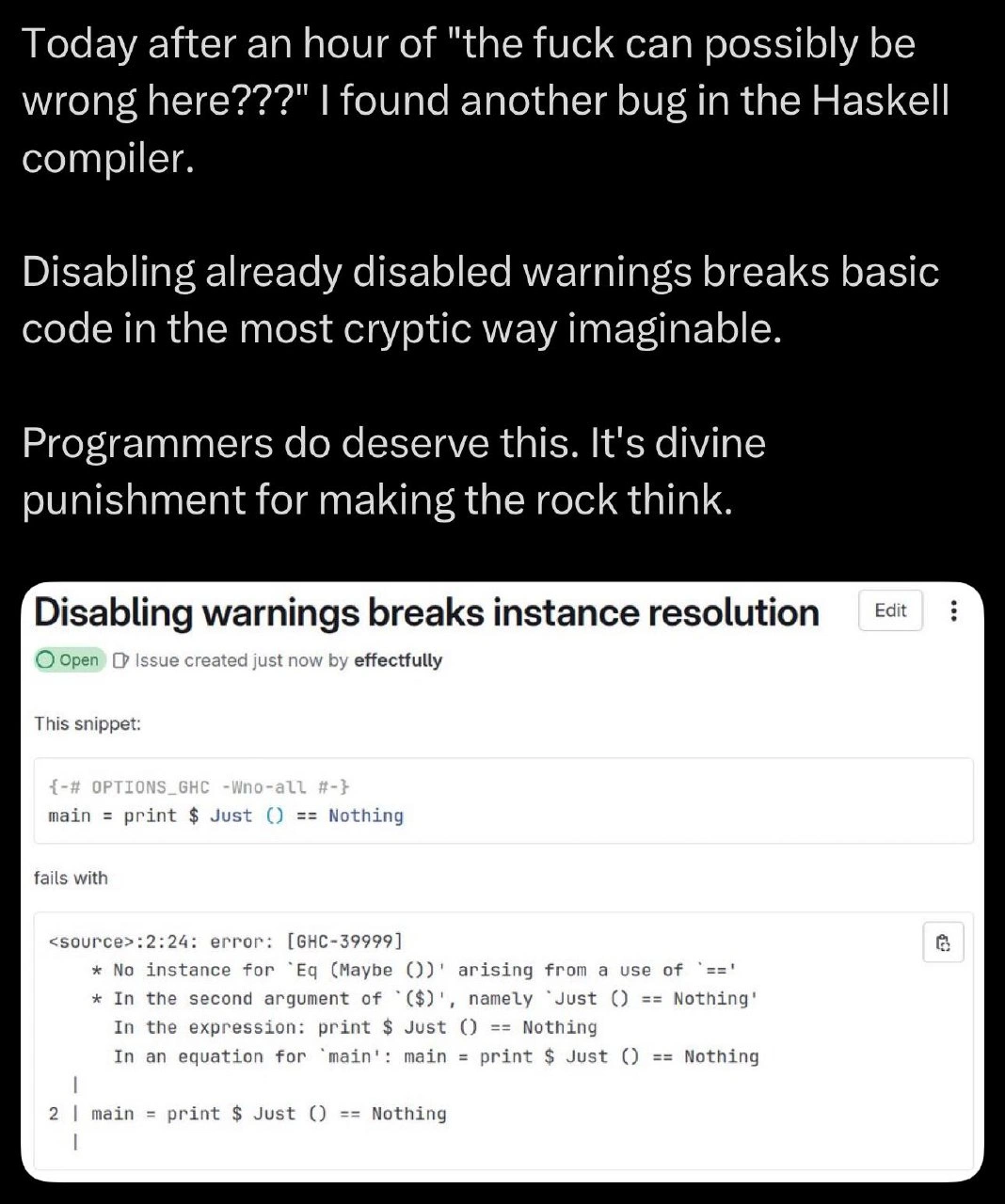
There’s even a special word coders use for bugs that disappear when you try to troubleshoot them: a Heisenbug. It’s named after a physics principle (Heisenberg’s uncertainty principle), and in simple terms it means “a bug that changes or vanishes when you look at it.” Running the program in debug mode or, in this case, running the compile again can sometimes make an issue go away, at least temporarily. It’s pretty counter-intuitive! You might have also heard the term flaky test or flaky build – that describes something that fails sometimes and passes other times, unpredictably. This meme is showing a flaky compile: one run says fail, the next says all good.
For a junior developer encountering this, the experience is equal parts relief and worry. On the one hand: “Yay, it compiles now! I can run my program.” On the other hand: “Wait... why did it fail before? Did I imagine those 50 errors? Is my tool broken? Is it going to fail again later?” It’s unsettling because it breaks your expectation that computers are consistent. Usually, if your code is wrong, it stays wrong until you fix it. When it suddenly works without a clear reason, you don’t know whether to trust it.
In practical terms, if someone less experienced ran into this, a more experienced teammate might advise: “It was probably a glitch. Try cleaning the project and building again.” “Cleaning” the project usually means deleting all the compiled outputs and letting them be rebuilt from scratch. Most IDEs have a Clean or Rebuild option, and build tools have commands like mvn clean (for Maven) or make clean or gradle clean. This ensures no old faulty artifacts are lying around. It’s a bit like clearing the cache on your web browser when a site isn’t loading correctly — you remove stored data and let it fetch everything new. Nine times out of ten, this resolves the weird compile issue. If it keeps happening, then you know something is really wrong in the build process or the code configuration, and you’d investigate deeper.
The reason this meme is so popular in coding circles is because it gives a humorous twist to a scenario that can be very frustrating. It’s poking fun at the “WTF?!” moment we all have when technology doesn’t behave as expected. And it’s oddly comforting because it tells new developers: hey, this happens to all of us. Even if you’re just starting out and you think “I must be doing something dumb, why did it error and then not error?”, rest assured that even veteran programmers have been baffled by the same situation. We’ve all run into that phantom error that vanishes. It’s not you — sometimes computers are just weird! The best you can do is laugh, share the story (like in a meme), and remember that Debugging isn’t always a straightforward, logical march – sometimes it’s a dance with unseen forces in the machine.
Level 3: 50-Error Mirage
From a senior developer’s perspective, this scenario is both hilarious and painfully familiar. You run the build and the compiler spits out a wall of errors — 50 failures, an outright disaster. Resigned, you prepare for a long debugging session. But then, almost as a joke, you hit “build” again without changing a thing, and it passes with zero errors. The code didn’t magically improve, so your reaction is exactly like that cartoon character in the meme with his palms out and the caption “hold up” — a mix of confusion, relief, and suspicion.
Why is this so funny to experienced devs? Because we’ve all been there and we know the unspoken truth: sometimes our tools lie to us. A build failure that vanishes on re-run is the hallmark of a flaky build. It’s a prime example of the “it works on the second try” phenomenon. In real projects, you might see your Continuous Integration pipeline (Jenkins, Travis CI, GitLab CI, etc.) go red with errors, only to turn green after a rerun with no code changes. That’s essentially a 50-error flip to zero in CI terms. It shouldn’t happen, but it does, thanks to hidden complexities in our build systems.
What could possibly cause fifty compile errors to disappear? Seasoned engineers have a checklist of usual suspects:
- Caching Gremlins: Perhaps some object files or build artifacts were out of date or corrupted. The first run choked on them, then updated the cache, so the second run compiled correctly. Build caches (like ccache or gradle’s build cache) are meant to speed things up, but if they serve stale data you get bizarre results. We often joke about “clearing out the cache demons” with a clean rebuild when things don’t make sense.
- Race Conditions in the Build: Modern build tools run tasks in parallel to save time. If the build script isn’t perfectly declaring dependencies, you can get a race where, say, module A is still generating a file that module B needs. The first run fails because B started too early (file not ready = 50 errors in code that depends on it). By the second run, that file from A exists, so B compiles fine. It’s like the build process tripped over its own feet the first time and then walked normally the second time.
- External or Environmental Glitches: Sometimes a build depends on external factors – downloading a library from the internet, or the state of the file system. A transient network hiccup or a locked file can cause errors on the first go. Try again a moment later, the network is fine or the file lock is gone, and everything sails through. Senior devs will half-seriously blame cosmic rays or solar flares for these one-off glitches – it’s our way of saying “who knows what freak condition happened, but it’s gone now.”
The meme exaggerates with “50 errors” to drive home how absurd this feels. One or two errors disappearing might be chalked up to a small timing issue. But dozens of errors evaporating? That gives any experienced developer flashbacks to truly confounding debug sessions. It’s as if the compiler was gaslighting us: “Errors? What errors? Everything is fine, you must be imagining things.” This blends frustration with dark humor. We laugh because it’s better than crying over a problem that gives no clues.
The image of the puzzled character saying “hold up” perfectly captures the double-take. It’s a Vault Boy-style cartoon, an embodiment of “Wait a second... this makes no sense.” In developer terms, that’s the moment you consider calling an exorcist for your build server. You’re happy it compiles, sure, but you’re also uneasy. Is that success real or is it a mirage that will vanish the next time you sneeze?
Older, battle-hardened devs have a bit of cynicism about this. We’ve learned that when a build randomly succeeds on retry, it *probably* means something was off with the build system, not the code. The temptation is to shrug and move on – “Eh, it works now. Let’s not question it.” In fact, a running joke: “Did you try turning it off and on again?” often applies to builds too. Didn’t work the first time? Just run it again; maybe the build gods wanted a sacrifice first. We might even write it off as a Jenkins glitch or a gradle hiccup and tell junior devs “Yeah, that happens sometimes. Just a flaky build. If it’s green now, ship it.”
But underneath the humor, there’s a real lesson. Such transient compile errors signal fragility in the process. Somewhere, a dependency wasn’t managed, or a cache wasn’t cleared, or a thread ran out of order. The reason all those errors vanished is because the underlying cause silently fixed itself (or was fixed by the act of failing). It’s a scary thought — what if next time, it doesn’t fix itself? Veteran developers know to keep an eye on it. The meme resonates because it’s a shared catharsis: “Yep, our tools can be ridiculous, and we’ve all seen it.” We laugh, share a knowing look, and then probably go double-check our build scripts because trust me, once you’ve had a 50-error mirage, you don’t quite sleep well until you find the root cause.
Level 4: Compilation Uncertainty Principle
At the highest level, this meme highlights a breach of what we’d expect to be a deterministic process. In theory, compiling code is a pure function: given the same source and environment, you should always get the same result. A compiler turning 50 errors into 0 errors on an immediate re-run seems almost physically impossible. Yet seasoned engineers know that complex build systems can exhibit emergent, chaotic behavior – almost like quantum unpredictability.
This is essentially a case of a non-deterministic build. Some hidden state (like cached outputs or a race condition in the build steps) caused the first run to spew dozens of errors, while the second run (with no apparent changes) succeeded. It’s reminiscent of the software equivalent of the observer effect, where the act of running it once (or observing it) alters the conditions for the next run. The term Heisenbug is often used for bugs that seem to vanish or change when you look into them – a nod to the Heisenberg Uncertainty Principle. Here the Heisenbug takes the form of a transient compilation failure: the very attempt to build might have “fixed” the environment, hence no errors on the next try. This evokes concepts like Schrödinger’s cat or a program in a superposition of states – broken and not broken until you compile it again to find out.
Under the hood, the culprit is usually some violation of referential transparency in the build process. Perhaps an incremental compilation step didn’t properly invalidate a cache, or a missing dependency in the build order caused a timing issue. Modern build tools and CI/CD pipelines do a lot of optimization (parallel compilation, caching, network fetching of dependencies), which introduces non-determinism if not managed perfectly. Two runs of what should be the same process can diverge because the first run updates something (for example, generates a file or populates a cache) that the second run then benefits from. It’s a race against the invisible state: the first compile lost that race, the second one won.
From a theoretical standpoint, this touches on the challenge of reproducible builds. The software industry has an entire movement to ensure that given the same input, a build process always produces the same output, byte-for-byte. When 50 errors vanish with no code changes, it’s a clear sign the build was not reproducible — something in the environment or timing differed. Perhaps the timestamps or order of file compilation changed the outcome. It’s a reminder of one of the classic hard problems in computer science: cache invalidation. (In fact, there’s an inside joke that the three hardest problems are naming things, cache invalidation, and off-by-one errors.) Here, a cache invalidation issue could easily explain the ghost errors: the first run might have been using stale or partial data, and the second run refreshed it. Essentially, the system had to be poked once to get it into a correct state.
It’s both amusing and a bit horrifying that something as rigorous as a compiler can behave like this. The humor in the meme springs from the absurdity that our highly logical tools sometimes act in seemingly illogical ways. We expect math and computers to be consistent, so when a compile goes from screaming 50 errors to utter silence on back-to-back runs, it feels like we’ve stepped into a parallel universe. This deep dive into the meme uncovers a truth: software, especially build systems, can exhibit chaotic behavior due to underlying complexity. The compilers and build tools we use are deterministic in principle, but the layers of caching, optimization, and parallelism we add for speed can make them appear capricious. In effect, we introduced a bit of randomness into a world that was supposed to be orderly, and the result is this “hold up, what just happened?” moment.
Description
A two-panel meme. The top panel contains text on a white background: 'When you run your code and get 50 errors but for fun you run it again and it compiles successfully'. The bottom panel features the 'Hold Up' meme, which is a faded, monochrome drawing of Vault Boy from the Fallout video game series. Vault Boy is looking forward with a quizzical, concerned smile, holding his hands up as if questioning reality. The text 'hold up' is visible to his left. The humor lies in the deeply unsettling experience of non-deterministic bugs. For a junior developer, this might seem like a win, but for a senior engineer, it's a terrifying sign of a much deeper problem, such as a race condition, a caching issue in the build system, or a memory corruption problem. These 'Heisenbugs' - bugs that seem to disappear or alter their behavior when one tries to study them - are notoriously difficult to debug and signal a lack of stability in the system
Comments
7Comment deleted
A reproducible bug is a conversation. A bug that fixes itself on the second run is a threat
50 errors disappearing on the second build is just the compiler reminding you that your dependency graph now runs on eventual consistency semantics
After 20 years in this industry, I've learned that the only thing more reliable than a flaky build system is its ability to gaslight you into questioning whether you actually changed something between runs. Somewhere, a race condition is laughing at your deterministic worldview
Ah yes, the Schrödinger's compilation error - simultaneously a critical blocker and completely non-existent until you observe it by running the build again. Senior engineers know this phenomenon well: it's usually a race condition in your build system, stale intermediate objects, or that one dependency that didn't get properly invalidated. The real question isn't 'why did it fail?' but rather 'which layer of caching betrayed me this time?' - and whether you should just add 'make clean' to your muscle memory or finally fix that Makefile you inherited from 2003
Intermittent builds: CI/CD's 'works on my machine' without needing a new machine
50 errors, rerun, green - turns out our build is a consensus protocol: it only compiles after the remote cache and codegen reach quorum
When a rerun fixes 50 compile errors, you didn’t fix code - you achieved eventual consistency in your build graph