Skip to content
DevMeme
6006 of 7435
When Security Training Kicks In at 3 AM
OnCall ProductionIssues Post #6575, on Mar 17, 2025 in TG

When Security Training Kicks In at 3 AM

Why is this OnCall ProductionIssues meme funny?

Level 1: When Safety Backfires

Imagine your parents tell you never to talk to strangers or open the door for people you don’t know. That’s good advice to keep you safe, right? Now picture this: one day, you hear a knock at the door and see someone you don’t recognize, so you ignore it. No way are you letting a stranger in! But later you find out it was actually a neighbor coming to tell you that your dog got out of the yard and was running down the street. Oops. You were so cautious about keeping bad guys out that you also shut out someone who was trying to help you.

This meme’s joke is just like that scenario. The developer was so worried about “hackers” and bad stuff that they ended up blocking their own emergency call. It’s like they slammed the door on a friend because they thought the friend was an intruder. The situation is both funny and a little embarrassing: they tried to play it ultra-safe, but it backfired and caused more trouble. We laugh because it’s a classic whoops moment — someone followed the safety rules a bit too much and ended up missing out on something important.

Level 2: PagerDuty vs Paranoia

If you’re a newer developer or haven’t been on call yet, let’s break down what’s happening. An on-call rotation is when one team member is designated to be available at all hours (often for a week) to handle urgent issues in production. When it’s your week on call, you’re basically the firefighter for your software: if something breaks in the middle of the night, it’s your phone that rings and you jump into action.

To make sure you know something broke, companies use alerting tools like PagerDuty. PagerDuty is a service that will page (call, text, or push-notify) the on-call engineer when monitoring systems detect a problem. For example, if a website goes down or a server is overloaded, PagerDuty can call your phone and wake you up with an alert. You never want to miss that kind of notification, because it means something important is wrong and needs fixing right now. Missing a PagerDuty alert is like sleeping through a fire alarm — not good.

Now, on the other side, companies also give regular security training to employees. These trainings teach you about threats like malware and scams, and how to avoid them. A big part is learning to spot phishing attempts. Phishing is when a bad actor pretends to be a legitimate person or company (often via email, phone, or text) to trick you into giving up information or clicking a bad link. For instance, you might get a fake email from “IT support” asking for your password, or a call claiming to be from your bank when it isn’t. Security training basically tells you: be suspicious of anything unexpected. Don’t click sketchy links, don’t trust unsolicited messages, and double-check identities. It’s all about raising your guard so hackers can’t easily fool you.

So what went wrong in this meme? The engineer had just finished that security awareness training and went a little overboard with caution. They might have changed their phone settings to block unknown numbers or just decided, “If I don’t recognize a number, I’m not answering it.” Unfortunately, the PagerDuty alert came from a number they didn’t recognize (PagerDuty often uses a generic outgoing phone number or short code). Because of their new ultra-cautious mindset, the engineer mistook the real emergency call for a potential scam. They effectively ignored (or even manually blocked) the very call meant to tell them something was on fire in production.

The result? A missed page. In on-call lingo, a "page" just means an alert from the pager/alert system (nowadays usually an app or call). Missing a page is one of an on-call engineer’s worst nightmares, because it means no one is responding to the problem. The website or service might be down, and customers could be impacted while the alert goes unanswered. In this case, the engineer’s phone never even rang (or they dismissed it), so the issue didn’t get attention until PagerDuty tried the next person or someone noticed the problem another way. Every minute counts during a production incident, so a delay like that can make the incident much worse.

This is basically a case of being too safe and having it backfire. Think of it like setting up a security firewall so strict that it ends up blocking even the good guys. (A firewall is a security filter that blocks unwanted network traffic – but if it’s overzealous, it can block genuine, important traffic by mistake.) Here, the engineer’s brain became an overzealous firewall for their phone. It treated the incoming PagerDuty call — which was actually a helpful, important alert — as if it were a hacker or spam. The intention was good (stay safe from intruders), but the execution went wrong (they blocked a friend along with the enemies).

In real life, on-call teams try to prevent this by balancing security with practicality. You still follow security best practices, but you also make sure you don’t shut out your lifeline. For example, many people will whitelist the PagerDuty number or app on their phone. “Whitelisting” means telling your device that a certain source is trusted so it never gets filtered or blocked. An on-call engineer might save the PagerDuty phone number in contacts and give it a special ringtone or VIP status. That way, even if the phone is in Do Not Disturb mode or if a spam filter is on, the PagerDuty alert will always get through loud and clear. The key is to stay vigilant about real threats without silencing your emergency alarms.

The meme is poking fun at this exact mix-up. The person took their security training so seriously that they accidentally undermined their on-call duties. It’s a bit like nervously locking all your doors and then realizing you locked out your roommate who needed help. For a junior developer, the lesson is: yes, be security-conscious, but also remember which signals are vital to your job. Missing a hacker might cost some data, but missing an outage alert can crash your site – neither is good, so you have to keep a balance. The humor here comes from the “facepalm” moment when being over-cautious causes a whole new problem.

Level 3: Block First, Ask Later

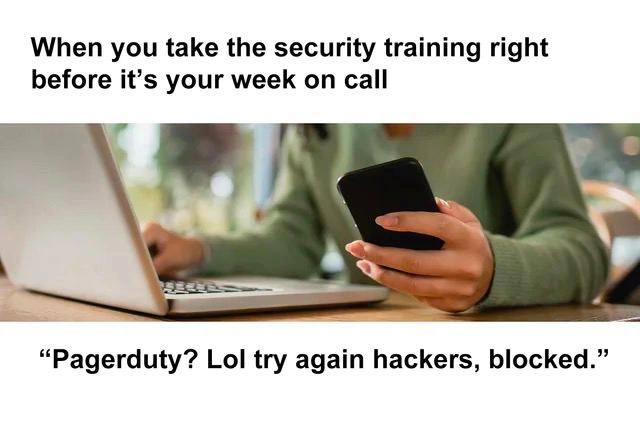
When security training advice collides head-on with the harsh reality of on-call duty, you get the kind of darkly comic scenario this meme highlights. The top caption sets the stage: "When you take the security training right before it’s your week on call." In other words, you just got a crash course in paranoia and now it's your turn to babysit production systems. What could possibly go wrong?

For a battle-hardened SRE, this setup is painfully relatable. You're taught to trust nothing, to treat every unknown number or unexpected email as malicious by default. Now it's 2:00 AM on your on-call shift, the system is on fire, and PagerDuty is desperately trying to reach you from a random phone number or short code. But in your post-training vigilance, your knee-jerk reaction is:

"Pagerduty? Lol try again hackers, blocked."

And just like that, your critical PagerDuty alert gets tossed into the same bin as actual phishing scams. The meme’s bottom text is the punchline, showing our overzealous on-call hero essentially saying "Nice try, hackers" while blocking the very app that should be saving his bacon. This is classic on-call humor served with a side of security-training overkill. By trying so hard to keep the “bad guys” out, he's locked out his own team’s SOS.

Anyone who's been in DevOps/SRE can both laugh and cringe at this. We all know that facepalm feeling when a critical page gets missed. Here it's not a pager malfunction or a network outage – it's a human overzealous firewall in action. The engineer essentially became their own firewall, filtering out anything unfamiliar. And guess what got caught in the net? The one thing that actually mattered: the PagerDuty call.

This meme perfectly captures the tension between Security and keeping Production running. On one hand, security training drills the mantra “never trust unknown sources” into developers (to avoid falling for phishing scams and social engineering). On the other hand, on-call engineers have to respond at all hours to automated alerts, which often come from generic phone numbers or no-reply emails that might look sketchy. When those two mindsets clash, you get the ultimate missed alert: not because the system failed, but because the human on duty ignored it. It’s a classic case of good intentions (vigilant security best practices) causing a bad outcome (an incident in production that goes unanswered).

A grizzled ops veteran might narrate the fiasco like this:

  1. Complete security training. Now you’re convinced every unknown call or email might be a hacker in disguise.
  2. Lock down your phone. You proactively set your phone to block or silence unknown numbers and unrecognized notifications. Fear of phishing: 1, Common sense: 0.
  3. Alert tries to reach you. PagerDuty dials at 3:00 AM because a database just crashed. The number isn’t in your contacts (who actually saves those alert hotline numbers?), so your ultra-strict filter rejects it. No call, no SMS – you've essentially blocked PagerDuty.
  4. Silence and escalation. The system is still broken, but you’re blissfully unaware. Since you didn’t respond, PagerDuty escalates the alert to your backup teammate. Now your coworker is waking up confused and furious, and the outage is getting worse by the minute. Your quiet night is about to turn into a very rough morning.
  5. Realization (too late). By the time you figure out what happened, the incident has snowballed. Instead of stopping a hacker attack, your training-fueled paranoia ended up sabotaging your team’s response. In trying to be ultra-secure, you basically kicked your own on-call duty in the teeth.

It’s a “the call is coming from inside the house” situation – the very alert meant to warn you was treated as the threat. This story makes old-timers laugh and sigh because we've seen well-intentioned rules backfire like this. Think of an overly aggressive spam filter that quarantines your CEO's email, or a corporate firewall that accidentally blocks your app's API calls. Here, the hapless engineer basically launched a personal Denial-of-Service (DoS) attack on themselves by cutting off their own emergency call.

In the end, this scenario is both funny and painful. The image of a person calmly holding their phone next to an open laptop (looking relaxed in a café) is the perfect calm before the storm. They're sitting there thinking they've outsmarted some hackers, not realizing they've also silenced the fire alarm for their burning server room. It’s the kind of DevOps self-own that leaves every experienced on-caller laughing nervously – then double-checking that they haven’t accidentally done something just as absurd to their PagerDuty settings.

Description

This is a two-part meme. The top text reads, 'When you take the security training right before it's your week on call'. Below this is a stock photo of a person in a green sweater sitting at a desk, simultaneously using a laptop and holding a smartphone. The bottom text provides the punchline in the form of a quote: '"Pagerduty? Lol try again hackers, blocked."'. The humor comes from the relatable conflict between generic corporate security training and the realities of a software engineer's on-call responsibilities. Security training often drills employees to be highly suspicious of any unexpected notifications or links, treating them as potential phishing or hacking attempts. PagerDuty, however, is a critical tool that sends alerts to on-call engineers when production systems fail. The joke is that the engineer, fresh from their training, has taken the advice so literally that they mistake a crucial PagerDuty alert for a malicious attack and block it, ironically causing a bigger problem by ignoring a real incident

Comments

7
Anonymous ★ Top Pick The fastest way to achieve five nines of uptime is to block PagerDuty after security training. No alerts, no downtime. Problem solved
  1. Anonymous ★ Top Pick

    The fastest way to achieve five nines of uptime is to block PagerDuty after security training. No alerts, no downtime. Problem solved

  2. Anonymous

    Passed the phishing course, auto-blocked any number not in LDAP - PagerDuty’s rotating Twilio numbers included - so congrats: we’re now 100% compliant and our MTTR just went asymptotic

  3. Anonymous

    The real incident isn't in production - it's when your freshly security-trained brain treats every notification as a phishing attempt, including the one telling you the database is literally on fire and customers are forming an angry mob on Twitter

  4. Anonymous

    Ah yes, the classic Dunning-Kruger peak of security confidence - that magical 48-hour window after completing your mandatory security training where you're absolutely certain you could single-handedly defend against a nation-state APT. By day three of your on-call rotation, you'll realize that 'Paperduty' isn't blocking anything, and that the real threat isn't sophisticated hackers but rather that one microservice with the hardcoded AWS credentials that's been in prod since 2019 and nobody wants to touch because 'it just works.'

  5. Anonymous

    Applied zero‑trust to my contacts and flagged PagerDuty as an APT - alert volume = 0, MTTR → ∞

  6. Anonymous

    Rolled out Zero Trust to voice calls - blocked unknown E.164s; PagerDuty got treated as an APT and MTTA ballooned to next business day

  7. Anonymous

    Security training: Because blocking your incident aggregator is the real zero-trust model - trust no alerts

Use J and K for navigation