Nx Supply Chain Went Critical
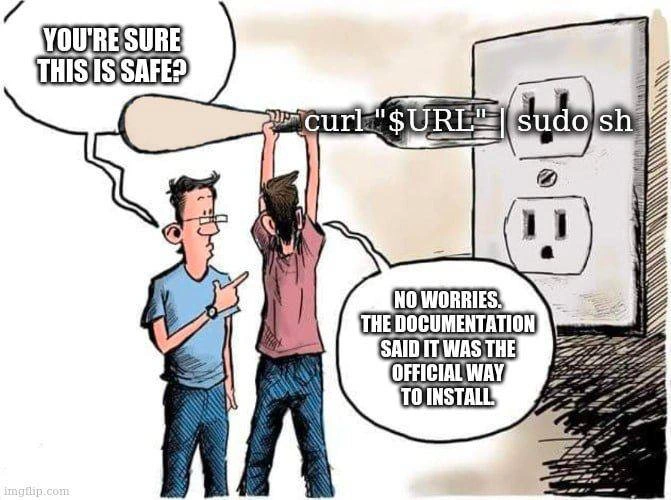
Why is this Security meme funny?
Level 1: Poisoned Toolbox
Imagine a whole neighborhood uses the same trusted toolbox. One day, someone sneaks a gadget into the toolbox that copies everyone's house keys whenever they open it. The picture is funny because it looks like a simple warning label, but programmers know it means the "toolbox" they use every day might have been stealing keys while they were just trying to build things.
Level 2: Packages Have Teeth
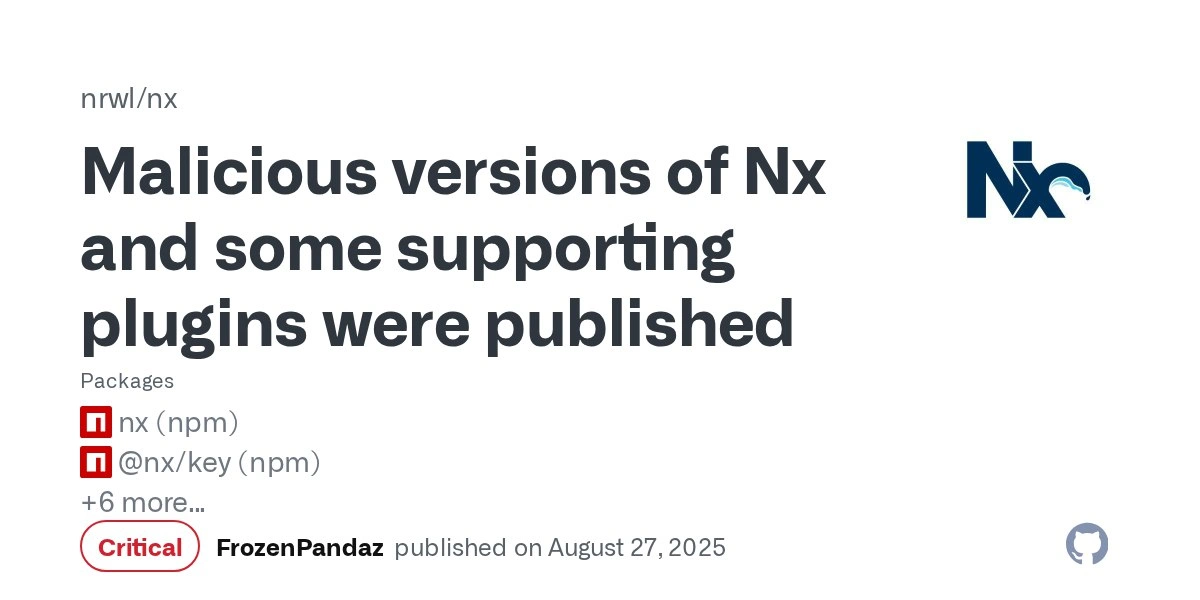
Nx is a developer tool for managing large JavaScript and TypeScript codebases, especially monorepos where many apps and libraries live together. npm is the package ecosystem used to download JavaScript dependencies. A package like nx can also have related plugins, which explains why the image shows @nx/key and +6 more... instead of just one affected name.
The Critical label matters because package compromise is different from an ordinary application bug. If a library has a normal bug, your app may crash or behave incorrectly. If a published package version is malicious, installing it may run attacker-provided code on your machine or CI server. That code may look for secrets: GitHub tokens, npm tokens, SSH keys, cloud credentials, environment variables, or other files developers routinely keep nearby because work has to happen somehow.
For a junior developer, the scary lesson is that dependency management is part of security, not just housekeeping. A command like npm install, pnpm install, or yarn install feels like setup, but setup can execute code. Lockfiles, pinned versions, token scoping, two-factor authentication, read-only CI tokens, and secret scanning are not corporate decoration. They are the guardrails you start appreciating right after the first time "just update the dependency" turns into "please join the incident bridge."
The visual joke is the mismatch between the calm screenshot and the chaos it implies. The card simply says:
Critical
But any developer reading it fills in the rest: check whether the bad version was installed, clear caches, remove malicious releases from internal mirrors, rotate credentials, inspect repositories, and hope the damage was limited. The screenshot is a tiny rectangle containing several hours of professional dread.
Level 3: Critical By Default
Malicious versions of Nx and some supporting plugins were published
The image is funny in the bleak way only a real security advisory can be funny. It is not a meme template with a punchline pasted on top; the punchline is the GitHub advisory card itself. The visible nrwl/nx heading, the Nx logo, the package list showing nx (npm), @nx/key (npm), and +6 more..., plus the red Critical badge all say the same thing: a normal dependency install path briefly became a malware delivery path.
That hurts because Nx is not some random package buried in a weekend side project. It is a build and monorepo tool, exactly the kind of dependency that appears on developer laptops, CI workers, editor integrations, and enterprise repositories. When an ecosystem tool is compromised, the blast radius is not "one app has a bug"; it is "the tool that prepares, builds, tests, and automates many apps may now be executing attacker-controlled code." Beautiful. We automated the supply chain so thoroughly that the supply chain can automate the incident response too.
The deeper industry satire is about trust delegation. npm install looks like a boring maintenance command, but package managers often execute lifecycle hooks such as postinstall. Those hooks are useful for native builds and setup tasks, but they also mean dependency installation can run code before a human has inspected anything. In a compromised release, the dangerous line is not a suspicious command typed by an attacker at your keyboard. It is the innocent-looking package update your tooling performs because that is what modern JavaScript workflows do all day.
The visible text FrozenPandaz published on August 27, 2025 adds another layer: the format is calm, bureaucratic, almost sterile. GitHub advisory UI compresses a messy incident into a title, a severity badge, package chips, and a publication line. Anyone who has rotated tokens after a dependency scare knows how much pain hides behind that clean card: audit logs, CI secrets, GitHub tokens, npm credentials, shell profiles, caches, internal registries, and the inevitable meeting where someone asks whether lockfiles "would have prevented this." Maybe. Also maybe the editor extension helpfully installed the latest version for you, because convenience is just risk with a friendly icon.
npm install
# expected: download dependencies
# feared: execute a compromised package lifecycle script
# aftermath: rotate every credential that ever looked at the machine
Description
A GitHub security advisory screenshot for `nrwl/nx` shows the headline "Malicious versions of Nx and some supporting plugins were published" beside the Nx logo. The visible package list includes `nx (npm)`, `@nx/key (npm)`, and "+6 more...", with a red "Critical" badge and the line "FrozenPandaz published on August 27, 2025." The advisory context describes malicious npm releases that scanned user files, collected credentials, and posted encoded data to GitHub repositories under affected users' accounts. The technical punchline is not subtle: one compromised release path in a popular JavaScript monorepo tool can turn normal dependency installation into credential exfiltration.
Comments
1Comment deleted
The scariest npm lifecycle script is the one that turns `npm install` into `git push my secrets`.