The Unpredictable Perils of Learning JavaScript
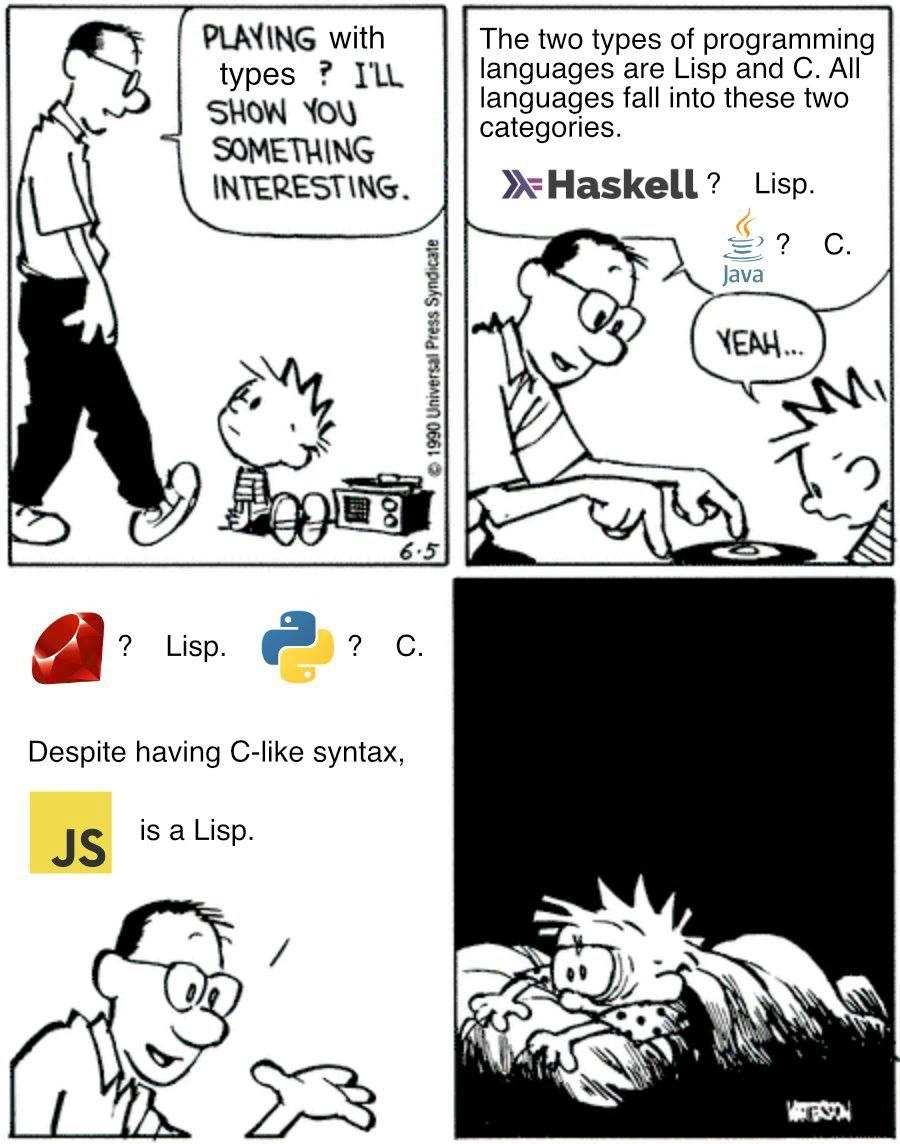
Why is this Languages meme funny?
Level 1: Didn’t See That Coming
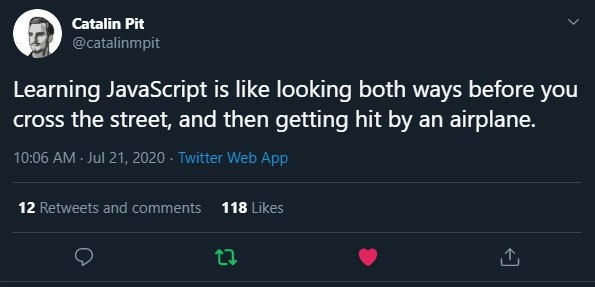
Imagine you’re really careful about crossing the street. You look left, then right, just like your parents taught you, and you start to walk across, feeling safe. But suddenly, out of nowhere, a surprise from the sky – like a cartoon piano or even an airplane – drops right on you! You did everything you were supposed to do to avoid danger on the road, but you still got caught off guard by something no one warned you about.
This meme is saying learning JavaScript can feel just like that. You try your best, you’re being very careful to do things correctly (like looking both ways), and then boom – something totally unexpected happens (the airplane). It’s a funny way to show how learning a new thing (especially programming in JavaScript) can surprise you in a crazy, unpredictable way. The reason it’s funny is because it’s so exaggerated and absurd: nobody expects to worry about airplanes when crossing a street, just like a beginner doesn’t expect some of the weird errors or behaviors that JavaScript can throw at them. It makes us laugh and go, “Wow, I didn’t see that coming at all!”
Level 2: Hidden Pitfalls
If you’re new to coding, this meme might sound bizarre at first. How is learning JavaScript anything like getting hit by a plane?! Let’s break it down. JavaScript is a programming language widely used for frontend development – that means it runs in your web browser and makes web pages interactive. People often say JavaScript is easy to get started with, but along the way it has a lot of hidden pitfalls (little unexpected problems) that can catch you by surprise. The tweet jokes that when you’re learning JavaScript, you can do everything you’re supposed to do – for example, check for errors, follow tutorials, look out for common mistakes (that’s “looking both ways before crossing the street”) – and still something completely unpredictable can go wrong (that’s the “airplane” coming out of nowhere). In other words, even if you’re super careful with the obvious stuff, JavaScript has quirks that a beginner wouldn’t even know to watch for.
Why does this happen specifically in JavaScript? One big reason is that JavaScript is dynamically typed and very flexible. Dynamically typed means you don’t have to declare what type of data a variable holds – the language figures it out as the code runs (at runtime). That flexibility is convenient, but it also means JavaScript might automatically change types behind the scenes in ways you don’t expect. This behavior is called type coercion. For example, if you add a number to a string, JavaScript will quietly convert the number to a string and concatenate them (joining them together as text) instead of doing math. This can lead to surprises for someone learning the language. You might think you’ve handled all possible inputs, but then an “airplane” comes: some odd combination of types or a weird user input slips through and your code does something wacky.
To illustrate, imagine you wrote a simple calculator in JavaScript and you want to combine a number with a string. If you’re not aware of how JavaScript works, you might be baffled by the result:
console.log("5" + 3); // "53"
console.log("5" - 3); // 2
In the first line, instead of getting 8, you get the string "53"! That’s because "5" was a text string, so JavaScript treated the + as a text combine operation (resulting in the text "53"). In the second line, the - sign made JavaScript treat the "5" like a number, converting it and doing a subtraction (5 minus 3 equals 2). If you only knew basic math, you might have looked “both ways” thinking, “I’m just adding 5 and 3, that should be 8,” but JavaScript had other plans due to its language quirks. This kind of unexpected outcome is exactly what the meme is poking fun at. It’s an airplane analogy for those weird cases: you checked for the usual danger (maybe you tested your code with a number and it worked), but then something you didn’t foresee (a string sneaking in) hits your program like a surprise from above.
Another common surprise for newcomers is dealing with variables and scope. In JavaScript, if you forget to declare a variable properly, it might become a global variable without you realizing. For instance:
userName = "Alice"; // Oops, forgot 'let' or 'var' here!
If you do this inside a function, you intended to create a new local variable, but because you left out let/var, JavaScript will create a global variable named userName. Later on, if your code (or some library) also uses a global userName, it could accidentally overwrite it or be affected by your assignment. This is the kind of “plane crash” that beginners don’t expect, because you might not even know what global vs. local scope is yet. You were looking both ways by writing what looked like correct code, but a tiny oversight (missing let) led to a completely unforeseen problem flying in from elsewhere in your program.
The meme’s airplane analogy perfectly captures that feeling of unpredictability. When you’re on your learning-to-code journey, especially in a language like JavaScript, you often feel in control until suddenly something breaks and you have no idea why. It’s frustrating, but in hindsight it can be a bit funny because of how absurd the situation is — much like being cautious crossing a road only to be struck by, of all things, an airplane! It highlights the steep learning curve of JavaScript: things seem straightforward until you hit one of these gotchas that the tutorials didn’t warn you about.
This tweet became a meme in programming circles because it’s relatable humor. Every developer who has struggled with JavaScript can chuckle and say, “Oh yeah, been there!” It’s essentially saying: “Don’t feel bad, JavaScript surprises everyone. You’re not alone, and we’ve all got a few bump stories from this language.” The next time you run into a confusing JavaScript bug, just remember — you might have checked everything you knew to check, and it’s not your fault a metaphorical airplane showed up. That’s just JavaScript being JavaScript.
Level 3: Type Turbulence
JavaScript is notorious for its unexpected language behaviors – a fact that makes this tweet so relatable in the developer humor world. The joke compares learning JavaScript to carefully checking for cars before crossing the street (doing everything “by the book”), only to get blindsided by an airplane (something completely out of left field). It’s funny because experienced developers know that even if you follow all the best practices, JavaScript can surprise you with bizarre outcomes. This resonates strongly in the frontend community: we’ve all been diligent at some point (looking both ways), yet ended up debugging a crazy issue we never saw coming (the airplane).
Why does JavaScript feel like a minefield of language quirks? A lot of it comes down to dynamic typing and historical design decisions. JavaScript is a loosely typed language, meaning variables can change type and the language will often coerce (convert) types on the fly. It tries to be helpful by doing things for you implicitly – but sometimes that “help” is the airplane you never anticipated. For example, JavaScript’s == loosely compares values, performing type conversion that can lead to wild results. Seasoned devs quickly learn to prefer === (strict equality) to avoid these surprises. Yet, even with experience, one can miss an edge case. The tweet’s humor comes from that shared “I didn’t see that coming!” trauma of JavaScript’s hidden pitfalls.
Let’s talk about some real “airplane hits.” One classic surprise is how JavaScript handles addition versus subtraction with different types:
console.log("5" + 3, "5" - 3);
// Output: "53" 2
// "5" + 3 -> "53" (string concatenation, treating 3 as text)
// "5" - 3 -> 2 (numeric subtraction, "5" becomes number 5)
Even if you look both ways by checking your values, the language’s quirks can deliver an unexpected blow. In the example above, a beginner might assume both operations behave the same, but JavaScript’s type coercion means "5" + 3 and "5" - 3 do completely different things. It’s as if you planned for cars coming from left or right (handled the obvious cases) but didn’t anticipate an airplane from above (the less obvious behavior of the + operator). Other infamous surprises include typeof null returning "object" (an acknowledged bug from JavaScript’s early days that can never be fixed without breaking the web) and NaN == NaN being false (yes, Not-a-Number is perversely not equal to itself). These oddities are the “airplanes” in JavaScript that have caught even seasoned developers off guard.
The reason such gotchas persist goes back to JavaScript’s history. It was created in a hurry (10 days in 1995) and then became the language of the web. Early decisions — like loose equality rules or treating arrays and objects in unusual ways — are now baked into the language for compatibility. Over the years the ECMAScript spec (the official JavaScript standard) has improved things, but it can’t simply remove those landmines without breaking millions of websites. So, developers have invented tools and practices (from strict mode and linters to TypeScript) to cope. We joke that learning JavaScript is partly about learning these quirks and how to avoid them. The tweet nails this with dark humor: doing everything you think is right, yet something implausible still hits you. It’s like a rite of passage in a LearningCurve; the frontend humor here is both a chuckle and a wince of recognition.
Importantly, this analogy isn’t just about type coercion. It also captures the learning to code journey in JS more generally. You might diligently handle all the obvious things – null checks, error handling, following style guides – and then discover an entirely new class of problems. Perhaps you tested your website in Chrome and Firefox (looked both ways), but it breaks in Safari due to a quirk (airplane!). Or you carefully wrote synchronous-looking code, only to be hit by an asynchronous callback issue that came “out of the sky” later. JavaScript’s single-threaded event loop can defer work in ways that surprise newbies: you thought the code finished running, but an asynchronous function call (like a fetch or timeout) strikes after you’ve moved on. The unexpected behavior of closures, the this context changing inside callbacks, or a promise rejection you forgot to catch – these are all airplanes waiting above the street of your code.
In summary, the humor works on multiple levels: it highlights JavaScript’s notorious unpredictability in a vivid way. Developers laugh (perhaps a bit cynically) because it’s true – no matter how cautious you are with your code, JavaScript can always throw something at you from a completely different direction. And just like an airplane in the street, when it happens you’re left thinking, “What the heck? That wasn’t supposed to be even possible!” Yet it happens, and we’ve all been there. This shared experience is what makes the meme relatable humor. It’s a comedic reminder that in programming (and especially in JavaScript), you should always expect the unexpected.
Description
A screenshot of a tweet from user Catalin Pit (@catalinmpit) on a dark-themed Twitter interface. The tweet's text reads: "Learning JavaScript is like looking both ways before you cross the street, and then getting hit by an airplane." Below the text, the timestamp "10:06 AM · Jul 21, 2020 · Twitter Web App" is visible, along with engagement metrics showing "12 Retweets and comments" and "118 Likes". This meme uses an analogy to describe the often frustrating and unpredictable nature of learning JavaScript. While a developer might diligently learn the basics and follow best practices (looking both ways), the language's quirks, vast ecosystem, and rapidly evolving landscape can present completely unexpected problems (getting hit by an airplane). This resonates with experienced developers who understand that mastering JavaScript isn't just about syntax, but about navigating a complex environment full of non-obvious pitfalls like type coercion, `this` binding, asynchronous behavior, and dependency management

Comments
7Comment deleted
JavaScript's 'this' keyword is the airplane. You think you know where it's coming from, but it's actually bound to a seagull that flew by three functions ago
You lock down ‘use strict’, wrap everything in TypeScript, hit 100% coverage - then a transitive npm package monkey-patches Object and your prod gets pancaked by a flying undefined
After 15 years in the industry, you learn that JavaScript isn't just about looking both ways - it's about checking for temporal dead zones above, prototype pollution below, and realizing the airplane was actually a promise that rejected silently in a microtask queue you forgot existed
This perfectly encapsulates JavaScript's relationship with developer expectations: you've mastered `==` vs `===`, understood hoisting, wrapped your head around `this` binding, carefully checked for `null` and `undefined`... and then `['10', '10', '10'].map(parseInt)` returns `[10, NaN, 2]`. You looked both ways for the cars (common pitfalls), but nobody warned you about the airplane (parseInt's second parameter being the array index). Classic JS: the danger never comes from where you're looking
You can lint, unit test, and ship TypeScript, but prod still gets sideswiped by a rogue == and a dependency that monkey-patched Object.prototype.toString last Tuesday
JavaScript is defensive driving: you handle nulls, lock down types, enable strict mode - and then a third-party script patches Object.prototype and you’re taken out by prototype pollution at 30,000 feet
Veteran JS devs know: you check sync/async both ways, but the airplane's that unhandled rejection from a hoisted callback three scopes back