Skip to content
DevMeme
5395 of 7435
WebP Creator Responds to Yet Another Hater
WebDev Post #5913, on Feb 27, 2024 in TG

WebP Creator Responds to Yet Another Hater

Why is this WebDev meme funny?

Level 1: Tricky Candy Wrapper

Imagine you have a favorite chocolate bar, and you’re super excited to eat it. But when you get it, you find it’s wrapped in a new kind of plastic wrapper that you’ve never seen before. You try to open it the usual way – maybe tearing at the corner – but it just doesn’t work. None of the scissors at home cut it easily either. You start feeling frustrated because, well, you just want your chocolate! It’s right there, but it’s stuck in this tricky wrapper. You might even joke that the chocolate is “being held hostage” by the wrapper until you find a special way to open it.

Now, imagine the candy company says, “Oh, that wrapper has been around for 12 years; you should have the tool to open it by now.” That doesn’t really help you in the moment, does it? You’re thinking, “Maybe so, but I still can’t get my candy out!

This is just like the feeling in the meme. The picture a person saved is like the chocolate – they want to use it and enjoy it easily. The .webp format is like the new kind of wrapper – it’s a different way of packaging the picture. Not everyone has the “special scissors” (the right software) to open that new wrapper easily. So the person in the meme is frustrated and joking that their picture is stuck until they do something extra (convert the file – basically find those special scissors). It’s funny because we’ve all had moments like this: something simple becomes complicated because it came in a new form we weren’t ready for. We get why the new wrapper exists (maybe it keeps the candy extra fresh, just like WebP keeps image files small), but in that moment we really just want our candy (our picture) without the extra hassle. The joke captures that little burst of annoyance we feel, and we laugh because it’s a situation so many of us recognize in everyday life.

Level 2: Wanted JPEG, Got WebP

Let’s break down why this situation is so relatable, even if you’re newer to development. Chrome (Google’s web browser) has a habit: when you save some images from the web, it might save them with a .webp extension instead of the more familiar .jpg or .png. So, what are these formats? JPEG (.jpg) is an image format that’s been around since the early ’90s – it’s super common, and virtually every app or device can open a JPEG image. Think of JPEG as the default image format for photos on the internet (and on your computer). On the other hand, WebP (.webp) is a newer image format that Google introduced around 2010. WebP was designed to make image file sizes smaller (so that web pages load faster) while still keeping the pictures looking good. In fact, WebP can often shrink an image file a lot compared to JPEG – which is why browsers like Chrome use it for speed.

Now, that sounds great – who wouldn’t want smaller files and faster websites, right? The catch is compatibility. Not every software or tool knows how to handle .webp files, especially older ones. For example, if you tried to insert a .webp image into an old version of Microsoft Word or a legacy content manager, it might just say “File type not recognized” or refuse to import it. Many legacy (older) systems were built when JPEG was king, and they never got an update to handle WebP. So even though WebP isn’t brand-new, some programs are just now learning to “speak” WebP, and some still haven’t learned at all. This mismatch causes a real headache for developers and users: you have an image, but it’s in the “wrong” format for what you need to do.

Picture a junior developer (or anyone, really) making a blog post or a slide presentation. They find the perfect picture online, right-click to save it, and Chrome gives them cool-image.webp. They then try to insert cool-image.webp into their blog or attach it somewhere, and bam – it doesn’t work because the tool doesn’t accept WebP. It’s like trying to plug a new game cartridge into an old game console – the pieces just don’t fit. The developer is now frustrated: “Why did Chrome do this to me? I just wanted a JPEG, something I know will work everywhere!” At this point, they have to do an extra step: converting the WebP file to JPEG or PNG. That might involve searching “convert .webp to .jpg” and using an online converter, or opening the image in a program that can read WebP and then re-saving it. It’s a small task, but it’s annoying when you weren’t expecting it.

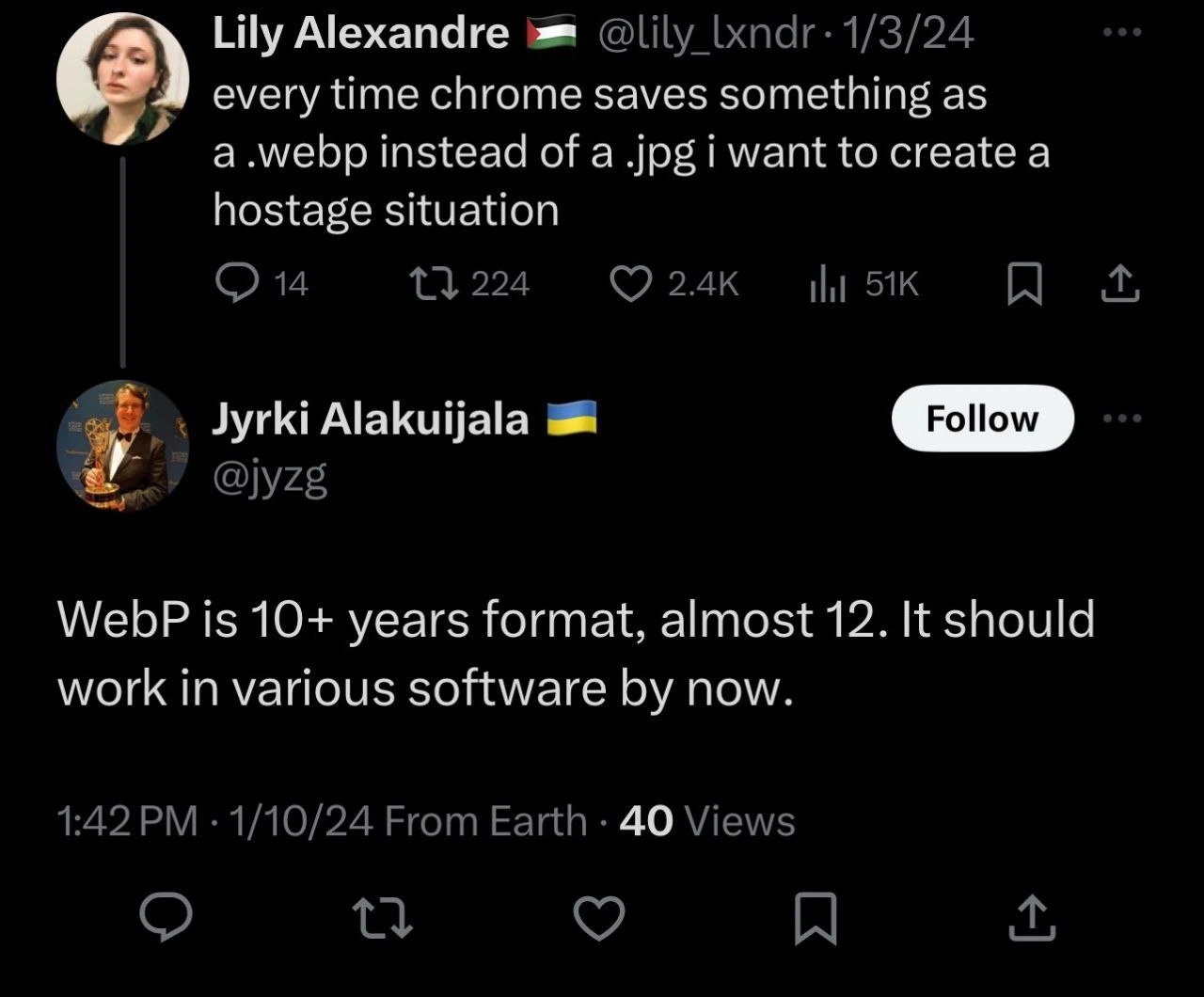
The Twitter post from Lily joking about a “hostage situation” is exaggerating this feeling – as if Chrome took her image and locked it up in a format that she can’t freely use until she goes through an extra hoop. The reply from Jyrki (the WebP developer) saying WebP is almost 12 years old and “should work in various software by now” comes from the perspective that, by 2024, a lot of software has added support for WebP. For instance, the latest Windows and macOS can open WebP images, and programs like Photoshop and GIMP have incorporated WebP support in recent years. So, in theory, the problem is much smaller today than it was a decade ago.

But the meme rings true because not everyone and everything is up-to-date. There’s always that one tool (maybe an old content editor at your company, or a partner’s outdated software) that still insists on JPEG or PNG only. It only takes one snag like that to make you groan, “Ugh, why .webp…?” So in short, this is a classic new-versus-old scenario. WebP is the newer, more efficient format (great for making websites snappier), while JPEG is the reliable old format that’s accepted everywhere without a fuss. Chrome’s decision to save images in WebP is meant to push things forward, but it can catch people by surprise. That’s why the meme is funny: so many of us have had that exact eyeroll moment with Chrome, feeling like we have to play format translator just to use a darn image. It’s a light-hearted take on a real web developer experience: new tech is awesome – except when it doesn’t play nice with the rest of your world.

Level 3: The .webp Stand-Off

This meme hits home for any seasoned developer who’s been caught between a browser’s idea of progress and the reality of legacy systems. The top tweet vents a universal developer frustration: Chrome, in its crusade for modern formats, often saves images as .webp by default – leaving the developer feeling like their image has been taken hostage. We’ve all been there: you right-click “Save Image as…” on some logo or screenshot, and Chrome hands you image.webp. Immediately, you sense the incoming hassle, because your next step (maybe uploading it to a wiki, inserting it into a PowerPoint, or emailing a client) is met with “Sorry, we don’t support that file type.” Cue the facepalm. It’s as if Chrome and the web are speaking one language (WebP), but much of the rest of the world is still speaking JPEG.

The humor here is laced with the truth about browser quirks and the long tail of tech adoption. Chrome has been optimizing hard for user experience and web development best practices – Google’s PageSpeed Insights and Lighthouse have nudged devs for years to serve images in “next-gen” formats (WebP, AVIF, etc.) for better site performance. So when a site delivers a WebP image (because Chrome’s request header basically says “Hey, I can handle WebP!”), the browser obligingly saves it in that format. Chrome’s perspective: “I gave you the smaller, faster format – you’re welcome.” But the developer’s perspective: “Great, now I have to juggle format conversion because half my tools act like this .webp is a ransom note instead of an image.”

For senior engineers, this triggers flashbacks of legacy software support nightmares. Think of big companies with internal CMS platforms or ancient design pipelines. Often, these systems haven’t been upgraded in ages – a plugin for WebP might not be installed, or the workflow was built in an era when JPEG vs WebP wasn’t even a question. The result? That shiny .webp file might as well be alien technology to your enterprise wiki or that old version of Photoshop the design team insists on using. The reply by Jyrki (notably one of WebP’s creators at Google) saying “It should work in various software by now” is equal parts hopeful and exasperated. From a senior dev standpoint, it reads as: “We gave the world a better tool over a decade ago; why are we still dealing with this compatibility mess?”

The comedic thrust is that both sides of this image format stand-off are frustrated. Developers like Lily are joking about “creating a hostage situation” out of sheer annoyance – which is dark humor for “Chrome, give me back my JPEG, or else!”. On the other side, the format’s creator is basically saying, “After 12 years, shouldn’t the negotiators (all the other software vendors) have learned WebP’s language by now?” It’s a stand-off indeed, and the hostages are our poor images and our patience.

In real-world terms, this scenario pops up constantly in developer life (hence the relatable tag). Need to quickly paste a screenshot in a slide deck? Oops, it’s WebP – and your presentation app doesn’t accept it. Want to upload that funny meme you saved to a forum? Sorry, only JPEG/PNG allowed – now you’re Googling an online converter or using a command-line tool to liberate your image from its WebP prison:

# When Chrome hands you a .webp, you begrudgingly convert it to make it usable
convert design_draft.webp design_draft.jpg

Experienced devs chuckle at this because it’s a perfect Developer Experience quirk: a well-intentioned technology causing grunt work because not everyone upgraded in sync. It highlights a common pattern: one team’s forward-looking change (Chrome + Google pushing WebP for speed) collides with another team’s inertia or constraints (that old SharePoint site or email client that didn’t get the memo). The path to hell in tech is paved with good intentions and new formats!

Importantly, even though WebP is indeed well-supported in major software by now (modern browsers, operating systems, image editors, etc.), the edge cases and older workflows are what get you. Seasoned engineers have learned that “support” is not binary; it’s a gradient. Maybe your OS can open a WebP in the default viewer, but can your third-party marketing tool import it? Maybe the latest Photoshop opens WebP (it does, as of a couple years ago), but your organization still uses Photoshop CS6 from 2012 – oops, no WebP support there. Everyone has that story of a critical tool that lagged behind.

So, the meme lands a punch by capturing this shared exasperation: WebP’s not new anymore, yet using it outside a browser can feel like trying to use metric screws in an imperial-threaded machine – technically a better fit in theory, but practically a headache unless the whole machine (ecosystem) was built for it. It’s a tech humor moment where we laugh (and maybe cry a little) about how a simple thing like saving an image can turn into a negotiation when new tech meets old habits. As one grizzled engineer might sigh, “Twelve years in, and saving an image is still a hostage negotiation. Classic.”

Level 4: The Codec Conundrum

In the deep trenches of image compression, this meme touches on the resistance and inertia around adopting a decade-old new format. WebP isn’t some upstart novelty; it’s a format Google introduced in 2010, built upon the VP8 video codec’s keyframe technology. Under the hood, WebP’s lossy compression uses advanced techniques like block prediction and modern entropy coding beyond what 1990’s JPEG offers. While JPEG encodes 8×8 pixel blocks with a Discrete Cosine Transform (DCT) and quantizes them (trading off detail for size), WebP takes it a step further: it predicts pixel blocks from their neighbors (reducing redundant information before compression), then applies transforms and Huffman coding (or other entropy coding) to squeeze out extra bytes. The result? On paper, WebP can produce a file noticeably smaller than a JPEG of similar image quality – often around 25-30% smaller files for the same perceived quality, which is a huge win in terms of bandwidth and storage in web development.

From a theoretical standpoint, this is a classic format innovation vs. adoption puzzle. The algorithms behind WebP align with modern findings in compression research: by the late 2000s, rate-distortion optimization techniques had improved to allow better retention of image detail per bit of data. WebP’s approach is a direct application of those principles: minimize the information entropy of an image by clever prediction and only encode the difference (the residual) that remains. It’s very much a child of the post-JPEG era, learning from predecessors like JPEG2000 (which used wavelet transforms) and various video codecs. In fact, one could say WebP’s lineage is in the great image format wars tradition – a successor aiming to dethrone a widespread incumbent by sheer technical superiority.

However, the humor here arises from a subtler systems theory angle: even if a new format is objectively better (smaller images, faster loads), the network effects and path dependence in technology ecosystems can’t be ignored. There’s almost a reverse Turing test for file formats – a new format isn’t truly accepted until it can convince all the legacy software to treat it as native. With WebP turning 12 years old (practically ancient in tech years), one might invoke Metcalfe’s Law: the usefulness of a format increases with the number of systems that support it. The reply tweet essentially says “WebP has been around long enough that it should have reached critical mass by now.” Yet, the reality captured in this meme is that compatibility lags behind. Old content pipelines, content management systems, and desktop software formed their equilibrium around JPEG; dislodging that equilibrium is a slow, almost geological, process. It’s reminiscent of how QWERTY keyboards remain the norm despite more efficient layouts existing – once a standard embeds itself everywhere, a superior alternative has to be unbelievably better, or pushed by extremely powerful forces, to overcome the inertia.

In compression terms, WebP’s advantage wasn’t magic; it was an incremental improvement aligned with hardware catching up to handle more complex decoding. But by the time WebP gained traction, something else happened – an even newer contender AVIF (based on the AV1 video codec) emerged around 2019, boasting roughly 50% size reduction over JPEG for the same quality. Now we have a leapfrogging scenario: some folks skipped adopting WebP and jumped directly to experimenting with AVIF, potentially bypassing WebP altogether. The deep irony (and comedic underpinning) is that in the grand saga of format evolution, WebP’s 12-year struggle exemplifies how engineering excellence can be thwarted by tech debt and slow adoption cycles. It’s as if the industry collectively said, “Sure, we invented a better lock 12 years ago, but most of our doors still only fit the old keys.”

The meme’s frustration – comparing Chrome’s .webp downloads to a hostage scenario – has a grain of truth in theory: an image saved as WebP is essentially “locked” in a format some tools won’t open, despite the format’s merits. There’s no fundamental physical law stopping universal WebP support (no CAP theorem equivalent here), just the human factors of software updates and corporate priorities. The punch line is rooted in this gulf between innovation and integration. A 12-year-old format is a fully grown citizen of the web, but in practice it’s still treated like an alien by many legacy systems. That comedic tension – the absurdity that something so “old” and proven still feels bleeding-edge in daily workflow – resonates with developers who have seen similar stories play out with other “next big thing” technologies that took forever to truly arrive.

Description

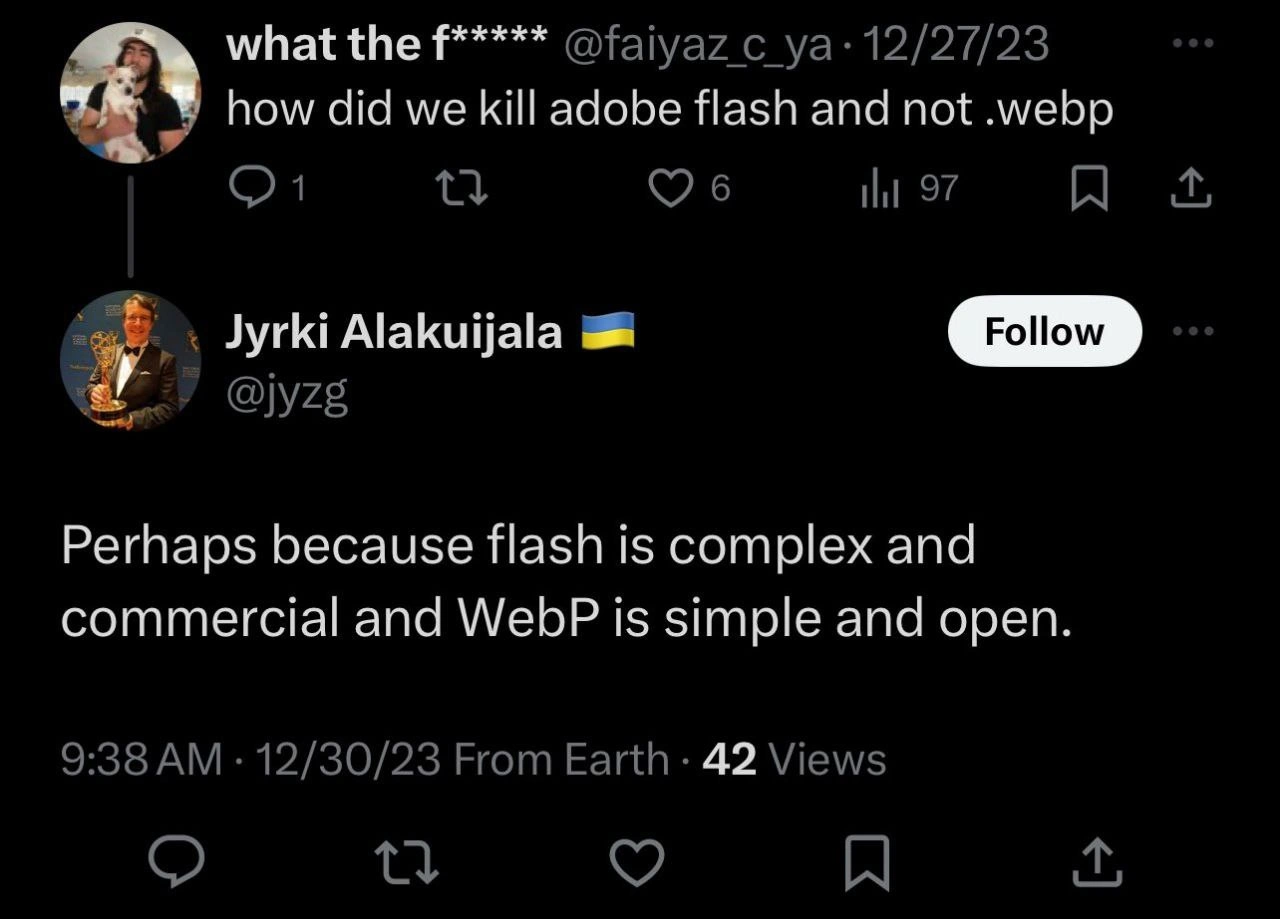
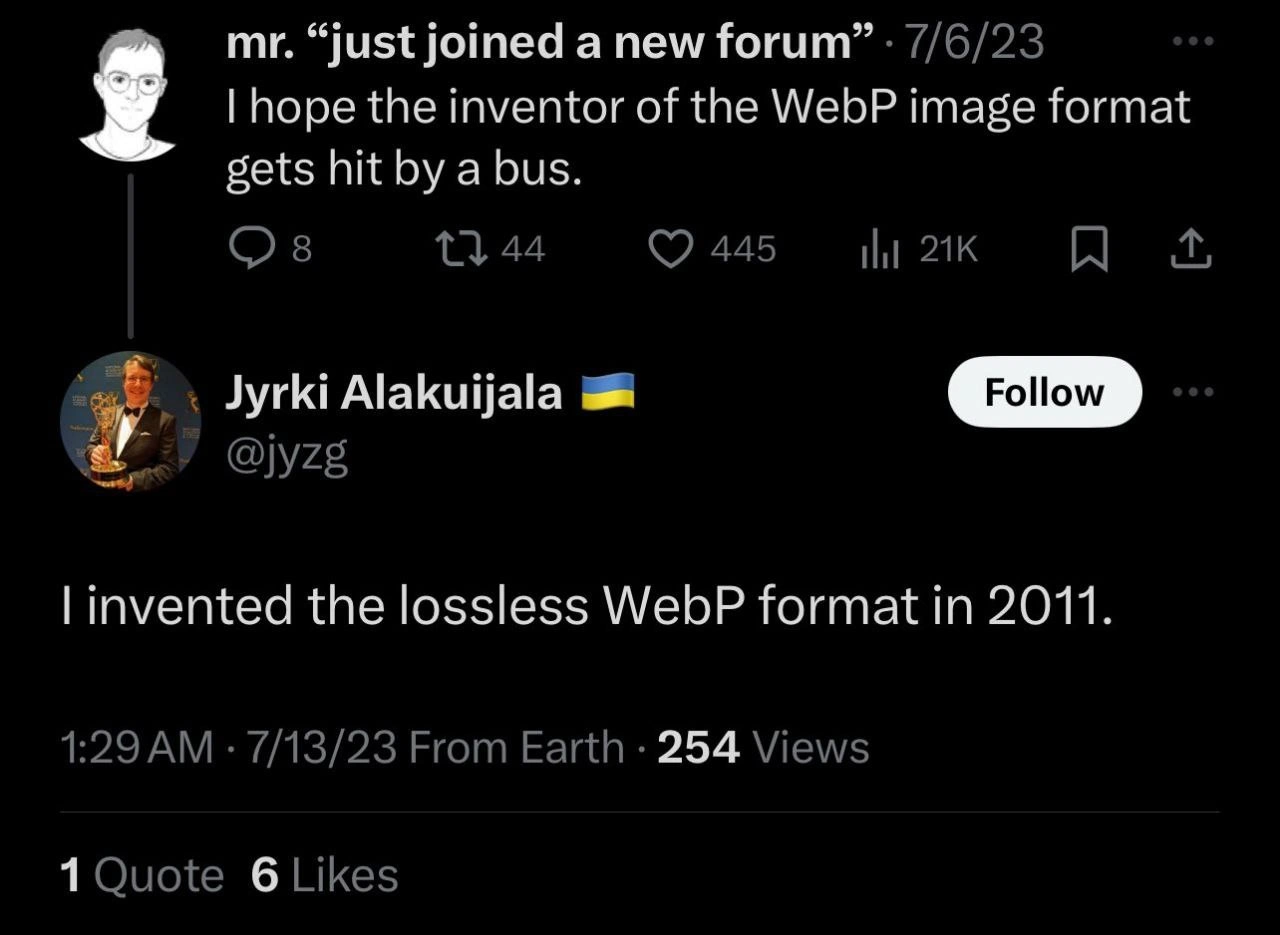
A screenshot of a Twitter conversation highlighting user frustration with the WebP image format. The first tweet, from user Lily Alexandre, hyperbolically states, "every time chrome saves something as a .webp instead of a .jpg i want to create a hostage situation." Below this is a direct reply from Jyrki Alakuijala, the creator of WebP, who calmly points out, "WebP is 10+ years format, almost 12. It should work in various software by now." His profile picture notably features him holding an Emmy award. The humor stems from the creator of a widely used technology personally and dispassionately refuting a common user complaint. For senior developers, this is a relatable scenario of a technology's maturity outpacing the ecosystem's willingness or ability to adapt, and the dry, factual comeback from the source is the punchline
Comments

7
Anonymous ★ Top Pick The five stages of dealing with a new standard: denial, anger, bargaining, depression, and finally, getting a dry, factual correction from the format's creator on Twitter
  1. Anonymous ★ Top Pick

    The five stages of dealing with a new standard: denial, anger, bargaining, depression, and finally, getting a dry, factual correction from the format's creator on Twitter

  2. Anonymous

    Twelve years old and WebP still needs a permission slip from the procurement committee - meanwhile our COBOL batch job just asked if it can save as BMP

  3. Anonymous

    "It should work in various software by now" - the same energy as telling your PM that technically the API returns a 200 status code while the entire frontend team is filing bug reports about malformed JSON responses

  4. Anonymous

    When the WebP format creator tells you 'it should work by now' after 12 years, but half your toolchain still treats it like a foreign diplomat without proper credentials. It's the technical equivalent of 'works on my machine' at the ecosystem level - sure, Chrome's been pushing WebP since 2010, but apparently nobody sent the memo to every image editor, legacy CMS, and corporate workflow tool still living in the JPEG era. The real hostage situation is being caught between Google's aggressive format evangelism and the enterprise software procurement cycle that moves at geological timescales

  5. Anonymous

    Chrome negotiates image/webp; my asset pipeline negotiates with Marketing, so the endpoint now pipes dwebp | convert and returns Content-Disposition: filename=legacy.jpg

  6. Anonymous

    WebP is supported - until your CMS’s MIME whitelist and half the design stack say “unknown format,” so CI quietly runs convert *.webp to *.jpg and everyone pretends standards won

  7. Anonymous

    WebP at 12 years old: finally mature enough to be the new legacy format no one asked to debug

Use J and K for navigation