Profile of a Web Compression Pioneer
Why is this DataFormats meme funny?
Level 1: Magic Suitcase
Imagine the internet is like a big system of water pipes, and information (like your messages, pictures, videos) is the water flowing through those pipes. Now, if you try to send too much water through a small pipe, it gets slow and clogged. What this person does is a bit like magic: he finds ways to shrink the “water” (the information) so that it fits easily through the pipe, and then at the end it can expand back to normal. It’s as if he could take a huge sponge, squeeze all the water out to make it tiny, push it through a straw, and then poof! the sponge pops back to full size on the other side with the water inside again. In everyday terms, think of it like packing a suitcase: you have a big pile of clothes that wouldn’t fit, but a clever packer can roll and fold everything so neatly that it takes up half the space. This engineer found the best “folding tricks” for internet data.
In his profile, he jokingly calls himself a “plumber for the internet” – like he’s the plumber making sure the internet’s pipes don’t get clogged. And the list of funny words after that? Those are the names of his special folding tricks (ways to compress files like web pages, images, and fonts). Each one is like a champion solution for squeezing something down: one for text, one for pictures, one for fonts, and so on. It’s funny because he’s basically a superhero of making data tiny, but instead of bragging loudly, he just says “I’m a plumber, here are my tools.” Most people browsing the web have no idea someone had to invent those tricks, but thanks to him, our videos stream faster and our websites load quicker. In short, this meme highlights how one humble “internet plumber” quietly made the online world a lot more efficient, and those who understand the names in his bio are giving an appreciative chuckle — it’s like discovering the wizard behind the curtain who makes everything run smoother.
Level 2: Meet Brotli & Friends
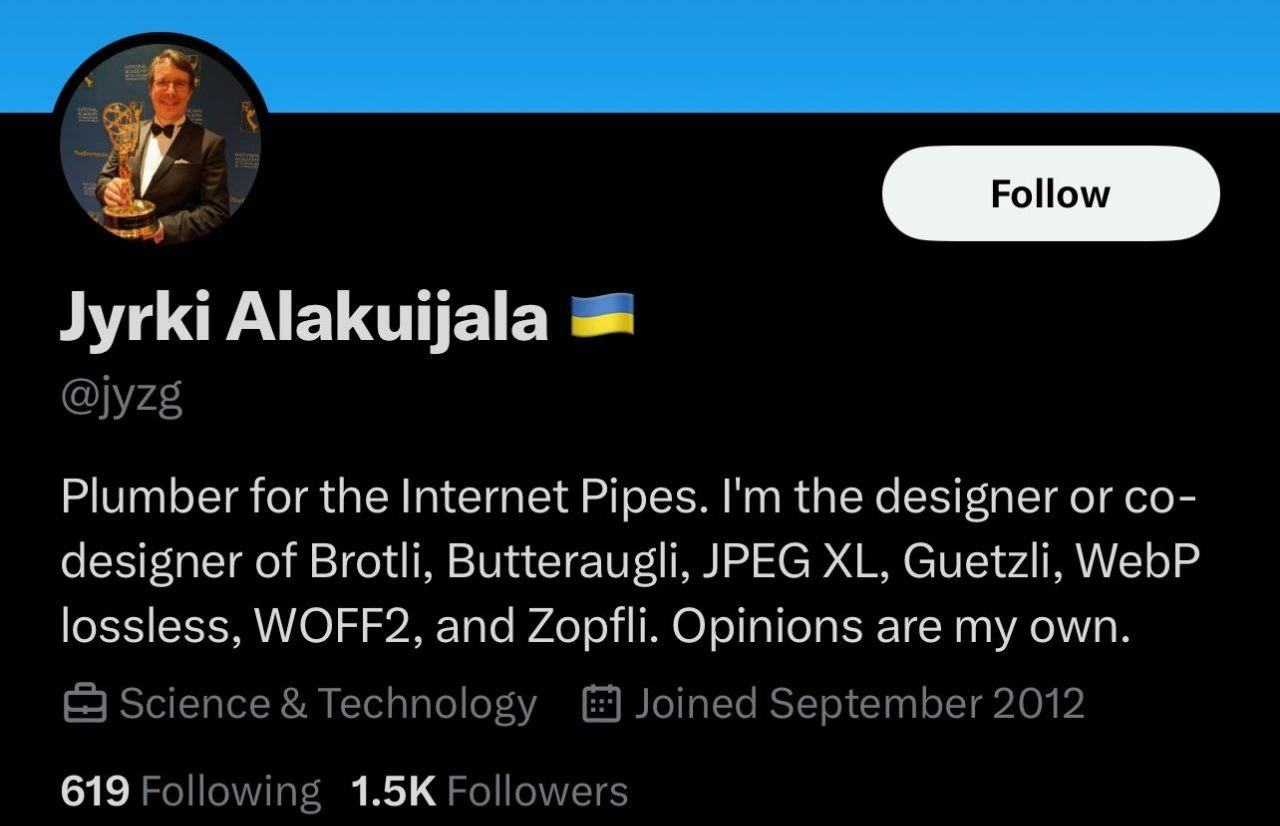
So, what exactly are all those weird words in this “internet plumber’s” bio, and why are developers excited about them? This meme shows a screenshot of a Twitter profile belonging to Jyrki Alakuijala (the guy in the tux holding an award). In his bio, he jokingly calls himself a “Plumber for the Internet Pipes,” and then lists a bunch of technologies: Brotli, Butteraugli, JPEG XL, Guetzli, WebP lossless, WOFF2, and Zopfli. For someone not familiar with those terms, it might look like gibberish or random jargon. But for developers — especially those in web development concerned with site speed and data size — those names are very meaningful. They are all compression algorithms or formats that help make files smaller (and thus faster to send over the internet). In other words, those are the “tools” in the plumber’s belt that keep the “internet pipes” flowing smoothly.
Let’s break down the concepts first. The phrase “Internet pipes” is playful tech slang for the internet’s bandwidth or infrastructure. We often imagine the internet as a series of pipes or tubes through which data flows (this goes back to a famous joke that the internet is not a big truck, but a series of tubes). If the pipes get too full (i.e., if we’re trying to send huge files through a limited connection), things slow down or get “clogged.” A “plumber for the internet pipes” would be someone who fixes those clogs and makes sure data can flow freely — essentially, someone who optimizes data transfer. How do you optimize data flowing through the internet? One big way is by compressing it, which means making the data files smaller so they travel faster and use less bandwidth. This is why compression is directly tied to PerformanceOptimization in tech: smaller files = quicker downloads = faster website/app.
Now, each of those funky-named items in the bio is a specific project that Jyrki either designed or co-designed to compress different kinds of data or to measure quality. Here’s an overview of the “hall of fame” he’s listing:
Brotli – A modern compression algorithm for general web data (like HTML, CSS, and JavaScript files). It’s what we call a lossless compressor for text and similar data. Brotli is now widely used by web servers and browsers instead of the older Gzip/Deflate because it can produce smaller files. When a browser requests a webpage, it might say “Hey server, I support Brotli” and the server will then send the compressed page using Brotli, making the download faster for you. If you’ve ever enabled compression on a website (maybe in Nginx or Apache settings) and chose Brotli, you were using this invention. Result: faster web pages and less data usage, with no loss of information (the text comes out exactly the same when decompressed).
Zopfli – This is another compression algorithm related to the standard zip/gzip format. Think of Zopfli as an improved way to compress data into the usual .zip or .gz files we’ve used for ages. It’s lossless too. What’s special about Zopfli is that it works extra hard (uses more CPU time) to make the file as absolutely small as possible within the constraints of the old format. It doesn’t require any new decoder — the files it makes can be opened by any normal unzip or browser (because it’s the same DEFLATE format), but since it’s so optimized, the compression process is slow. This is fine if you do it once ahead of time for a file that will be downloaded millions of times. Result: about 3-8% smaller files than normal gzip could achieve. In practice, developers might use Zopfli to pre-compress things like scripts, styles, or images (PNG images, which internally use DEFLATE compression, can be made smaller with Zopfli). It’s a tool for squeezing out that last little bit of size.
WebP (lossless) – WebP is an image format developed by Google. It actually has two modes: lossy (for photographs, similar to JPEG) and lossless (for graphics or images where you can’t lose any details, similar to PNG). The bio specifically says “WebP lossless,” indicating Jyrki worked on the lossless side. WebP lossless compression can take images (especially ones with large areas of solid color, like logos or screenshots or illustrations) and compress them much more than traditional PNG can, all without losing a single pixel of data. If you’ve saved an image as WebP and noticed the file size drop a lot while the image looks identical, that’s this at work. Many websites now serve images in WebP format to users on modern browsers because it means faster image loads and less bandwidth. Result: smaller image file sizes compared to older formats (like PNG), while keeping image quality 100% intact.
JPEG XL – This is a next-generation image file format. “JPEG” in the name shows it’s meant to be a successor to the older JPEG format (which has been around since the early 90s). JPEG XL is designed to support both lossless and lossy compression in one format, and to do everything better: higher compression efficiency (meaning smaller files for the same quality), support for features like high dynamic range, transparency (alpha channel), animation (could even replace GIF), and so on. Think of it as a modern one-format-to-rule-them-all for images. While it’s still not widely adopted as of 2024 (browsers are just starting to consider it), it’s been developed by experts to potentially unify what we currently use JPEG, PNG, and GIF for, into one superior standard. Result: if it becomes common, websites could load even faster and store images more efficiently, since JPEG XL can produce noticeably smaller files than both JPEG and PNG for the equivalent quality.
Guetzli – The name is strange (it means “cookie” in Swiss German!), but this is essentially an improved JPEG compressor. JPEG images are usually created by software like image editors, but most don’t try super hard to minimize file size beyond a point. Guetzli is like a super-powered JPEG encoder that you’d use offline (because it’s slow) to make JPEG files as small as possible without making them look worse. It doesn’t change the JPEG format — any device that can show a JPEG can still show a JPEG compressed by Guetzli — but it uses a lot of computation to fine-tune the compression. It analyzes tiny details with a model of human vision (so it knows what parts of the image can be compressed more aggressively without us noticing). Result: JPEG images that are significantly smaller in file size but visually still almost identical to the original. This is great for, say, a photographer or website that wants the absolute smallest JPGs but doesn’t mind if it takes a minute or two for each image to save in an offline process.
Butteraugli – This one isn’t a compression format at all, but a tool/algorithm used to compare image quality. The name was chosen to be whimsical (and yes, it sounds like “butter ugly” on purpose). What Butteraugli does is take two images (for example, an original and a compressed version) and give a score or map that indicates how different they would appear to a human eye. It models various aspects of human vision, like sensitivity to certain colors or how we notice sharp edges. Why is this useful? Because when creating a lossy image compressor (like JPEG, WebP, JPEG XL, etc.), you want to remove as much data as possible while still keeping the image looking good enough. Butteraugli helps developers objectively measure that “looking good enough” part. Instead of just eyeballing an image to see if compression introduced blur or artifacts, Butteraugli quantifies it. Result: more intelligent image compression – you can push compression until Butteraugli says “okay, any more and people will notice the drop in quality.” It’s like a quality gauge for image compressors.
WOFF2 – This stands for Web Open Font Format 2. It’s a standard format for fonts that are used on websites. When you see custom fonts on a webpage (not the basic Arial or Times New Roman, but something fancy or brand-specific), your browser actually downloads those font files in the background. WOFF2 is a format that takes a regular font file and compresses it heavily (using Brotli compression internally, plus some special optimizations for font data). The result is a much smaller file to download for the font. If you’ve heard of WOFF or WOFF2, it’s because all modern sites use it to ensure their web fonts don’t slow things down. Result: faster loading of web fonts, meaning the text on websites appears quicker and uses less data. Without WOFF2, using cool fonts on the web would be a bigger drag on performance.
That’s a lot of technical detail, but the key point is: all these technologies make things smaller or faster on the web. They’re all about efficiency. And Jyrki’s bio basically says, “I helped create all these.” It’s like if a single person said “I worked on the electric motor, the LED light bulb, and the solar panel.” You’d be like, wow, those are significant inventions in their space! In the world of web and software, Brotli, WebP, WOFF2 and the rest are each a big deal. They’re widely used in browsers, servers, and tools to improve user experience by cutting down data sizes. This is squarely in the realm of WebPerformanceMetrics and best practices: for example, Google’s PageSpeed Insights tool frequently recommends “Serve images in next-gen formats (like WebP)” or “Enable text compression (Brotli)” etc. If you’ve encountered those suggestions as a developer, hey — Jyrki is one of the people behind the actual solutions being suggested.
The meme caption jokes that the bio “reads like a compression algorithm hall of fame.” Now we can see why: it’s basically listing the greatest hits of web compression. Few people outside of experts could claim even one of those hits; seeing one person claim all of them is almost like reading “Grammy, Oscar, Tony, and Emmy winner” in a single resume — except here it’s all about algorithms and formats. It’s impressive, and also a little humorous in its overload of jargon. For a junior developer or someone new: don’t worry if you hadn’t heard of some of these; they lurk under the hood of the tools and browsers you use. But among seasoned developers, these names are famous for making our websites and apps faster.
Finally, the humor in “Plumber for the Internet Pipes” is worth noting. He could have titled himself something like “Research Scientist” or “Compression Engineer,” but instead he uses a metaphor. It paints a picture: just as a real plumber fixes leaks and improves water flow in your house, an internet plumber fixes data “leaks” (inefficiencies) and improves data flow online. It’s a humble, almost blue-collar way to describe a very high-tech job. Many engineers like this kind of humble metaphor, because it cuts through the buzzwords and gets to the core: making the internet work better is a kind of plumbing job. Data flows through cables and wires (the “pipes”), and without people optimizing things, those pipes would get congested with too much data. This guy helps unclog and streamline the flow by using compression algorithms (his tools).
So, to sum up in plainer terms: the meme is highlighting a Twitter bio of someone who has massively impacted web performance through his work on data compression. It’s funny and awe-inspiring to developers because his bio is basically just a list of famous tools he made, framed in a joking way. It resonates as tech humor because you have to know what those terms mean to get why it’s a “hall of fame” – it’s an in-joke for the community. Now that you “meet” Brotli and friends, you can appreciate why that bio is both a brag and a laugh. It’s saying: “I made all the stuff that makes your websites load faster… no big deal, just doing some plumbing 😉.”
Here’s a quick reference table for the algorithms/formats in case all those names are still a blur:
| Technology | What It Is | Used For / Why It’s Great |
|---|---|---|
| Brotli | Compression algorithm (lossless) for web text (HTML, JS, CSS) | Makes web pages smaller and faster than gzip. Now a standard content encoding on websites. |
| Zopfli | Compression algorithm (lossless, DEFLATE-compatible) | Creates extra-small zip/gzip files (slower to compress). Good for squeezing out every last byte in static files. |
| WebP (lossless) | Image format (lossless compression mode) | Shrinks images without losing quality, better than PNG. Used for faster image loading. |
| JPEG XL | Image format (supports lossless & lossy) | Next-gen image format with superior compression. Can outperform JPEG/PNG in size for the same quality. |
| Guetzli | JPEG compressor (advanced, lossy) | Generates very small JPEG images with no quality loss to the eye (uses a lot of CPU to do so). |
| Butteraugli | Image quality metric (perceptual model) | Measures differences between images how a human would see them. Helps tune image compression to keep quality high. |
| WOFF2 | Web font format (compressed) | Shrinks font files for websites. Smaller fonts = quicker page load and less data usage. |
Now imagine being able to say you created or co-created all of the above! That’s why we’re kind of marveling at this bio. It’s the equivalent of a rock band listing all their platinum albums. For developers, especially those focusing on performance, these are legendary achievements. And the clever phrasing around “internet pipes” just adds a lighthearted touch, making it a perfect developer meme: educational, a bit nerdy, and definitely relatable to those in the know.
Level 3: Pipe Dream Team
From a senior developer’s perspective, this Twitter bio hits like an inside joke and a mic-drop brag at the same time. Jyrki describes himself modestly as a “Plumber for the Internet Pipes,” but then casually lists a suite of modern compression technologies that have become indispensable in high-performance web engineering. It’s the contrast that’s hilarious: calling yourself a plumber (blue-collar, unassuming, fixing pipes) while effectively saying “I invented Brotli, Butteraugli, JPEG XL, Guetzli, WebP (lossless), WOFF2, and Zopfli.” That lineup is basically the All-Star team of web performance optimization tools. For those of us in the industry, his bio reads like the credits of half the speed-ups and bandwidth savings we’ve enjoyed over the last decade. It’s as if the person who invented the electric guitar, the synthesizer, and the drum machine just listed them in their Twitter bio with a shrug. The meme’s title nails it: this is a compression algorithm hall of fame condensed into one humble Twitter bio.
Why is this funny (and impressive)? Well, developers who’ve been around the block know each of those names as separate big deals. Brotli slashed our text transfer sizes, WebP and JPEG XL transformed image delivery, WOFF2 made custom fonts practical, etc. Each one of those could be a proud career-defining accomplishment for an entire team, let alone one guy. Seeing them all attributed to a single person triggers a mix of admiration and amused disbelief: “wait, the same engineer had a hand in all of these?!” It almost reads like exaggeration, except it’s true. That’s the tongue-in-cheek humor — it’s a flex, but delivered in the nerdiest way possible. Instead of saying “I’m kind of a big deal,” he just lists the creations, and any veteran web developer or performance engineer reading it automatically grants him legendary status.
The “plumber for the internet pipes” phrasing is also a wink to those of us who remember the old joke that the internet is a series of tubes. It frames high-tech compression work as everyday pipe maintenance. This kind of self-deprecation is common among engineers who do deeply technical stuff that’s largely invisible to users. He’s essentially saying: “I just keep the data flowing smoothly.” Meanwhile, what he really did was design ultra-efficient data formats that quietly save petabytes of data transfer every day. It’s a classic example of engineers joking about their own underappreciated toil — the folks who keep things fast and cheap behind the scenes often refer to it as “plumbing” or “janitorial” work because when it’s done right, nobody notices it at all. The only hint of bravado is in the sheer volume of achievements listed. It’s a humblebrag of epic proportions: Performance nerds read it and go “wow, this ‘plumber’ practically built the plumbing infrastructure of the modern web!”
Each item he lists resonates with war stories and triumphs in the dev community:
Brotli – Many seniors recall when enabling Brotli compression on our servers or CDNs became the new best practice, replacing older gzip. Suddenly CSS, JS, and JSON files got ~20% smaller overnight. That was like a free upgrade to our bandwidth and load times. If you’ve ever looked at a network request and seen
content-encoding: brin the headers, that’s Brotli (the “br” stands for Brotli) working its magic. This one algorithm’s widespread adoption was a huge win for WebPerformanceMetrics (better Lighthouse scores, anyone?).Zopfli – Before Brotli came along, Zopfli was the ultra tweak to get maximum compression out of the existing zip/gzip format. We’re talking marginal gains – a few extra kilobytes saved after hours of crunching – which is exactly the kind of obsessive optimization that hardcore performance engineers chuckle about. Many of us played with Zopfli for compressing things like PNG images or JS bundles offline, where we could afford a slow compression step in exchange for a smaller file to serve millions of times. It epitomizes that PerformanceOptimization ethos: throw computation at the problem until the file can’t get any smaller. It’s a specialist tool you bring out when every byte counts (like fitting your code into a tight limit or shaving CDN costs), and seeing it named in a Twitter bio is a sign that “yep, this person goes the extra mile.”
WebP (lossless) – WebP’s lossy mode (for photos) and lossless mode (for graphics/transparency) have been a godsend for web images. By 2024, front-end devs are accustomed to serving
.webpimages to save users bandwidth (often 30%+ smaller than old PNGs or JPEGs). The fact that our browsers and image pipelines support WebP is in no small part thanks to folks like Jyrki who developed and pushed it. Senior devs remember the early skepticism (“another image format, really?”) and then the eventual triumph as WebP became supported everywhere from Chrome to Safari. Listing “WebP lossless” specifically suggests he worked on that portion – which is the part that can compress something like a logo or screenshot without any quality loss, better than PNG. So in a sense, he helped obsolete a format (PNG) that we used for decades.JPEG XL – Ah, the one that got away… or at least, almost. This one is a bit bittersweet in the community: JPEG XL was poised to be the next big image format, combining the best of JPEG, PNG, and GIF, and many of us were excited about its potential. It’s still in a weird limbo (Chrome controversially decided not to implement it by default, despite such experts behind it), but its design is state-of-the-art. Seeing JPEG XL on his list is a clue that he’s not just about maintaining old formats; he’s about inventing future ones. It’s a bold attempt to upgrade the entire web’s imagery pipeline. Only a true “internet plumber” would take on a job that large – essentially re-plumbing the whole system with a better standard. Even if corporate/browser politics slowed its rollout, the tech itself is lauded by image compression specialists. Senior devs reading that in his bio might nod and think: “He’s working on tomorrow’s plumbing, too.”
Guetzli – Many devs might not have personally used Guetzli (it’s a bit niche due to its slowness), but we’ve heard of it in whispered tones on Hacker News or Reddit. It’s the tool you’d use if you were obsessively optimizing a photo for a blog or trying to win a size contest — it squeezes a JPEG ridiculously small. The joke in using Guetzli is that you start it, go get a coffee, maybe read a book, and come back to find it still running… but eventually, you get an image that’s maybe 20-30% tinier than any standard JPEG encoder would give. In an era where most users just throw images into whatever compressor is built into their software, a tool like Guetzli is hardcore. Listing it in the bio is like a badge of honor among performance geeks: it shows he’s explored even the fringe, extreme corners of compression. It’s the equivalent of saying “I even optimized the thing most people consider already optimized.” It’s a flex about depth of knowledge.
Butteraugli – This one might sound funny to plenty of devs (it’s okay, we’re all thinking “butter-ugly?” when we see it). It’s not as widely referenced outside compression circles, but those who know, know. Butteraugli is the secret sauce behind why Guetzli and JPEG XL could be so aggressive. It encodes an understanding of human vision. Mentioning it is a signal: this guy doesn’t just compress data blindly; he actually quantifies how humans perceive quality. It’s a level of finesse beyond simply crunching numbers. It’s like a painter saying they also invented a new color meter for perfectly matching shades — very specialized, very cool. For senior folks, the presence of Butteraugli in the list is a hint that Jyrki wasn’t just implementing algorithms, he was advancing the science of visual quality measurement. Also, fun fact that seniors might chuckle at: all these wild names (Brotli, Zopfli, Guetzli, Butteraugli) come from the same Google team and follow a naming theme — many are Swiss German words for foods or silly concepts. “Brotli” means small bread, “Zopfli” is a type of braided bread, “Guetzli” means cookie, and Butteraugli… well, it roughly translates to “butter eyes”, a nonsense term the team came up with for this eye-based metric. It’s the kind of quirky humor you often find in low-level toolchain projects (like how Linux kernel versions had names like “Woody Woodpecker”). The meme winks at this too: the bio sounds simultaneously serious and absurd if you don’t know the context — like a menu of strange pastries, which to insiders are actually revolutionary algorithms.
WOFF2 – Every web developer has benefitted from WOFF2, whether they know it or not. It’s why your favorite custom Google Font or icon font doesn’t take forever to download. By listing WOFF2, Jyrki is saying “I even fixed the fonts on your websites.” Most people forget fonts need to be downloaded by the browser; before WOFF2, those font files were often the heftiest thing after images. WOFF2 (Web Open Font Format 2) basically made font loading a non-issue by heavily compressing them (leveraging Brotli), often 30% smaller than the prior version. In a senior dev’s memory, the arrival of WOFF2 around 2014 was one of those quiet revolutions where suddenly everyone’s site got faster, and PageSpeed Insights started giving brownie points for using compressed fonts. So this entry in the bio is like another checkbox on the ultimate optimization resume: “text ✅, images ✅, fonts ✅… yep, covered all bases.”
Put together, the bio is both a resume and a joke. It’s written in that classic Twitter-dev-humor style: one line that says a normal-sounding job (“Plumber for the Internet Pipes”) followed by a lightning strike of truth: the person is responsible for half the cutting-edge WebPerformance tricks we use. The “Opinions are my own” at the end is the cherry on top — a standard corporate disclaimer that feels hilariously unnecessary given the brag preceding it. It’s as if after listing all that, he reverts to “don’t mind me, just my personal opinions here” to not stir his employer’s PR. 😄 The meme strikes a chord because many of us have seen grandiose LinkedIn or Twitter bios where people oversell themselves, but here’s someone who could legitimately brag to the skies, and he frames it as if he’s just fixing leaky pipes. That’s an engineer’s humor if ever there was one.
In the grand scheme, this meme is a bit of wholesome EngineeringHumor or TechHumor that also educates. It reminds us that behind every web page load metric, every snappy app, there are unsung heroes tuning compression algorithms and file formats. The next time you clone a repo in seconds or stream a high-res photo over a shaky mobile network, you might indirectly thank folks like Jyrki. His bio reading like an algorithm hall of fame is both a flex and a funny way to say “I make the web faster.” And for those of us knee-deep in optimizing software, it’s both inspiring and chuckle-worthy – because we know that in the world of web development, the real rockstars are often the ones down in the guts of the system, tightening the bolts and optimizing performance where no one else bothers to look.
Level 4: Chasing Entropy's Limit
At the deepest level, this meme pays homage to the computer science of data compression and those who push it to its theoretical extremes. In information theory, Shannon’s entropy defines an absolute limit on how much you can compress data — beyond that, there are no patterns left to exploit. Every one of the algorithms in Jyrki’s bio represents a step closer to that limit for a particular kind of data, a triumph of algorithm engineering over redundancy and noise. It’s as if he’s been waging a war on unnecessary bytes, one domain at a time, defying entropy’s stubborn hold on our files. To a compression geek, seeing Brotli, Zopfli, JPEG XL, Guetzli, WebP, WOFF2, and Butteraugli all in one place is like reading a list of landmark discoveries in data reduction. It’s a who’s-who of modern codecs and compressors — basically the Nobel laureates of making things smaller.
Drilling down, many of these technologies build on classic compression fundamentals like Huffman coding, LZ77, and probabilistic modeling, yet each introduces novel twists to squeeze out extra efficiency. Zopfli, for instance, is an exhaustive DEFLATE compressor: it uses the same DEFLATE format as zip or gzip (Huffman codes + LZ77 backreferences) but spends much more CPU time searching for the absolute optimal way to encode a given file. The result? Files a few percent smaller than what zlib (your usual compressor) can achieve — essentially hitting DEFLATE’s entropy limit. Brotli then took this further: it’s a new format tailored for the web, combining an updated LZ77 scheme with context modeling and a built-in static dictionary for common text patterns (like “” or typical JavaScript snippets). Brotli was designed so that decompression (what browsers do on the fly) is fast and efficient, but compression can use more time and memory to get those file sizes down. In other words, Brotli balances the theoretical goal of maximal compression with the practical constraint of needing to decode quickly for every web request. Under the hood, it’s carefully engineered to exploit redundancies in web data formats specifically, hugging that entropy boundary as tightly as possible without breaking performance budgets.
Moving to images, the challenges become even more interesting. Images can be lossy compressed — which means we intentionally discard some information — so the question shifts from “How do we encode exactly this data concisely?” to “How do we encode an approximation of this data that still looks the same to humans, but in far fewer bits?” This is where Butteraugli comes in. Butteraugli is not a compression format but a perceptual model: an algorithmic simulation of human vision. It quantifies how noticeable a difference an image compression makes to an actual person’s eyes. Modeling human perception is a deep science (drawing on psychophysics and neuroscience), involving sensitivity to color changes, blurriness, contrast, and even how our eyes notice blocky artifacts or noise. Butteraugli’s algorithm effectively creates a detailed map of differences between images, weighted by how visible they’d be. If compression is an art of hiding information loss in plain sight, Butteraugli is the mathematical critic that checks if the viewer can tell the difference. It lets compression engineers tune their algorithms to remove the most bytes for the least visual impact, pushing image files closer to the entropy limit of human perception.
Armed with such a perceptual metric, Guetzli attacked the aging JPEG format itself, treating compression like a search problem. JPEG uses an 8x8 block DCT (Discrete Cosine Transform) and quantization – basically turning the image into “frequencies” and then rounding some details off. Guetzli goes meta: it tries different quantization levels and compression parameters, each time using something akin to Butteraugli’s criteria to judge “did the visual quality drop too much?” It’s like an AI trying various ways to slightly blur or tweak an image to cut file size, but always checking with a simulated human eye to keep it looking the same. This iterative optimization is massively compute-intensive (Guetzli is famously slow), but the payoff is JPEGs that are significantly smaller for the same apparent quality. Guetzli inches closer to the Kolmogorov complexity of a given photo (the theoretical smallest description of that image) by smartly navigating what information can be thrown away without anyone noticing. It’s a tour de force of compression research, showing how much latent inefficiency even a decades-old standard like JPEG still had — if you’re willing to throw more CPU at it.
Then we have JPEG XL, which can be seen as a next-generation image codec designed with modern computing power and knowledge from the start. Instead of being constrained by 90s hardware like JPEG was, JPEG XL uses cutting-edge techniques: advanced adaptive entropy coding (combining the strengths of Huffman and arithmetic coding, e.g. using methods like ANS – Asymmetric Numeral Systems), larger transforms than 8x8 blocks allowing smoother compression of low-detail regions, explicit handling of features like alpha channels and wide color gamuts, and reference frames for animation. JPEG XL even supports lossless compression and a special mode to exactly recompress existing JPEGs more efficiently without loss. Essentially, it’s an attempt to approach the theoretical limits of image compression (both lossy and lossless) within one flexible format. Designing it involved balancing a host of factors: rate-distortion optimization (trade-off between file size and quality in a mathematically optimal way), decoding speed, and compatibility. It’s like the architects of JPEG XL took all the academic knowledge of image coding from the past 30 years — from wavelet transforms to psycho-visual quantization heuristics — and distilled it into a single format. Pushing the boundaries here means images that might be 30-50% smaller than equivalently good-looking JPEG/PNG, which in turn means huge bandwidth savings internet-wide. It’s literally narrowing the gap between real-world image sizes and the smallest they could possibly be per Shannon’s theories.
Finally, there are the perhaps less glamorous but crucial domains of web content where Jyrki’s work also shines: fonts and other web assets. WOFF2, the Web Open Font Format 2, is fundamentally a container that takes font files (which are basically vector shapes and tables of glyph data) and compresses them very compactly — in fact, WOFF2 uses Brotli compression under the hood, tuned for typical patterns in font data. Fonts have a lot of repetitive structures (curves, similar shapes in letters, metadata tables), and WOFF2 squeezes them down so web pages don’t waste time downloading huge font files just to display text in a nice typeface. And WebP (lossless), the counterpart to the better-known lossy WebP, uses advanced techniques (like predictive coding and color transformation on image fragments combined with Huffman coding) to beat PNG at its own game of lossless image compression. WebP lossless finds more redundancy in images by looking at neighboring pixels and indexing colors cleverly, achieving file sizes notably smaller than PNG for things like screenshots or graphics. The design of WebP’s compressor had to account for two hard goals simultaneously: maximizing compression ratio and ensuring decoding (in browsers) is fast with limited memory. Solving these kinds of multi-constraint optimization problems is where theory meets engineering reality.
In summary, each item in that bio isn’t just a random project — it’s a significant optimization tailor-made for a specific type of data, scraping out inefficiencies that older formats left on the table. The humor of calling himself an “Internet plumber” belies the sophistication here: it refers to fixing the flow in the “pipes,” but the fixes involve deep knowledge of how data can be represented, the mathematics of redundancy, and even human sensory perception. It’s a subtle nod to how fundamental these innovations are. Much like a civil engineer might pride themselves on designing bridges that ever so closely approach the limits of materials without breaking, compression engineers pride themselves on approaching information-theoretic limits. Jyrki’s roster of accomplishments reads like a compression algorithm hall of fame because each one is a masterwork in that quest. Collectively, they’ve rewritten the textbooks on how we pack data efficiently, from text files to images to fonts, edging ever nearer to those tantalizing theoretical limits defined by math. For seasoned tech folks, it’s genuinely awe-inspiring (and a bit of a flex) to see all those breakthroughs credited to one person — a real-life example of someone methodically leveling up the Performance of the entire web by conquering one niche after another with pure algorithmic prowess.
Description
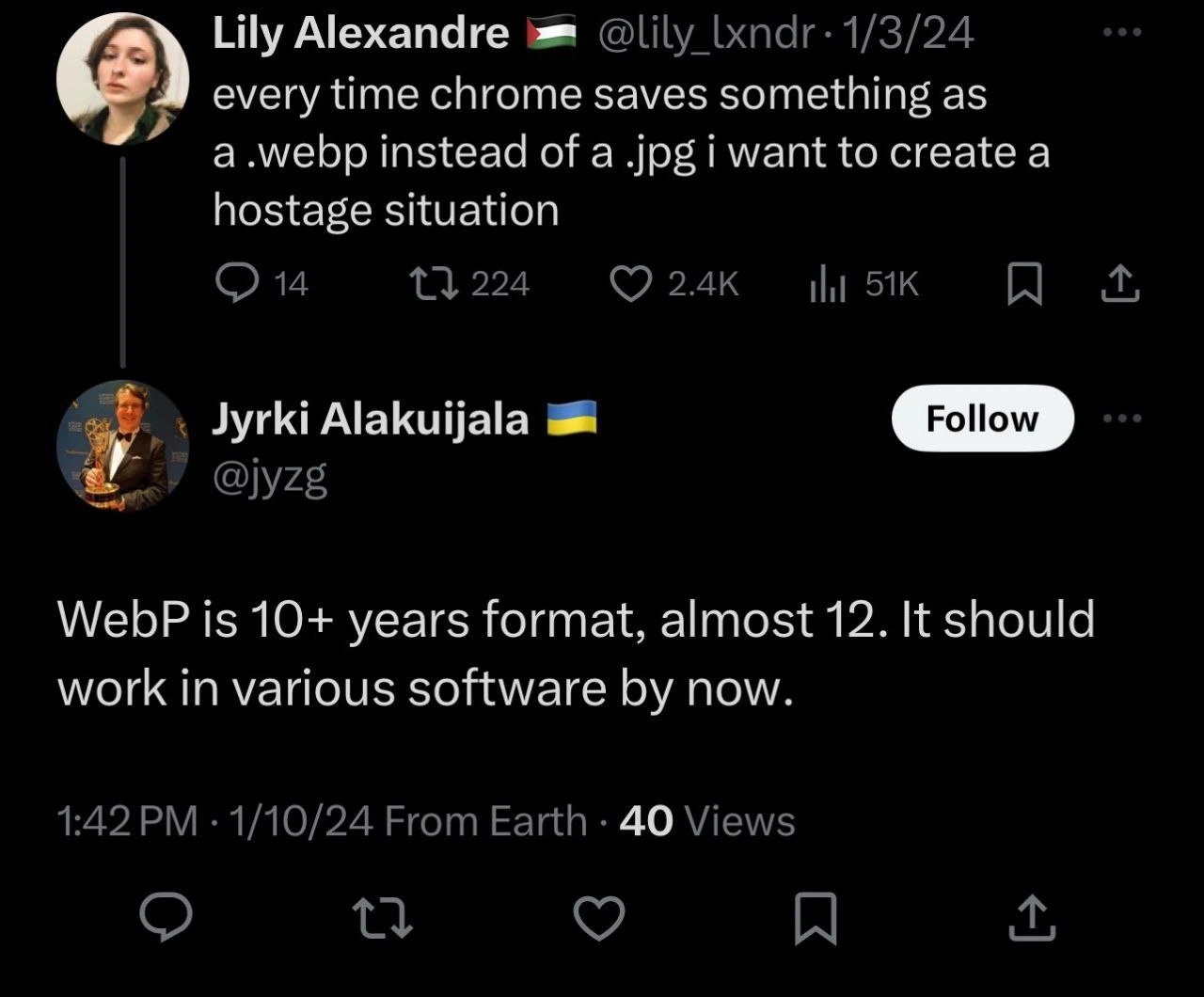
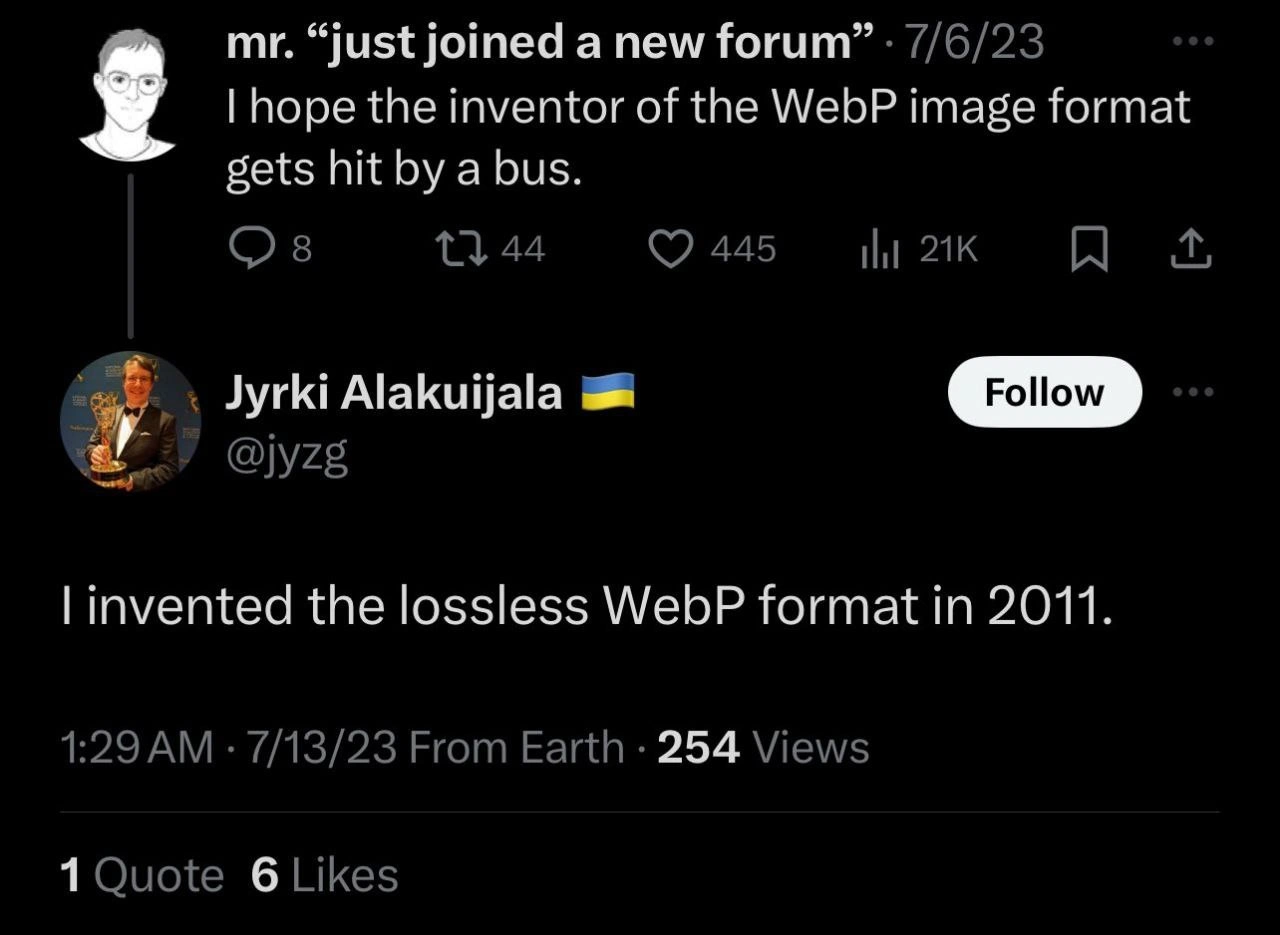
A screenshot of the Twitter profile of Jyrki Alakuijala (@jyzg). His profile picture shows him in a tuxedo, holding an Emmy award. His bio reads, "Plumber for the Internet Pipes. I'm the designer or co-designer of Brotli, Butteraugli, JPEG XL, Guetzli, WebP lossless, WOFF2, and Zopfli. Opinions are my own." This image is not a meme itself, but provides the essential context for the previous images. It reveals the identity of the person calmly replying to user complaints - a highly accomplished engineer responsible for foundational web technologies. For senior developers, this profile is a testament to the unsung heroes of infrastructure whose work is ubiquitous but often invisible, and the humble self-description of 'Plumber' is a classic sign of a deeply experienced practitioner
Comments
7Comment deleted
He created Brotli and WebP, yet his follower count is less than that of a JavaScript framework that will be obsolete in six months. The life of an infrastructure engineer
Some folks optimize a single SQL query - this plumber trimmed enough bytes off HTTP payloads to delay the next AWS price hike
This guy's compression algorithms have saved more bandwidth than all the "we're going carbon neutral" initiatives combined, yet he still has fewer Twitter followers than a JavaScript framework that was deprecated last Tuesday
When you've literally compressed half the internet but still describe yourself as just a 'plumber' - the ultimate senior engineer flex. This is what happens when someone who's optimized billions of bytes of web traffic has mastered both lossless compression AND humble self-deprecation. Meanwhile, the rest of us are still arguing about whether to use PNG or JPEG while this person *invented the formats we should actually be using*
Architecture meeting option B: argue microservice boundaries for weeks; option A: let the internet’s plumber compress your assets with Brotli/WOFF2 and watch LCP and the CDN invoice drop - no new Kubernetes CRDs required
Senior translation of 'plumber for the Internet pipes': debating whether Zopfli's extra 1-2% over gzip beats Brotli level 11 when Finance pays egress and SRE pays CPU
Bio packs more compression creds than Brotli on a gzip'd README - opinions XL sold separately