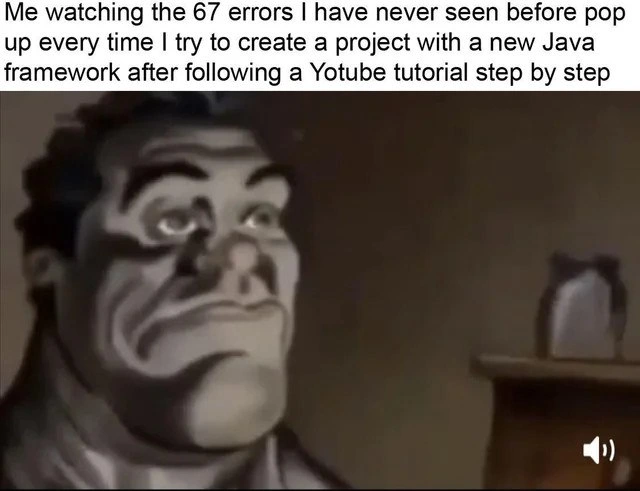
When Tutorial Code Fails Reality
Why is this Learning meme funny?
Level 1: It’s Not Fair!
Imagine you watched someone on YouTube baking a cake, and you followed their recipe exactly. You used the same ingredients, mixed for the same time, baked at the same temperature. But when you pull your cake out of the oven, it’s a burned mess while theirs looked perfect. You’d feel confused and upset, right? You might even look up at the ceiling and yell, “Why?! It’s not fair—I did everything right!” That’s exactly the feeling of this meme. The programmer did everything the tutorial showed, but the program on their computer still broke. It’s like doing the same magic trick as your friend, but somehow only they can get the rabbit to appear from the hat. In the meme, Mario (the programmer) is so frustrated that he’s screaming to the sky asking why it’s happening. It’s funny in the way cartoons are funny when a character follows all the rules but still ends up in a silly disaster. We laugh because we’ve all felt that kind of “this makes no sense!” frustration when things don’t work even though we thought we did everything right.
Level 2: Hidden Dependencies
Let’s break down what’s actually going on in this scenario, especially for those newer to coding. The meme text describes a classic newbie nightmare: “When you just wrote the exact same code as the guy doing the tutorial but it doesn't work.” This sets the stage for a lesson in Debugging 101 and the perils of environment-specific issues. In simpler terms, debugging is the process of finding out why your code isn’t doing what you expected. And here, the expectation was clear – the tutorial’s program ran fine, so yours should too, right? Well, not always, because the environment (the setup on your computer) can differ in sneaky ways. We call those sneak attacks environment-specific bugs – problems that happen on one machine (yours) but not on another (the tutor’s) due to differences in settings or software.
A big culprit in these situations is a hidden dependency. A dependency is anything your code needs to run properly (libraries, modules, frameworks, even particular software versions). “Hidden” means you didn’t realize it was needed because the requirement wasn’t obvious from just the code you wrote. For example, maybe the tutorial’s code uses a function from a library that the instructor already had installed globally on their system. You, following along fresh, didn’t install that library because the tutorial didn’t mention it – why would it, if the instructor forgot that step was done months ago? So when your code tries to call that function, Python or Node or whatever language you’re using freaks out: “I have no idea what this is!” This results in errors like ModuleNotFoundError (in Python) or ImportError or a crash, i.e., your code explodes. It’s like the code is saying, “I needed something to be there, and it’s missing – I give up!”
Another common issue is version mismatch. Think of software libraries like building blocks. The tutorial might have used version 2.0 of a block, but you unknowingly grabbed version 3.0 of that same block because it was the latest available. If version 3.0 changed how the block works (say, it renamed a function or changed the expected input), then the code you wrote (which matches the tutorial’s instructions for v2.0) might stop working. It’s as if the tutorial said “use a blue Lego,” but you only have a newer blue Lego that doesn’t fit the same way – the structure collapses. Version mismatches are an everyday part of the LearningToCodeJourney, where maintaining the exact same setup as someone else is tricky unless you explicitly manage it.
Let’s illustrate a hidden dependency with a quick example in Python to make it concrete:
# In the tutorial (instructor's code):
import magical_toolbox # the instructor already has this library installed
magical_toolbox.cast_spell("expecto patronum")
print("Spell succeeded!")
# On your machine, if you haven't installed 'magical_toolbox':
import magical_toolbox # You attempt this...
Running your version might blow up with an error like:
ModuleNotFoundError: No module named 'magical_toolbox'
Here, magical_toolbox is a made-up library (dependency) that the tutorial used. The instructor’s environment already had it (so their code ran fine), but your environment didn’t. You get an angry error message essentially saying "I can’t find this tool you’re asking for." This is a hidden dependency – the need to install magical_toolbox was implied but never stated. The fix would be something like running pip install magical_toolbox (or the appropriate install command for your language) to add that missing piece.
Besides missing libraries, environment variables or config files can also act like hidden landmines. Maybe the tutorial’s database connection code just “works” in their video, but on your system it fails because you didn’t set a DB_PASSWORD environment variable that the code expects. Little setup steps like that are easy to miss.
Let’s not forget copy-paste mistakes. It’s possible to faithfully transcribe code and still introduce a tiny error. One classic for beginners is copying code from a website where quotes or dashes are in a fancy unicode font – the code looks identical, but those characters confuse the compiler/interpreter. Or you might accidentally omit a line or a character. Even an extra space in Python (where indentation matters) can break things. That’s why it’s always good to double-check for any red squiggly lines in your IDE or run the code in small pieces to pinpoint where it diverges.
The meme uses Mario and Luigi in a forest to personify this experience. Mario is dressed as a developer who’s absolutely perplexed. Luigi stands by looking concerned (perhaps representing a friend or just another confused part of your brain), while Mario screams “I have a question... For God. WHY??” This dramatic flair actually mirrors how a simple LearningCurve bump can feel like a journey into a dark forest of confusion. StackOverflowDependence comes into play here too: often, the next step for a newbie in this situation is to frantically search Stack Overflow or Google the exact error message. You might find other people who had similar issues—or you might end up copying some more code from the internet in hope of a fix (continuing the cycle of TrialAndError). Sometimes that quick fix from Stack Overflow works like a 1-Up mushroom, and sometimes it sends you deeper down the rabbit hole.
The phrase “explodes locally” in the title is a humorous way to say that running the code on your own computer crashes or throws a bunch of errors. The code worked in the tutorial video or article (somewhere online), but when you run it locally (on your machine), it’s a disaster. Debugging/Troubleshooting is the process you’d undertake next—figuring out what’s different or wrong. As you gain experience, you develop a sort of detective mindset for these issues: check the error message (it often hints at the cause), compare library versions (npm list or pip freeze can show what versions you have), ensure all required packages are installed, and verify if the tutorial expects a certain setup (maybe it’s using a specific framework or assumes a file is present).
In summary, this meme strikes a chord with developers because it’s a shared learning experience. Everyone remembers the first time they thought “I did everything exactly as told, so why is it failing?!” It’s equal parts frustrating and educational. The key takeaway is that programming isn’t just writing code; it’s also setting up the right environment for that code. The gaps between someone else’s environment and yours can lead to “mystery bugs” that feel like the universe is trolling you. But once you learn to identify those hidden dependencies and subtle differences, you become a much stronger coder (and far less likely to scream questions at the sky… at least for this particular issue!). Mario’s anguish is funny to us now because we know that pain, and we know that eventually you solve it and facepalm at the simple thing you overlooked. That’s the learning in the process.
Level 3: Works on His Machine
Every seasoned developer has lived this scene: you copy the exact same code from a tutorial, line by line, character by character, and yet your program blows up in your face while the tutorial presenter’s code runs flawlessly. It’s the classic “works on my machine” paradox—except in this case it works on his machine (the tutorial guy’s) but not on yours. The meme humorously captures the debugging frustration that ensues, dramatized by Mario howling “WHY??” to the heavens. Experienced devs chuckle (and cringe) because they know there’s always an unseen culprit lurking in these situations, often hiding in plain sight just outside the code.
From a senior perspective, the hilarity comes from how relatable and inevitable this scenario is. Why does the exact same code implode locally? Typically because it isn’t actually the same in context. Some common real-world causes that make this meme “too real” for us:
- Hidden dependency: The tutorial had a library or service already installed or configured that wasn’t mentioned. Your code bombs with a
ModuleNotFoundErroror similar, while the instructor breezes through because their environment quietly satisfied that requirement long ago. - Mismatched versions: You installed the latest version of a framework (say, React 17 or Python 3.9) while the tutorial was using an older version (React 16, Python 3.6) with slightly different APIs. That “minor” version difference can break function names or behaviors. Boom – your code explodes while theirs purrs along.
- Environmental differences: The code runs on their OS or setup but fails on yours. Maybe the tutorial was on Linux and you’re on Windows, so file paths like
/home/mario/projectdon’t translate, or case-sensitive filenames trip you up. Or the tutor’s database is running locally with no password, but your setup requires creds – details matter. - Missing setup steps: Often tutorials assume some initialization. Perhaps the instructor ran a setup script, set an environment variable, or enabled a feature flag off-camera. If you didn’t catch that, your program might be missing critical configuration.
- Copy-paste gotchas: Even if you literally copied the code, formatting issues can sneak in. Ever pasted code from a webpage and gotten weird Unicode quotes or non-breaking spaces? The tutorial code and yours look identical in the editor, but under the hood one character is off. That’s enough to make the interpreter throw a fit.
- Context or state: The tutorial’s code might be shown in chunks. Maybe the tutorial guy created a variable or file in a previous section (off-screen Luigi did something?) which you didn’t include. Without that state, your run crashes while the tutorial seems magically self-contained.
For an experienced dev, the meme is funny because Mario’s over-the-top despair (in a dark forest, no less) is a perfect metaphor for those late-night bug hunts. You’re absolutely sure the code is correct, so you start questioning reality—much like asking some deity “Why?! What did I do to deserve this bug?”. It satirizes that borderline absurd feeling when a simple learning exercise spirals into an existential crisis. Seasoned engineers know that the learning curve in programming is essentially paved with these “simple” problems that turn into DebuggingHell. Instead of writing new features, you spend the evening chasing an obscure issue that a tenured coder could have warned you about in five minutes. The image of Mario (the developer) and Luigi (perhaps a baffled pair-programming buddy or just the silent witness like your rubber ducky) standing in a foreboding forest parallels how isolating and mysterious debugging can feel. It’s both hilarious and painful because we’ve all been Mario, arms raised to the sky, when a seemingly straightforward piece of tutorial code just… refuses to run.
What really nails the humor is that every programmer, from newbie to senior, recognizes the unwritten rule of coding this meme highlights: things almost never work the first time, even if you followed the instructions. In theory, code is deterministic – the same input (code) should produce the same output. But in practice, computers are finicky: the determinism holds only if all conditions are identical. The tutorial and your local setup were not identical conditions, no matter how much it felt like they were. The situation lampoons the gap between idealized examples and messy reality. Senior devs grin because they remember the TrialAndError of their early days, and even now they occasionally get blindsided by a missing package or an “it’s always something” gotcha. We’ve learned (sometimes the hard way) to suspect the environment, check the small details, and not trust anything as truly “the same” until proven. The meme’s punchline — Mario’s anguished “WHY??” — is basically a battle cry of developers everywhere when confronted with a bug that defies logic. It’s a mix of catharsis and commiseration: we laugh because we so deeply empathize with that moment.
Description
A two-panel meme capturing the frustration of a developer following a tutorial. The top text reads, "When you just wrote the exact same code as the guy doing the tutorial but it doesn't work". The first panel shows two men dressed as Mario and Luigi in a dark forest. Mario, looking up with a pained expression, says, "I have a question... For God." The second panel is a close-up of Mario, screaming towards the sky with the word "WHY??" in large white letters. This meme powerfully illustrates the common and maddening experience, especially for those learning to code, where a seemingly perfect replication of a tutorial example fails for mysterious reasons. The humor lies in the dramatic, existential cry for an answer, which resonates with any developer who has been stumped by subtle environment differences, version incompatibilities, or a single missed semicolon. The watermark "t.me/dev_meme" is visible at the bottom

Comments
7Comment deleted
The problem isn't the code. It's the tutorial video that was recorded on a MacBook Pro with a specific version of Node.js, a global npm package you don't have, and an environment variable set three years ago that the creator forgot to mention
The tutorial works flawlessly - because it’s running in a 2019 Docker time capsule; on your laptop you’re basically mediating peace talks between npm, glibc, and the ghost of OpenSSL
After 20 years in this industry, I've learned that "exact same code" just means you haven't discovered which of the 47 undocumented environment variables, 3 deprecated npm packages from 2019, or the specific Node version compiled on a Tuesday during a full moon the tutorial author was using
Ah yes, the classic 'works in tutorial' paradox - where you've meticulously copied every character, yet your environment variables, package versions, OS quirks, and that one undocumented system dependency the tutorial creator installed three years ago conspire to make you question your career choices. It's not you, it's the implicit context that never made it into the video description
Tutorials: identical diff, divergent universes - because they omitted the 'rm -rf / && reboot' prerequisite from the influencer's 2018 Arch setup
Hidden step in the tutorial: restore the author’s 2019 laptop; your resolver built a different dependency DAG and now you’re arguing theology with semver
Copied the tutorial byte-for-byte; the undocumented step was “containerize the instructor’s 2018 laptop - OS, PATH, locale, and that globally installed beta CLI.”