Escalating traps climax with the ultimate developer snare: Vim
Why is this IDEs Editors meme funny?
Level 1: The Biggest Trap of All
Imagine a kid who boasts that he’s too smart to fall for any silly trick. He laughs at others for getting caught in little traps – like teasing a friend who touches wet paint or steps in a puddle because it looked shiny. But then, while he’s feeling super proud and not paying attention, that same kid walks right into a much bigger trick and gets completely stuck! It’s funny because the one who was so sure he couldn’t be fooled ends up getting fooled in the end. In the meme, the stick-figure character is that over-confident person. He made fun of the fly, the rat, and the bear for getting caught, but then he fell into the biggest trap himself. The humor gives us a little reminder: no one is above making mistakes, and sometimes the thing you’re sure won’t catch you... does. We laugh because we recognize that smug feeling and then the “whoops!” moment that follows. It’s like watching someone smirk at everyone else’s problems, only to slip on a banana peel themselves. The surprise twist makes it funny and also a bit of a lesson – even the cleverest person can stumble, so don’t be too cocky!
Level 2: Trapped in the Terminal
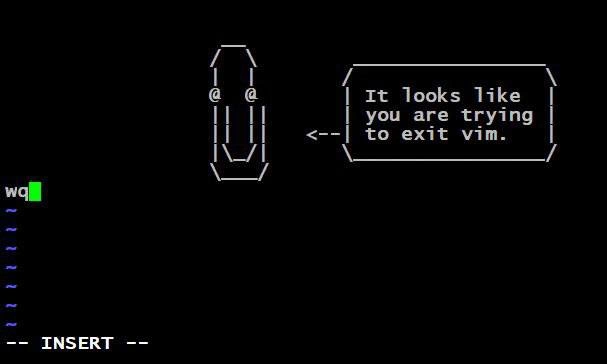
Let’s break down the meme in plain language. In the final panel, the character isn’t facing an animal trap at all – he’s standing next to a big green Vim logo. Vim is the name of a text editor program. But it’s not just any editor: Vim runs inside a terminal (a command-line window), meaning it has no buttons, icons, or menus like a typical application. Everything in Vim is controlled by keyboard commands. This makes Vim extremely powerful for experts, but very confusing for newcomers. It’s common for a new programmer to open Vim by accident (say, when Git pops it up for a commit message, or when editing a config file on a server) and then not know how to close it. There’s no obvious “Exit” button in a terminal program like Vim – you have to know the right keystrokes. In Vim’s case, the secret to escaping the “trap” is to press the Esc key (to make sure you leave editing mode) and then type a command like :q (which means “quit”). If you made changes and want to save first, you’d do :wq (“write and quit”). And if you’re really desperate to just get out without saving anything, :q! will quit and throw away changes. All of these commands start with a colon (:), which tells Vim you’re about to enter a command (as opposed to just typing text into the file).
Now, why is this a big deal? Because not knowing these commands leaves you literally stuck. Many beginners have panicked, pressing every key trying to exit Vim – but random arrow keys or letters won’t save you if you’re in the wrong mode. (In fact, if you accidentally go into Vim’s command mode and start pressing letters, you might delete lines or open menus without knowing what’s happening!) There’s a running joke that closing the entire terminal or even rebooting the computer can seem easier than figuring out Vim’s quit sequence the first time. In fact, one of the most-viewed Stack Overflow questions ever is “How do I exit the Vim editor?” – that’s how widespread this little “trap” is! So in the meme, when the character who was laughing at flies, rats, and bears finally steps into Vim, the implication is: even smart developers can get stuck by Vim. It’s the programmer’s version of an ultimate trap, because it catches people right when they’re feeling most confident.
Let’s connect this to the earlier panels. The character couldn’t imagine how a fly falls for a Venus flytrap (panel 1) or how a rat goes for a baited mousetrap (panel 2), and he thought a huge bear trap (panel 3) was absurd and ridiculous. These were metaphors for “easy mistakes” or obvious pitfalls that beginners or less experienced folks might fall into. But Vim – represented by that green “Vim” sign – turns out to be this character’s own trap. The humor is that the very person who thought he was above all traps ends up caught by a tool he willingly stepped into. There’s an old saying, “pride comes before a fall,” and here the “fall” is stumbling into an editor that you can’t easily get out of. For many developers who are used to modern, user-friendly IDEs (Integrated Development Environments like VS Code or IntelliJ), Vim can feel alien at first. IDEs and other graphical editors have intuitive, visible interfaces – you can click on menus or at least see hints for shortcuts. Vim, in contrast, is minimalist and modal (it has different modes like Insert mode versus Normal mode as mentioned above). If you don’t know which mode you’re in, you might think the program is “broken” or that you’re trapped because the keys aren’t doing what you expect.
This is also an example of lighthearted editor wars culture among programmers. “Editor wars” refers to the tongue-in-cheek debates over which text editor or IDE is the best. Vim is a legendary editor that many veteran programmers swear by, while others prefer alternatives like Emacs (another old-school, keyboard-driven editor) or modern GUI editors. Joking about how hard it is to exit Vim is a staple of programmer humor. It’s a way for developers to poke fun at the tools we use and the pitfalls we all experience. Every tool has pros and cons: Vim’s power and speed come at the cost of a steep learning curve (it’s hard to learn at first), whereas something like Notepad or VS Code is very easy to start with but might be less efficient for certain advanced tasks.
So, in simple terms: the meme is saying that even the “expert” developer (the stick figure character) can get stuck using a notoriously tricky text editor. It highlights a common developer pain point – getting stuck in Vim – in a funny, exaggerated way. If you’re new to this, don’t be intimidated: you’re definitely not the first (or last) to scratch your head with Vim. The comic is essentially a reminder that sometimes the tools we geeks brag about can be confusing, and that everyone – no matter how experienced – was a beginner with them once. It’s funny and reassuring at the same time: even the guy who thought he was too smart to be trapped ended up googling how to escape his own tool. In the world of programming, it just goes to show that a little humility goes a long way (and maybe keep a cheat-sheet of Vim commands handy!).
Level 3: Editor to Trap Them All
On a senior developer level, this comic hits at our collective hypocrisy in the tech world. The stick-figure character scoffs at smaller creatures falling for obvious snares – much like seasoned engineers roll their eyes at rookie mistakes or trivial bugs – but then proudly marches into the ultimate developer snare: the Vim editor. It’s the classic tale of hubris: thinking “I’m too clever for these simple traps,” only to succumb to a more elaborate one of your own choosing. The first three panels show the character’s dismissive incredulity:
“Why would a fly land on something like this?”
“Rats should be ashamed for falling in this trap.”
“BEARS!! This is ridiculous!”
Each larger trap is met with greater scorn. By the time we get to the fourth panel, there’s no caption – just the smiling character beside the green Vim logo. The silence is comical and telling: he doesn’t even realize he’s been caught in a trap himself! This mirrors how veteran devs often normalize the pain of their own tools. The joke’s punchline relies on our knowledge that Vim, for all its power, is notoriously hard to exit if you don’t know how. It’s an open secret among programmers that even though Vim is a brilliant tool, getting stuck inside it is almost a rite of passage. Many of those smug seniors were once the newbie frantically googling “how to exit vim” at 2 AM. But with time (and a bit of Stockholm syndrome), they’ve come to love Vim’s efficiency and forget the initial struggle — sometimes even poking fun at newcomers who haven’t learned it yet.
This meme brilliantly highlights a senior developer tool paradox: experts champion a tool that objectively has some sharp edges in terms of usability. Vim’s steep learning curve and minimal guidance (no “Press F1 for help” pop-ups in a terminal) make it infamous from a developer experience (DX) standpoint. Yet, many senior developers wear their mastery of such old-school tools as a badge of honor. Choosing Vim (or its even more arcane cousin, Emacs, in the classic editor wars) becomes almost a tribal identity. It’s as if surviving the hazing of learning Vim grants membership to a club – one where members ironically brag about how hard their editor is to use. (“Yeah, it took me a week to configure my .vimrc and I still occasionally get stuck in Insert mode, but hey, I’m a Vim user!”) In fact, many Vim pros turn this trap into a full-on hobby: endlessly tweaking their setup with custom settings and Vim plugins. Their ~/.vimrc file becomes a novel of personalized shortcuts. Sure, their editor ends up insanely powerful and tailored to them – but this only deepens the lock-in. They’ve built themselves a gilded cage: comfortable and full of cool features, but one they’re exceedingly reluctant to ever leave!
In real-world developer life, there are countless stories that echo the comic’s scenario:
- A sysadmin logs into a server via SSH to urgently edit a config, only to be greeted by Vim. They then lose precious minutes scrambling to remember how to quit it.
- A junior developer trying to write a Git commit message finds that Git has launched Vim by default. Panicking when they can’t close it, they finally have to yell across the room, “Help! How do I get out of this editor?!”
- Teams where the veteran programmers insist on using Vim or other hardcore CLI tools for everything, while new hires quietly struggle, wondering why their tools feel more like booby traps than productivity boosters.
The command-line culture definitely has its share of these “stuck in the tool” tales. What’s funny is that everyone eventually learns the escape sequence (literally and figuratively), but we keep the joke alive because the scenario is so relatable. The meme is poking fun at this editor pride that leads devs to voluntarily step into a bear-trap of complexity. The character’s progression from incredulity to unwitting victim mirrors a common career lesson: the moment you think you’re above mistakes, you’ll stumble over something you didn’t see coming. It’s essentially the classic editor exit problem — Vim’s quitting ritual is the quintessential developer booby trap. And the comic is giving a knowing wink to seasoned devs: don’t get too cocky, because in tech, there’s always a bigger trap waiting. The very tools that empower us can also humble us. After all, the more you swear something is foolproof, the more tempting fate finds it to prove you wrong!
Level 4: The Modal Maze
The Vim "trap" is deeply rooted in the history and design of text editors. Unlike modern graphical editors, Vim adheres to a modal editing paradigm that can feel like navigating a state machine. In Vim, every keystroke's meaning changes based on the editor's mode: for example, pressing j in Normal mode moves the cursor down a line, whereas in Insert mode the very same j would just input the character 'j'. This design is no accident – it originates from vi, Vim’s predecessor from the 1970s, built for an era of limited-key terminals. Early keyboards on text-only terminals didn’t always have arrow keys or dedicated function keys, so developers like Bill Joy (author of vi) cleverly repurposed letters like h, j, k, l as directional arrows. Essentially, vi/Vim behaves like a finite automaton: the state (mode) determines the transition (action) each key triggers. To a computer scientist, this modal behavior is elegant – maximizing the power of each key through context, much like how a single token in a formal language can have different outcomes depending on the current state.
However, this elegance comes at the cost of a steep learning curve for the uninitiated. Modern user-interface principles (like the "principle of least astonishment") frown upon mode-dependent designs because of the potential for mode errors – the classic slip where you think you're in one state but you're actually in another, causing surprising results. Vim unapologetically defies this modern UX norm by requiring users to internalize its mode-switching dance (e.g. hitting Esc to leave Insert mode, then typing :q! to finally quit without saving). The infamous difficulty of exiting Vim is a direct consequence of this design: quitting isn’t a simple universal shortcut like Ctrl+Q, but a command-mode operation (:q for quit, :wq to write-and-quit). This feels arcane unless you understand Vim’s lineage: those commands after the colon are actually ex editor commands, a throwback to Unix’s old line-editor. Vim’s interface is essentially a visual wrapper around a powerful line-editing core, which is why you end up having to issue a colon : and command to do things like saving or exiting – you're dropping down into the “command-line within the editor,” just as users did in the late '70s.
This historical baggage creates a kind of backward-compatibility trap. Over decades, vi’s descendants (like Vim) preserved these keystrokes and quirks to keep veteran users happy and muscle memory intact. It’s a testament to the design priorities of that era’s developer experience (DX): favoring expert efficiency over beginner-friendliness. By optimizing for minimal keystrokes and speed in the CLI (command-line interface) environment, Vim sacrificed the gentle learning curve typical of modern GUI editors. The result is a tool that’s incredibly powerful once mastered, but notoriously unfriendly to just stumble into without guidance. It’s almost a rite of passage in programming – so much so that the query “how to exit Vim” has become legendary, a Stack Overflow post with thousands of upvotes and an endless source of terminal humor. The meme’s final panel with the giant green Vim "V" logo as a trap is poking fun at exactly this: an editor whose user ergonomics are so old-school that it literally ensnares the uninitiated. There’s academic irony here – Vim is built on brilliantly simple underlying concepts (modes and commands), yet that simplicity creates surprising complexity for anyone who isn’t already in on the secret.
In short, the “Vim trap” embodies a classic computing paradox: a tool designed for efficiency and control can feel like a trap when you don’t grok its quirky logic. It’s the ultimate example of a steep Vim learning curve – an uphill battle to proficiency that leaves many beginners feeling stuck and helpless at first. But from a seasoned perspective, this complexity is a feature, not a bug: once you internalize the modal maze, you can edit text at the speed of thought, rarely touching a mouse or arrow key. The meme humorously frames this as the final escalation in a series of traps: after the fly, rat, and bear traps (all straightforward snares), we finally reach the subtly devious trap of Vim – born from decades-old design decisions that still perplex modern devs. And for added irony, the very key labeled “Escape” is exactly how you begin to escape Vim’s clutches. It’s almost poetic – a little twist of fate from the annals of computing history.
Description
Four-panel comic in simple stick-figure style. Panel 1: A character leans over a potted Venus fly-trap and says, “Why would a fly land on something like this?”. Panel 2: Same character points at a classic spring mousetrap on a table, remarking, “Rats should be ashamed for falling in this trap”. Panel 3: Character encounters a large iron bear trap in the grass, exclaiming, “BEARS!! This is ridiculous!”. Panel 4: Blank background; the character stands smiling next to an oversized green “V” with the italic “im” logo - no words, implying they themselves have walked into the final trap: the notoriously hard-to-escape Vim editor. The strip satirizes how veteran engineers mock beginner mistakes (fly, rat, bear traps) yet proudly embrace toolchains like Vim whose exit sequence feels like an even nastier snare, highlighting CLI tool ergonomics and editor wars familiar to seasoned devs

Comments
15Comment deleted
Sure, mocking rookies for falling into footguns is fun - until you realise ‘:wq’ has a higher RTO than most of your microservices
After 15 years of explaining to juniors how to exit Vim, I've realized the real trap isn't getting stuck in it - it's becoming the senior engineer who insists the team's entire CI/CD pipeline should run through Vimscript because 'real developers don't need GUIs.'
After 15 years in the industry, you realize Vim isn't a trap you fell into - it's a lifestyle choice you rationalize by calculating the cumulative milliseconds saved from not moving your hands to the mouse, which totally justifies the three weeks you spent configuring your .vimrc and the permanent muscle memory damage from accidentally typing ':wq' in Slack messages
Vim isn’t a trap; it’s vendor lock‑in for your hands - after a few 3am SSH hotfixes, hjkl becomes muscle memory and everything else feels like it should exit with :q
In prod, the deadliest trap isn’t a bear trap - it’s $EDITOR=vim during sudo visudo when your :wq muscle memory evaporates
Flies buzz free, rats squeak by - bears rage in Vim, forever hunting ESC
:r !reboot What’s your problem? Comment deleted
micro is superior Comment deleted
Didn't know that nano successor exists. Worth looking I guess (Nano is underrated imo) Comment deleted
nah it's not great, nano is good enough as a little editor in the shell. if you want anything bigger, use vim or emacs. Or, yknow, a GUI thingy. Comment deleted
i know, i use it's just for quick open&edit and cases when only shell available. for "anything bigger" there is sublime text (which is not ideal too, but it's "least unacceptable solution") Comment deleted
I like kate :3 Comment deleted
lesbian behavior Comment deleted
Does Kate like you back? 🏃♀️ Comment deleted
Help me stackoverflow, I'm stuck Comment deleted