Skip to content
DevMeme
5220 of 7435
The Harrowing Experience of a Pirated Game Installation
Games Post #5724, on Dec 3, 2023 in TG

The Harrowing Experience of a Pirated Game Installation

Why is this Games meme funny?

Level 1: Kitchen Chaos

Imagine you’re baking a cake and things get a bit out of hand. You start the mixer and it’s so powerful that it shakes the whole kitchen, all the stove burners turn on full blast, the oven starts overheating and beeping, smoke alarm is blaring, lights flicker off for a second, and pots and pans are clanging everywhere for a few intense minutes. It feels like total chaos – like you’ve broken everything in your kitchen. You can’t even hear yourself think over the noise and you drop the spatula because it’s so hectic. Then, suddenly, DING! the oven timer goes off, everything calms down instantly, the smoke clears, and out comes a perfect cake. The appliances quietly go back to normal as if nothing happened. You taste the cake and it’s great. You shake your head and say with a smirk, “Always a pleasure.” The meme is just like this: installing that repack was like causing a brief kitchen disaster in your PC – everything went crazy – but in the end you got your “cake” (the game) and all you can do is laugh about the wild process it took to get there.

Level 2: Task Manager Terror

Let’s break down what’s happening in this wild install from a more beginner-friendly angle. FitGirl repack refers to a compressed version of a PC game, often downloaded from the internet (yes, the pirated_game_installer realm). “Repack” means the game files have been packaged in a smaller size to save download time, but your PC has to do a lot of work to unpack (restore) them. When you run the installer for such a repack, it’s normal (well, FitGirl-normal) for your computer to suddenly behave very differently than during a regular install.

Right after you click install, weird music starts playing – apparently some background tune bundled with the installer. (In the meme’s retelling, it’s described with a slur, indicating it might be a deliberately offensive or jokey song – a hallmark of edgy internet humor, not something you’d find in professional software!). Then your CPU, memory, and disk usage all spike to 100%. In simple terms, the CPU is the computer’s brain – 100% means it’s thinking as hard as it possibly can. The memory (RAM) is like the computer’s immediate workspace – 100% means the desk is completely covered with stuff, no free space. Disk usage 100% means the hard drive or SSD is being read/written at full throttle. Why all at once? Because the installer is decompressing huge game files: the CPU is crunching the compression algorithm, the memory is holding data chunks and buffers, and the disk is furiously writing out the new game files and reading the packed data. It’s a heavy workload, so everything slows down.

You might find your internet stops working – not because the installer is necessarily doing anything to your network, but likely because your PC is so overwhelmed that loading a webpage or even pinging a server fails. The system is too busy juggling game data to give attention to web browsers or background network tasks (plus, some repack installers might intentionally pause your network to prevent the game from auto-updating or calling home during install).

Then the PC starts beeping and overheating: Most computers have internal temperature sensors. If the CPU gets too hot (from working overtime), the motherboard might trigger a warning beep. Additionally, fans go full speed to cool things down – they sound like a jet engine when the system is this stressed. This is your computer’s way of saying “Whoa, I’m getting hot!” as it tries to vent heat.

Suddenly, you see 40 new processes in Task Manager. A “process” is basically a running program or a helper program. In Windows, Task Manager is the utility that lists everything running. A normal game installer might run 1 or 2 processes (the installer itself and maybe a helper). But here, perhaps the installer is breaking the unpacking job into many parallel tasks (to use all CPU cores) – so you get a flood of entries in the list. To a newbie, that’s scary (“Did I just spawn a horde of viruses?”). Each process could be handling a part of the decompression, which is efficient for speed but looks alarming.

Next, explorer.exe has stopped working pops up. explorer.exe is not the internet Explorer browser, but the Windows program that displays your desktop, files, and start menu (basically the main shell). If it stops working, your taskbar might disappear and your desktop might go blank aside from the wallpaper. It crashing means the overload is so bad that even Windows’s user interface gave up for a moment. Perhaps it ran out of memory or got stuck waiting on the busy disk. It’s like the captain of the ship fainted while trying to keep things together.

You try to mute the crazy music, but the installer is frozen. The window where the music is coming from isn’t responding to clicks or keypresses. When a program is frozen, Windows will gray it out and maybe label it “Not Responding.” That’s happening here – the installer itself is so busy (or hung up) that it can’t even acknowledge your attempt to mute it. So you’re stuck with the blaring soundtrack until the chaos subsides.

Then things get even more absurd: Windows reports “all disks not initialized.” In normal conditions, this message would mean your hard drives are not set up or recognized – which is obviously not true since your system was just running. This likely represents a glitch – perhaps you (or the system) opened the Disk Management tool during the frenzy, and it couldn’t read the drives because they were unresponsive, so it wrongly showed them as uninitialized. It’s an exaggerated way to say “the OS momentarily lost sight of the hard drives.” This can happen if the disk is so busy that normal status queries time out. It’s a bit like calling someone who is constantly getting a busy signal – the system gave up and said “I guess there’s no phone line at all.”

Your mouse starts moving at 5 FPS – FPS means frames per second, basically how smooth something is. 5 FPS for a mouse cursor is super choppy. Normally, moving the mouse is silky smooth because the computer updates the pointer position maybe 60 times a second (60 FPS) or more. At 5 FPS, it’s updating only 5 times a second, so it jumps and lags behind your movements. This happens because the CPU is so tied up that it only gets around to processing your mouse movement intermittently. It’s like trying to get a word in when someone is talking non-stop – the PC is so busy it barely “listens” to the mouse.

Similarly, the keyboard stops working or appears to. You might press keys and nothing happens (or the letters appear much later) because the system is not able to process those inputs normally under the heavy load. The whole machine feels frozen; inputs lag by a lot.

Your wallpaper disappears – likely because explorer.exe crashed and restarted. When it restarts, sometimes the desktop comes back with a default background or no background at first. Or Windows might have automatically switched to a blank background to conserve resources (Windows can do this under extreme conditions, e.g., it might turn off Aero effects or wallpapers to save memory). In any case, it’s another sign that the GUI (graphical user interface) had a hiccup.

Then you hear random system sounds playing. These could be the default Windows ding and error sounds queuing up from all the errors and disconnects happening. For example, if a USB device flickered off and on (maybe your mouse or keyboard momentarily due to the stress), you’d hear the device disconnected or connected sounds. Or error prompts might have tried to appear but you only hear the error chime because the dialog maybe didn’t render. It’s basically the PC’s way of crying or yelping in confusion because so many things happened at once.

Next, monitors turn black, then turn on again. A black screen usually means the display lost signal or was reset. This can occur if the graphics driver crashes or resets. Under extreme stress, the graphics subsystem might have stalled (especially if the OS was so hung that it thought the GPU wasn’t responding). Windows has a feature that resets the graphics driver if it thinks it froze — so your screens go black for a second and then recover. It could also simply be that explorer.exe restarting caused a momentary blank screen on all monitors. In any case, it’s a brief blackout, as if the PC almost gave up but then regained consciousness.

Finally, as abruptly as it began, everything goes back to normal. The installer finishes its job (decompressing all the data), so CPU, disk, and memory usage start dropping back to idle levels. The music stops (thank goodness!). The Task Manager no longer shows those 40 processes (the installer likely closed them after finishing). Your network likely comes back (if it was blocked or just too slow, it’s free now). The system clears its throat and is like “phew, done!”. Windows may have recovered any crashed components (explorer.exe auto-relaunches if it dies, so your taskbar would be back, maybe your wallpaper too). It’s as if the chaos never happened. You’re left staring at a thank-you message: “Thanks for installing from FitGirl! Game works fine.” The installer actually gives a polite success note. This is the punchline: despite your PC acting like it was entering a SystemCrash apocalypse, the end result is a perfectly installed game, working just fine. The user in the story adds “Always a pleasure.” That’s dripping with sarcasm – they’re basically saying, “Yeah, what a lovely experience that was,” acknowledging that this install process was crazy, but also implying it’s a known madness they’ve been through before and will go through again for free games.

So, to recap in plain terms: the meme describes an extreme case of an installer that uses up every bit of your computer’s power, making it seem like the whole system is breaking down. It’s funny (after the fact) because it eventually ends well – no permanent harm, and the game runs. But during those moments, it’s a mix of DebuggingFrustration (“What on earth is happening to my PC?!”) and Security panic (“Did I just install a virus?”). For new developers or tech learners, it’s a cautionary tale with a wink: Software installation processes can sometimes be wild, especially outside the orderly world of official software. If you ever see your computer acting like this, usually it’s bad news. In this story, it was just an overly aggressive installation. The meme gets a laugh by taking a common warning scenario (“don’t run untrusted programs”) and showing someone doing it anyway and living to tell the tale. It’s a little tech lesson: heavy CPU/Disk usage will slow or freeze your system – now you know why – and maybe also a lesson in what NOT to download unless you’re feeling adventurous!

Level 3: Repack Russian Roulette

For seasoned developers and IT veterans, this meme hits like a PTSD flashback wrapped in a punchline. The list of symptoms reads exactly like a malware infection or catastrophic OS bug – the kind of nightmare you’d remote into a user’s PC at 3 AM to fix. The joke here is that FitGirl repacks are known in gamer circles: ultra-compressed pirated game installers that sometimes take your machine on a wild ride during installation. The meme exaggerates it to comic effect, but it’s uncomfortably close to reality. Every bullet point (“CPU, memory and disk goes to 100%”, “40 new processes appear”, “explorer.exe has stopped working”) sounds like a checklist from the IT Helpdesk Hall of Fame. Normally, any one of these events would have you yanking the power cord out or screaming “get the antivirus, we’re infected!” Yet, in this scenario, it’s all ”expected behavior”. The humor is in that juxtaposition: something that looks exactly like a system meltdown or a virus having a party on your PC… but it’s intentionally caused by the game’s installer and (supposedly) harmless. Seasoned folks laugh (or groan) because they’ve seen real software bugs or installer fails that do crash systems, and they’ve definitely warned against downloading random .exe files from the internet. Here someone knowingly runs a sketchy installer (essentially playing repack Russian roulette with their PC) and then acts faux-casual: “Always a pleasure.” It’s funny in the same way as saying “I survived the usual catastrophe, no biggie.” There’s also an undercurrent of GamingCulture and pirate bravado: the willingness to endure a Gauntlet of Doom on your system just to play a game for free. The post’s greentext format (green-colored, >-prefixed lines) and even the use of an offensive slur in describing the music are characteristic of imageboard mock 4chan greentext storytelling – intentionally edgy and over-the-top for comedic effect. It’s a style where you expect extreme exaggeration (and tasteless humor) to convey “this was insane.” And insane it is – the PC basically impersonated a Spaceshuttle launch sequence (loud fans, alarms, everything at max) and then cheerfully declares the mission a success. Every senior dev knows the mantra “no pain, no gain,” but here it’s more like “no risk, no free game.” The Security implications are real: running unverified binaries is how you get actual malware. In fact, line-by-line this scenario mimics what a nasty trojan might do. Yet the meme’s protagonist implicitly trusts FitGirl (a well-known repacker in the shady world of game piracy) enough to laugh it off. It’s a shared joke about skating on thin ice. Debugging_Troubleshooting comes to mind too – if any one of those bullet-point failures persisted (say explorer.exe didn’t come back, or the network stayed dead), you’d be in full-on troubleshooting mode, digging through Task Manager or Safe Mode trying to undo the damage. The meme tickles developers who have dealt with inexplicable system breakdowns: it’s a lighthearted take on an experience that in a work context would be a Sev-1 incident. And of course, Games: gamers famously tolerate all sorts of hacks and wonkiness to get things running (modding, overclocking, editing config files at 2 AM). Installing a FitGirl repack is almost a rite of passage – you expect it to be a bit of a Frankenstein experience. The punchline “game works fine” and “Always a pleasure” really drives home the irony. It’s like saying: Yes, my PC practically caught fire, but hey, free game! Seasoned folks smirk because it captures that cynical trade-off: I’ll abuse my poor PC with this dubious process, and in return I save $60 – totally worth it. It’s both a cautionary tale and a badge of honor among those who’ve done it and lived to tell the tale.

To put it in perspective, the FitGirl installer is doing many things that trip our professional red flags. Let’s line it up next to malware behavior to see why every instinct screams “Danger!” even though the end result (apparently) turned out fine:

Typical Malware 🤢 FitGirl Repack Installer 🎮
Disables network to prevent updates or outbound cries for help Network dies (likely installer hogs bandwidth or blocks game updates)
Spikes CPU (e.g., to mine cryptocurrency) Spikes CPU (maximally decompressing files)
Consumes all memory until system slows or crashes Consumes all memory for caching huge game data
Hammers disk (overwrite files or sniff data) Hammers disk (writing tens of GB of game files)
Drops dozens of suspicious processes or DLLs Spawns dozens of helper processes for unpacking
Causes system instability (crashes apps, freezes input) Causes system instability (explorer crashes, mouse lags)
Plays unexpected audio (trollware or creepy virus tactic) Plays unexpected music (some meme soundtrack bundled by the repacker)
Leaves backdoors or damage behind Leaves a fully installed game behind (and maybe some junk files)
User reaction: Panic and remove ASAP 🚨 User reaction: “Thanks, it works!” 😅

It’s comically spot-on how the repack installation process mirrors a malware attack. The seasoned among us appreciate the dark irony: if you saw these symptoms on a client’s machine, you’d nuke the drive from orbit without hesitation. But when it’s self-inflicted in pursuit of a pirated game, the same person just shrugs and clicks “Play”. This clash between what you should do (nopenopenope 🏃‍♂️) versus what actually happens (“eh, it’s fine once it finishes”) is exactly why the meme lands so well with developers and IT folks. We’ve spent our careers trying to prevent SystemCrashes and SoftwareBugs like this, and here someone is treating it like a feature. It’s equal parts horrifying and hilarious. In the end, everyone is in on the joke: the installer experience is a total dumpster fire by normal standards, but hey – game’s on, time to play. Always a pleasure, indeed.

Level 4: Resource Starvation Spiral

Under the hood, this FitGirl repack installer is kicking off a perfect storm of resource contention. The moment you start it, a highly compressed game archive begins decompressing with every trick in the book: multi-threaded LZMA/FreeArc algorithms chomping at data, reading and writing gigabytes to disk. This pushes the CPU into overdrive – imagine all cores 100% busy, executing billions of decompression operations. The OS scheduler scrambles to allocate CPU time to dozens of threads. Low-priority tasks (like your audio drivers or input handling) get starved, so the system’s responsiveness drops. Memory usage shoots up as large buffers are allocated for the unpacking; if it exhausts physical RAM, the OS starts swapping to disk, which explains why disk I/O maxes at 100% too. Essentially, the installer behaves like a controlled zip bomb – unpacking a massive amount of data (the full game) from a much smaller package. The intense disk reads and writes can monopolize the I/O subsystem, causing other applications (even critical ones like the Windows shell) to time out or crash (hence explorer.exe giving up). Meanwhile, all those CPU cycles turn into heat: the chip’s temperature spikes rapidly. Modern CPUs protect themselves by ramping up cooling (hence fans going turbo) and may even throttle speeds or trigger motherboard alarms (the beeping) if thresholds are crossed. The phrase "all disks not initialized" hints that the OS’s disk management momentarily freaked out – possibly because the drive was so busy that queries to it were failing, making Windows think the drives had gone offline (a fleeting schrodinger’s disk situation). The monitors flickering off and on could be the graphics driver resetting (Windows’ TDR – Timeout Detection and Recovery – might have tripped due to the GUI hanging), or simply the display going black when explorer.exe crashed and then reloading when it restarted. In short, the installer is saturating every part of the machine – CPU, memory, disk, network, GPU – creating a chain reaction of system overload. None of this is technically malware, but from the OS’s perspective it’s indistinguishable from a denial-of-service attack on your own hardware. It’s a testament to modern OS resilience (and a dash of luck) that when the decompression finally finishes, the system can recover on its own. The chaotic sequence is like an impromptu stress test pushing the PC to its limits, then releasing it. Fundamentally, this highlights a classic case of resource starvation: when one process hogs all the computational resources, everything else (input handling, network stack, UI rendering) starves until the hog is done. The humor of course is that this self-inflicted DOS storm is an expected part of installing a game by certain “unorthodox” means – an absurd dance at the edge of system stability, ending with a polite “game’s ready!” message as if nothing extraordinary just happened.

Description

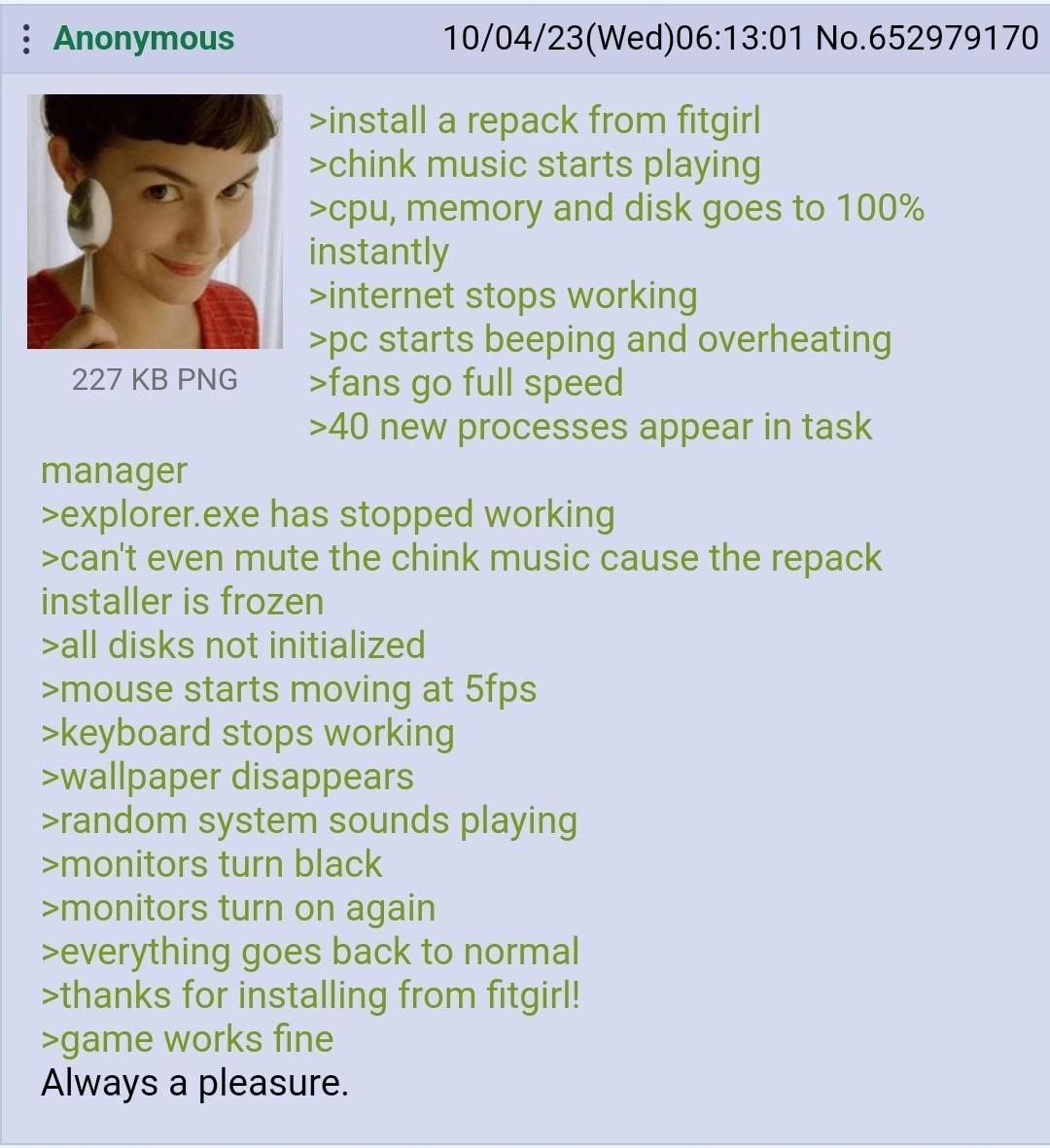
A screenshot of a 4chan greentext post under the post number 652979170 from an anonymous user. On the left is a thumbnail image of the character Amélie from the film of the same name, smiling slyly. The green text on the right describes a user's chaotic experience installing a 'repack from fitgirl' (a known source of compressed, pirated video games). The story details a series of catastrophic system events: music starts, CPU/memory/disk usage hits 100%, internet dies, the PC overheats and beeps, explorer.exe crashes, disks become uninitialized, and peripherals stop working. The monitors even go black. Then, suddenly, everything returns to normal, and the game works perfectly. The post ends with the sarcastic line, 'Always a pleasure.' The humor comes from the shared experience of using sketchy software installers that push a system to its absolute limit, making the user question if they're installing a game or a very aggressive piece of malware, only for it to work flawlessly in the end


Comments

29
Anonymous ★ Top Pick The line between a high-performance decompression algorithm and a rootkit unpacking itself is measured in CPU temperature and the number of Hail Marys you say before the installer finishes
  1. Anonymous ★ Top Pick

    The line between a high-performance decompression algorithm and a rootkit unpacking itself is measured in CPU temperature and the number of Hail Marys you say before the installer finishes

  2. Anonymous

    Our new chaos-engineering suite is just launching a FitGirl installer on the bastion host - if the 40 surprise processes don’t melt the cluster, the release is deemed “production ready.”

  3. Anonymous

    The real compression algorithm in FitGirl repacks isn't LZMA2 - it's temporarily compressing your entire system's available resources into a singularity while it unpacks 50GB from 2GB, complete with a chiptune soundtrack to mask the screams of your CPU cores

  4. Anonymous

    Ah yes, the Fitgirl installer - where your system's resource utilization graph looks like a seismograph during an earthquake, Task Manager becomes a process spawning simulator, and you're treated to an involuntary audio experience while watching your PC attempt thermal takeoff. It's the only software installation where 'it just works' comes after a brief journey through every possible failure mode in the Windows API. The real compression algorithm here isn't LZMA - it's compressing your entire troubleshooting career into five minutes of existential dread, followed by the inexplicable resolution that makes you question whether you hallucinated the whole thing. At least the game works fine... until the next Windows update

  5. Anonymous

    FitGirl installers are basically built‑in chaos engineering: peg CPU and I/O, kill explorer, reset the GPU, then exit 0 with a cheery “thanks” - the most realistic load test Windows ever gets

  6. Anonymous

    FitGirl repacks: the pirate's monorepo build - spawns more processes than actors in a bad Akka cluster, thrashes SSD like unchecked GC, but delivers the artifact

  7. Anonymous

    Repack installers: the only software that runs chaos engineering on Windows - fork-bombs the CPU, partitions the network, triggers a black-screen failover - and still exits 0 with “game works fine.”

  8. @Denfox48 2y

    Installed once assetta corsa From fitgirl. My Pentium T4300 laptop was just crazy))

  9. @MrStaudinger 2y

    Any games suggestions for me please !??? I'm looking for horror, but a small game, something I can finish within an hour???

    1. @pixelsex 2y

      "Please Forgive Me"

      1. @MrStaudinger 2y

        Found it on fitgirl, let's go.....

      2. @MrStaudinger 2y

        This was a great game

        1. @pixelsex 2y

          i couldn't finish it because of how scary it was

          1. @MrStaudinger 2y

            It truly was, and i didn't expect it to turn so scary so fast, but the most horror came from sounds used in the game 🎯 next level

    2. @mish_sementsov 2y

      "Iron lung"

      1. @callofvoid0 2y

        damn

    3. @ilia_esmaili 2y

      Backrooms: The Lore

    4. @FelisPimeja 2y

      Try Quasimorph.

      1. @MrStaudinger 2y

        Ooo...will check this out

    5. @CcxCZ 2y

      First thing that comes to mind is Infra Arcana. Being a true (traditional) roguelike is the exact opposite of what you asked. However you can definitely get few sessions in a hour. Door in the Woods is in the same vein, but commercial.

      1. @MrStaudinger 2y

        I see, will check on YouTube sure

        1. @CcxCZ 2y

          https://www.roguebasin.com/index.php?title=Infra_Arcana https://store.steampowered.com/app/1189230/Door_in_the_Woods/

    6. @MatiasGray 2y

      Mike klubnika makes cool horror games

  10. @NevermindExpress 2y

    This shit once failed at 96% and deleted everything it decompressed after at least 4 fucking hours. I swore to never install repacks again that day

    1. @trainzman 1y

      You never closed Trainz games too soon I see...

  11. @hotsadboi 2y

    you could emit a couple of points and this would hold perfectly for rust compiler

  12. Deleted Account 2y

    Why is that fitgirl so heavy? Can I just find more light and fit girl with my computer?

  13. Deleted Account 2y

    Why is that fitgirl so heavy? Can I just find more light and fit girl with my computer?

  14. Deleted Account 2y

    what do you mean

Use J and K for navigation