Skip to content
DevMeme
362 of 7435
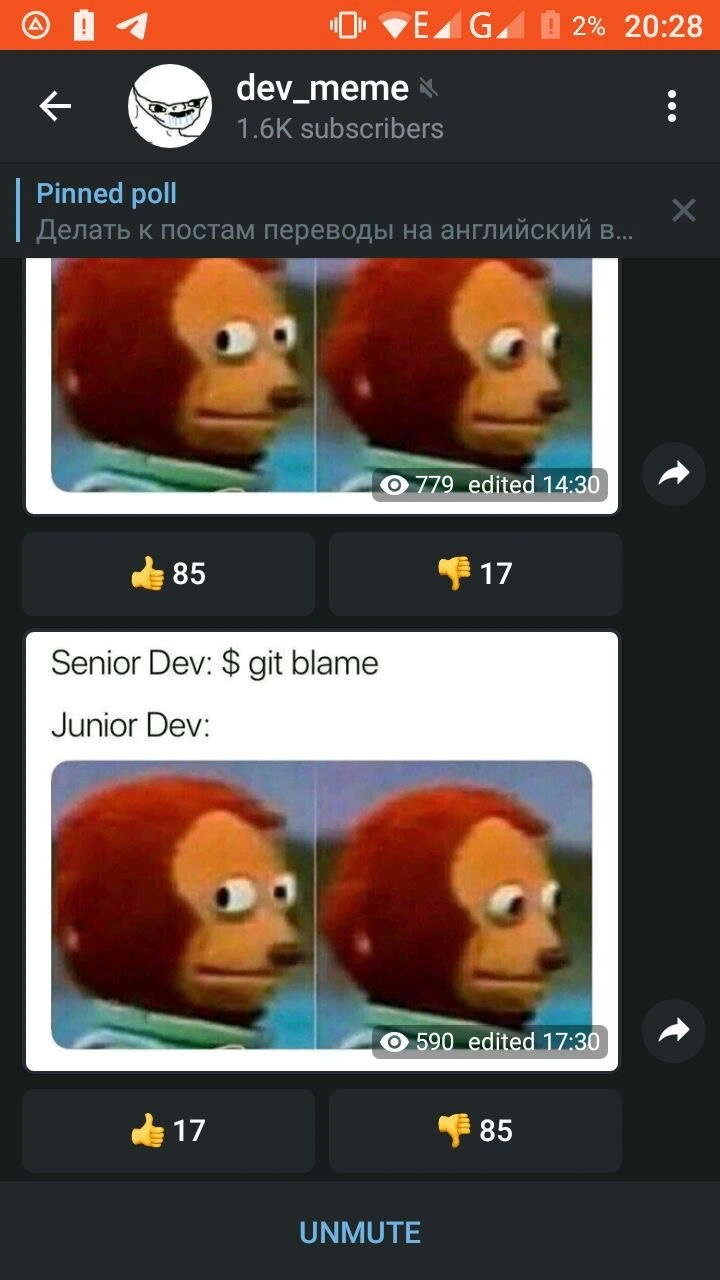
When 'git blame' hits different on 2% battery
VersionControl Post #422, on Jun 3, 2019 in TG

When 'git blame' hits different on 2% battery

Why is this VersionControl meme funny?

Level 1: Caught Red-Handed

Imagine you’re in class and someone drew a silly doodle on the chalkboard when the teacher wasn’t looking. The teacher comes back and says, “Alright, who did this?” She has a seating chart and even a camera in the room, so she can check who was at the board last. Now picture the kid who actually did the drawing. He’s sitting there with big, wide eyes, looking nervously to the side, hoping the teacher doesn’t figure out it was him. He’s not saying anything, but his face says, “Uh-oh… I’m in trouble, aren’t I?”

In this meme, the senior developer is like that teacher checking the camera or records, and the junior developer is like the kid who drew on the board. The senior has a special command (git blame) that’s basically a logbook of who wrote which piece of code – kind of like a teacher’s record of who sat at which desk. When something goes wrong with the code, the senior opens that logbook to find the name of who wrote the troublesome part. The junior discovers their name is right there, visible for the senior to see. The funny monkey puppet picture with the side-glance is used to show the junior’s reaction: it’s that “I hope I don’t get caught… oh no, I just got caught” look.

It’s a bit like if you and your sibling broke a vase, and your mom says, “I have a note here of who was in the living room today.” You’d give your sibling that sideways glance, eyes wide, silently thinking, “She’s going to know it was me!” It’s a universal, funny feeling of being found out. The meme makes programmers laugh because it shows that even in the grown-up world of coding, we still have those child-like “guilty and nervous” moments when someone uncovers our mistakes.

Level 2: Git Blame Basics

Let’s break down what’s happening for those newer to Git and programming culture. Git is a popular version control system – basically a tool that developers use to track and manage changes in code. Think of it as a save-history for code, where every change is saved as a commit with information about who made the change and when. Each commit in Git has an author name, a date, and a unique ID (often a long hexadecimal number called a SHA). This way, if something ever goes wrong or if you’re curious about a particular line of code, you can trace its history.

One useful (and infamous) Git command is git blame. Despite the harsh name, “git blame” simply shows you, for each line in a file, the last commit that modified that line (along with the commit’s author). In other words, it tells you who last touched each line of code and which commit it came from. Developers often use it as a shortcut to find out who might know more about a piece of code. For example, if a function is misbehaving, a senior dev might run git blame on that file to see who wrote or last edited the suspicious lines. It’s like checking a change log: “Ah, line 42 was last edited by Alice in commit abc123 on May 1. Let’s see what that change was about or ask Alice.” In many GUI tools or code hosting sites (like GitHub), this is called “Annotate” or “History”, but the Git command’s blunt name “blame” has stuck in developers’ minds – and DeveloperMemes – because it evokes the image of literally blaming someone for a bug. 😅

Now, in the meme, we have two roles: Senior Dev and Junior Dev. A Senior Developer usually means someone experienced who’s been coding for years and likely mentors others. A Junior Developer is someone new to the field or team, still learning the ropes. The humor often comes from their interaction. Here, the senior dev says they’re going to run $ git blame. We can infer the context: probably something went wrong in the code (a bug, or a weird piece of logic), and the senior wants to see who wrote that part. It’s a very common scenario in debugging and code reviews. The very mention of git blame can make a newer developer’s heart skip a beat, because nobody wants to be the one who wrote the bug.

The junior dev’s reaction in the meme is shown with the awkward side-eye monkey puppet images. If you haven’t seen it before, it’s a two-frame reaction image where a puppet (with a monkey-like face) first looks straight (trying to appear normal) and then in the second frame looks sideways with big, uneasy eyes. This puppet, often just called “Awkward Puppet” or “Side-Eye Monkey”, is a famous reaction meme used to humorously depict discomfort or guilt. It’s like the cartoon version of someone sweating and avoiding eye contact when they’ve been caught in an awkward situation.

So putting it together: the Junior Dev realizes that when the senior runs git blame, their name is going to show up as the author of the questionable code. Picture the junior thinking, “Uh-oh… I hope it’s not actually my code… oh no, it is my code!” That’s exactly what the monkey puppet’s facial expression is conveying. The first frame (puppet looking forward) can be the junior’s attempt to stay cool when the senior mentions a problem. The second frame (puppet side-eye) is the junior’s face when the senior actually runs the blame and the result points to them. It’s a look of JuniorDev anxiety: “Yep, it was me... please don’t be too angry!”

This resonates as DeveloperHumor because it’s a pretty universal moment in a coder’s life. Most of us have accidentally introduced a bug or wrote a piece of code that later confused everyone. When you’re new, it’s easy to feel embarrassed about it. The term “blame” makes it sound like you’re in trouble, even if in good teams it’s usually not about shaming anyone but about understanding the code. Still, psychologically, a junior dev might fear that a senior will literally blame them for a mistake. That mix of fear and the absurdity of the command’s name is what makes tech folks chuckle here. It’s a relatable developer experience: being new, making a mistake, and then watching a more experienced colleague uncover your mistake with a tool that might as well be called “the guilt finder.”

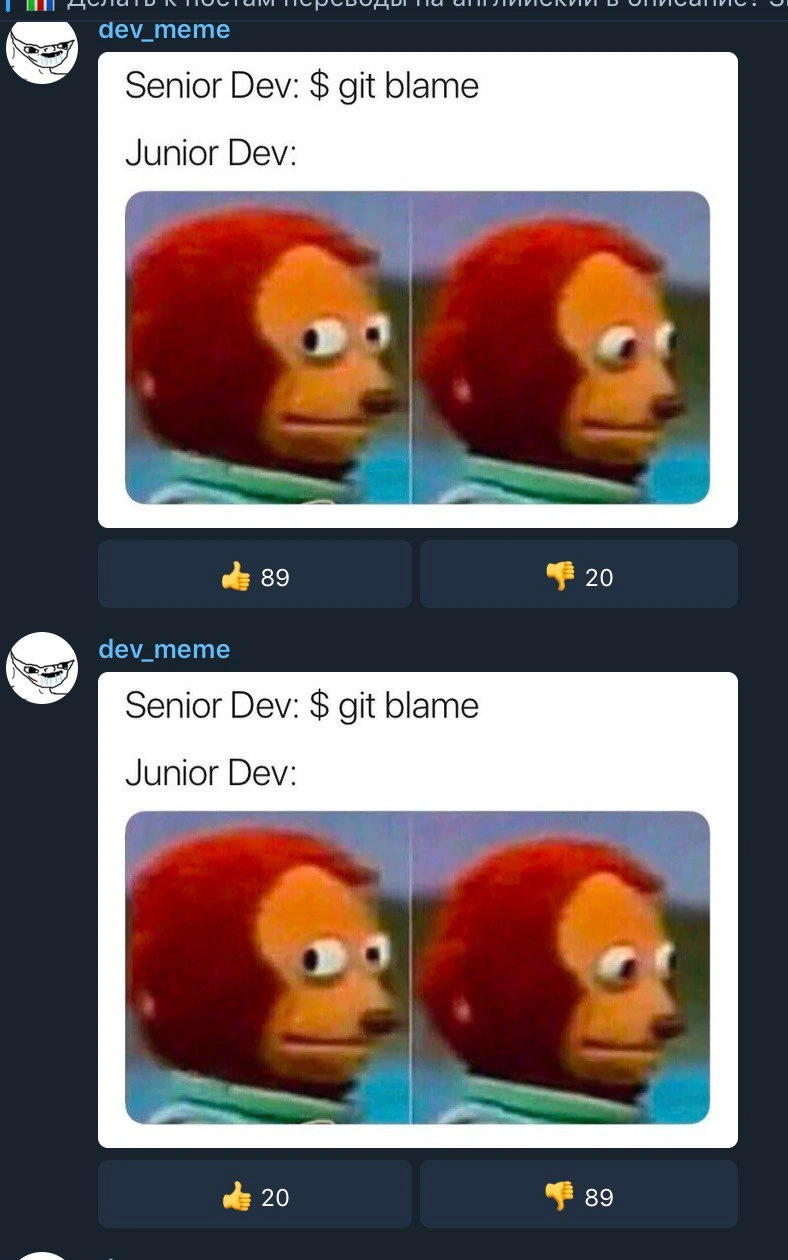
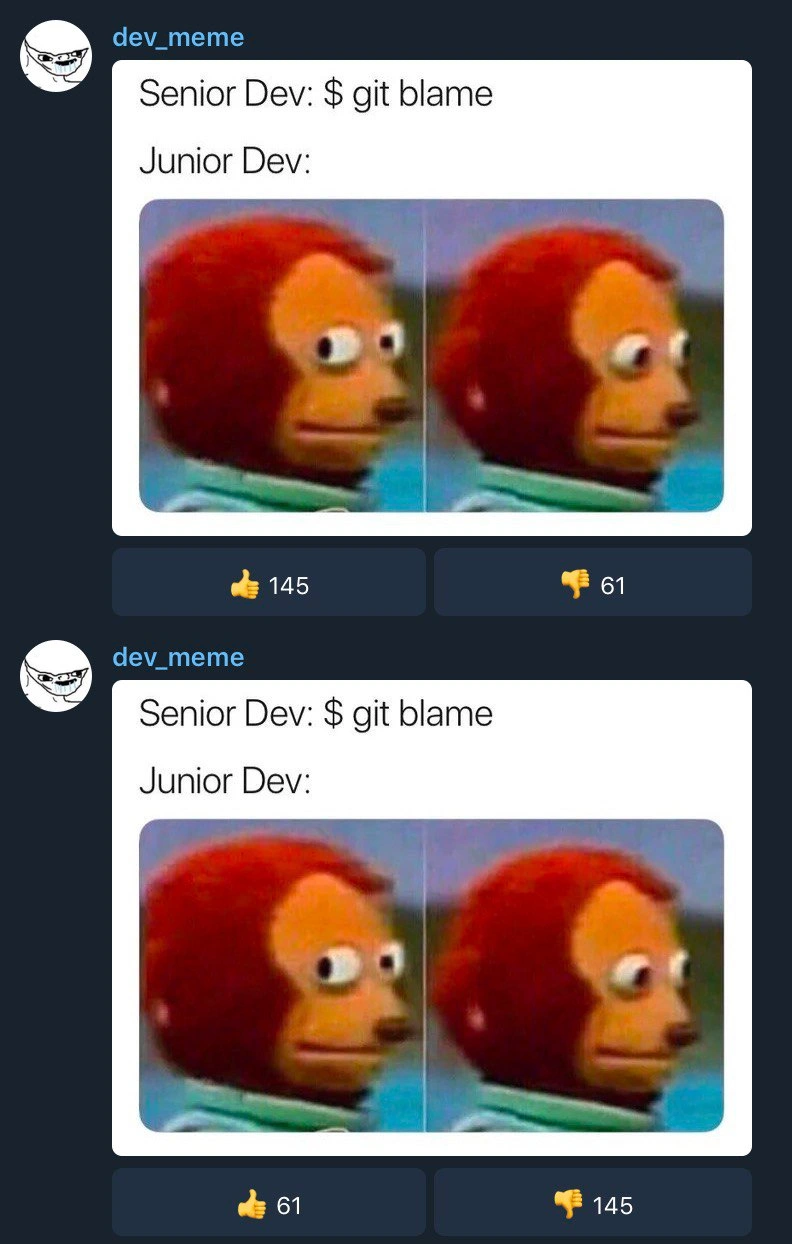
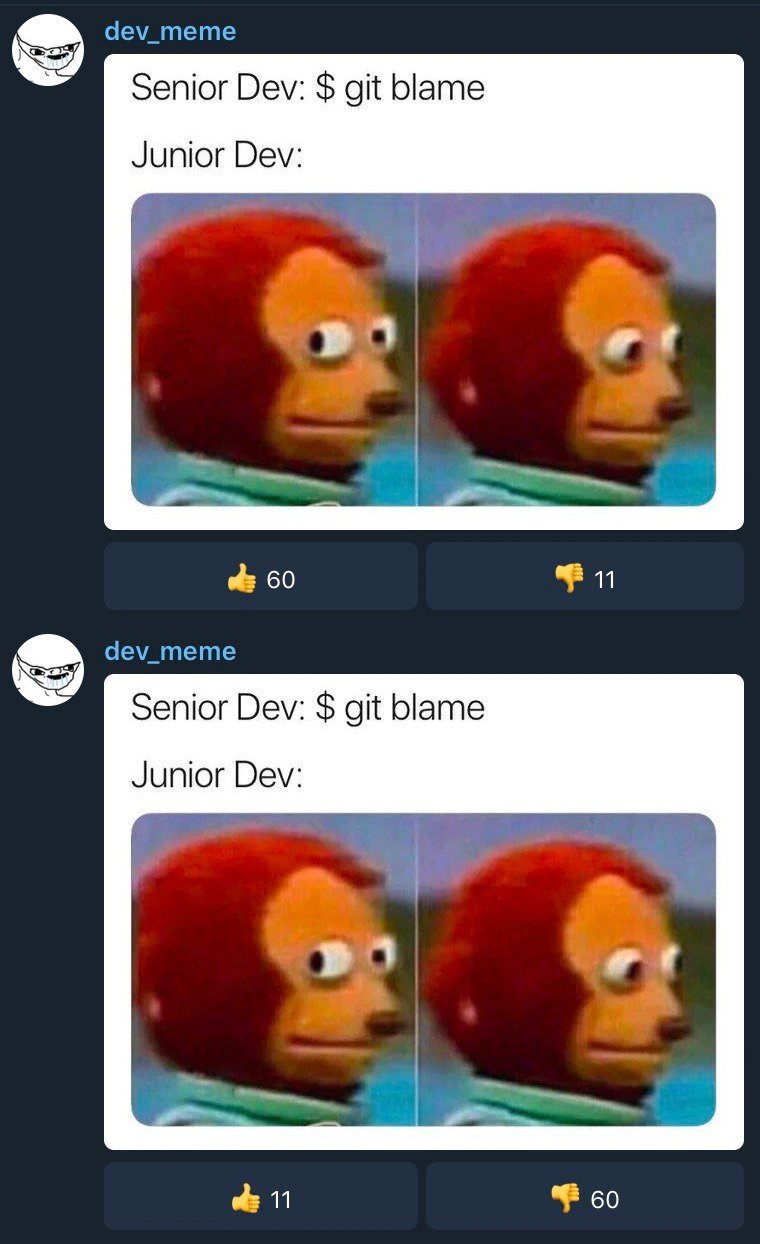
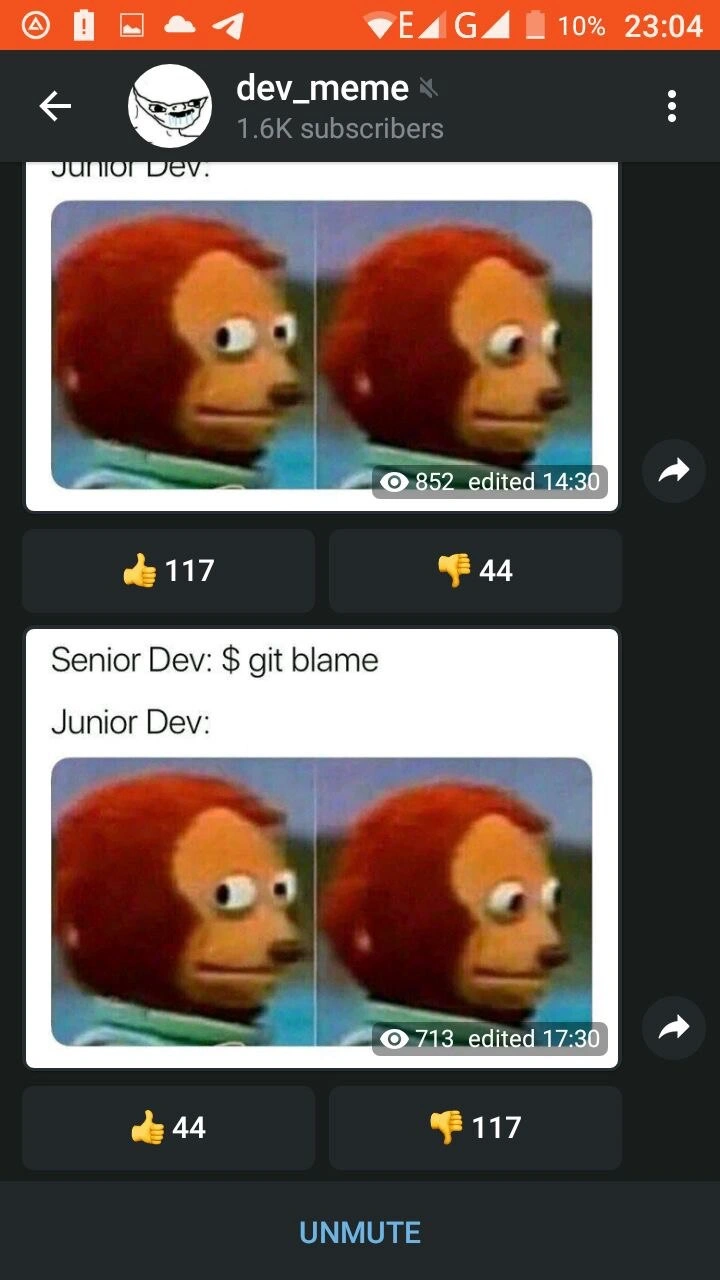
Also notable: this meme was shared on a Telegram channel (dev_meme) as seen in the screenshot. The interface shows a dark mode chat with reactions (thumbs up/down) under posts. Interestingly, the channel showed two versions of the meme (one without explanatory text, and one with the “Senior Dev: git blame / Junior Dev:” labels). The votes (👍 85 vs 👎 17 on one, and the reverse on the other) indicate the community’s preference. It seems the one that left out the text and just posted the puppet reaction was funnier to the subscribers – likely because developers enjoy subtlety and immediately recognize the scenario without it being spelled out. This is a little in-joke about meme culture itself: sometimes explaining the joke (like adding the obvious “Senior Dev: git blame” label) makes it less funny to those in the know. In any case, both versions revolve around the same idea: GitBlame can expose you, and that feeling as a junior dev is equal parts terrified and comical in hindsight.

To sum up in plain terms: this meme is portraying a common office moment in coding teams through a funny picture. Git’s blame command is meant to find out who wrote a piece of code. The senior is using it to track down something, and the junior realizes they’re the one responsible. The image of the monkey puppet perfectly captures the junior’s “please don’t notice it was me” face. Anyone who’s used Git (or any version control) in a team setting can relate to both sides of this scenario, which is why this meme hits home for so many developers.

Level 3: Name and SHAme

In Git, every line of code leaves an indelible trail of authorship – a bit like a permanent record for developers. The command git blame lets a seasoned engineer perform code forensics: it shows each line of a file annotated with the last commit’s author (complete with their name and the commit’s SHA-1 hash, hence the pun “Name and SHAme”). The senior developer in this meme invokes $ git blame to track down who wrote a suspicious line, essentially playing detective in the repository. Why is this funny? Because git blame is literally used to identify who to “blame” for a piece of code – a term both powerful and ironically accusatory. It’s a staple of VersionControlHumor precisely because of that name. Every experienced programmer remembers a tense moment when a bug surfaced, and the team lead opened the repository’s history to pinpoint the culprit. It’s a ritual in software teams: something breaks in production, logs are combed, and then comes the dreaded line-by-line history lookup. The humor taps into that shared anxiety: Senior vs Junior Developers in a standoff where the junior prays their name isn’t on that faulty line.

The meme brilliantly pairs this scenario with the awkward puppet meme – two frames of a wide-eyed monkey puppet looking sideways in mounting dread. This side_eye_monkey_reaction is an internet-famous image for saying “oh no, that’s me… act casual!” without words. Here, it perfectly represents the Junior Dev’s internal panic. The senior proudly types the command, and the junior, like the monkey puppet, is caught in silent terror, eyes darting as if contemplating an escape route in real time. The juxtaposition is comedic gold for developers: we’ve all either been that junior with imposter syndrome sweating bullets, or the debugger senior determinedly chasing down a mysterious bug.

On a deeper level, the meme nods to real DeveloperExperience_DX issues. Modern engineering culture preaches "blameless post-mortems" and teamwork, yet the tool is literally called “blame.” 🙃 There’s an inherent tension: version control is meant to foster accountability and learning, not a witch hunt. But in practice, the moment someone runs git blame, everyone who’s touched the code holds their breath. It highlights a rite of passage in programming: the first time you break something and see your name pop up in git blame output — equal parts educational and terrifying. The relatableDeveloperExperience here is the mix of horror and humor when you realize your code is under scrutiny.

Even the format of the Telegram dev_meme channel screenshot adds an extra layer for the initiated. We see two posts: the first shows just the puppet’s side-eye (no text needed) with a high approval ratio (👍 85 to 👎 17). The second explicitly captions “Senior Dev: $ git blame / Junior Dev:” above the puppet images and somehow gets the opposite reaction (👍 17 to 👎 85). This vote_ratio_humor suggests that seasoned subscribers found the subtle, wordless version funnier — developers often pride themselves on “getting it” without an explanation. Explaining the joke in the caption (even though it’s the exact same monkey puppet meme) made it less popular. It’s a meta-joke on delivery: in coding and in comedy, sometimes less is more. The top post’s success implies that just seeing the puppet’s “Oh no, I hope nobody notices it was me” face instantly evoked GitBlame and JuniorDev anxiety in the audience’s mind. After all, in our world of DeveloperHumor, the combination of a command that actually has “blame” in its name and a newbie developer with that classic guilty look is an instantly recognizable punchline. The second post spelling it out was almost like over-commenting obvious code – correct but not as elegant. It’s a clever snapshot of how devs love inside jokes: the relatable scenario of a junior_dev_anxiety attack under a senior’s probing gaze, communicated with a simple monkey puppet image, is enough to get laughs (and upvotes). In summary, this level unpacks the multi-layered inside joke: version control tools never forget, seniors know how to extract the truth from the repo, and juniors everywhere are wearing that sheepish puppet grin when confronted with the commit logs.

Description

A screenshot of a mobile app, likely Telegram, displaying a feed from a channel called 'dev_meme' with 1.6K subscribers. The phone's status bar is visible at the top, showing a critically low battery at 2% at 20:28. The feed contains two posts, both featuring the 'Awkward Look Monkey Puppet' meme. The main post in focus shows the text 'Senior Dev: $ git blame' and 'Junior Dev:', followed by the two-panel image of the puppet looking forward and then nervously glancing away. Above it, a pinned poll in Russian asks 'Делать к постам переводы на английский в...' ('Should we add English translations to posts in...'). The humor stems from the universal developer experience captured by the meme: the anxiety a junior developer feels when a senior investigates code history. The added layer of the low battery adds a touch of relatable, chaotic energy for any tech professional who has pushed one last commit while their device is about to die
Comments

7
Anonymous ★ Top Pick That 2% battery is the real star. It's the perfect metaphor for the junior dev's remaining confidence once 'git blame' is mentioned
  1. Anonymous ★ Top Pick

    That 2% battery is the real star. It's the perfect metaphor for the junior dev's remaining confidence once 'git blame' is mentioned

  2. Anonymous

    Real mentorship is teaching the junior `git blame --ignore-revs-file my_3am_hotfixes.txt` - because some legacy is better left in the crypt

  3. Anonymous

    The real senior dev move is running git blame, finding your own name from 2019, and quietly aliasing it to 'git archaeology' before the next standup

  4. Anonymous

    The real difference between senior and junior devs isn't their reaction to `git blame` - it's that seniors have learned to strategically rebase and squash commits to make the blame trail lead to that one guy who left the company three years ago

  5. Anonymous

    Pro tip: if your incident playbook starts with git blame, you don’t have an RCA process - you have version-controlled HR

  6. Anonymous

    Pro tip: add .git-blame-ignore-revs before running git blame in a retro - otherwise you’ll conclude Prettier introduced the outage

  7. Anonymous

    Git blame: where juniors learn that immutable history beats 'it was like this when I started' every time

Use J and K for navigation