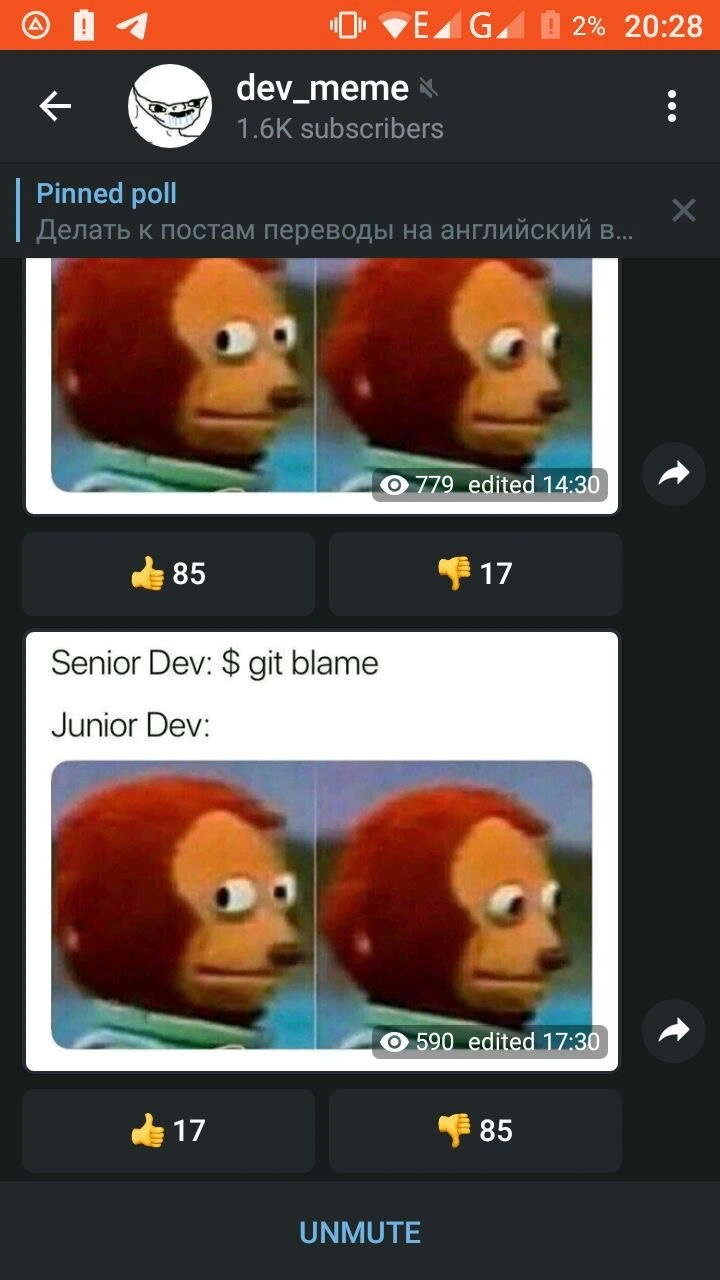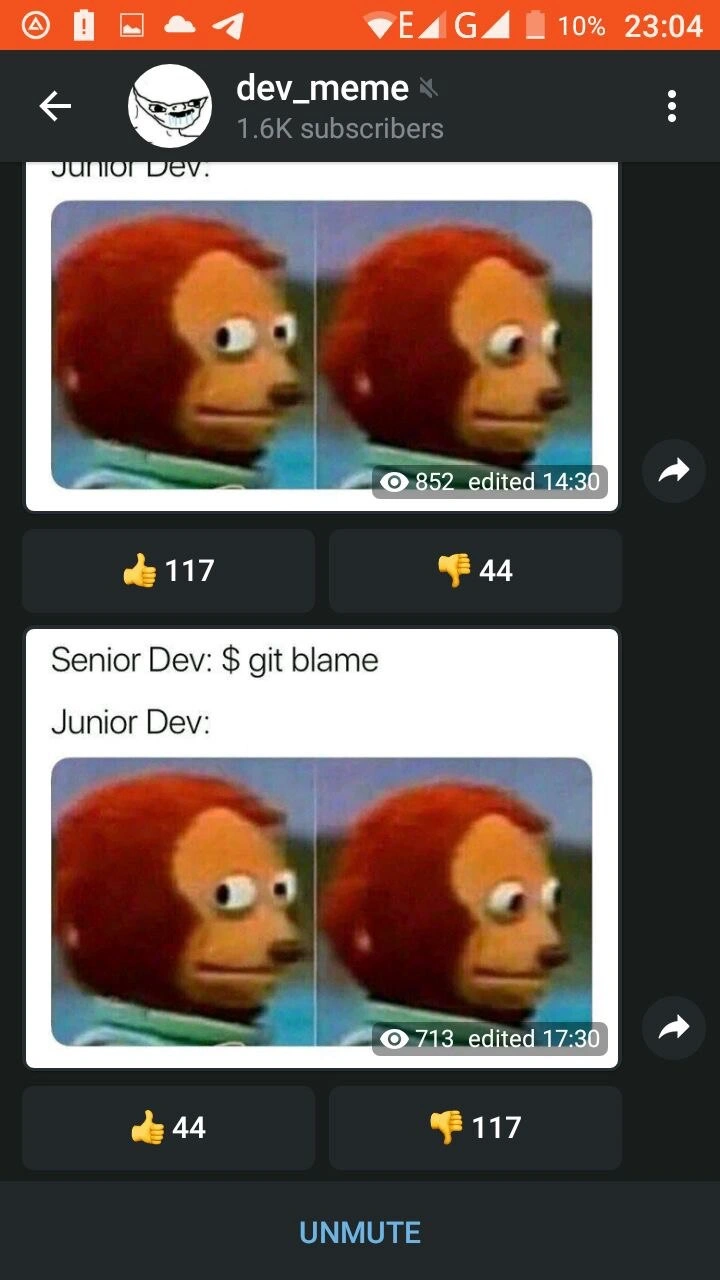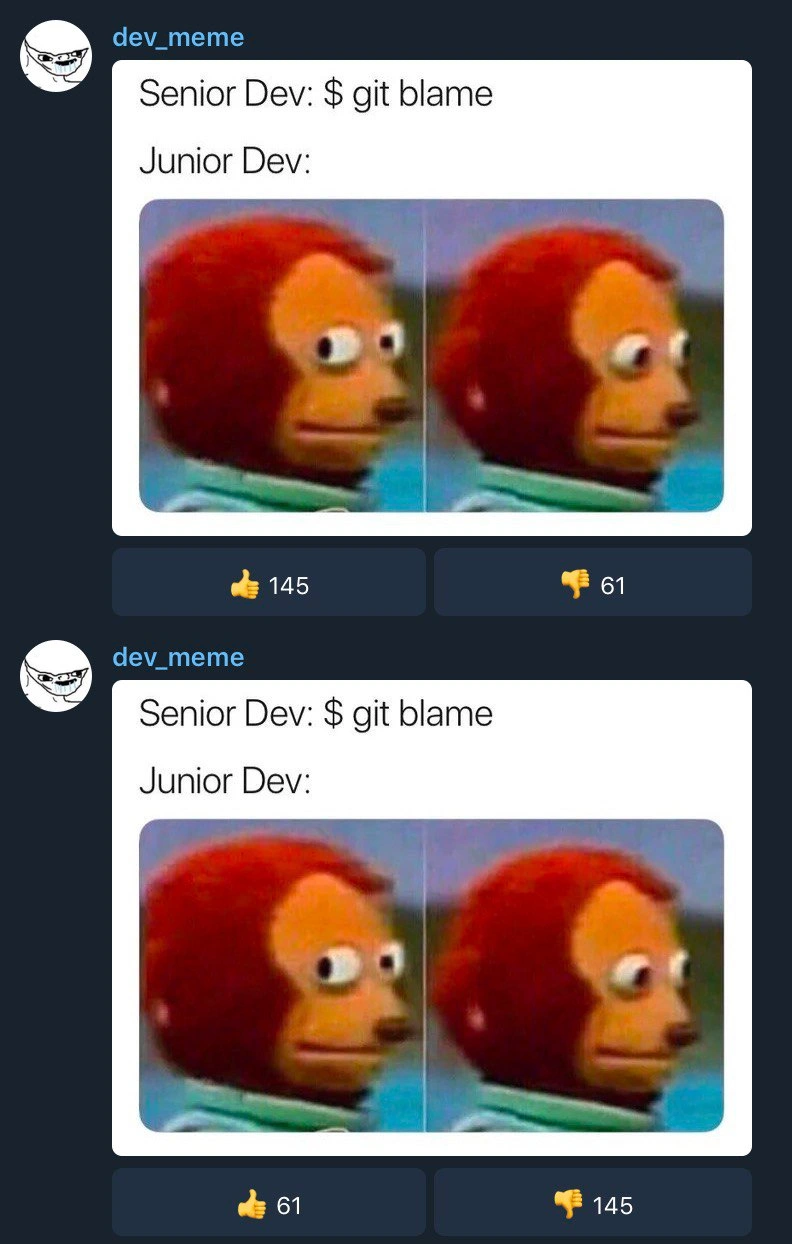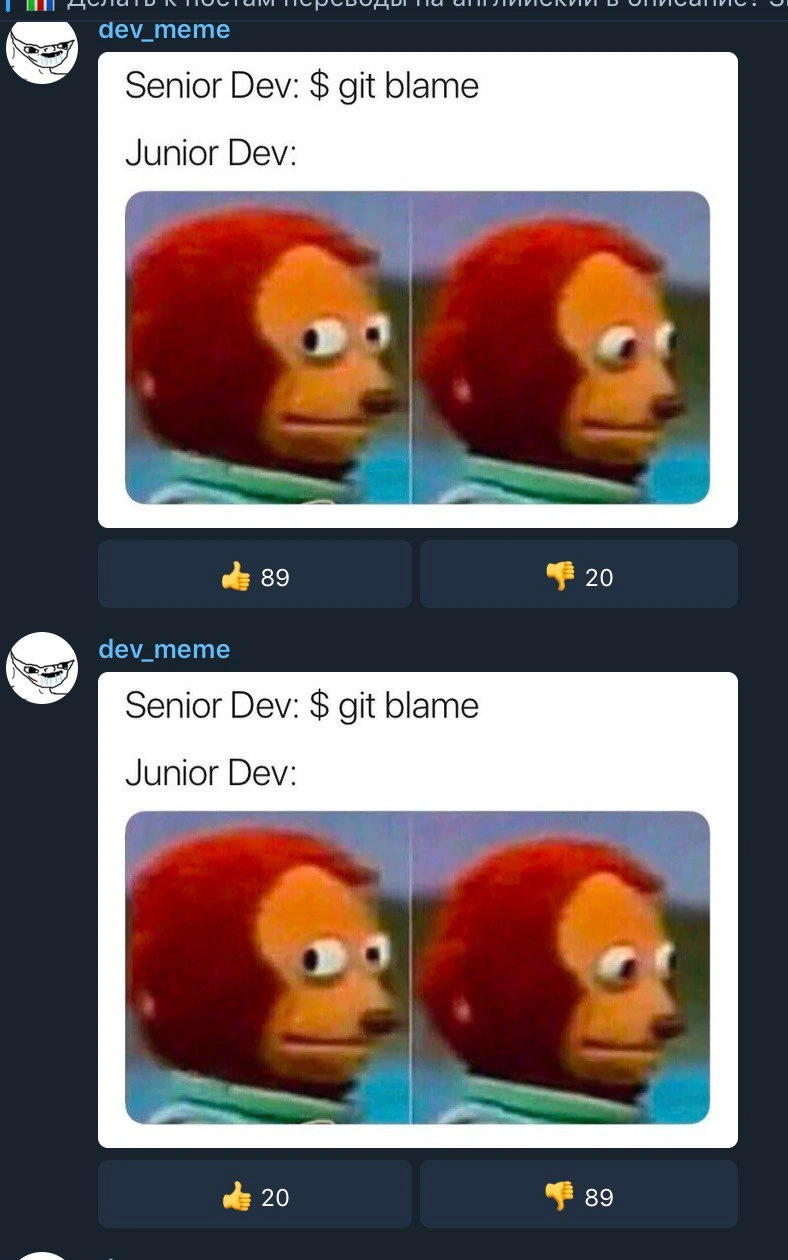
The universally understood panic of 'git blame'
Why is this VersionControl meme funny?
Level 1: Who Broke the Vase?
Imagine you and your friend made a big drawing on the classroom wall without the teacher knowing. The next day, the teacher finds marker lines all over the wall and asks, “Who did this?” She can even tell by the handwriting or the style of the drawing whose work it might be. You suddenly realize she’s about to figure out it was you who drew one part of it. How do you feel at that moment? Probably very nervous! You might glance to the side, sweat a little, and then try to look innocent when the teacher looks your way. Think of the face you’d make — kind of like a wide-eyed puppet monkey looking awkwardly to the side, then staring straight ahead pretending nothing happened. That’s exactly the feeling this meme is joking about. In the programmer world, when a senior team member uses a tool to see who wrote a piece of computer code, a junior team member who wrote it might feel the same way as the kid who drew on the wall. They’re worried they’ll get in trouble now that their name is on it. It’s funny because we’ve all been that person at some point, caught in the act and hoping not to get blamed, and the meme uses a silly picture to capture that universal “uh-oh” moment.
Level 2: Code Review Jitters
Let’s break down what’s happening in this meme in simpler terms. First, some definitions:
- Git – A popular tool developers use for version control, which means keeping track of changes in code over time. Git lets multiple people work on the same code by managing changes in a repository (project folder).
- Repository (repo) – A storage for code managed by Git. It contains all the files and the entire history of changes (commits). Think of it as the project’s folder that also remembers every edit made.
- Commit – A recorded change in the repository. When a developer makes some edits and then commits, Git saves a snapshot of those changes with the author’s name and timestamp. Commits are like save points or milestones in the project history.
git blame– A Git command that shows, for each line in a file, which commit last modified that line and who the author was. In plain language, it tells you “who wrote this line of code (or who last changed it).” It’s often used to find who to ask about a piece of code or to track down when a bug was introduced.- Code review – A process where developers check each other’s code changes. A senior dev (experienced programmer) might review what a junior dev (newer programmer) wrote, to catch mistakes or suggest improvements. Code reviews and investigating bugs often involve looking at the history of the code – that’s where
git blamecan come in. - Junior Developer – A newcomer or less experienced programmer on the team. They are still learning and might make mistakes as they get used to the codebase.
- Senior Developer – A very experienced programmer who has usually seen a lot of code and bugs. Seniors mentor juniors and often take the lead in debugging and reviewing code.
Now, picture the scenario: something in the code isn’t working right, or the senior dev sees a strange piece of code and wants to know its story. They run git blame on the file to see who wrote those lines and when. This is a normal part of debugging – it helps to know who worked on a section, so you can ask them why it was written that way or have them help fix it. The command will output the file’s lines with annotations. For example, running blame might look like this:
$ git blame utils.js -L 8,9
3f2c1e9a (Alice 2021-05-10 11:23:45 -0400 8) let result = calculate(x);
7fd85e2f (Alice 2021-05-10 11:23:45 -0400 9) // TODO: improve this calculation
The above shows that for utils.js, lines 8-9 were last changed by Alice in a commit (id starting 3f2c1e9a) on May 10, 2021. The output lists the commit ID, the author’s name, the date, and the line of code. In our pretend scenario, if those lines turn out to be a bug or something questionable, everyone now knows Alice wrote them (or at least touched them last).
Now imagine Alice is a junior developer. The senior dev just uncovered that Alice’s commit is behind the issue. Even if the senior isn’t actually angry, Alice might instantly feel nervous. In the meme, that’s exactly what’s happening: the Junior Dev hears the senior say they’re running git blame, and internally the junior is thinking “uh-oh, my name is going to show up!” It’s like your teacher announcing they’re going to check who wrote the wrong answer on the board – if you suspect it’s you, your heart skips a beat.
The white text in the meme says:
Senior Dev: $ git blame
Junior Dev: (then just an image...)
Instead of words, the junior dev’s reaction is conveyed with that monkey puppet side-eye image. This image is a famous meme because it hilariously captures the look of someone who’s caught off-guard or feeling guilty. In the first panel, the puppet monkey is looking sideways like “I’m not involved… right?” In the second panel, the monkey is staring forward with an extremely awkward, stiff expression. It’s the face you make when you’re trying to act innocent but you’re actually very much concerned inside.
So, why is this funny to developers? It’s relatable humor. Many of us have been that junior developer, worrying about being singled out during a code review or bug hunt. Even though the purpose of git blame isn’t truly to blame someone (it’s to understand code history), it feels personal when you’re new. The term “blame” doesn’t help — it sounds like you did something wrong. The senior dev running the command might just calmly say, “Oh, Alice changed this line last, I’ll ask her about it.” Nothing dramatic. But in the junior’s mind, alarms are going off: They found out I wrote that! Am I in trouble?
The meme exaggerates that internal fear for comedic effect. It’s poking fun at the junior’s imposter syndrome– that feeling of “I messed up and now everyone will know I’m not a good programmer.” In reality, a good team doesn’t use blame to accuse; they use it to learn the history or get the right person to help. But emotionally, it’s hard for a newbie to separate code problems from personal responsibility. The awkward puppet is basically the junior trying to keep a straight face while internally freaking out. It’s funny to experienced devs because we’ve all seen that exact wide-eyed look (or had that feeling ourselves), and it reminds us of our own early days in tech.
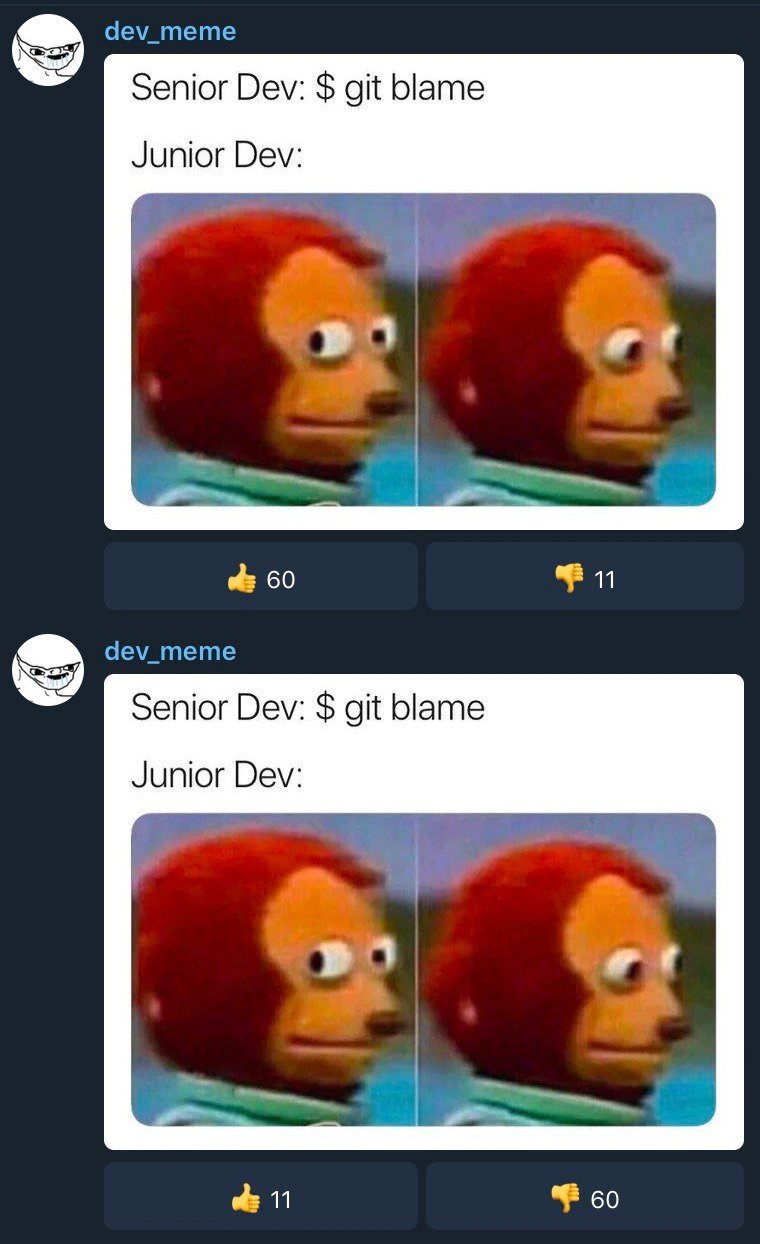
One more detail: the screenshot shows the meme got posted twice in the chat channel. The first post got a lot of 👍 upvotes (people liked it), and the second identical post got mostly 👎 downvotes. This likely means the second was a duplicate posting. Developer communities typically don’t like duplicate content – once they’ve seen a joke, they don’t want it repeated verbatim. The poor second post got “blamed” by the community with downvotes for being a repost. It’s a little meta-joke on accountability: even in sharing memes, you can get called out if you’re not original or paying attention! Essentially, the community was saying, “We know this is the same thing again — who didn’t check before posting?” which is ironically the same kind of finger-pointing the meme itself talks about. So, the duplicate post’s reaction adds another layer of inside humor for those of us who hang out in dev meme groups.
Level 3: The Blame Game
Senior Dev opens a terminal and types git blame. Instantly, every line of code becomes a confession: who wrote it and when. In a Git repository (a codebase tracked by a version control system), this command annotates each line with the last commit and author. It’s meant for tracing code history, but its very name sounds like it’s hunting for a culprit. The humor here comes from that double meaning. Git is just doing line history, but to any developer on the hot seat, it feels like an interrogation lamp. Junior devs especially know this dread. The meme text “Senior Dev: $ git blame” sets the scene of a seasoned programmer invoking the dreaded command. The response “Junior Dev:” is left hanging, followed by the two-frame image of the awkward side-eye monkey puppet. In the first frame, the puppet’s eyes dart sideways nervously; in the second, it stares ahead, stiff with discomfort. This famous reaction meme perfectly encapsulates the junior’s internal panic the moment their senior starts scrutinizing the code’s history. It’s the “uh-oh, they’re going to see it was me” face.
Why is this so relatable? In real software teams, running git blame is a common way to track down why a line of code exists or to find the origin of a bug. But culturally, it can feel like initiating a blame game. The tool literally highlights who to “blame” for a given line. Imagine a bug has popped up in production and the lead developer says, “Let’s see who wrote this part of the code…” – every junior who contributed is suddenly holding their breath. There’s a well-known tension in code reviews and debugging sessions around accountability. Modern teams preach blameless culture and blameless post-mortems (focusing on fixing issues, not shaming people), yet the first thing we often do is run a blame command that names names. It’s ironic. Seasoned devs might use git blame daily without malice – to understand context or ask the right person about a change – but a newcomer often hears “blame” and assumes the worst. The meme plays on that code ownership anxiety. Everyone remembers their early career feeling that any bug might become a public trial of their code. The senior vs. junior developers dynamic exacerbates it: the senior likely intends to help or teach, but the junior can’t shake the fear that they’re about to be outed for a mistake.
Technically, git blame is just showing the commit history line by line. Under the hood, Git traverses the file’s history (which in Git is stored as a series of diffs in a directed acyclic graph of commits). It figures out for each line which commit last modified it. For example, if a line was last changed in commit abc123 by Alice, the blame output will list Alice (and that commit) next to the line. Many version control systems have a similar annotate feature (indeed, git blame was historically called git annotate by kinder souls). But calling it “blame” sets a tone developers can’t ignore. It’s both useful and accusatory-sounding. There’s even a running joke among developers about aliasing git blame to git praise to remove the sting. Regardless of the name, seeing your own initials stamped on a buggy line can make your stomach drop. Did I write that? When? Why? You start reliving the moment you committed it, praying there was a good reason. Maybe it was 2 AM, maybe you were rushing a hotfix… Either way, now it’s in neon lights on the senior dev’s screen.
This shared experience is what makes the meme funny — and a bit cathartic. It’s developer humor drawn from truth. Every experienced programmer has been on one side or the other: running git blame to unravel a mystery, or being the one whose name comes up in the blame results. That moment of impostor syndrome when your change is the one under investigation is almost universal. The smart, slightly dark comedy of the meme is that it exposes a rite of passage in programming: the first time you’re “blamed” by the code itself. It highlights a gap between our ideals and reality: we say “we just want to find the cause, no blame,” but the tool literally lists a name – and oh no, it’s yours. 😅
One more meta twist: the image description mentions that the meme was posted twice in the chat feed with opposite vote counts (👍 89 vs 👎 20 on the first, and 👍 20 vs 👎 89 on the second). This hints that the second was a duplicate post, and the developer community wasn’t too happy about it. In online dev circles, reposting the same meme can itself trigger a miniature blame game! The first posting got all the glory (lots of upvotes for the original humor), while the duplicate got called out with downvotes – essentially being “blamed” for not being original. It’s a funny parallel: even the meme about blame wasn’t safe from blame when posted twice. The community’s reaction says, “We know this joke, and we know you weren’t the first to share it.” In other words, devs value attribution – a fitting outcome for a meme about a tool that exposes authorship.
Description
This image is a screenshot of a social media feed from the 'dev_meme' account, displaying a popular developer meme twice. The meme consists of the text 'Senior Dev: $ git blame' and 'Junior Dev:', followed by the two-panel 'Awkward Look Monkey Puppet' meme. In the first panel, the puppet has a neutral expression, and in the second, it darts its eyes nervously to the side. This reaction humorously captures the feeling of dread and anxiety a junior developer experiences when a senior developer uses the 'git blame' command to trace the author of a piece of code, which is often a prelude to debugging a problem. For experienced developers, this meme is a relatable and amusing take on code accountability and the early-career jitters that come with it
Comments
7Comment deleted
Some say 'git blame' is for finding bugs. Seniors know it's for finding teachable moments
git blame --ignore-revs hides the whitespace, kid - not the fact you copy-pasted the same bug into two microservices and called it “service-oriented design.”
The same git blame meme getting opposite reactions in different channels is just A/B testing whether your team has more people who've fixed the bug or caused it
The real difference between junior and senior developers isn't just knowing what 'git blame' does - it's the emotional journey from 'Oh god, please don't let it be my commit' to 'Ah yes, let me trace this technical debt back to its archaeological origins in 2015 when we thought MongoDB was web scale.' Senior devs have learned that git blame isn't about assigning fault; it's about understanding context. Though let's be honest, we all still get that slight dopamine hit when the problematic code predates our employment
Nothing says “blameless culture” like a senior running `git blame -w` and the junior realizing we forgot to add the Prettier sweep to .git-blame-ignore-revs
Senior Dev: $ git blame. Junior Dev: “Run it with -w and .git-blame-ignore-revs - I'd like Prettier and the 2017 monorepo migration to share this achievement.”
Git blame: juniors fear their last commit, seniors fear their entire git history