Skip to content
DevMeme
363 of 7435
The Junior Dev's 'git blame' PTSD
VersionControl Post #425, on Jun 3, 2019 in TG

The Junior Dev's 'git blame' PTSD

Why is this VersionControl meme funny?

Level 1: Caught Red-Handed

Imagine a classroom where someone doodled a silly drawing on the chalkboard when the teacher wasn’t looking. The teacher comes back and says, “I’m going to find out who did this by checking everyone’s handwriting.” All the kids freeze. One little boy who actually did make the doodle feels his heart race. His eyes go wide for a second, and then he quickly looks away, trying to act innocent. He knows the teacher will soon recognize his handwriting – he's about to be caught red-handed.

This meme is just like that: the senior developer is like the teacher who can investigate and find the name on the work, and the junior developer is the guilty kid avoiding eye contact, hoping not to be noticed. It’s funny because we can all picture that “uh-oh, I’m about to get busted!” moment. Whether it’s sneaking a cookie before dinner or writing on the wall, that feeling of nervous guilt when you know you’re about to be found out is universal – and that’s exactly the feeling this meme is playing with, in a coding way.

Level 2: Who Wrote This Code?

Let's break it down in simpler terms. Git is a popular tool programmers use for version control – basically, it keeps track of changes in code over time and remembers who made each change. One of Git’s commands is literally called git blame. Despite the scary name, it’s not about shaming anyone; it’s a feature that shows, for each line in a code file, the last person (and commit) that modified that line. Think of it as the "author history" for every line of code.

In a development team, you often have Senior Developers (very experienced team members) and Junior Developers (folks who are just starting out or have less experience). In this meme, the senior dev says they're running $ git blame on some code. Why would they do that? Maybe they found a bug or something odd and want to see who wrote that part, so they can ask that person why it was written that way or to help fix it. It’s a common practice when debugging or reviewing code: you find a suspicious line, run git blame, and boom – you see the name of the developer who last touched it, along with when it was changed and in which commit.

For a junior developer, this situation can be a bit nerve-racking. Imagine you're new on the team and you wrote a piece of code that might have a mistake. When the senior dev announces "I'm going to check who wrote this (with git blame)", you might suddenly feel butterflies in your stomach. What if it shows my name? Junior devs often worry about messing up and getting in trouble, even if the team is friendly. That’s the junior dev anxiety creeping in – the fear of being "found out" as the one who introduced a bug or did something incorrectly.

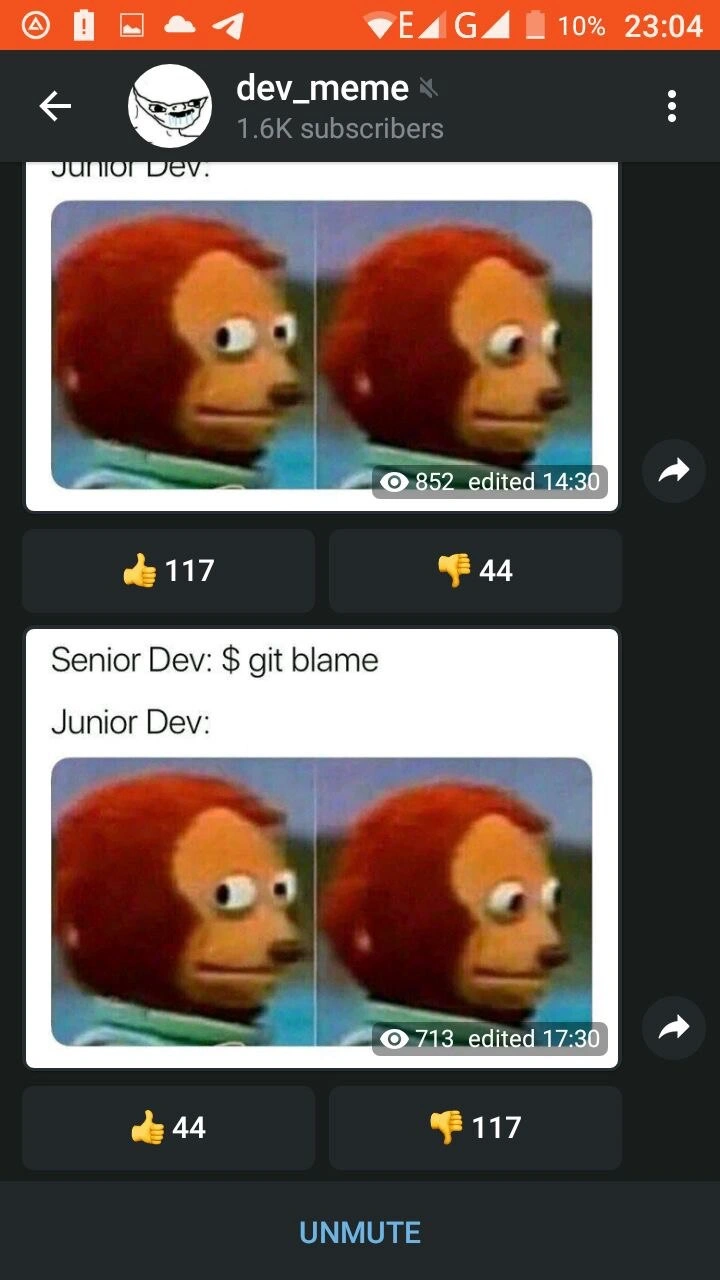
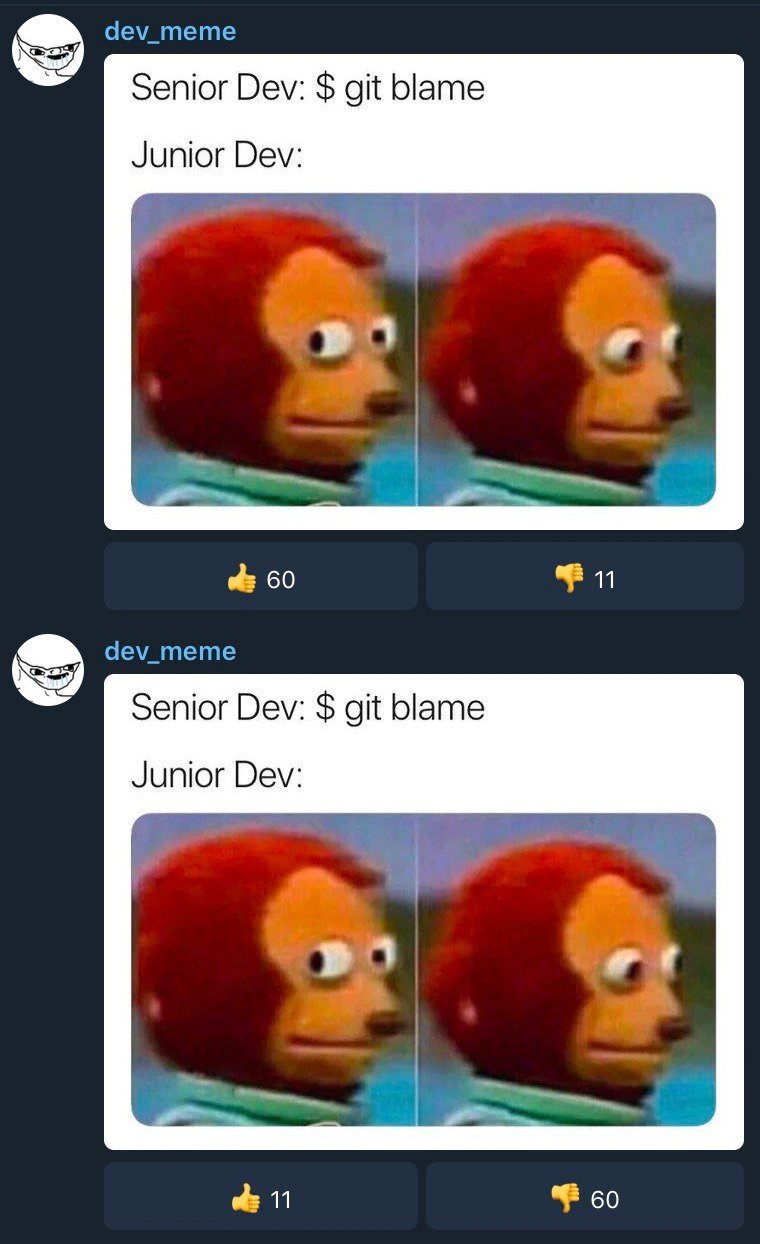
The meme uses a two-panel image of a monkey puppet with a very telling expression. In the first panel, the puppet has wide eyes looking to the side; in the second panel, it’s awkwardly looking away. This is a well-known meme picture used to represent someone caught in an awkward or guilty moment. (The puppet is from a children's TV show, and people often use it online to say "uh-oh, that was me... better look away now.") Here, the puppet stands in for the "Junior Dev" without any words – just that facial expression says it all. When the senior runs git blame (first panel), the junior realizes their name is about to pop up on that line of code. In the second panel, the junior (puppet) is looking away innocently, like "I have no idea who wrote that..." – but of course, they do know!

So the joke, in plain terms, is: Git will reveal who wrote the code, and the junior developer is acting all guilty because they suspect they’re the one to blame. It’s poking fun at both the tool (since it’s literally called "blame") and the natural anxiety a newer developer feels when they think they’ve made a mistake. Most developers – even seniors – can remember being in that junior position. You see your team lead run the blame command on a file, and your heart skips a beat hoping it doesn’t point to you. The meme exaggerates that feeling for comic effect.

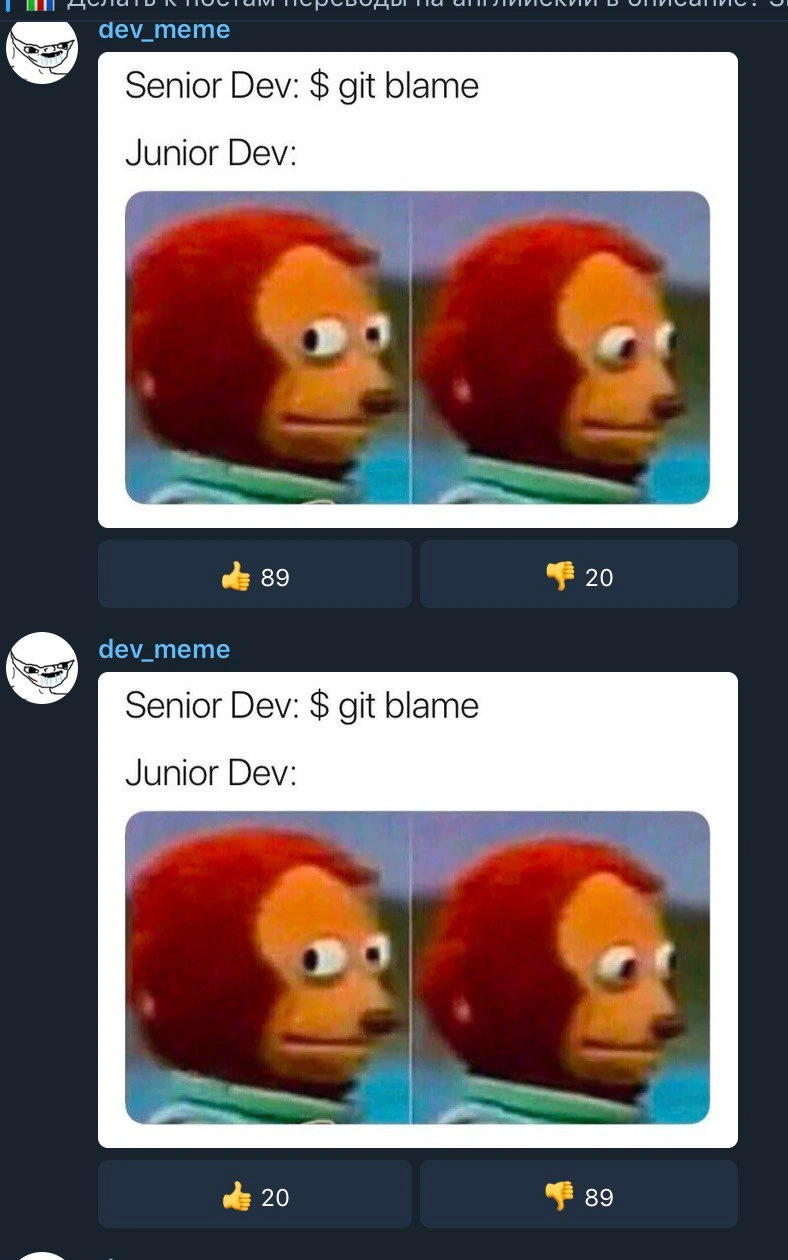
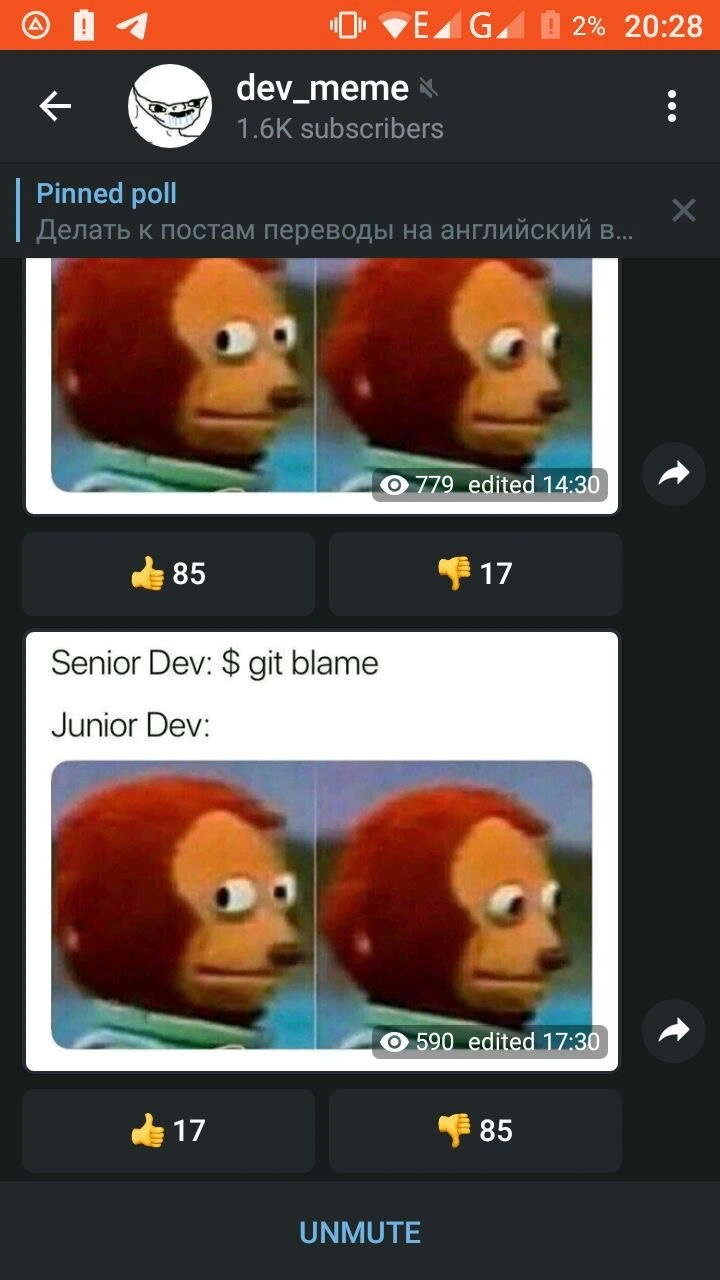
One extra detail in the image is that the meme post is shown twice with opposite like/dislike counts. This is more of an internet inside joke: it’s showing how posting the same meme again (a repost) can get the opposite reaction from the community. The first time it was liked (many 👍, few 👎). The second identical post was mostly disliked (few 👍, many 👎) because people recognize it’s a duplicate. This bit isn’t about coding at all, but about online meme culture – a fun little irony for those who notice it. But you don’t need to worry about that to get the main joke.

In short, here’s what’s happening: a senior developer is using a Git command to check the history of a piece of code. The junior developer, realizing that history will point right to them, feels a surge of uh-oh and makes that classic guilty monkey puppet face. It’s a light-hearted way to laugh at the very human fear of being the one who messed up, and a nod to how transparent things are in programming when you use tools like Git – you can’t hide who wrote what!

Level 3: The Git Blame Game

Senior Dev: $ git blame
Junior Dev: (monkey puppet side-eye, then looks away)

In the world of version control, few commands can strike as much anticipation (or fear) as git blame. This meme captures a scenario that every experienced developer finds both humorous and painfully relatable: a senior developer opens a terminal and types the infamous command, ready to pinpoint exactly who last modified a suspicious line of code. The junior developer, represented by the wide-eyed monkey puppet meme, suddenly realizes they are likely the one who wrote that code and does the classic side-eye followed by a guilty look away. It's a comedic depiction of code accountability in action.

The humor works on multiple levels. On the surface, we have the literal git blame output that will reveal the "culprit" who last edited each line. It's akin to a detective pulling up a change history and saying, "Alright, who committed this change?" Experienced devs know that git blame shows line-by-line annotations of a file, including the commit hash, author name, and timestamp for the most recent change. For example, running:

$ git blame App.java -L 47,47
# Output:
^1a2b3c7 (JaneJunior 2021-05-10 14:33:21 -0400 47) riskyLogic();

tells the senior dev that line 47 was last modified by JaneJunior in a commit with ID 1a2b3c7 on May 10, 2021. In other words, Git keeps the receipts of who did what. There's no escaping the commit history – every line in the code has a story and an author. Seasoned developers use this tool regularly to trace bugs or understand why code looks a certain way. But in a meme context, git blame turns into the ultimate finger-pointing instrument: it's literally the blame game, courtesy of your friendly neighborhood version control system.

What makes this particularly funny to veteran engineers is the all-too-familiar dynamic it highlights. Often, when something breaks or looks wrong in the code, the team scrambles to find who wrote that piece. A Senior Dev might casually say, "Let's see who to blame for this..." and run git blame, half-jokingly and half-seriously. In that moment, every developer who touched that module holds their breath. The junior dev – especially if they suspect they're the guilty party – might feel a wave of junior dev anxiety. It's the feeling of uh oh, please don't let that be my commit. The monkey puppet's face perfectly captures that "I hope no one notices it's me" expression: first a tense side glance, then averting eyes as if trying to become invisible.

Under the hood, git blame is actually a helpful tool (despite the negative-sounding name). It lets you annotate each line of a file with the last commit that modified it. This can be invaluable for debugging, because it points you to the exact change where a bug might have been introduced and who might have context about it. However, the meme plays on the social side of this tool. Instead of focusing on collaborative problem-solving, it emphasizes the uncomfortable spotlight that lands on the author of a suspicious line. It's a lighthearted jab at how teams sometimes, even unintentionally, create a "blame culture": "Who wrote this bug?" rather than "Let's fix this together." Senior devs watching this meme nod knowingly because they've likely been on both sides – running blame to hunt down a tricky bug, and being the one blamed when the history points to their name.

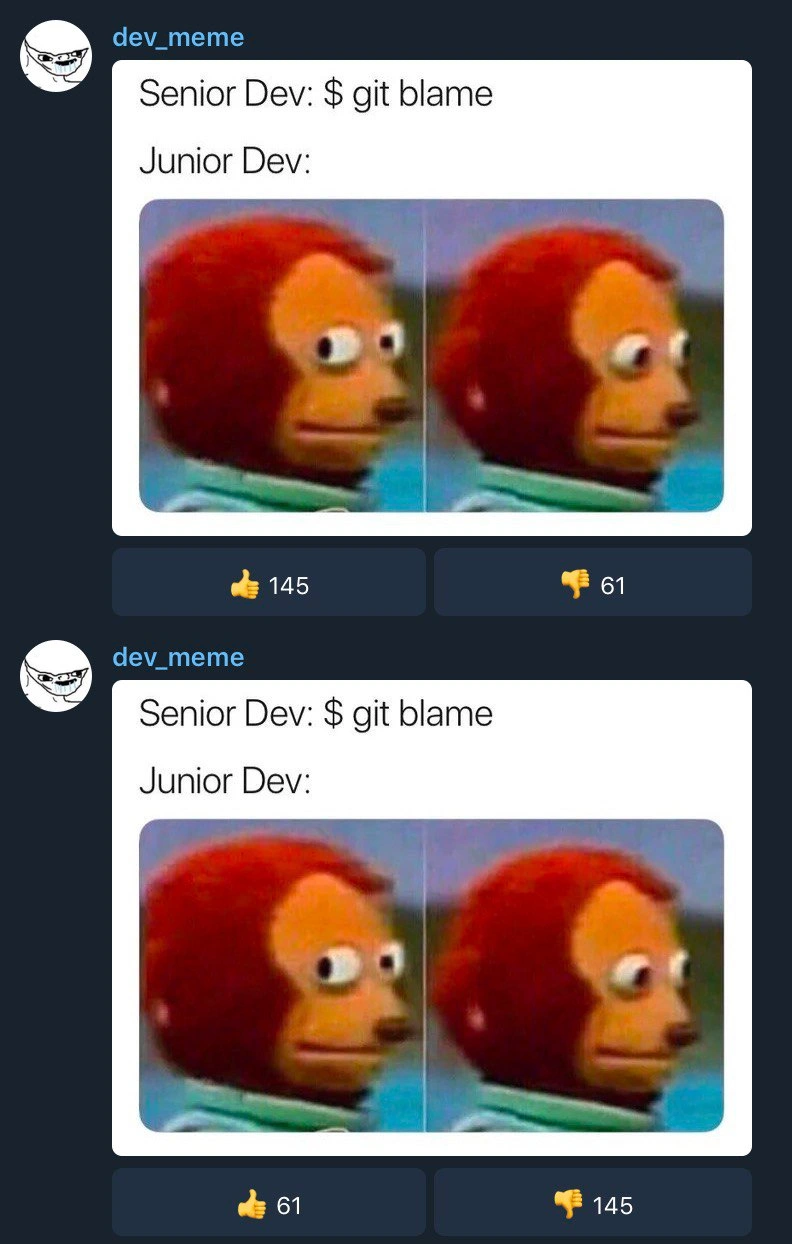
There's also an extra layer of humor in the image itself: the screenshot shows the meme posted twice by the same account (dev_meme), with the thumbs-up and thumbs-down counts inverted on the second post. This is like-dislike voting irony poking fun at reposting. In developer meme communities (think Reddit or forum threads), reposting the exact same meme can flip the crowd’s reaction. The first time, people find it funny (👍 145 vs 👎 61). The second time, the community recognizes it's a duplicate and dishes out the opposite reaction (👍 61 vs 👎 145). It's an inside joke about karma: even memes have a version history, and trying to re-use content might get you "blamed" by the audience. The duplicate posts mirror the puppet's double-take – first post gets approval, second post gets the disapproving side-eye. For seasoned internet users, this detail is a witty bonus gag layered on top of the core Git joke.

So at Level 3, we see how this meme entwines a practical developer tool (git blame) with office reality and a dash of social media satire. It's funny because it's true: every codebase has a history, and sometimes revealing that history can be awkward, especially if you're the junior who wrote that questionable code. The senior vs junior developer dynamic, the Git command-line culture, and even the meta commentary on content reusability all combine to make this meme resonate with developers who've been around the commit block a few times.

Description

The image is a screenshot of a social media feed, likely from an app like Telegram or Twitter, posted by the account 'dev_meme'. It features the same popular programming meme posted twice in a row. The meme's text reads 'Senior Dev: $ git blame' followed by 'Junior Dev:'. Below this text is the two-panel 'Awkward Look Monkey Puppet' meme, where the puppet first looks forward neutrally, then darts its eyes to the side in a guilty, nervous manner. This visual perfectly captures the anxiety and fear a junior developer feels when a senior engineer starts investigating code history with 'git blame', a command used to identify which developer last modified a line of code. It's a universal joke for developers, highlighting the accountability and pressure felt, especially early in one's career, when a bug is being traced back to its origin
Comments

7
Anonymous ★ Top Pick Seniors use 'git blame' not to assign blame, but to check if the person who wrote the code still works here. If they do, it's a mentorship opportunity. If they don't, it's technical debt
  1. Anonymous ★ Top Pick

    Seniors use 'git blame' not to assign blame, but to check if the person who wrote the code still works here. If they do, it's a mentorship opportunity. If they don't, it's technical debt

  2. Anonymous

    Blameless post-mortems feel zen right up until I run `git blame` - then the junior’s heart-rate telemetry becomes our most granular observability signal

  3. Anonymous

    When your A/B test achieves perfect statistical significance but you realize it's just your load balancer round-robining the same bot farm between two endpoints

  4. Anonymous

    The real senior move isn't running `git blame` - it's running `git blame -w -C -C -C` to trace code through whitespace changes, file moves, and copy-paste operations across the entire repository history, only to discover the 'problematic' code was actually copied from Stack Overflow by three different developers over five years, each adding their own unique interpretation of the original bug

  5. Anonymous

    Pro move: before scaring the junior with git blame, add an ignore‑revs file - or you’ll end up accusing Prettier‑bot for last year’s monorepo reformat instead of the real regression

  6. Anonymous

    git blame: 90% the person who ran Prettier, 9% whoever did the squash merge, 1% the actual author of the decision we’re mad about

  7. Anonymous

    Git blame: the senior dev's polite way of saying 'your commit message lied, and now history's ratting you out.'

Use J and K for navigation