A Desktop So Orange, It's Probably Vitamin C++ Compliant
Why is this UX UI meme funny?
Level 1: Shiny Tools, No Building
Imagine you have a big homework assignment due, but instead of doing the homework, you spend the entire day organizing your desk. You line up all your pencils by color, adjust the lamp just right, maybe even repaint your desk a cool new color. By the end of the day, your workspace looks amazing – but you haven’t actually done any of your homework! This meme is just like that, but for a computer programmer. The programmer made their computer screen look super fancy and orange and perfect (that’s the “organizing the desk” part), but they didn’t get around to writing any actual code (that’s the “homework” part). It’s funny because we all know someone (or ourselves!) who has procrastinated by doing something that feels productive but isn’t the real task. The computer looks great, but no project got done – and that’s the joke!
Level 2: Ricing Unpacked
If you’re newer to the developer scene, this meme might look like just a cool orange-tinted desktop. Let’s break down what’s happening and why it’s funny to programmers:
Arch Linux – This is a popular distribution of the Linux operating system. Unlike something like Windows or macOS, Linux is open-source and comes in many flavors (“distros”). Arch Linux is known for being minimal and DIY. When you install Arch, you start with a bare-bones system and add everything you want. That means the user has full control over how their system looks and behaves. It’s great for learning and customization, but it requires a lot of manual setup (which many newcomers find challenging). Arch users often love this control – it lets them tune their system precisely to their liking. (There’s even a running joke that Arch users always mention they use Arch: it’s a bit of a bragging right among tech enthusiasts.)
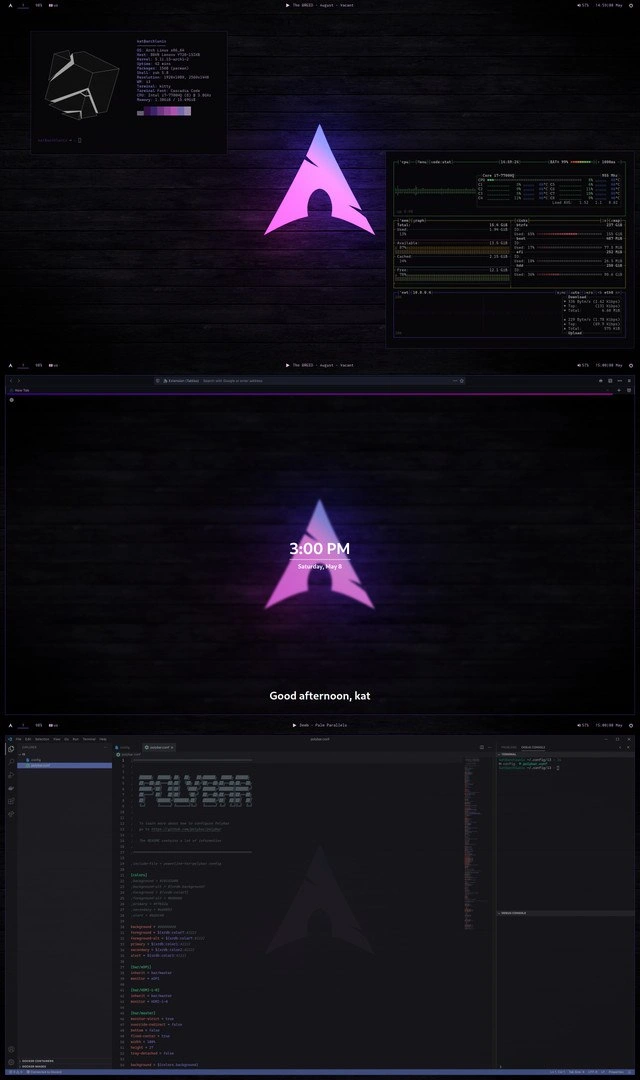
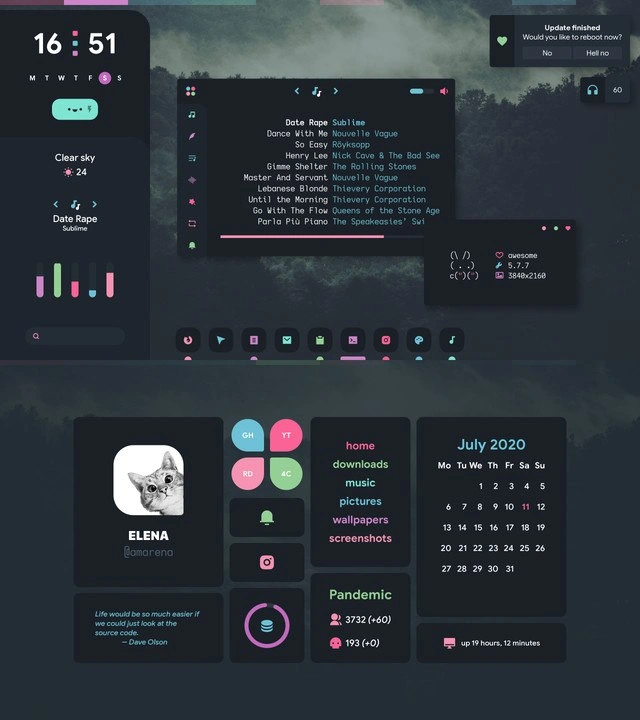
Ricing – In this context, "ricing" means customizing the look and feel of your Linux desktop extensively. It’s a slang term that originated from car modding (making a car flashy with custom parts was called “ricing it out”). In tech, ricing means tweaking your graphical desktop, terminal, icons, colors – basically giving your computer a custom paint job. People often share screenshots of their “rice” to show off how cool or unique their setup is. Here, everything is orange: that’s a deliberate theme choice, probably configured through various settings. The person likely spent hours editing configuration files (often called dotfiles, because their filenames start with a dot, like .bashrc or .vimrc) to get this cohesive orange look.
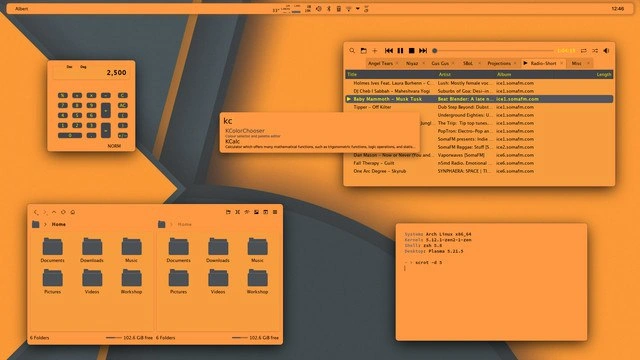
Window manager and theme – The screenshot doesn’t look like a standard Windows or Mac desktop. On Linux, especially Arch, you don’t have to use a heavy desktop environment (like GNOME or KDE). Instead, you can use a window manager, which is a simpler program that handles opening, closing, and moving windows. Examples include i3, Openbox, or AwesomeWM. They’re super configurable. The meme shows a top bar (with time and icons) and some window frames that are all styled a certain way – that’s likely a custom window manager theme. The title "Alsen" we see might be the name of the theme or the current window’s title. The user probably edited a config file to change fonts, colors, and panel layout. For instance, they might have a config file where they set background_color = "#FFAA33" (an orange shade) to tint everything. The kColorChooser tool open in the image is actually a color picker – that’s what you use to find or fine-tune a color code (like picking just the right orange). So you can imagine the person carefully choosing “pumpkin orange” for their windows all morning.
CLI (Command Line Interface) tools – In one of the open windows, we see a terminal (a black/orange text screen where you type commands). The terminal is showing system information: “Arch Linux x86_64, Kernel ..., Uptime ...” etc. This kind of output often comes from a utility like neofetch or a custom script. It basically prints details about the computer. The user also typed uname -r (we can see it after the prompt ~ ❯). uname -r is a command that outputs the kernel version (the kernel is the core of the operating system that talks to the hardware). So perhaps the person just updated their system and is proudly checking they have the latest kernel. Using the terminal is central to Arch Linux life – you install software by typing commands, edit configs with text editors like nano or vim, and so on. That’s why the CLI is front and center here. They likely used the terminal to install these programs and themes too (Arch’s package manager is called pacman, and for community-contributed packages there's the Arch User Repository (AUR) accessible via helpers like yay – advanced stuff a newcomer might not know, but basically it’s how you get extra apps and themes).
Folders and files – Another window shows a file manager with folders like Documents, Downloads, Music, etc. That’s basically the user’s home directory, similar to “My Documents” on Windows. The fact that it’s themed in orange and has a custom look (icons, window border, etc.) shows that the theme is applied consistently. To do this, the person probably edited theme files or installed a theme package. New Linux users typically stick with default looks, but more experienced users often enjoy picking new icon packs, window styles, and terminal color schemes. It’s like changing the wallpaper and theme on your phone – but on Linux you have much more control if you want it.
So why is it funny? Because the title says the person spent “Another day ricing Arch Linux instead of actually writing code.” This implies it’s not the first time, and it’s a bit tongue-in-cheek. Writing code is presumably this person’s real job or a project they should be doing. But customizing the OS (while certainly cool and maybe slightly useful) became a form of procrastination. If you’re a junior developer or student, you might relate if you’ve ever spent an afternoon choosing the perfect VS Code theme or rearranging your workspace instead of coding or studying. It’s very easy to justify: “I need to set up my environment, it will make me more productive!” – which is true to a point. A good development environment does help. But there’s a tipping point where you’re just avoiding the real work. The meme exaggerates it by showing a fully tailored Arch Linux setup — clearly the result of lots of time — and joking that none of that time went into actual coding.
In developer terms, we often call this “bikeshedding” or “yak shaving.” Those are funny terms for focusing on minor details or preparatory tasks instead of the main task. Here, changing the terminal color scheme (minor detail) became more absorbing than building the program (main task). It’s funny to developers because it’s a shared experience: many of us have fallen into the trap of reconfiguring our tools as a way to delay or distract from tough coding problems. At the same time, it’s almost a rite of passage in the journey of learning tech — you get excited about the power you have to personalize everything. There’s even a whole community celebrating this (as mentioned, subreddits and forums where people post their elaborate desktop customizations).
In short, for a newcomer: this meme is showing a programmer’s uber-customized Linux computer and joking that the programmer spent the whole day making their computer look awesome instead of using that computer to do their job (coding). It’s poking fun at our tendency to get lost in tinkering. The desktop looks amazing and very custom, but the boss or the project manager would probably ask, “So... did we finish any code today?” and the answer would be no. It’s a wholesome self-jab at how easily we can be distracted by playing with our tools.
Level 3: All Rice, No Code
"Another day ricing Arch Linux instead of actually writing code"
This meme shows an Arch Linux desktop so thoroughly customized (or "riced" in hacker slang) that everything is tinted a bold orange. It’s a screenshot that any seasoned Linux enthusiast immediately recognizes as the fruit of hours spent on customization. The humor hits home because the developer has clearly invested significant time perfecting their CLI and window manager theme—time that was supposed to be spent coding. Instead of writing new features or fixing bugs, they’ve been tweaking dotfiles, adjusting color palettes, and arranging widgets on their screen. In the developer world, this scenario is oh-so-familiar: you sit down to code, but end up in a rabbit hole of Linux desktop customization, emerging with a gorgeous terminal layout at the expense of actual software progress.
Arch Linux users are notorious (lovably so) for this kind of behavior. Arch is a rolling-release Operating System that gives you a minimal base; you choose every component, from the window manager to the terminal emulator, and configure it all via plaintext files. This attracts tinkerers who relish control over their environment. If you meet an Arch user, they'll probably mention it (the classic "I use Arch, btw" brag) and might even show off a screenshot like this. Here, the developer has likely spent the day editing configuration files (.bashrc, window manager configs, theme files under ~/.config), picking just the right shades of orange, and installing extra little programs to perfect the setup. The presence of that “KC ColorChooser” tooltip suggests they were fine-tuning the exact RGB values of their theme (yes, picking the perfect orange became a priority over coding!). The Arch Linux User Repository (AUR) likely got a workout too – perhaps they pulled a niche music player or an icon pack from the AUR to complete the look. This dedication to aesthetics is practically a rite of passage in the Arch community and the broader open-source desktop scene (just browse r/unixporn to see countless such examples). It’s all about making the system truly yours, even if it means yak-shaving your way through obscure config syntax for hours.
Let’s break down the visual clues in the screenshot that senior developers immediately notice:
- Minimalist top panel – Instead of a full desktop environment with a chunky taskbar, there's a thin strip showing tiny icons (network, volume, battery, etc.) and the time
12:06. On the left it says "Alsen", likely the title of a window or the name of this lightweight window manager theme. This kind of spartan panel screams "custom config"; it’s probably managed by a tool like Polybar or a bare-bones WM (the kind Arch users love for their low footprint and hackability). - Floating windows with specific tools – We see a calculator app displaying "2,500", a music player listing tracks (notice the old-school song “Kick It – 2 Unlimited – greatest.mp3”, perhaps some 90’s hype music to groove while tweaking config files), a color picker dialog (kColorChooser) open to fine-tune colors, a file manager showing standard folders, and a terminal window. None of these are fancy IDEs or code editors – they’re all system and media tools. The calculator might imply the user was doing some quick math, possibly for spacing or DPI scaling. The music player and color picker, though, are dead giveaways: our developer was deep in theming mode. When you're coding, you probably don't need a color picker open – but when you're ricing your desktop, it’s essential! The file manager showing all those directories in perfect orange hue confirms that the custom theme is applied system-wide.
- Terminal with system info – The terminal text reads “System: Arch Linux x86_64” with kernel version and uptime details. This looks like output from a tool such as
neofetch(a popular script that Arch users run to display their system info alongside a logo, often for screenshot flair). The prompt~ ❯ uname -rindicates the user is about to rununame -r, a command that prints the kernel version. This is a classic bit of terminal command usage to show off, like “Look, I’m running the latest kernel!”. It’s half brag and half just appreciating the system details. Veteran developers chuckle because they’ve seen this exact flex before – it’s terminal humor at its finest. Essentially, the developer is more excited about showing what they’re running (Arch Linux with a custom kernel, presumably) than what they’re building.
The senior engineering joke here is about productivity trade-offs. There’s an implicit task list for the day that went off the rails. Instead of writing code, the dev got sucked into DevEnvironmentSetup hyperdrive. We’ve all been there: maybe an update broke your config, or you decided your prompt wasn’t efficient enough, and suddenly what started as a five-minute tweak becomes an all-day session of chasing the “perfect setup”. It’s a form of procrastination that feels productive. You convince yourself, “This will make me more efficient in the long run!”, which might hold some truth— a well-tuned environment can streamline workflows — but there’s a point of diminishing returns. By the time you’ve themed everything (even the calculator!) and the day is gone, you have to admit you “spent all day theming” rather than tackling user stories or writing tests. The humor cuts a bit deep because it reveals a common developer foible: preferring the instant gratification and control of tweaking one’s tools over the harder, sometimes frustrating work of creating software with those tools.
To illustrate the day’s derailment, consider how the agenda vs. outcome might look:
| Morning Goal | Evening Reality |
|---|---|
| Start coding new feature X | Edited dotfiles for a new color scheme |
| Fix a critical bug | Tweaked the window manager layout spacing |
| Write unit tests | Installed a new icon pack from AUR |
| Push commits before EOD | Pushed a screenshot to share the rice ✨ |
Each planned coding task got effectively replaced by a customization task. The developer probably started with good intentions (“I’ll just set up my environment and then get to coding”), but ricing can be an addictive rabbit hole - one fix leads to another tweak, which leads to trying out a new widget, and so on. Seasoned programmers chuckle because we’ve all experienced that flow: your .bashrc or vim config needed a small change, and next thing you know you’re benchmarking different monospace fonts or writing a script to randomize your terminal colors on each shell launch. There’s even a term “bikeshedding”, meaning spending time on trivial but shiny things while neglecting the important stuff. Here, fiddling with an orange theme (the bike shed) was way more fun than implementing the actual feature (the nuclear reactor, to reference the origin of the term).
Underneath the joke is a truth about Developer Experience (DX): developers thrive in an environment that they find personally optimized and inspiring. A customized setup can improve efficiency and joy – for example, a tiling window manager might dramatically speed up window navigation, or a carefully chosen color scheme can reduce eye strain during late-night coding. In fact, going through the process of ricing Arch Linux teaches valuable skills: you learn shell scripting, how config files control system behavior, how to use the CLI for everything. A senior dev appreciates that this kind of deep tinkering builds system knowledge that high-level tools might abstract away. However, the extreme depicted in the meme is poking fun at when the setup becomes the end rather than the means. The Arch user feels like a 1337 hacker customizing everything, but at the end of the day there’s no new code or product to show – just a pretty screenshot. It’s a gentle self-own that many of us recognize: "I didn’t accomplish what I was supposed to, but hey, check out my sweet desktop!" 😅
In summary, the meme humorously highlights a trap in developer culture: getting so absorbed in optimizing or beautifying our development environment that we lose sight of actually building applications. It resonates with experienced developers because it’s a balancing act we know well. The next time you see an Arch Linux user with a jaw-dropping terminal setup, remember – somewhere there’s a half-finished piece of code waiting while its author perfects the color of the shell prompt. At least the journey was fun, and the rice is beautiful. Now, if only beautiful themes compiled to working software, we’d all be rockstars!
Description
This screenshot captures a highly stylized and cohesive desktop environment, a practice known as 'ricing,' on an Arch Linux system. The user has implemented a striking orange and dark gray theme across all visible elements, including the window decorations, icons, and applications. Several applications are open: a file manager (Dolphin), a calculator (KCalc), a music player (likely Cantata or a similar MPD client), an application launcher (Albert), and a terminal window. The terminal provides system details, confirming the operating system as Arch Linux, using kernel 5.12.1-zen2-1-zen, and the Plasma 5.21.5 desktop environment. The overall aesthetic is clean, modern, and meticulously configured, showcasing the user's dedication to a personalized and visually unified workspace. For senior developers, this represents the deep satisfaction of crafting a development environment that is both functionally powerful and aesthetically pleasing, a testament to the customizability of Linux
Comments
7Comment deleted
I see you've themed your entire desktop orange. I assume that's to make the imminent kernel panic screen feel more autumnal and less alarming
Sprint commit: “implement payment retries”; actual diff: 4 000 lines of i3, polybar, and GTK theme tweaks - because nothing says enterprise-grade like an Arch desktop whose CPU widget matches the brand Pantone
When you spend more time ricing your desktop than writing actual code, but justify it as "optimizing the developer experience" during your next performance review
When your desktop rice is so meticulously themed that even your calculator matches your music player's color scheme - because nothing says 'I have my priorities straight' like spending 6 hours configuring Plasma themes instead of fixing that production bug. At least the 1TB of free space gives you plenty of room for more dotfiles and screenshots to post on r/unixporn
VC Checker: The only VC dashboard with 24/7 uptime, unlike my last funding pitch
My design tokens now live at the GPU: a compositor-wide tint so even uname -a matches the style guide
Arch desktop mixing Qt and GTK: I keep KColorChooser pinned because pacman -Syu is chaos engineering for my theme - orange means Sev1