
Skip to content
DevMeme
5908 of 7435
Parallel toolchain universes: three-step Linux vs Visual Studio's descent into madness
IDEs Editors Post #6468, on Dec 19, 2024 in TG

Parallel toolchain universes: three-step Linux vs Visual Studio's descent into madness

Why is this IDEs Editors meme funny?

Level 1: Pencil vs Pencil Factory

Imagine you have a simple task: drawing a picture. There are two ways you could do it:

  • Way 1: You grab a pencil and a piece of paper, and you start drawing. 📝✨ In no time, you have your picture. Easy and straightforward, right?
  • Way 2: Before you can draw, you decide you need to build a whole pencil factory first. 🏭 You spend hours constructing the factory, installing machines, producing a brand-new pencil from scratch... by the time you’re done, you’re exhausted, and you haven’t even started drawing the picture yet!

The meme is making a similar comparison with writing software. The Linux way is like just grabbing the pencil – it’s quick: install a small tool, write your code, and run it. The Windows Visual Studio way is like saying “Oh, you want to write some code? Sure, but first set up this enormous, complicated workshop that can make any kind of pencil or pen or paintbrush you’ll ever need.” It’s overkill for a simple drawing, just like Visual Studio can feel like overkill for a simple coding task.

The funny part is in how extreme the second approach is. It’s such a big, difficult detour (building a whole factory) for what could have been a simple job (drawing a picture). People find it funny because it’s a bit ridiculous – nobody would actually build a factory just to get a pencil to draw one picture! In the same way, the meme jokes that using Windows and Visual Studio can feel ridiculously complicated when you just want to get a little program running.

Emotionally, it’s capturing that feeling of frustration and absurdity. If you’ve ever been excited to do something simple, only to be told “first, jump through all these hoops,” you know how annoying that is. Here, the Linux path is the happy path where you get to do the thing almost immediately. The Windows path (with Visual Studio) is the frustrating path where you’re stuck doing setup and waiting, thinking “Come on, I just want to run my code!”

So in plain terms: the meme is funny because it’s like telling someone who wants to draw, “Welcome to your new pencil factory, have fun with that!” You expect drawing to be easy, but suddenly it became a big complicated adventure. Developers relate to this because working with different computers can be exactly like that – some make it easy, some make it unexpectedly hard. And the exaggeration (with the rude “welcome to hell” phrasing in the meme) is just there to make us laugh at how exasperating it can feel in the moment. In the end, it’s a joke reminding us that sometimes our tools are way more complex than we’d like, turning a simple task into a wild journey.

Level 2: CLI vs GUI Showdown

Let’s step back and explain some of the technical bits here, in case you’re not deeply familiar with terms like toolchain, Visual Studio, or why this scenario is a big joke among developers:

What’s a “toolchain”?
A software toolchain is just a fancy word for the set of tools you use to build and run software. Imagine you have some source code (the human-readable instructions a programmer writes). To turn this into a running application, you often need a compiler (which translates code into machine instructions), a linker (which combines different pieces of code and libraries into a final program), and other tools like build scripts, debuggers, etc. The collection of these is your toolchain. Different environments have different toolchains. For example:

  • On Linux, a typical C/C++ toolchain might include the GNU Compiler Collection (GCC), a tool called make (which automates running the compiler with the right options), and libraries you might link against. These come as packages that you can install.
  • On Windows, the equivalent toolchain is often provided by Visual Studio, which comes with Microsoft’s C/C++ compiler (MSVC), its own build orchestrator (MSBuild), and a bunch of additional components.

Now, Linux toolchain (CLI approach):

  • “Install packages” refers to using a package manager on Linux. For instance, on Ubuntu or Debian-based systems, you use apt-get. On Red Hat or Fedora, you’d use yum or dnf. These package managers fetch and install software for you. So “install packages” in our context means “install the development tools you need.” Typically you might install a package group like build-essential (on Debian/Ubuntu) which includes GCC, make, and other necessary compilers and tools. It’s usually a quick command. For example:
    sudo apt-get update               # update package list
    sudo apt-get install build-essential git cmake
    
    This might download a few tens or hundreds of megabytes and install in a couple of minutes. You’re essentially grabbing just the tools you need for your project.
  • “Compile” means running the compiler on your code. If it’s a simple C program, you might do gcc mycode.c -o myprogram. If it’s a larger project, maybe you run make which uses a Makefile to compile multiple files. Either way, it’s a single command in the terminal to build the project.
  • “Run” means execute the program you just compiled (e.g., ./myprogram to run it from the command line).

This Linux process is command-line driven (CLI) – meaning you’re typing commands into a terminal. It might seem manual, but it’s very transparent: you see each step, you can script it, and you install only what you need. The development environment on Linux is often lightweight because of this modular approach. For instance, if you don’t need a graphical interface, you can do everything over SSH on a server with just these tools. Many developers love this simplicity and speed – there’s not a lot of clicking around, and you can automate the steps easily. Also, Linux (especially distributions like Ubuntu) comes with these developer tools readily available or easy to get. After all, Linux itself is built using those tools, so it’s very developer-friendly out of the box.

Now, Windows toolchain (Visual Studio GUI approach):

  • “Install Visual Studio 2022” is the first step. Visual Studio (not to be confused with Visual Studio Code, which is a different, lightweight editor) is an Integrated Development Environment (IDE) from Microsoft. An IDE is basically a big application that bundles a code editor, compiler, debugger, and other tools into one. Visual Studio is one of the largest IDEs out there. Version 2022 is one of the latest as of the meme’s date, and it’s known to be quite hefty. Installing Visual Studio means downloading the Visual Studio Installer (usually from Microsoft’s website) and then using that to select what components you need. For example, you might select the “Desktop development with C++” workload to get the C++ compiler and libraries, or “ASP.NET and web development” to get web project support. Each of these workloads can be several gigabytes. A full installation with multiple workloads (say you want C++, .NET, and Python support) can easily run 10, 20, or 30 GB. It’s not something you do in 5 minutes. It can literally take hours if your internet or PC is slow. And it’s not just one tool – it’s installing a whole ecosystem (including things like the .NET runtime, Windows SDKs for targeting various Windows versions, etc.). This is what we call “installation overhead”. It’s a lot of upfront effort (and disk space) before you even write a single line of code.

  • After installation, Visual Studio gives you a GUI – a graphical interface where you can create a project, write code in an editor window, then click “Build” or “Run” (or press F5 to run with debugging). Sounds straightforward, but here’s the kicker: Visual Studio hides a lot of complexity under the hood. When you hit “Build”, it invokes MSBuild, which uses those project/solution files (.sln, .vcxproj, etc.) to compile your code. If everything is set up perfectly, great. But often, you have to configure your project settings: which libraries to link, what compile flags to use, etc., and that can involve navigating through property pages or manually editing config files. It’s here that many less-experienced devs get lost because an IDE has so many options. The meme simplifies all that by basically saying “after you install VS, you’re in hell.” That “hell” could refer to:

    • The complex configuration needed (maybe your code won’t compile because you forgot to install a specific component or didn’t set an environment variable right).
    • The slowness and heaviness: Visual Studio can be slow to load, and building large projects in it can be slower on a not-so-powerful machine compared to doing it on Linux with optimized CLI tools.
    • The general feeling of overwhelm: Imagine being new and opening Visual Studio – dozens of menus, options for things you haven’t heard of (“NuGet packages, PMC, diagnostics tools, Team Explorer, oh my!”). It’s like walking into a cockpit full of switches when all you want is to drive forward.
  • Notably, the meme’s Windows list only has two steps, not three. It doesn’t even explicitly say “compile” or “run” for Windows. Why? It’s a joke: implying that after step 1 (install the giant IDE), step 2 is basically everything else which is so painful it’s just “welcome to hell.” In reality, of course, after installing Visual Studio, you would:

    1. Create a new project or open an existing one in Visual Studio.
    2. Hit the “Compile/Build” (or “Run”) button.
    3. Run the program (possibly it runs automatically if you press F5 for debug run).

    But the meme merges all of that into a single ominous step indicating it’s not a clean, happy process. It suggests that what should be steps 2 and 3 (compile and run) are not so straightforward on Windows; they’re fraught with potential issues or complexity.

To a newcomer, you might wonder, “Is it really that bad? Doesn’t Visual Studio make things easier?” Here’s the nuance:

  • Visual Studio does make many things easier for Windows development. It provides a one-click solution for tasks and a powerful debugger. If you’re writing a GUI application for Windows or a .NET app, Visual Studio handles a ton for you. The pain is the setup and the weight of it. It’s a bit like having to install a huge kitchen appliance that does everything – it’s great once it’s running, but setting it up is a bear.
  • Linux tools require comfort with command line. If you’re not used to CLI, the Linux approach can seem scary or arcane (“What is this apt-get? What is make? Do I write my own Makefile?”). However, it’s generally easier to get started small: you can install just one or two packages and compile a simple program without much fuss.
  • There’s also a historical reason: Windows caters to a lot of beginner programmers via Visual Studio (like students in courses, or enterprise devs who write C# apps). So Visual Studio tries to be very user-friendly in appearance, at the cost of doing a lot behind the scenes. Linux, by contrast, assumes the developer is willing to use the manual tools but gives full control.

Key terms and concepts in the meme:

  • CLI vs GUI: “CLI” stands for Command-Line Interface, which means interacting with the computer using text commands (like in a terminal or console). “GUI” stands for Graphical User Interface, which means windows, buttons, mouse clicks – the visual way most people use computers. In the meme, the Linux toolchain is CLI-based (you type commands), while the Windows toolchain (Visual Studio) is GUI-based (you click through an installer, use menus/buttons in the IDE).
  • Visual Studio Bloatware: “Bloatware” is a slang term for software that has gotten overly large and packed with unnecessary features, to the point of being inefficient. Some developers jokingly call Visual Studio bloatware because of how much it includes and how much space it consumes. It’s a bit of a jab – Visual Studio is extremely capable, but indeed, it’s huge.
  • MSBuild Configurations: MSBuild is the build system Visual Studio uses to compile code. It uses configuration files (written in XML) that specify how to build your project. “MSBuild configuration headaches” refers to the frustration when those configurations aren’t set right. For example, choosing the wrong target platform or missing an SDK in the config can cause cryptic errors. A junior developer might first encounter this when a sample project doesn’t build and they have to figure out if the Platform Toolset or the .NET Framework version is wrong in the settings. It can be confusing even for experienced folks – hence it’s a “headache.”
  • SDK workload sprawl: An SDK is a Software Development Kit – basically a set of tools and libraries for a certain platform or framework. In Visual Studio’s installer, you choose “workloads” (like sets of SDKs and tools for particular tasks). “Workload sprawl” humorously refers to how installing one thing often forces you to install many associated things. For instance, “Desktop C++” might also pull in the Windows 11 SDK, the MSVC compiler, and Visual C++ Redistributables. If you also check another box for, say, “Azure development”, now you’ve pulled in cloud SDKs and .NET tools. Pretty soon you’ve installed a ton of stuff (sprawl) that you might not immediately need, but Visual Studio encourages you to grab them “just in case” you need that functionality. It’s easy for an installation to grow huge. On Linux, by contrast, you typically install only the specific library or tool when you need it (and your package manager grabs just that, plus maybe a few dependencies).

Developer Experience (DX) contrast: This term “Developer Experience” essentially means how pleasant or efficient it is for a developer to get things done. The meme exemplifies a DX difference:

  • Linux DX (in this context): Quick to set up a dev environment with a few commands, minimal fuss if you’re comfortable with terminal, lightweight installation. But you operate closer to the metal (more manual control).
  • Windows DX (with Visual Studio): Initial setup is heavy and time-consuming, the environment is more controlled by the IDE (which can be both good and bad). Once set up, an IDE like VS provides a lot of guidance (IntelliSense code completion, templates, etc.), which can make life easier especially for complex projects. But the initial and ongoing overhead (updates, project config) can make the experience feel frustrating and bloated.

It’s important to note: This meme is exaggerating to make a joke. In practice:

  • Many developers successfully use Visual Studio daily and aren’t literally in hell – they’ve learned the ins and outs. After the first setup, coding in Visual Studio can be smooth, and some things (like GUI designers for forms, or integrated debugging) are actually much easier than doing that in a pure CLI environment.
  • Conversely, Linux isn’t always paradise either – sometimes “install packages” can turn into its own kind of dependency hell if, say, the package you need isn’t available or you have version conflicts. There’s a reason “dependency hell” was originally a term from the Linux world (imagine trying to compile something and you get missing library errors – you might spend time chasing those).
  • And not all Windows dev requires full Visual Studio. There are alternatives like MinGW or MSYS2 which provide GCC on Windows, or the newer Windows Subsystem for Linux (WSL) which actually lets you run a Linux environment on Windows now. Some agile Windows developers will use those to avoid the big VS install if they just need a quick compile of something. But within corporate or mainstream circles, Visual Studio remains the go-to for a lot of Windows development (especially C#, C++ for Windows apps, etc.), hence the meme focusing on that.

Why do developers find this meme funny (from a straightforward viewpoint)? Because it’s relatable exaggeration. They’ve experienced the ease of doing something in one environment vs the convoluted way in another. It’s like saying:

  • On one operating system, building a program is as easy as 1-2-3.
  • On the other, step 1 is “install this massive thing” and step 2 is basically “suffer endlessly.” 😈

The humor is in that hyperbole and truth combo. If you’re a newer developer, you might not have gone through the full “Visual Studio wringer” yet – maybe you’ve just clicked install and it worked for you. But stick around longer, and you’ll likely encounter a situation where something doesn’t go smoothly, and you’ll remember this joke and go “ah, this is the hell they were talking about.” It’s almost a meme of warning passed down by seasoned devs.

In short, this meme contrasts the classic command-line workflow on Linux with the big fancy IDE workflow on Windows, and jokes that the latter is a one-way ticket to frustration. It’s poking fun at how something that should be simple (compiling and running code) can become complicated depending on the tools you use. The text’s bluntness (“HELL, BITCH”) is there to induce a shocked laugh – it’s meme-speak for “this is ridiculously bad, isn’t it?”. And judging by how often this image gets shared among programmers, many agree that, yes, wrestling with a gargantuan IDE feels ridiculously bad when you could accomplish the same thing with a few shell commands elsewhere.

For a clearer comparison, here’s a quick side-by-side of a typical scenario: compiling a simple C++ program on Linux vs on Windows:

Task Linux approach (CLI) Windows approach (Visual Studio)
Get the compiler & tools sudo apt-get install build-essential
Installs GCC, make, etc.
Download Visual Studio Installer
Run it, select “C++ development” workload (several GB)
Proceed with installation (time for coffee…)
Write code Use any text editor (vim, VS Code, gedit) to write .cpp file. Open Visual Studio, create a new Project (pick a template, e.g. “Console App”), it generates some starter files. Then write code in the IDE’s editor.
Compile the program g++ program.cpp -o program
(or create a Makefile and run make)
Click “Build -> Build Solution” (or press Ctrl+Shift+B). Visual Studio invokes MSBuild to compile the project. Messages appear in the Output window.
Run the program ./program (runs in terminal) Press F5 to run with debugger (or Ctrl+F5 to run without debugger). The program runs in a console window if it’s a console app.

In this simple case, both achieve the same end result (your program runs). The Linux steps are manual but minimal. The Windows steps involve a large upfront install and using the heavy IDE, but then the actual compile and run are just button presses. The meme humor comes from the fact that the first step on Windows is doing so much (and potentially causing so much frustration) that it overshadows everything else. It’s exaggerating that after installing Visual Studio, one’s patience is already exhausted and you’re knee-deep in complexity. 😅

To sum up this level: Linux toolchain = quick setup via command line, more DIY but straightforward. Windows toolchain (Visual Studio) = big one-stop-shop program, easier in some ways after set up, but getting there is a big task and can feel overwhelming. The meme plays on the overwhelming part for comedic effect. It’s making a mountain out of what some see as an already pretty big molehill.

And just to be absolutely clear: Visual Studio does not actually display a message saying “Welcome to hell, bitch.” That’s the meme’s imaginative flourish! It’s how a frustrated developer feels after dealing with it, not an official Microsoft slogan (thank goodness 😄). So don’t be alarmed if you install Visual Studio – you’ll get a normal install wizard, not a profanity. The joke is entirely on how the experience subjectively feels to those who’ve been through the wringer.

Level 3: The 30-GB Gauntlet

For those of us with some years in the field, this meme hits right in the gut with dark humor. Let’s break down the text first to see why it’s painfully funny:

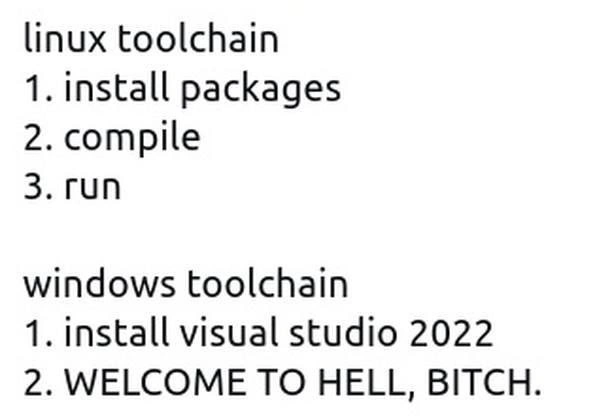
linux toolchain

  1. install packages
  2. compile
  3. run

windows toolchain

  1. install visual studio 2022
  2. WELCOME TO HELL, BITCH.

The meme sets up a parallel between two development workflows (essentially the process of getting code from source to running program) on two platforms: Linux vs Windows. The Linux side is presented as a tidy 3-step procedure:

  1. Install packages – i.e. use the package manager to get the necessary tools and libraries.
  2. Compile – use the compiler/build tool to compile the code.
  3. Run – execute the compiled program.

It’s so straightforward it’s almost synoptic. If you’ve lived in the Linux world, this is everyday stuff: e.g. you might run sudo apt-get install build-essential (that’s step 1: get the GCC compiler, make, and other basics), then gcc myprogram.c -o myprogram (step 2: compile), then ./myprogram (step 3: run it). Three simple commands and you’re done. The Linux toolchain is portrayed as simple and linear. It implicitly assumes the developer is comfortable with the command line and knows which packages to install, but once you do, the flow from source code to execution is direct. There’s a sense of clarity and minimalism here – you only did exactly what was needed: got the tools, built the code, ran it.

Now the meme’s second half – the Windows toolchain – is where the humor goes for a punchline twist. It starts similarly with a step 1: “install Visual Studio 2022.” That alone is telling: the equivalent of “install packages” on Linux is, for Windows, “install one giant package (Visual Studio) that itself contains all packages”. Step 1 on Windows isn’t “install a compiler” or “install a toolchain,” it’s install the mother of all development environments. Already any dev with Windows experience is smirking (or groaning) because they recall what that entails: downloading the Visual Studio Installer, selecting from a smorgasbord of SDKs and workloads (oh, you just wanted to compile C++? Better know which checkboxes to tick among .NET development, Desktop development with C++, UWP, game development, etc.), and then waiting as it downloads gigabytes upon gigabytes of components. Visual Studio 2022 in full fat form can easily exceed 20-30 GB of disk space once installed. It’s a running joke that installing VS is something you do before a lunch break (or an entire afternoon off). So step 1 for Windows is already a Gauntlet: “install Visual Studio 2022” is not a single quick action – it’s shorthand for a potentially long, arduous setup process.

Then we get to step 2 on the Windows list: “WELCOME TO HELL, BITCH.” – written in all caps for that extra comedic aggression. This is both startling and hilariously relatable to seasoned developers. Why? Because instead of listing a logical step 2 like “compile” (which you’d expect to mirror the Linux side), it just screams a profanity-laced greeting as if the toolchain itself were a demon pulling you into the underworld. The contrast is the joke:

  • On Linux, step 2 was innocuous – “compile.” On Windows, step 2 isn’t “compile,” it’s effectively “everything after installation is an endless nightmare.” The meme implies that the very moment after you install Visual Studio, you’ve basically entered Hell.

That line encapsulates years of shared developer frustration with the Windows development experience:

  • It hints at Visual Studio’s notorious complexity and bloat. After installing, you often face a labyrinth of additional configuration: set up your project, adjust MSBuild configurations, maybe install the correct Windows SDK version, deal with environment variables (ever had to run “Developer Command Prompt for VS” to compile something? That’s the kind of arcane step newbies get stuck on).
  • There’s a phenomenon we lovingly call “DLL Hell” on Windows (when incompatible versions of libraries conflict) and “dependency hell” in general. The meme riffs on that concept by labeling the entire Visual Studio environment as a form of hell. You’ve installed the beast, and now you will be tormented by it – be it endless project settings, mysterious error dialogues, or the classic “works on my machine” but fails on a colleague’s because of slightly different VS configurations.
  • The phrase “WELCOME TO HELL, BITCH” is obviously not something Visual Studio literally says (thankfully Microsoft’s UX designers stop short of demonic insults!), but it personifies the experience. It’s as if the Windows toolchain itself is shouting this at the developer, acknowledging how overwhelming and painful it can feel. It’s a crude, exaggerated way to say: “Congrats, you’ve installed Visual Studio. Things are about to get ridiculously complicated!”

Many veteran developers chuckle (or groan) at this because they’ve lived it: - When you fire up Visual Studio for the first time, you’re often greeted by an ocean of options and maybe a demand to sign in or update something. Not exactly a welcoming, lightweight vibe. - Need to compile a simple open-source C project on Windows? First you might have to either install Visual Studio or at least the standalone Build Tools, set up the PATH, possibly install CMake or figure out MSVC project files... By the time you’re ready to compile, you’ve navigated config menus and waited on installers longer than the compile itself would take. - MSBuild configuration headaches are real: you might spend hours tweaking project properties (Debug vs Release builds, x64 vs x86 platform toolsets, runtime library flags, etc.) which is madness if you’re used to just typing gcc -O2 and calling it a day. The meme condenses all that post-install anguish into a single hellish “step 2.”

The stark minimal text style of the meme (plain monospace text on white) almost mimics a readme or an instruction list, which adds to the humor. It’s like reading official instructions that took a sharp turn into candid honesty. We often joke in teams, “Step 1: do X, Step 2: ???, Step 3: profit”. Here it’s, “Step 2: welcome to hell”, implying everything after step 1 is essentially one big painful blur. It resonates especially with those who have:

  • Struggled with Visual Studio’s enormous installation process. (If you’ve ever seen the Visual Studio Installer estimate “2 hours remaining” or eaten up your SSD space, you know the pain.)
  • Dealt with SDK sprawl – e.g., “Oh, you want to target Windows 10? Download this 6 GB Windows 10 SDK. Now you want .NET 6? There’s a separate 100 MB package. Oops, your project needs the older .NET 4.8 targeting pack too. Better install that. And the C++ v142 toolset for binary compatibility…” – it never seems to end. Welcome to hell, indeed.
  • Fought with MSBuild and Visual Studio project files. Maybe the code compiled fine on Linux with a simple makefile, but on Windows you’re staring at a cryptic error MSB8020 or LNK1104 about some missing library, and you’re digging through stackoverflow answers about editing <TargetPlatformVersion> in your .vcxproj. It’s enough to make a saint rip out their hair.

This meme also pokes at the general Developer Experience (DX) difference. Linux is often seen as developer-friendly in a low-level way: it gives you the raw tools and you have full control. Windows tries to be developer-friendly in a high-level way: giving you fancy UIs and wizards – but that can actually obscure what’s happening and lead to frustration when things don’t “just work.” The seasoned dev reading this knows that ease-of-use on the surface can conceal a mountain of complexity underneath. Visual Studio is powerful, no doubt – it’s a one-stop shop for editing, building, debugging, profiling, and even deploying. But that power comes with bloat (hence tags like visual_studio_bloatware). Many of us have joked that Visual Studio is so heavy that “it’s an operating system of its own” or “it’s the second thing you install after Windows, and it feels like installing Windows again.” 30 GB of stuff for writing code – let that sink in. Compare that to installing gcc and maybe a text editor which might be a few hundred MB at most. The difference is absurd when you think about it, and absurdity is comedy gold.

Another layer here is the cultural rite of passage. The meme implicitly says: to develop on Windows, you must go through this hellish ordeal (installing and dealing with Visual Studio). It’s almost gatekeeping humor: “welcome to hell, newbie, this is what we’ve all endured.” If you’ve been in teams where everyone groans about maintaining Visual Studio projects, or if you recall how your PC slowed to a crawl during an update to the latest VS 2022 version, you probably smirk and nod at this meme. It’s funny because it’s true enough – an exaggeration, sure, but not without basis. We’ve all seen that one colleague’s installation get corrupted or the dreaded situation of “works on my VS2019, but after upgrading to VS2022 nothing builds, and now we’re stuck in dependency/config hell until it’s fixed.”

The aggressive tone (“WELCOME TO HELL, BITCH.”) also carries a kind of cathartic honesty that seasoned devs appreciate. It’s the meme saying out loud what we’ve muttered under our breath at 2 AM when Visual Studio is still configuring something. There’s a shared camaraderie in that blunt phrase – like an in-joke, “Yep, Visual Studio got you too, huh? Welcome to the club (the club is hell).” It’s crass, but sometimes a sprinkling of profanity is exactly how developers bond over frustration (just check any dev Slack or Discord during a production outage – colorful language abounds, aimed at our tools, not people).

In essence, at the senior perspective:

  • The humor comes from stark contrast: Linux’s lightweight, transparent process vs Windows’ heavy, obscured process.
  • It satirizes the over-engineering and bloat: turning something as simple as compiling code into an ordeal.
  • It taps into the collective memory of fighting with Visual Studio: the endless progress bars, the configuration rabbit holes, the feeling that after installation you’re not at the finish line but standing at the entrance of a maze (hence “Step 2” being the gateway to hell).
  • It also slyly acknowledges that we keep doing this to ourselves. Why do we use something that feels like hell? Because, for better or worse, if you want to develop robust Windows applications, Visual Studio is the officially supported highway (and sometimes the only highway for certain tech stacks). The meme is a senior engineer’s eye-roll at this reality – we know it’s bloated, but it’s our cross to bear.

For those in the know, this meme is both a chuckle and a war-story trigger. We laugh, then quietly recall the time we had to reinstall Visual Studio from scratch because of one broken component and literally said, “well, here we go again – welcome back to hell.” It’s funny because it’s painfully, absurdly true. The next time you see someone start a fresh Windows dev environment and that Visual Studio progress bar kicks in, you might just welcome them with a wry smile: “See you in 3 hours… Welcome to the club.”

Level 4: Monolith vs Modular

At the highest technical level, this meme highlights a philosophical divide in software toolchain design. On one side, we have the Unix philosophy: use a set of small, modular tools that each do one thing well (the Linux approach). On the other, we have a monolithic, integrated system that tries to do everything under one roof (the Windows + Visual Studio approach). This isn’t just a random difference – it’s rooted in the way these operating systems and ecosystems evolved:

  • Linux/Unix Toolchain: Historically, Unix-like systems come with or easily support a suite of modular command-line tools. The OS itself was built by developers for developers – even the kernel is compiled with GCC or Clang. There’s a tradition that if you need to build software, you install a compiler (like GCC), maybe a build system (like make or CMake), and some libraries via a package manager. Each component is separate but designed to work together in a pipeline (think of the classic gcc -o myapp myapp.c && ./myapp). This is akin to a microservices approach in tooling: lots of little programs (compiler, linker, debugger, etc.) chained together. The complexity is distributed, and you only pull in what you need. The OS (especially distributions like Debian/Ubuntu) provides a package manager (apt, yum, etc.) to grab these tools quickly, resolving any dependencies automatically. This modularity reflects a “bazaar”-style ecosystem (to borrow ESR’s famous metaphor from The Cathedral and the Bazaar): chaotic yet flexible, where building software is usually just a matter of installing a few packages that snap into the existing system.

  • Windows + Visual Studio Toolchain: By contrast, Windows did not historically include a native compiler or build system for user applications. Developing on Windows meant obtaining a separate Integrated Development Environment (IDE) – and Microsoft’s Visual Studio became the flagship. Visual Studio is the Cathedral in this analogy: a towering, all-encompassing edifice. It bundles a C/C++ compiler (MSVC), a C#/.NET runtime, debuggers, editors, UI designers, build orchestrators, and a kitchen sink of other tools into one package. It’s integrated by design – all those pieces are tightly coupled under one massive installation. The advantage is supposed to be convenience (the IDE sets up everything for you); the trade-off is sheer complexity and size. Under the hood, Visual Studio uses MSBuild (Microsoft’s build system) with XML project files (.vcxproj, .csproj, grouped in .sln solutions) to manage compilation and linking. These projects abstract away the steps you’d normally do manually on Linux, automating them – but that automation comes at the cost of understanding (and sometimes fighting) MSBuild’s arcane logic when something goes wrong.

Fundamentally, the meme joking about a “three-step Linux” vs “two-step Windows (straight into hell)” is pointing at architectural complexity vs simplicity. The Linux pipeline leverages the OS’s minimalist, modular toolchain architecture – you compile and run with just what you need. In contrast, Windows’ approach with Visual Studio is an integrated monolith – it’s convenient once it’s set up, but getting to that point is a heavyweight affair. This is almost like comparing a microkernel vs monolithic kernel design, but in userland tooling: the micro-toolchain (Linux) versus the one big service (Visual Studio). Each approach has deep roots: Unix’s design philosophy of composability versus Microsoft’s strategy of providing an “all-in-one” proprietary environment. The humor arises because that all-in-one approach, meant to simplify, often introduces its own brand of complexity – the kind that scales not linearly but exponentially with each additional feature integrated. The meme exaggerates it to “Welcome to hell” because from a purist’s perspective, requiring a 30+ gigabyte, multi-hour installation just to compile and run code is an absurdly over-engineered path. This is essentially the cost of integration: Visual Studio’s unified experience is built on layers of compilers, SDKs, and tools glued together, whereas Linux’s experience is the sum of independent parts you assemble as needed.

In theoretical terms, we could say the Linux toolchain adheres to the principle of minimal necessary complexity – each step (install, compile, run) is explicit and the developer controls the flow. Windows’ Visual Studio embodies accidental complexity accumulated over years: backward compatibility for decades of Windows APIs, support for multiple programming languages (C++, C#, F#, Python, etc.), GUI everything, and an attempt to abstract away the nitty-gritty. All that means when you install Visual Studio, you’re not just getting a compiler – you’re essentially replicating a mini-universe of Windows development environment on your machine. It’s a “one IDE to rule them all” scenario (to reference Tolkien): powerful, yes, but heavy and potentially perilous. The meme’s hellish welcome sign wryly hints at computer science reality: there’s no free lunch. By bundling every possible tool and feature into one giant package, Visual Studio confronts you with complex configuration spaces (MSBuild properties, SDK versions, environment variables, toolchain selections for each project) – a stark contrast to the straightforward “get what you need and go” flow on a Linux CLI.

From an operating systems perspective, this contrast is almost inevitable. Linux’s open ecosystem encourages the development of simple, interoperable tools (thanks to POSIX standards and community-shared libraries). Windows, being a closed-source commercial OS, ended up with a proprietary development stack that had to cover all bases itself. In the absence of a built-in package manager (at least historically, before things like winget or Chocolatey became add-ons), the Visual Studio installer became the de-facto package manager for Windows development – pulling in everything from Visual C++ runtimes to .NET frameworks. It’s essentially a massive dependency bundle. Where Linux’s apt-get might pull in a few kilobytes or megabytes of metadata and then a few hundred MB of tooling, Visual Studio’s installer pulls in tens of gigabytes of SDKs and tools. The meme’s hyperbole of “WELCOME TO HELL” underscores a truth: the integrated Windows toolchain violates the principle of least astonishment for those used to simpler systems. It feels like overkill – like using a nuclear power plant to brew a cup of tea – and yet for many scenarios (especially in enterprise Windows development), it’s the standard.

In summary, at this deep level, the meme cleverly exposes a kind of cultural and technical schism: modularity vs integration, minimalism vs bloat, Bazaar vs Cathedral. It’s poking fun at the inevitable complexity that arises when you choose a monolithic approach to software development tools. The humor resonates because any seasoned engineer knows that behind Visual Studio’s slick UI lies an enormously intricate system – one that embodies decades of design trade-offs and accumulated legacy. When you double-click that 𝘷𝘴_𝘪𝘯𝘴𝘵𝘢𝘭𝘭𝘦𝘳.𝘦𝘹𝘦, you’re effectively choosing to dive into a technical rabbit hole where convenience and complexity are two sides of the same coin. The meme just strips it down to the stark truth: sometimes the “easy” way (GUI point-and-click) leads you into a labyrinth of its own. And if you’re a fan of elegant, minimal systems, witnessing that can indeed feel like a little trip through the underworld.

Description

White background meme with plain black monospace text. Top block reads: "linux toolchain" followed by a numbered list: "1. install packages", "2. compile", "3. run". After a blank line, second block reads: "windows toolchain" with list items: "1. install visual studio 2022" and "2. WELCOME TO HELL, BITCH." - the last line is fully capital-lettered for comedic aggression. Visually minimal yet highlights stark contrast: Linux development perceived as straightforward CLI package install, compile, execute; Windows workflow caricatured as enormous IDE install leading to complexity, bloat, and configuration purgatory. Resonates with senior engineers who have wrestled with MSBuild configurations, SDK workload sprawl, and 30-GB installers versus a simple `apt-get build-essential && make` flow


Comments

92
Anonymous ★ Top Pick Linux: `sudo apt install build-essential && make`; Windows: “First, reserve a weekend for the Visual Studio installer to finish, then debug why MSBuild thinks x64 is an exotic architecture.”
  1. Anonymous ★ Top Pick

    Linux: `sudo apt install build-essential && make`; Windows: “First, reserve a weekend for the Visual Studio installer to finish, then debug why MSBuild thinks x64 is an exotic architecture.”

  2. Anonymous

    After 20 years in the industry, I've learned that Visual Studio's installer size is inversely proportional to your will to live, while its dependency graph complexity rivals the observable universe's entropy - and somehow, you'll still need to manually configure environment variables like it's 1995

  3. Anonymous

    The real difference isn't the three steps versus two - it's that Linux's step 1 takes 30 seconds with apt/yum/pacman, while Windows' step 1 involves downloading 8GB of Visual Studio, wrestling with Windows SDK versions, configuring MSBuild paths, debugging why vcpkg won't find your libraries, and questioning every life choice that led you to need native Windows compilation. By the time you reach step 2, you've already experienced the five stages of grief and discovered three new ways CMake can fail on Windows

  4. Anonymous

    Windows: where cl.exe is easy to install and impossible to find; LNK2019 is just MSBuild’s love language

  5. Anonymous

    Linux: O(1) setup time. Windows VS installer: Amortized over your career in reboots

  6. Anonymous

    Cross‑platform standup: "Support Windows?" Sure - after a 3GB installer, finding cl.exe in the Developer Prompt, picking the right v143 toolset/SDK, and scheduling an LNK2019 exorcism

  7. @sylfn 1y

    windows toolchain: ziglang.org

  8. @RiedleroD 1y

    2022 is a bit modern, I remember having to install 2016 and 2010, even for modern software and god forbid I install a slightly wrong version

  9. dev_meme 1y

    windows toolchain: winget install LLVM.LLVM # compile # run

    1. @deadgnom32 1y

      LLVM.LLVM 🌚 why not org.LLVM.LLVM.package.distribution?

  10. dev_meme 1y

    better windows toolchain: wsl 1. install packages 2. compile 3. run 😁

    1. @Valithor 1y

      Except it doesn't support POSIX so if you need signals for anything you're fucked

      1. dev_meme 1y

        Source?

        1. @Valithor 1y

          Windows/Unix documentation

          1. dev_meme 1y

            And how does this relate to the WSL2? 🤨

            1. @Valithor 1y

              I'm a ReactPHP dev. It doesn't support the proper POSIX.2 signals under either WSL1, WSL2, or Windows directly so basic functionality doesn't work. Things like child processes and sigterm are completely unavailable.

              1. dev_meme 1y

                Can't you just install the PHP inside WSL completely? Or use Docker for PHP (in WSL or not)? I'm not a PHP dev so can't relate, but want to investigate 😁

              2. dev_meme 1y

                Gotcha. Signals and related APIs for your tasks exist inside WSL2 only, but if you run PHP directly on Windows it lacks support for POSIX features and interaction between Windows and WSL, which introduces inconsistencies (?). So, it's possible for you to use PHP directly in WSL2, but it doesn't address your concern because the problem is all about the POSIX-compliant process handling... You may be technically correct here

              3. dev_meme 1y

                Something's off... That should literally not be true. If you work entirely inside the WSL2 environment, your ReactPHP applications should function without any issues because the WSL2 kernel is fully POSIX-compliant, shouldn't they? However, if you're trying to interact between Windows (which lacks POSIX compliance) and WSL2, then of course you would run into problems. Am I wrong here? Could you elaborate?

                1. @Valithor 1y

                  There many showstopping issues, you should start looking into the compatibility issue for https://github.com/reactphp/child-process and it'll quickly open the door to the others

                  1. dev_meme 1y

                    🤔

                    1. @Valithor 1y

                      The notes are incorrect. Clue states in the issues that he does not develop on Windows

                      1. dev_meme 1y

                        I’m not a PHP dev, so I can’t verify the points you’re making. Therefore, I’ll trust your expertise. Let’s leave it at that. Thank you for the information!

      2. dev_meme 1y

        WSL2 literally runs a real Linux kernel inside a lightweight VM

  11. @Art3m_1502 1y

    In vscode they even added "code" at the end to indicate that the IDE is now actually suitable for development

    1. @ZgGPuo8dZef58K6hxxGVj3Z2 1y

      Its not tho 😭💀 vscode is absolute shit and only suitable for web dev stuff

      1. @x4erem6a 1y

        What's wrong with vscode?

        1. @ZgGPuo8dZef58K6hxxGVj3Z2 1y

          Everything

          1. @TheFloofyFloof 1y

            At least it's not vim

  12. @Tnam0rken 1y

    You forgot about NET. Framework vX.Y🙃

    1. @RiedleroD 1y

      god I hate .NET

      1. @imfreetodowhatever 1y

        .Net is heluva drug🤓 C - shoot urself in the foot C++ - blow your head off C# - murder your entire company with interop Also: C union [StructLayout(LayoutKind.Explicit, Size = 8] public struct AUnion { [FieldOffset(0)] public int x; [FieldOffset(0)] public double y; } Not even the latest VS will hint to this struct's consumer what is up

        1. @ZgGPuo8dZef58K6hxxGVj3Z2 1y

          This is because you have to exchange parameters between managed and unmanaged code. There are conventions in compilers how this is done. .NET is managed and uses it own conventions (MSIL) like many other managed languages. There are many advantages to why. In order to be able to do fancy things and call CLI functions you can use attributes in code to hint the .NET Interop class how it should align managed type's values to be passed to the cli function.

          1. @imfreetodowhatever 1y

            Umm...ikr? (If i did not know that then i wouldn't be able to write that struct that is packed like a C union)

        2. @ZgGPuo8dZef58K6hxxGVj3Z2 1y

          Then I dont get this reference? Whats missing?

  13. @hy60koshk 1y

    Well, if VS and NET is hell for the author... what a nightmare should be java for him then?

    1. @Art3m_1502 1y

      Java has Intelij IDEA

      1. @hy60koshk 1y

        yep, so I can wait 2 sec lag after each key input, thanks.

        1. Mario 1y

          Buy a better cpu

          1. @RiedleroD 1y

            yeees, partake in consumerism

            1. Mario 1y

              The only way not to is to buy a risc-v cpu

              1. @RiedleroD 1y

                wha? that's still consumerism

                1. @RiedleroD 1y

                  I mean, less of it is going to some rich assholes, but still

                2. Mario 1y

                  That's open source at least. What's your solution, NOT having literally anything?

                  1. @RiedleroD 1y

                    yep. go to the woods. pick up a frog. a great time for everyone!

        2. @qtsmolcat 1y

          Never had that problem, even in a 6th Gen U series intel

      2. @TheRamenDutchman 1y

        And NET has Rider And Python has PyCharm And Rust has RustRover And...

    2. @RiedleroD 1y

      java is a hell I don't want to be trapped in ever again and I'm saying that as my current main job is writing object-oriented php

      1. @hy60koshk 1y

        my condolences

  14. @deadgnom32 1y

    still meaningless repetitions. is there another LLVM package?

    1. @kvassilisk 1y

      Clangd

      1. @deadgnom32 1y

        are there two clangd packeges?

        1. @kvassilisk 1y

          I think on Winget clangd is llvm.clangd and all the other stuff is llvm.llvm

  15. @deadgnom32 1y

    and they have no name collisions on any other system, but have to be placed inside of a namespace for some reason.

  16. dev_meme 1y

    LLVM can be installed with winget with just winget install llvm, he's true. it's my own thing to use the full package ID when installing something with winget. that's all

  17. @ognotme 1y

    \

  18. @Valithor 1y

    You do not understand what POSIX is if that's your argument, please Google first

    1. dev_meme 1y

      Bruh

  19. @Valithor 1y

    WSL2 is a VM running a Linux kernel, not POSIX compatibility for Windows

    1. dev_meme 1y

      Ofc it's not. So what?

  20. @Araalith 1y

    Linux toolchain 1. Install packages (3 days later....) 2. compile..

    1. @sylfn 1y

      dial-up or gentoo? why so long...

      1. @Araalith 1y

        If we are talking about Gentoo - forget what I said about 3 days. It can take much more...

        1. @andrei_nik_kolesnikov 1y

          just put a nix on top of it :)

        2. @andrei_nik_kolesnikov 1y

          also, binary cache exists now, if you don't want to tweak your USE flags

  21. @perunvolk 1y

    This is why I code in assembly

    1. @sylfn 1y

      which one

    2. @purplesyringa 1y

      I still have no idea how to compile assembly on Windows

      1. @purplesyringa 1y

        Do I just use nasm?

      2. @sylfn 1y

        step 1. open browser step 2. google "how do i replace windows with linux"

        1. @purplesyringa 1y

          that usually requires admin privileges 😬

          1. @sylfn 1y

            you dont need admin privileges if you can just switch the drive

            1. @purplesyringa 1y

              okay, I still need physical access

              1. @purplesyringa 1y

                that doesn't tend to work well when writing malware 🙂

              2. @sylfn 1y

                well then use https://lekkit.github.io/test/index.html

                1. @purplesyringa 1y

                  the fuck is this

                  1. @purplesyringa 1y

                    jesus...

                    1. @purplesyringa 1y

                      is that wasm?

                      1. @purplesyringa 1y

                        wow

                  2. @sylfn 1y

                    RVVM on WASM demo

                2. @RiedleroD 1y

                  nahh why do they remap the keyboard layout 💀

                  1. @sylfn 1y

                    direct input

  22. @perunvolk 1y

    Requires only a notepad (optional) and working computer

  23. @TheRamenDutchman 1y

    Also, Windows toolchain: 1. Google the installer 2. Click the right link, avoid clicking on links that pose as your tool but are malware 3. Run the installer, be hand-held tough a long, tedious process. 4. While going through, make sure to (un)-check any boxes that would lead it to install malware along your tool 5. Restart your computer. Don't ask, just do it. Windows might need to update for 20 mins too 6. Your tool is most likely installed, you may need to open a terminal to add it to PATH

    1. @leandrofriedrich 1y

      what does any of this mean

    2. @purplesyringa 1y

      I wouldn't expect that to be a thing on developer-oriented software

      1. @purplesyringa 1y

        Are you speaking from experience or parroting a meme?

        1. @leandrofriedrich 1y

          Probably

  24. @TheRamenDutchman 1y

    Man, Linux is easier to install software on

  25. @ZgGPuo8dZef58K6hxxGVj3Z2 1y

    HAHHAHAHAHAHAHA

  26. @MrZarei 1y

    VS is definitely the best

  27. Mario 1y

    And consumerism isn't bad

Use J and K for navigation
