Skip to content
DevMeme
364 of 7435
The 'git blame' monkey puppet: an evening edition
VersionControl Post #423, on Jun 3, 2019 in TG

The 'git blame' monkey puppet: an evening edition

Why is this VersionControl meme funny?

Imagine a group of kids playing in a room. There’s a fresh batch of cookies on the table. The teacher leaves for a moment, and when they come back, one cookie is missing and there are crumbs on the floor. The teacher says, “Alright, who ate the cookie?” and starts looking for clues. Now, there’s one little kid who did sneak a cookie. As soon as they hear the teacher’s question, their eyes go wide and they start looking nervously to the side, hoping not to be caught. They might even have a few crumbs on their shirt, and they know the teacher is about to figure out it was them. That nervous, guilty-looking kid – that’s basically the junior developer in this meme.

In the world of coding, Git is like a security camera or a detective’s toolkit for the project’s code. It records who made each change (kind of like keeping track of who took a cookie). When something goes wrong in the code (the cookie is missing), a senior developer acts like the teacher or parent and uses Git’s special command called git blame to find out who did that specific change (who took the cookie). It literally tells them the name of the person who last changed that part of the code. The meme shows the senior saying they’re running this command, and the junior developer reacting just like the guilty kid – big eyes, sweating, thinking “uh-oh, I’m about to be found out!”. It’s funny because we can all picture that situation: whether it’s cookies or code, nobody wants to be the one caught making the mistake. The junior isn’t a bad kid; maybe they just made a little mess in the code. But the moment of waiting to see if the “parent” will discover it was them is super relatable and a little comical. Just like a classic cartoon scenario where a character gets caught red-handed with crumbs on their face, here the junior developer is caught by the computer telling on them. The joke reminds us of that anxious “Please don’t let it be me” feeling when you know you might have messed up and someone is about to find out.

Level 2: Name and Shame

Let’s break down what’s happening in simpler terms. Git is a popular tool that software developers use for version control – a way to track and manage changes to code over time. Think of Git as a giant save-history for your project, where every change is recorded with the author’s name and a timestamp. One powerful (but scary-sounding) command in Git is git blame. Despite the ominous name, git blame simply shows you who last edited each line of a given file and in which commit. It’s like turning on “track changes” in a Word document, but for code and after the fact. Developers use git blame when they want to understand the history of a specific piece of code – often when something goes wrong. For example, if a program started crashing because of a certain line, you can blame that file to see “Ah, John Doe changed this line 3 weeks ago in commit 6f3a2c, message: ‘Quick hotfix’.” Now you know who might have context about the change.

Here’s roughly what running git blame might look like in practice:

$ git blame server.js -L42,+1    # show who last modified line 42 of server.js
^4a6c02f (Alice 2023-10-05 15:00:47 -0400 42) result = 1/0  // FIXME: This might break things

In this made-up example, the output tells us that line 42 of server.js was last changed in commit 4a6c02f by Alice on Oct 5, 2023, and interestingly the code sets result = 1/0 with a comment “FIXME: This might break things”. 🤦‍♂️ The tool is literally pointing to who wrote the problematic line (Alice, hope she’s ready to explain that division by zero!). That’s Git blame – it finds the culprit commit for each line.

Now, why does the meme call it the “dreaded” git blame command? In a healthy team, using git blame isn’t about shaming anyone; it’s about getting information. But for junior developers who are new and still gaining confidence, it can feel very personal. The meme highlights a situation every junior dev can relate to: The Senior Developer decides to run git blame to see who wrote a suspicious piece of code, and the junior developer realizes it might have been them. Suddenly, that junior imagines their name popping up on that line, and their stomach drops. It’s like your teacher announcing they’re going to check the homework assignments for cheating – and you’re anxiously thinking, “Uh oh, did I do something wrong?” This feeling is what we mean by code ownership anxiety. You “own” that code change, and if it’s faulty, you worry you’ll be in trouble or judged for it.

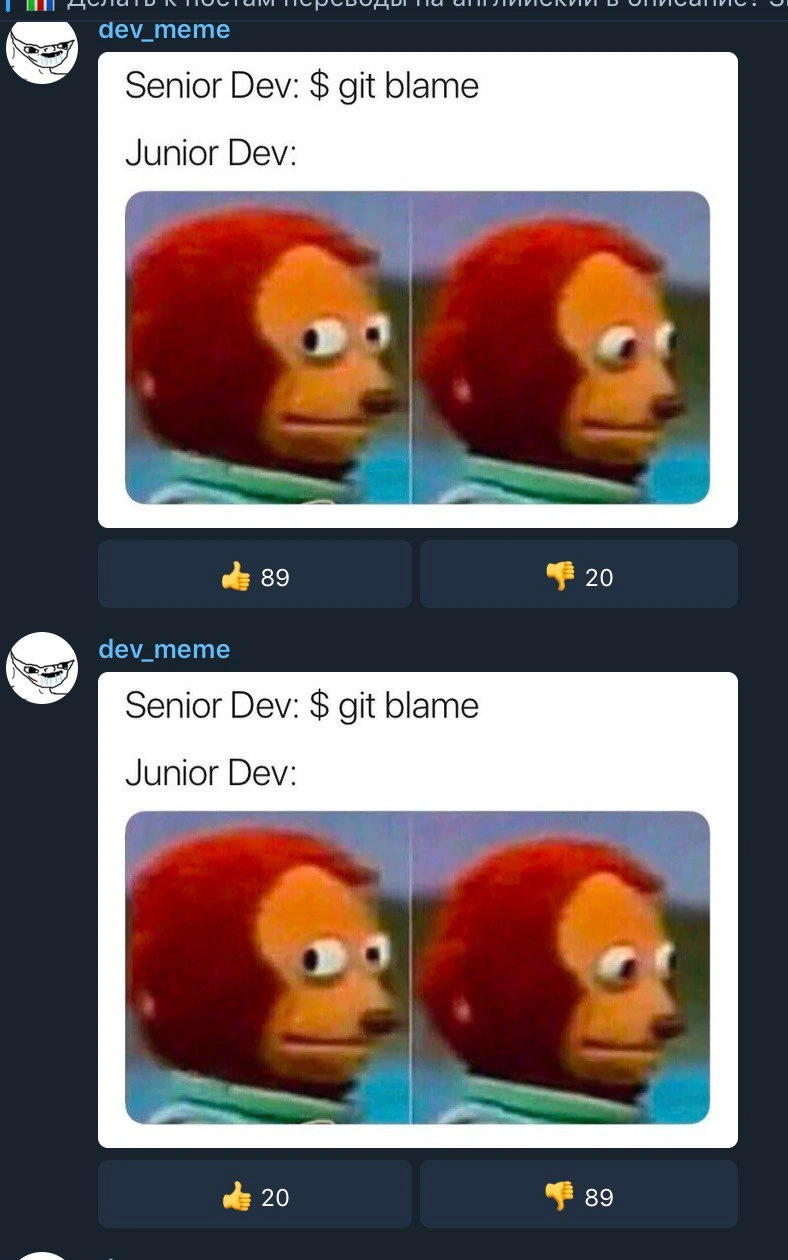
The image used to represent the junior developer’s reaction is a well-known side-eye monkey puppet meme (picture a puppet with bulging eyes looking to the side in panic). This image is an internet-famous way to wordlessly show shock or guilty awkwardness. In the meme text, it’s formatted as:

Senior Dev: $ git blame
Junior Dev: [nervous wide-eyed monkey face]

No words from the junior are even needed – the look says it all: “Please don’t find out it was me.” This captures the junior’s fear of being identified as the one who wrote the buggy code. It’s a lighthearted take on the Senior vs Junior Developers dynamic: the senior is seen as someone with authority or at least the person doing code forensics, and the junior is the one secretly sweating.

Why is this funny and not just scary? Because it’s developer humor playing on an exaggeration. In real life, a good senior engineer doesn’t run git blame to punish anyone; they do it to trace issues and learn history. Often they’ll use it to ask “Hey, I saw you worked on this part, can you help me understand it?” However, as a new developer, it’s easy to assume the worst – that you’re about to get blamed (in the ordinary sense) for messing up. The meme exaggerates that paranoia for comic effect. It’s funny to experienced folks because we remember being in those shoes, and it’s a “It’s funny because it’s true!” moment. Pretty much every dev has that first experience of breaking something and dreading the moment your team finds out you wrote the guilty line. This meme takes that common experience and puts it in a quick visual joke.

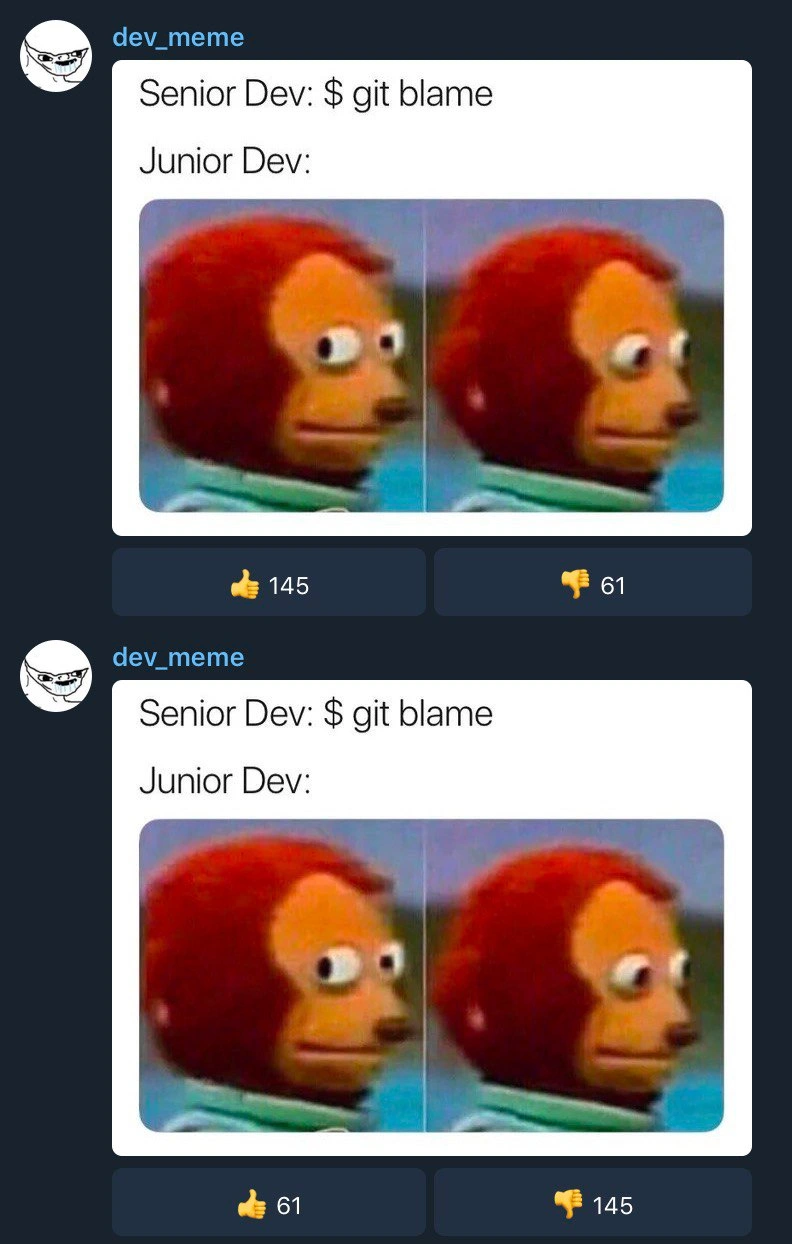
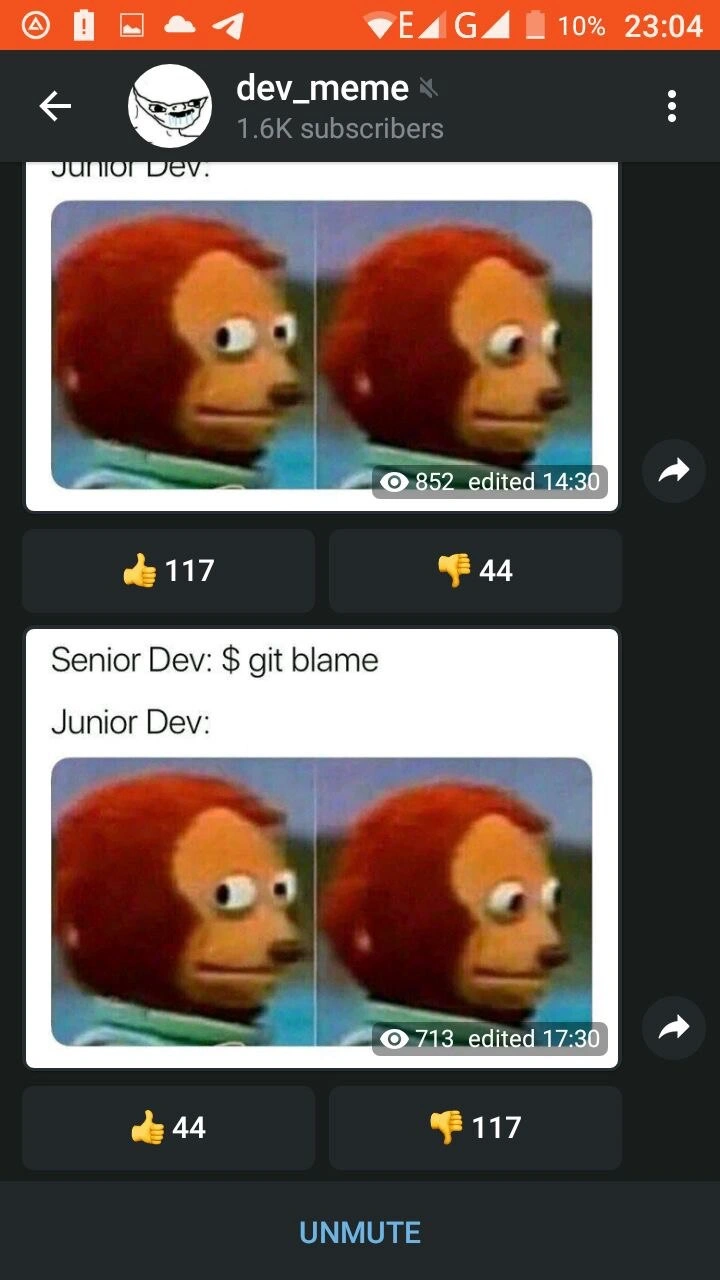
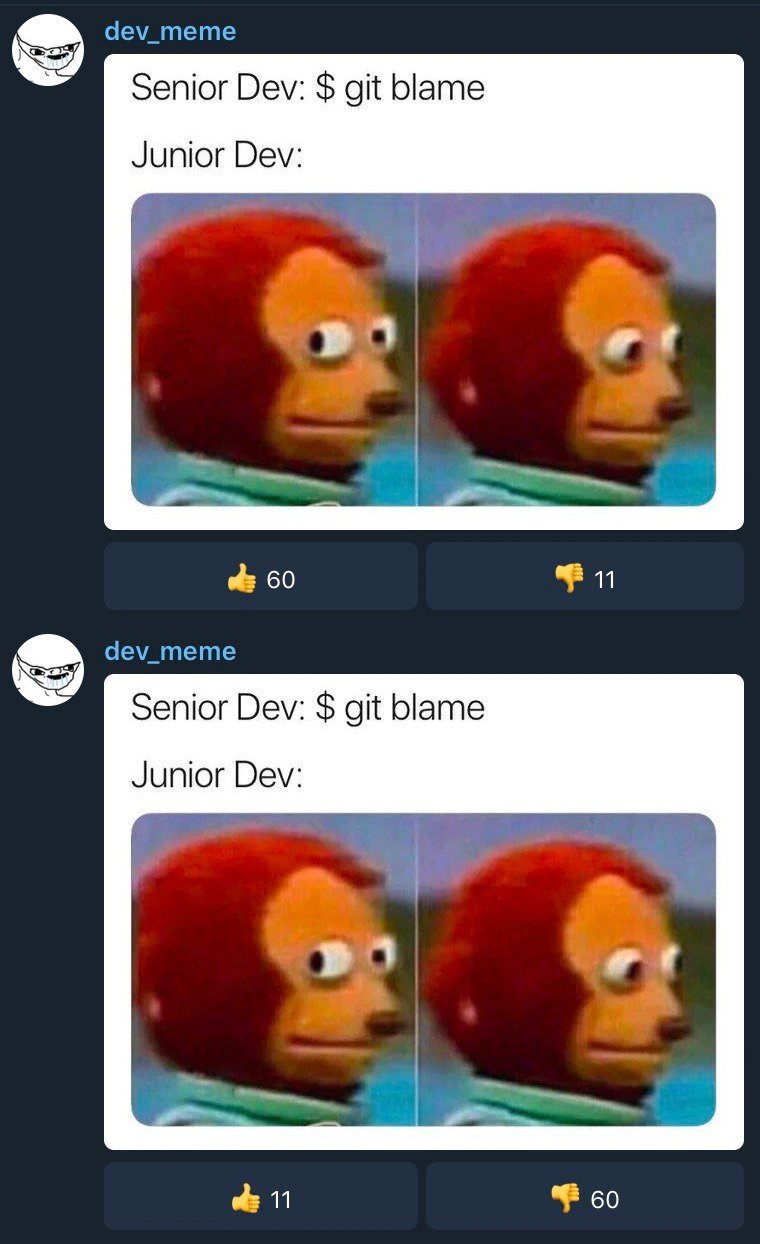
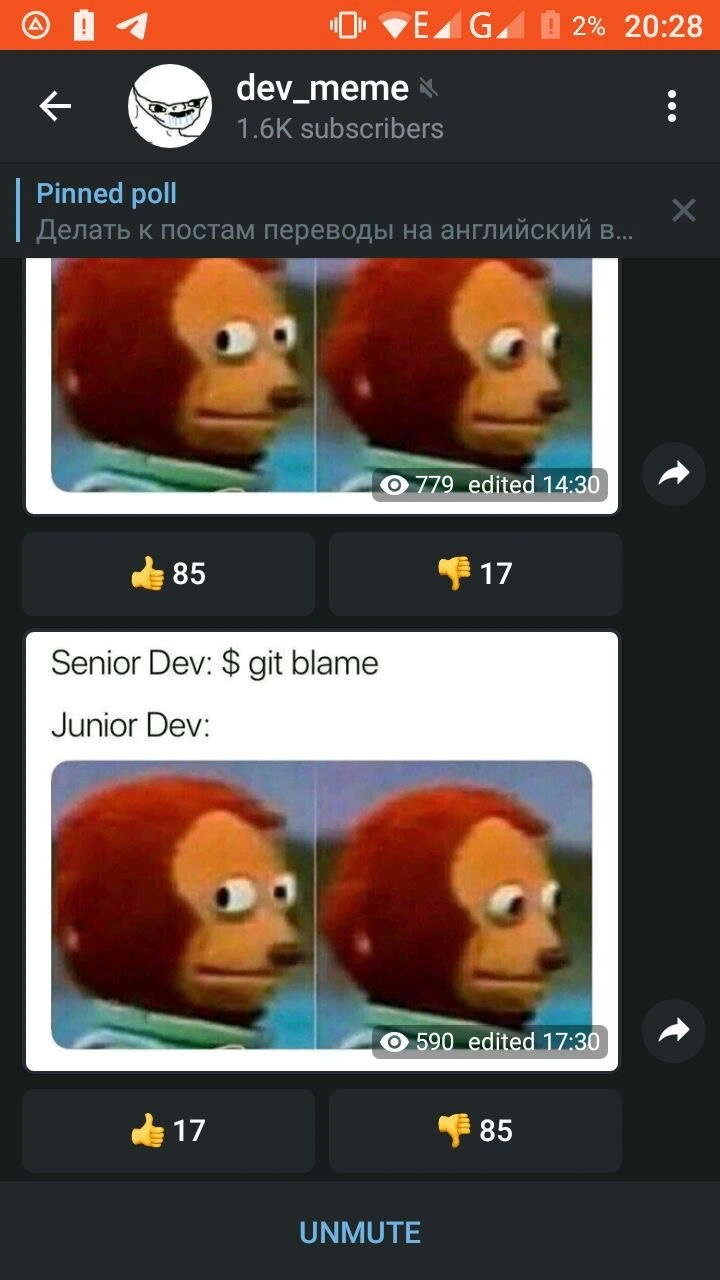
There’s even another layer in the meme’s presentation: it’s shown as a screenshot of a Telegram channel (dev_meme) with two identical posts of the meme one above the other. It looks like the meme was accidentally posted twice (same caption, same image). You can see underneath each post there are reaction counts – the first posting has a lot of 👍 upvotes and some 👎 downvotes (117👍, 44👎), and the second posting has the reverse (44👍, 117👎). View counts (852 vs 713) and edit timestamps also differ slightly. This detail isn’t essential to the joke, but it’s a fun bit of context. The community clearly liked the meme the first time (positive ratio), but when it showed up again, people were like “We’ve seen this already” – hence the surge in downvotes on the duplicate. It’s a bit meta: even the act of posting the same content twice got “blamed” by the viewers! In a way, the channel admin got their own taste of git blame from the subscribers: the audience “caught” the duplicate post and responded negatively, which mirrors how repeating a mistake in code might draw ire. It’s a playful real-world parallel to the idea of getting blamed for a repeat commit or duplicate code.

In summary, this meme and its caption “Senior Dev: $ git blame; Junior Dev: [nervous puppet]” lampoon a common scenario in programming teams. It uses a simple image and command to tell a tiny story: Version control tools like Git keep a history of who changed what; when something goes wrong, people go digging in that history; and if you’re a newbie who possibly introduced a bug, that digging session can feel like the Spanish Inquisition (and as the joke goes, nobody expects the Spanish Inquisition!). But here, everyone knows the punchline: the junior was probably the last to touch that code, and their face says it all. It’s both a cautionary tale (write good code, test it, and you won’t have to fear blame) and a cheeky nod that making mistakes is part of learning – one day you’re the nervous junior, and later you might be the one calmly typing git blame to track down an issue. And when that day comes, you’ll likely remember this meme and smile.

Level 3: The $ git blame Game

Experienced developers recognize this scenario instantly. The humor comes from the Git version control tool’s ironically named command git blame and the all-too-human reaction it provokes. In a software team, running git blame on a file shows line-by-line commit history – essentially pointing a finger at who last edited each line of code. It’s a powerful feature for debugging and accountability: if a bug crept into line 256 of app.js, git blame will reveal which commit (and which developer) last touched that line. In theory, it’s just data, but in practice it can feel like a spotlight of shame.

In this meme, a Senior Dev types $ git blame in the terminal, initiating what amounts to a code investigation. The Junior Dev’s response is depicted by the famous wide-eyed side-eye puppet meme (an orange monkey-like puppet turning awkwardly to the camera). This two-panel puppet image is an internet staple for “I’m caught in an uncomfortable situation” vibes. Here it perfectly captures code ownership anxiety: the junior developer’s silent “uh-oh… please don’t let it be my code” moment. The joke nails a Relatable Developer Experience – practically every programmer, especially in their junior years, has felt that jolt of panic seeing a senior scrutinize version history to find who introduced a bug. It’s the software engineering equivalent of hearing “Who broke the build? We’re about to find out…” and suddenly remembering that last untested commit you pushed on Friday.

Why is this so funny (and painful)? The term “git blame” itself sets the stage. Unlike more neutral commands (git log or git annotate), the word “blame” injects a sense of accusation. It hints that someone did something wrong. Modern DevOps culture preaches blameless post-mortems – focusing on fixing systems rather than faulting individuals – yet here we are with a core tool literally designed to assign blame line by line. The meme pokes fun at this contradiction. The senior developer’s use of the blame tool implies “Alright, time to find the culprit”. The junior’s frozen, side-eyed expression says “Oh no, I am the culprit”. It’s a comical clash between Senior vs Junior Developers roles: the senior often being the investigator or mentor (or enforcer) and the junior feeling like the nervous apprentice who might’ve messed up.

Many seasoned devs will chuckle because they’ve been on both sides of this. As a junior, you might dread code reviews and blame lookups, feeling like any mistake will stamp your name in the commit history hall of shame. As a senior, you know that bugs are inevitable and blame is usually about understanding context, not public shaming – but juniors don’t know that yet. The very design of git blame can inadvertently encourage a “name and shame” dynamic if used without tact. Ideally, a senior running blame is looking for responsibility so they can reach out to the right person to discuss a fix (or understand why the code was written that way). But to a junior with a serious case of impostor syndrome, it absolutely feels like your name is about to be broadcast as “the one who broke things.” The meme distills that fear into one picture: the junior like a deer in headlights, pretending everything is fine while internally screaming.

There’s also an inside joke here: developers often note that nobody runs a hypothetical git praise when things work, but git blame is ready when things go wrong. The meme’s popularity (evidenced by the Telegram channel’s subscriber count and the initial 👍 117 to 👎 44 reaction ratio) shows this scenario strikes a chord. We laugh because we’ve all scrambled to double-check our recent commits when someone announces, “I’m going to see who wrote this…” The dual-post Telegram screenshot even adds a meta-layer of humor. The meme appears to have been posted twice in the dev_meme channel (perhaps a versioning accident or an attempt at a remix), with the second post showing the opposite reaction ratio (👍 44 to 👎 117). It’s as if the community itself performed a little git blame on the repost – rewarding the first and playfully downvoting the duplicate. Think of it as the audience saying, “We saw this joke already – time to blame the channel admin for duplicate content!” In true version control fashion, the second posting was “edited” later (as noted by the Telegram timestamps 14:30 vs 17:30), akin to an unnecessary second commit that readers weren’t too happy about. This meta detail riffs on the idea of duplicate commits or repeating mistakes: do it once and everyone’s amused, do it again and you’ll get blamed for spamming.

All these layers make the meme rich with developer humor. It encapsulates the tension in code collaboration tools: Git is an amazing VersionControl system tracking every change (with commands like git log, git diff, and yes, git blame), but the human side of that transparency can be both a blessing and a curse. Accountability is great, but nobody enjoys being on the hook for a bug. Especially when you’re new, seeing your name highlighted in the repository’s history for a broken line feels like being called to the principal’s office. This meme brilliantly turns that common situation into a visual gag. It’s funny because it’s true – and every dev who’s been the nervous junior or the disappointed senior can relate, laugh, and maybe git blame themselves for ever feeling scared in the first place.

Description

This is a mobile screenshot of a social media feed from the channel 'dev_meme', which has 1.6K subscribers. The phone's status bar shows the time as 23:04 and the battery at 10%. The main content is a popular developer meme about the 'git blame' command. The meme's text says 'Senior Dev: $ git blame' and 'Junior Dev:', followed by the two-panel 'Awkward Look Monkey Puppet' image, where the puppet looks forward and then nervously to the side. The post shows view counts and reactions. This meme humorously captures the intense anxiety a junior developer might feel when a senior developer investigates the history of a file, likely to find the source of a bug. For seasoned developers, it's a nostalgic and relatable look at the universal fear of having one's less-than-perfect code scrutinized
Comments

7
Anonymous ★ Top Pick My first pull request was so bad, 'git blame' just returned my therapist's phone number
  1. Anonymous ★ Top Pick

    My first pull request was so bad, 'git blame' just returned my therapist's phone number

  2. Anonymous

    That moment the principal engineer runs `git blame` on the 30-k-line utils.c you auto-formatted yesterday - congrats, you’re now the author of every 2007 workaround in prod

  3. Anonymous

    The voting pattern perfectly captures how we all remember being that junior dev who git blamed themselves at 2 AM, found their own name, and quietly closed the laptop to contemplate a career in woodworking

  4. Anonymous

    The beauty of `git blame` is that it's the great equalizer - whether you're a junior dev panicking about that hacky fix from last sprint or a senior architect nervously remembering that 'temporary' workaround from 2019 that somehow made it to prod, everyone gets the same monkey-puppet-looking-away moment. The inverted vote counts perfectly capture the cognitive dissonance: juniors think seniors should know better, seniors know they should've known better, and the commit history remembers everything. It's not paranoia if the SHA-1 hash is actually tracking you

  5. Anonymous

    The moment a senior types `git blame -w -C -M --ignore-revs-file`, everyone realizes the culprit was the 2019 global reformat-and-rename commit - and, per Git and my performance review, it was me

  6. Anonymous

    Git blame: the command that turns junior optimism into senior wisdom, one self-authored bug at a time

  7. Anonymous

    Senior: git blame; junior panics - veterans know the real author is Expediency <friday@17:59>

Use J and K for navigation