Skip to content
DevMeme
5601 of 7435
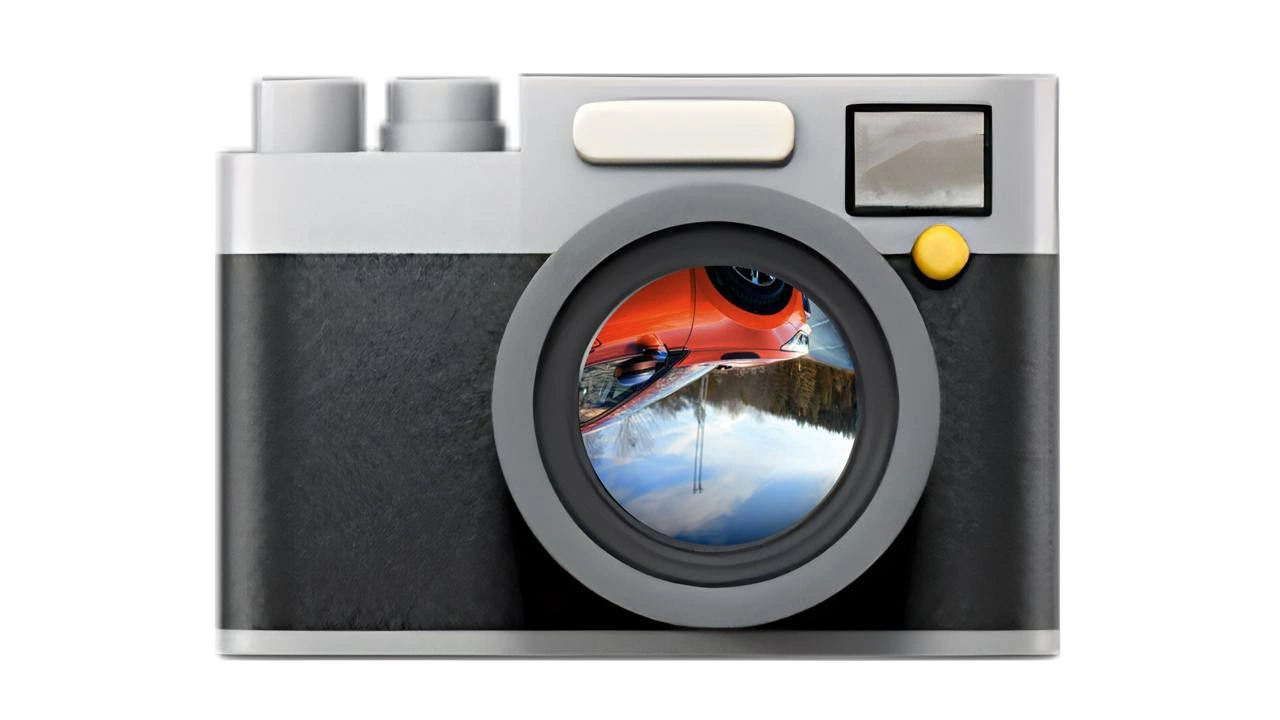
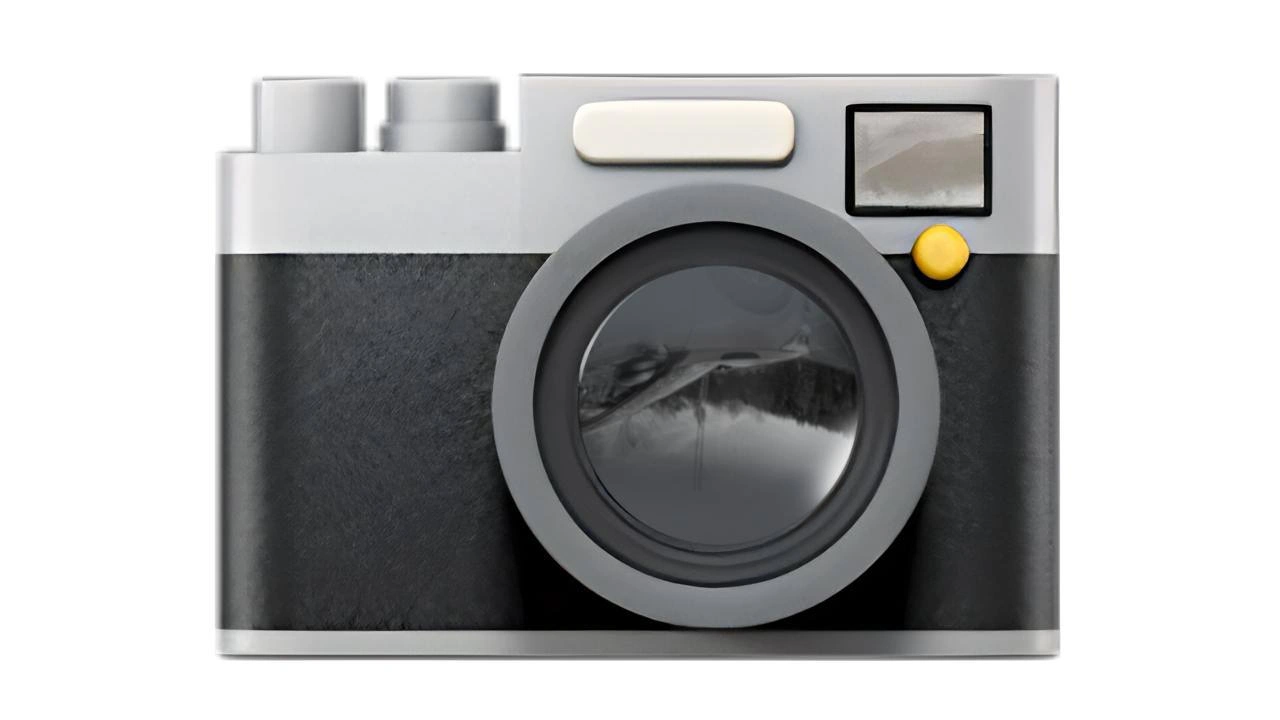
When the camera feed arrives upside-down and you question reality
Bugs Post #6144, on Aug 7, 2024 in TG

When the camera feed arrives upside-down and you question reality

Why is this Bugs meme funny?

Level 1: Upside-Down World

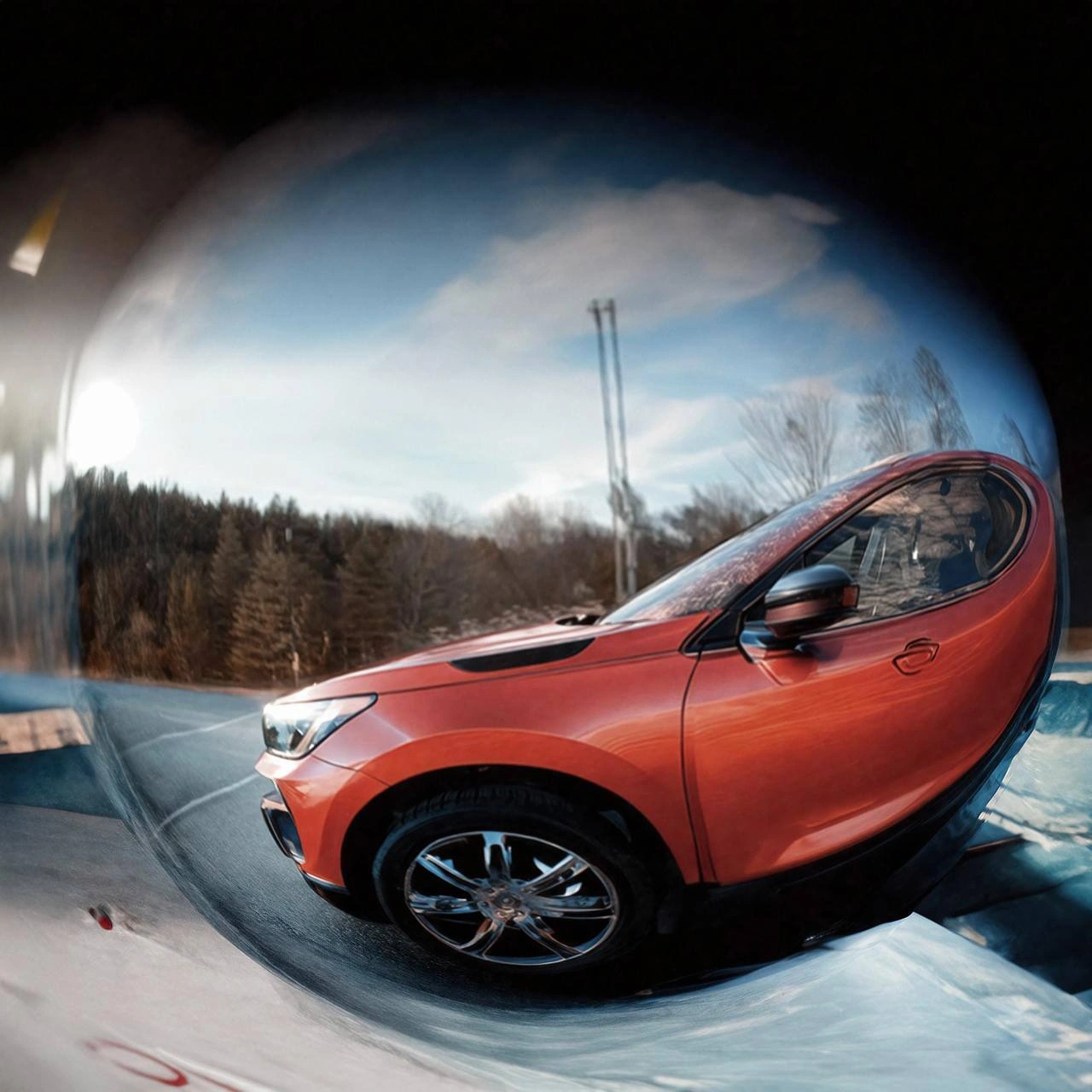
Imagine you’re looking through a camera, and everything you see is upside down — the car is hanging from the sky and the mountains are at the top where the clouds should be! You’d probably tilt your head or flip the camera around, right? You might even giggle and wonder, “Am I standing on my head without knowing it?”

That’s what this joke is about. The camera is showing the world upside down by mistake, and it’s so confusing that the person who made the program jokes that maybe reality itself is wrong instead of the camera. It’s like if you woke up and all your furniture was stuck to the ceiling – you’d be super confused! Of course, in real life the camera just needs to be adjusted. The silly picture of the upside-down car in the camera lens makes us laugh because it shows a mix-up that’s obvious and crazy-looking. It reminds us of those funny moments when something simple goes wrong and we can’t believe our eyes. In the end, it’s a playful way to say, “Oops, the camera is playing tricks on us!”

Level 2: Debugging Upside Down

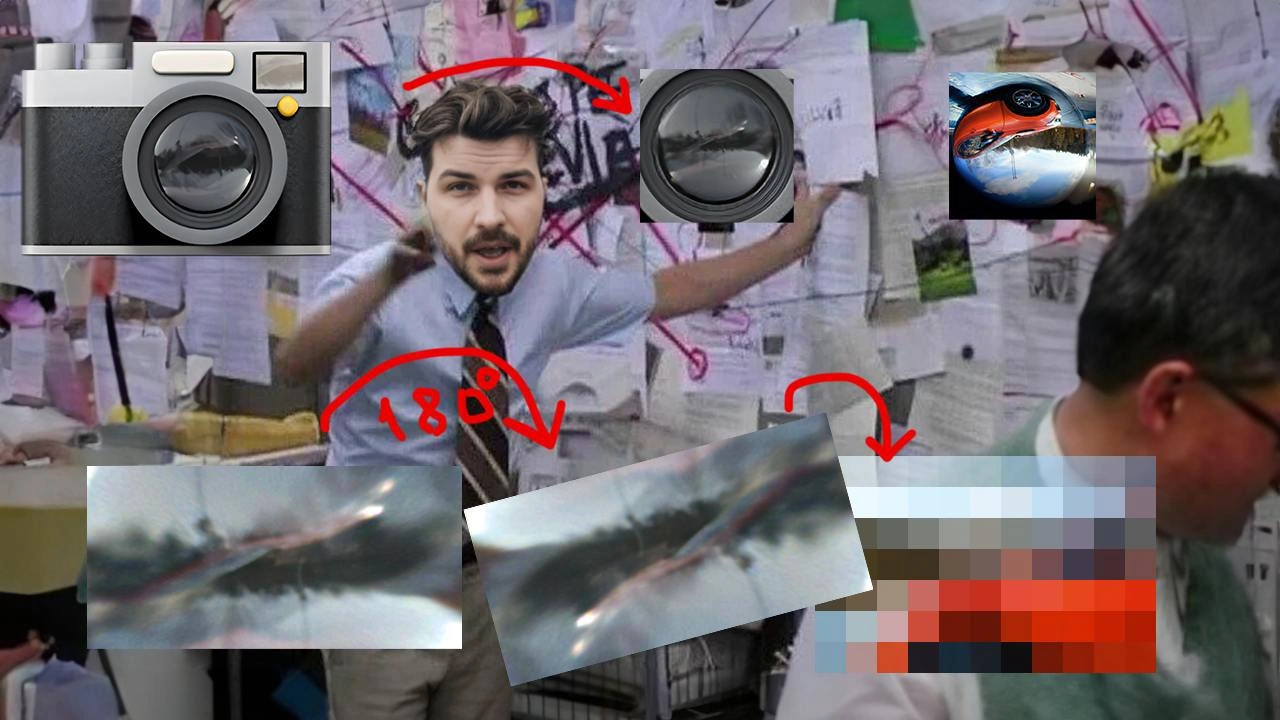
Alright, let’s break down what’s happening here in simpler terms. You have a camera giving you a picture (or video), and somehow that picture is showing up upside down on your screen. Not rotated a little or mirrored left-right, but completely 180° flipped – as if you turned your head upside down to look at it. In developer lingo, that’s an image orientation bug: the image’s orientation (which way is “up”) is wrong.

Why would this happen? There are a couple of common reasons:

  • Camera or sensor orientation: Sometimes the camera device itself is oriented differently. For instance, if a camera sensor inside a phone is mounted upside down relative to the phone’s body (this has happened in some devices), the raw image it produces will look inverted. The software is supposed to adjust for that, but if it doesn’t, you literally get an upside-down feed.
  • Missing orientation data: When you take a photo, the camera usually saves some extra information along with the image, like which way the camera was rotated when the picture was taken. This info is stored in something called EXIF metadata. One part of that metadata is an orientation flag (essentially a note that might say “this photo should be rotated 90° clockwise to display correctly” or “rotate 180°”). If a program that’s showing the image ignores that note, it will just show the photo as it is stored — which could be the wrong way up. Ever taken a photo on your phone that looked fine there, but when you uploaded it to a website it was sideways or upside down? That’s exactly this problem! The website didn’t pay attention to the orientation info.
  • Software coordinate mix-up: Images in a computer are just grids of pixels, and there’s a coordinate system to address them (like an X,Y grid). Some software assumes the first pixel is the top-left of the image, and the image extends downward. Other systems (like some graphics renderers) might treat the first pixel as the bottom-left. If one part of your pipeline disagrees with another about this, the image can appear flipped vertically. It’s like one part of the code is drawing the picture from the top down, and another expects it from bottom up.

Now, the meme specifically shows a camera with the scene in the lens upside down. For a developer, this instantly lights up as “Ah, the camera feed is inverted.” We find it both frustrating and funny because it’s such a common bug when working with images or live video. When the text says “you question reality,” it’s playing on the dramatic reaction: you see the car in the image defying gravity (wheels up top, sky at bottom), and you’re so puzzled that you jokingly wonder if maybe the world itself flipped. Of course, in truth, it’s the camera or the program showing it wrong, but it captures that confused feeling when you first encounter a weird bug.

From a troubleshooting perspective, fixing this is usually straightforward once you know what’s wrong. As a junior developer or someone new to image pipelines, the tricky part is realizing it’s an orientation issue in the first place. You might think, “Did I hook up the data incorrectly? Is the camera defective?” But then a more experienced team member might say, “Oh, the image is upside down? Did we handle the orientation flag?” That’s a lightbulb moment. The fix might be as simple as adding a line of code to rotate the image. For example, in a web app you could use CSS to rotate the video element:

/* Flip the video feed 180 degrees if it's coming in upside down */
video#cameraFeed {
  transform: rotate(180deg);
}

This one-liner tells the browser to rotate the camera feed for display. Suddenly, the car is the right way up and all is well (though you’d ideally go back and fix the root cause in code or settings).

Another example: if you’re using a popular library like OpenCV to handle images in Python or C++, they have functions to rotate or flip images. You could do something like:

import cv2
frame = cv2.flip(frame, 0)  # Flip the frame vertically (0 means vertical axis)

After that, the frame that was upside down would now be correct. In plain terms, you’re just telling the computer “Hey, flip this picture upside down to undo the wrong orientation.”

Let’s clarify a couple of the terms in the tags and description in a newbie-friendly way:

  • ImageProcessingAlgorithms: This refers to techniques or steps a program uses to handle images (like filtering, rotating, resizing, etc.). In our context, a rotation by 180° is one such algorithm (albeit a simple one).
  • DebuggingFrustration/DeveloperFrustration: Debugging means finding and fixing bugs. It can be fun like solving a puzzle, but it can also be frustrating — especially when the bug is something weird like “everything is upside down.” Developers might spend a lot of time on it, getting increasingly annoyed until the solution is found. The meme is poking fun at that frustration.
  • Frontend CSS Transform: “Frontend” is the part of an application that the user interacts with (like the web page or app interface). CSS is a styling language for web pages, and a transform in CSS is a way to visually manipulate an element (like rotate, scale, etc.). So a “CSS transform” is literally using CSS to rotate or flip an image in the browser. It’s often a quick fix: instead of reprocessing the image data, you just tell the browser to display it rotated.
  • Camera rotation logic: This means the part of the code (logic) that handles adjusting the camera feed based on orientation. For example, on mobile phones, as you rotate the phone, the camera app needs to rotate what it displays so it always looks upright to you. If that rotation logic has a bug or isn’t implemented, you might get weird orientations on your screen.

The heart of this issue is fairly simple: something that was supposed to say “rotate that image to the correct orientation” didn’t do its job. The result is an upside-down picture. The humor and relatability come from the fact that it’s such a visual, head-turning error. It’s not hidden at all — anyone can see it’s wrong — yet as a developer there’s that moment of “Huh? Why?!?” before you figure it out. And when you figure it out, you can’t help but both laugh and facepalm because it’s often due to a tiny oversight.

So if you’re new to coding and ever run into this, don’t panic. It doesn’t mean the world flipped or you’ve entered the Twilight Zone. 😊 It’s likely just an orientation setting or a tiny bug. Now you know: when the camera feed is upside down, check if you need to flip the image in code or respect the orientation flags. It’s a lesson every developer learns sooner or later, and now you’re in on the joke!

Level 3: EXIF Existential Crisis

For seasoned developers, this upside-down camera scene is too real and darkly funny. The meme shows a camera with an inverted reflection of an orange car against the sky, which immediately screams: image orientation bug! It’s the kind of bug that hits you during a demo or a late-night debug session, and you momentarily question reality (“How on earth is the car driving on the sky? Is gravity broken, or is it just my code?”). The title even jokes about questioning reality because when something as fundamental as up/down is wrong on screen, it gives you this surreal, head-scratching moment. Developers laugh at this because we’ve all been there — staring at a feed that’s 180° rotated and wondering if we accidentally stepped into the Upside Down.

So why does this combination of elements make us smirk (or groan)? It pokes fun at a very mundane but maddening class of bugs. We’re not dealing with a complex algorithm failure or a data corruption — it’s literally the world flipped upside-down because of a missed setting. The humor is in the absurd simplicity of the problem versus the deep confusion it causes. Every experienced dev recognizes the pattern: something looks catastrophically wrong (the sky is at the bottom!), but the fix ends up being one line of code. It’s the classic “spent 5 hours debugging, fixed it with a one-line change” scenario. The journey to that one-line fix, though, will have you pulling your hair out.

This meme is satirizing those camera orientation bugs that haunt image processing, mobile development, and computer vision work. The tags like camera_feed_inverted and image_orientation_bug refer to exactly that. Perhaps you integrated a new webcam or wrote a frontend for a video stream. Everything is working, but the image is mirrored or upside down. You deploy it, and the first bug report from users is: “Why is everything upside down? 🤔” It’s a mix of embarrassment and bemusement. The senior engineers chuckle because it’s practically a rite of passage to forget the orientation handling at least once.

One unspoken shared experience here is the “EXIF gotcha.” There’s a running joke among devs akin to “it’s always DNS” (for network issues) — for image display issues, “It’s always the orientation flag.” Seasoned devs, upon seeing an upside-down photo, immediately think: Did we handle the EXIF orientation? That tiny metadata we mentioned at Level 4 is the culprit behind countless upside-down profile pics and sideways vacation photos on websites. Ignoring it is a classic newbie mistake and an easy oversight even for pros when rushing. The meme’s car-on-the-ceiling image is basically screaming, “EXIF orientation was ignored, now suffer the flipped reality!” — hence the half-joking existential crisis of doubting reality instead of suspecting your code.

This situation also highlights debugging frustration and the kind of silly but time-consuming troubleshooting developers do. Imagine you’re an engineer on an augmented reality feature, and the camera feed in your app is inverted. At first you think the camera might physically be installed wrong (“Did I mount the camera board upside down? No, that can’t be it…”). Then you wonder if some matrix in your image processing algorithm is transposed. Hours later, you discover a single unchecked setting in the API: maybe a boolean like flip_y_axis = false that should’ve been true. Facepalm. You flip that to true, and instantly the world rights itself on screen. It’s such a simple fix that it’s comical how much it messed with you. Like finding out the monster terrorizing the village was just a cat wearing a bedsheet — trivial once revealed.

Let’s talk real-world examples that senior devs know well:

  • Mobile apps: On Android, certain phone models had front cameras mounted upside down due to hardware layouts. The camera driver would provide a flag “this feed is rotated 180°.” If an app developer didn’t account for that (camera.setDisplayOrientation(180) or similar), users saw their own face inverted in video calls. The first time that bug hits, you really do swivel your head or the device wondering if you’re holding the phone wrong.

  • Web front-end: Suppose you’re building a webcam interface in JavaScript. Different browsers or devices might deliver the video with different default orientations. Many devs have resorted to a quick CSS hack like transform: rotate(180deg) on the <video> or <img> element to hot-fix an upside-down feed during a demo. It’s a bit of a hack workaround – basically telling the browser “just spin it around for me” – but it works in a pinch. You might even comment that in code:

    /* The camera feed is coming in upside-down, quick fix: flip it */
    #cameraFeed {
        transform: rotate(180deg); /* TODO: find root cause of inverted feed */
    }
    

    That comment /* TODO: find root cause... */ is the kind of thing we chuckle at, because often that TODO stays there longer than it should. The image is upright now, so… problem solved, right? 🙃

  • Computer vision pipelines: Libraries like OpenCV have functions to flip or rotate matrices of image data. Many of us have loaded an image via OpenCV, displayed it in a window, and realized it’s upside down or mirrored. (Often it’s because OpenCV uses one coordinate convention and your display code uses another.) The quick remedy: cv::flip(frame, frame, 0) in C++ or frame = cv2.flip(frame, 0) in Python to flip vertically. The joke among CV engineers is that half of computer vision is just pre-processing images until things are not upside down or backwards!

Why does this keep happening, even to experienced teams? It’s partly assumption and integration issues. Each component (camera hardware, OS, library, rendering engine) assumes somebody else will handle orientation. Or they document it in fine print that gets overlooked. In a rush to meet a deadline, a developer might test on one device or one scenario where everything by luck is already upright. Then in production, a slightly different environment reveals the oversight. It’s a humbling reminder: in software, many things we take for granted (like “up means up”) are actually conventions that need to be checked.

The meme hits a nerve because it also captures the feeling when a trivial oversight makes you doubt your competence. Here’s this glaring bug — the whole world in your app is upside down — and you start questioning fundamentals. I’ve seen engineers second-guess if the monitor was somehow mounted incorrectly, or if gravity in the simulation flipped, before finally sighing “okay, let’s trace the image pipeline… something didn’t apply an invert transform.” It’s that moment of madness where the simplest explanation (a missed rotation) hides behind more exotic what-ifs. We laugh because we’ve all gone on wild goose chases for simple bugs and felt a bit silly afterward.

And let’s not forget the existential angle: “you question reality.” This phrase suggests a developer so tired or perplexed that they joke maybe the camera is fine and the universe is wrong. It’s a tongue-in-cheek way to express developer frustration. When you can’t immediately find a bug, sometimes you cope with humor: “The code says the car is upright… maybe we’re upside down.” It’s the kind of half-serious joke you crack at 3 AM when debugging a production issue that makes no sense. Sure, you know it’s a code problem, but joking that reality glitched is much more fun.

In summary, this meme resonates with developers because it visualizes a notorious bug in a clever way. The upside-down sports car in the camera lens is an immediate Gotcha! that recalls countless hours of bug fixing. It’s funny and painful at the same time. We laugh because the solution was likely trivial (just rotate it!), yet we’ve all spent disproportionate time discovering that. It’s a gentle poke at ourselves and our sometimes frail grasp on “reality” after staring at code too long. As far as Bugs and Debugging_Troubleshooting memes go, this one perfectly captures that mix of “Ugh, not again!” and “Hahaha, yep been there.” The next time you see an upside-down image in your app, you’ll remember this meme and check that orientation flag — before questioning the laws of physics. 😉

Level 4: The Optical Flip

At the deepest technical level, this meme hints at the optics and coordinate transforms behind camera images. By the laws of physics, a camera lens actually projects an upside-down image onto the sensor (just like an old-school camera obscura or how your eye’s lens flips what you see on your retina). Early film cameras and viewfinders had to account for this inversion with mirrors or prisms. In digital cameras, the sensor receives that inverted scene and software usually flips it right-side up for you. So ironically, an upside-down feed is the camera’s natural output until someone corrects it!

Beyond lens physics, the humor taps into how different systems handle image orientation. In computer graphics and vision, coordinate systems can disagree on what “up” means. For example, many image file formats and libraries treat the top-left corner as the origin (0,0), so pixel rows increase downward. But some low-level graphics APIs (like OpenGL) use a bottom-left origin, meaning an image drawn without adjustment can appear vertically flipped. If data from one system is fed into another without converting coordinates, voilà – the picture turns upside down. It’s a classic case of coordinate misalignment: the math says everything’s offset by 180°.

Mathematically, rotating an image by 180° is straightforward: you invert both the X and Y axes around the center. In linear algebra terms, you’d use a transformation matrix that is essentially -I (the negative identity matrix) for the 2D plane. For the image’s homogeneous coordinates, that rotation matrix looks like:

$$ R_{180} = \begin{bmatrix} -1 & 0 & 0\[6pt] 0 & -1 & 0\[6pt] 0 & 0 & 1 \end{bmatrix}, $$

which flips the image upside down by multiplying all coordinates by -1 relative to the center. If a system neglects to apply this transform (or applies it twice by mistake), the result is an inverted scene — the orange car ends up on the “ceiling” of the lens reflection. In other words, a single negated sign in the math can turn your view of the world on its head (literally!).

Now enter image metadata: digital photos often include an EXIF orientation tag. This is a tiny piece of data that says, for example, “rotate this image 180° when displaying” because maybe the camera was held upside down. Rather than physically rotating all the pixels (which is slower and could degrade quality), the camera just sets that flag. If your software ignores this flag, you’ll unknowingly display the raw data as-is — the picture of that sports car will come out upside down even though the photographer intended it to be upright. This happens a lot in custom image pipelines: the data is fine, but the metainfo that says “rotate me” gets lost or skipped.

Finally, hardware itself can be sneaky. Some devices mount their camera sensor in unconventional orientations for design reasons (say, rotated 180° on a circuit board). The device’s firmware or driver is supposed to correct for that by rotating the frames in software or marking them with the proper orientation. If that step is missed or your code uses the raw sensor feed directly, you get an inverted video stream. The sensor’s coordinate system and your app’s expected coordinate system aren’t aligned. This is where those dreaded camera_feed_inverted bugs come from. One small miscommunication between layers (sensor, OS, library, app) and the image literally flips out.

In short, the meme’s upside-down car encapsulates a perfect storm of physics and software coordination: lenses natively flip images, coordinate systems can invert images if mis-handled, and missing metadata or rotation logic will propagate the inversion. It’s a nod to how a tiny oversight in geometry or data interpretation can turn your view of reality upside down — underlying math and all. Pretty wild that a little 180° rotation (or lack thereof) can mess with our perception so much, isn’t it?

Description

A flat-style digital illustration of a compact camera emoji is centered on a white background. The body is black with a brushed-metal silver top and bottom, featuring two gray dials on the left, a cream-colored rectangular shutter button in the middle, and a small square flash window with a yellow status dot on the right. The prominent circular lens shows a highly detailed reflection of an orange sports car, blue sky, and distant mountains - but the entire scene is upside down, implying the image has been rotated 180° within the lens. No textual content appears in the picture. For engineers, the inverted reflection instantly recalls those maddening camera-orientation bugs where raw frames arrive flipped, EXIF orientation is ignored, or the rendering pipeline mishandles coordinate systems in computer-vision or frontend code
Comments

6
Anonymous ★ Top Pick Camera feed arrives upside-down: optics flip once, driver flips back, OpenGL swaps Y, WebRTC decodes NV12 with an extra rotate, and the PM still asks if we can fix it with a single CSS rule - coordinate-system matryoshka complete
  1. Anonymous ★ Top Pick

    Camera feed arrives upside-down: optics flip once, driver flips back, OpenGL swaps Y, WebRTC decodes NV12 with an extra rotate, and the PM still asks if we can fix it with a single CSS rule - coordinate-system matryoshka complete

  2. Anonymous

    The camera preview finally loaded after 3 seconds, but now the PM wants it lazy-loaded with a skeleton screen, progressive JPEG, and a WebP fallback for when the user's on 3G

  3. Anonymous

    Finally, a container image that actually floats - unlike my production deployment last Friday. At least when this one capsizes, you don't need to explain to the CTO why the entire microservices architecture is underwater. Though I suspect this boat still has fewer layers than my average Dockerfile, and definitely better documentation than whatever 'FROM scratch' monstrosity the previous team left behind

  4. Anonymous

    Race conditions: visible in prod traces, gone by the time you grab the debugger - like that red Ferrari vanishing in the snow

  5. Anonymous

    Lenses invert by design; our UI does it when the EXIF orientation takes a microservice hop and gets helpfully stripped by the image pipeline

  6. Anonymous

    Just let users upload photos turned into Paxos: the camera’s EXIF bit proposes eight orientations, every client votes a different up, and the CDN elects the upside-down leader

Use J and K for navigation