Closing the Tag on 2019
Why is this WebDev meme funny?
Level 1: Closing the Book
Imagine the year 2019 is like a storybook chapter. When the chapter ends, you might write “The End” or close the book to show it’s finished. Programmers have a special way of saying “The End” — we use a little code symbol. So instead of just saying the year is over, a coder writes </2019> to mark 2019 is finished now. It’s like putting a big end-of-chapter sign on the year. This is a fun, nerdy way for developers to say goodbye to 2019, using the same kind of tag we’d use to finish a section in a webpage. Just as you’d smile when you close a book after a good story, a developer smiles seeing </2019> because it means “that’s a wrap for 2019!”
Level 2: Don’t Forget the Slash
If you’re a newer developer or just learning HTML in your front-end journey, here’s what’s going on. HTML (HyperText Markup Language) is the language of web pages, and it uses tags in angle brackets to structure content. We have opening tags like <h1> or <p> that start an element, and closing tags like </h1> or </p> that end that element. The closing tag is usually the same as the opening tag but with a forward slash / at the beginning. For example, if you open a paragraph with <p>, you should close it with </p> when the paragraph text ends.
In the meme, </2019> is written just like an HTML closing tag. It’s as if somewhere there was an opening tag <2019> at the start of the year 2019, and now we finally see the closing tag on December 31, 2019. In reality, HTML tag names are usually letters or words (like <div> for a division or <span> for a span of text) – they’re not numbers. You wouldn’t actually use a tag called <2019> in real code. But the joke imagines “2019” as the name of a custom tag, purely for fun. When we see </2019>, we immediately read it as “the year 2019 is over.” It’s an html_tag_joke blending a date with the syntax of a web page. The caption says the calendar “renders” this closing tag, which is a playful way to say “the calendar finally displays that the year is ending,” using a tech term. In web development, to render means to take code and make it visible or usable – like a browser rendering HTML into the web page you see. So, on the last day of the year, the calendar (imagine it’s a program) outputs the code for the end of 2019.
Let’s break down why closing tags matter. In HTML, every opened tag that isn’t self-contained must be closed, or else the browser might get confused about where one element ends and the next begins. New developers often encounter this when forgetting a closing tag: maybe you opened a <div> and never wrote </div>. The result? Your page layout suddenly behaves strangely—text and styles spill over or sections disappear, because the browser thinks everything is inside that unclosed <div>. 😅 Browsers are somewhat forgiving, but a missing </div> can still wreck your day. Once you add the missing closing tag, poof, the page fixes itself. It’s like magic when you’re new: one little slash can solve a big problem. So “closing” things properly in code is a basic but crucial lesson.
Now apply that idea to the calendar year. The meme humorously treats the year 2019 as if it were an element on a web page that needed to be closed to keep everything in order. Calendar_as_DOM is the concept here: the calendar (time) is imagined as a Document Object Model tree, where each year is a separate element. In a DOM (which is the structured representation of a webpage), you can have elements one after another. For example, envision a simplified HTML-like timeline of years:
<!-- Imaginary HTML structure for years -->
<body>
<2019>
… all events of year 2019 …
</2019>
<2020>
… all events of year 2020 …
</2020>
</body>
In the above pseudo-code (not actual HTML), <2019> would "contain" everything that happened in 2019, and </2019> marks that nothing from 2020 will intrude into 2019’s section. We then start a new section for 2020 with <2020> and later close it with </2020>. We close 2019 before 2020 begins, which is just like real life — one year has to finish before the next starts. In web terms, this ensures the tags are not overlapping incorrectly. If we accidentally started 2020 before closing 2019, the structure would be broken (one tag would be half-inside another – a big no-no 🙅). So, the meme is a techie way to say “the year 2019 is done” by showing a nice, clean end tag for it.
Also, notice the presentation: white text on a black background, with a font that looks like code. This mimics a code editor or terminal in dark mode. Developers love dark themes and monospaced fonts (where each character is the same width) because that’s what we use to write code. The meme literally looks like a snippet from a code window. That design immediately signals “this is about programming” to anyone who codes. It’s a simple image, but if you’re a web developer, your brain recognizes that </...> pattern in a split second. It’s the same syntax you see every day writing HTML for web pages. So the meme doesn’t need any extra explanation or fancy graphics – a single geeky reference does the job.
For a junior developer, the takeaway is: every opening tag should have its closing tag. Here, 2019 was opened (implied) and now it’s closed properly. It’s a tongue-in-cheek way of applying a coding rule to real life. And if you felt a tiny thrill seeing the year neatly closed off, congrats – you’re thinking like a web developer! This kind of joke is very RelatableDeveloperExperience for anyone who’s spent hours debugging broken HTML. It’s both a reminder and a celebration: we didn’t leave any loose ends (or unclosed <div>s) in 2019. Now we can safely start 2020 fresh, with a properly closed previous section. In summary, </2019> in this meme is the developers’ way of saying “Goodbye 2019, you’re officially done” in the language we’re most comfortable with – code.
Level 3: Tagging Out the Year
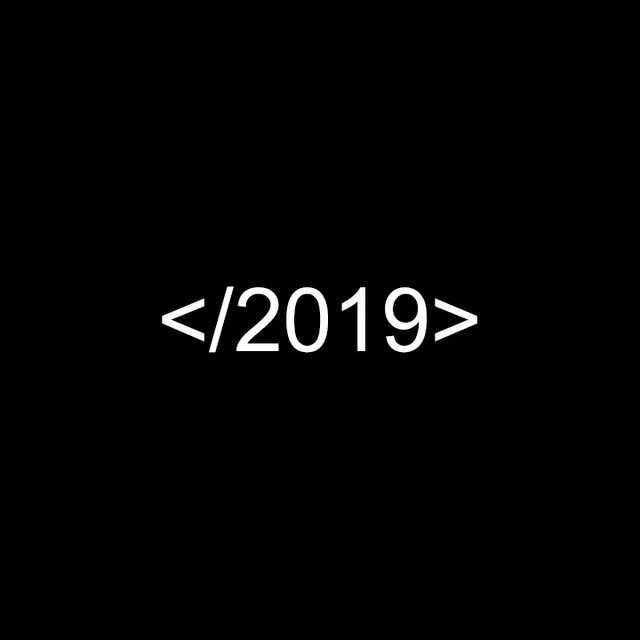
On New Year’s Eve 2019, the developer community celebrated in the only way we know how—through code! The meme shows </2019> in bright white monospace text on a black background, exactly like an HTML closing tag. For those in WebDev, this hits instantly: it looks like we’re closing an HTML element named “2019.” In a web page’s HTML, every opened tag (like <div>) should be closed (with </div>). Here, the calendar year 2019 is being treated as if it were an HTML element that’s finally getting closed on December 31. It’s a clever closing_tag_metaphor that merges our sense of time with front-end code structure.
Why is this funny? First, it’s a classic bit of DeveloperHumor: taking a normal life event (the end of a year) and expressing it in code syntax. Only developers instinctively parse </2019> as “end of 2019.” Anyone else might see random characters, but we see structure. There’s a shared joy in recognizing the reference instantly — it makes you feel part of the coder club. The meme’s minimalist style (just one line of code-like text) relies on our knowledge: we fill in the blank that there must have been an imaginary <2019> opened at the year’s start. Finally, on the last day, the “browser of life” renders the closing tag for that year. (Talk about slow rendering — it took 12 months to load this tag! 🐢) For seasoned front-end engineers, this joke also tickles the part of our brain that hates unclosed tags. There’s something deeply satisfying about seeing an element closed properly. No more worrying that an open <2019> will mess up the layout of 2020!
This humor also taps into the Document Object Model (DOM) concept. It playfully imagines each year as a node in a giant DOM of history. Think of each year as a container holding all that year’s events, just like a <div> might hold a chunk of a webpage. Before a new year begins, the old year’s “element” must be closed, keeping the timeline well-formed. If we forgot to close 2019’s tag, 2020 would accidentally nest inside it – and any developer knows that overlapping tags are invalid and cause chaos (we definitely don’t want 2020 inside 2019 – life was messy enough 😅). By closing the year with </2019>, we ensure a clean break – in coding and in life. This is both humorous and oddly comforting to devs who deal with broken HTML when tags aren’t matched. It’s the RelatableDeveloperExperience of finally fixing that one missing </div> – applied on a cosmic scale.
Beyond the technical pun, there’s a dash of nostalgia here. This meme was posted at the very end of 2019, which in hindsight feels like the close of an era. Devs seeing it now might remember 2019 as the last pre-pandemic year – the final tag before a whole new world opened in 2020. At the time, </2019> was just a fun way to bid goodbye to a year in true MemeCulture fashion. But looking back, closing 2019 also symbolically closed out a calmer tech landscape (office commutes, in-person conferences, coffee chats at the office whiteboard). Little did we know what the next <2020> tag had in store. That extra layer of pre_pandemic_nostalgia gives the meme a bittersweet depth now, even though it started as a simple HTML joke.
Importantly, this reflects a perennial habit among programmers: marking life events in code notation. We spend so much time with code that it seeps into how we think and joke. You’ll see devs write things like // TODO: New Year’s resolutions or tweet their baby’s birth announcement as if it were an object initialization. Writing </2019> to mark the year’s end is part of that tradition. It’s concise, geeky, and perfect for a community that finds humor in XML and JSON. After all, in our world, a properly closed tag isn’t just syntax – it’s closure. And when the clock struck midnight on December 31, 2019, this meme gave us the satisfying feeling that we had successfully closed out the “2019” element of our lives and were ready to open <2020> (with fingers crossed).
Description
A minimalist image with a solid black background. In the center, the text '</2019>' is written in a clean, white, sans-serif font. The text is formatted to look exactly like a closing tag in HTML or XML. Given the post date of December 31, 2019, the image is a clever, simple pun for developers, signifying the 'end' or 'closing' of the year 2019. It's a universally understood joke within the tech community that plays on the basic syntax of markup languages to mark a moment in time
Comments
7Comment deleted
Let's hope 2019 was well-formed and didn't leave any unclosed divs that will mess up the rendering of 2020
At least we remembered to close 2019; if only we’d added a CSP to stop 2020 from executing untrusted scripts
Finally closed that year-long memory leak, but the garbage collector still hasn't cleaned up the technical debt we promised was just temporary
Ah yes, 2019 - the year we all forgot to add a DOCTYPE declaration to our lives, resulting in quirks mode for the entire decade. At least we properly closed the tag this time, unlike that one div from 2015 that's still causing layout issues in production
The rare year whose closing tag matched its January opener - no browser console rage quits required
Closing 2019 with an HTML end tag - invalid syntax, fitting year; we’ll ship <2020> behind a feature flag once the freeze thaws
Perfect year-end summary: a dangling </2019> - no matching opener, not spec‑compliant, yet somehow it still shipped to prod