Skip to content
DevMeme
140 of 7435
Android Dev's Nightmare: The Foldable Phone Era
MobileDev Post #176, on Feb 25, 2019 in TG

Android Dev's Nightmare: The Foldable Phone Era

Why is this MobileDev meme funny?

Level 1: One Drawing Won't Fit Every Frame

Imagine you drew a picture, and your boss says it must look perfect in a tiny locket, a normal photo frame, a giant poster, and a weird frame that snaps between sizes while people are looking at it. So you don't draw one picture — you draw a separate version for every frame and keep them all in labeled folders. Now the boss proudly invents a frame that folds in half. The joke is the artist staring at the folder pile, adding increasingly desperate labels, because every "cool" new frame means redrawing everything — and the last folder name is where the artist finally says how they really feel.

Level 2: Why Folders Control Your UI

  • /app/src/main/res: the resource directory of every Android project. Layouts (XML files describing screens) live in subfolders whose names are instructions to the system.
  • Resource qualifiers: suffixes appended to folder names. layout/ is the default; layout-land/ is used automatically in landscape; layout-sw600dp/ kicks in when the screen's smallest width is ≥600dp (i.e., a tablet). You don't write code to choose — the OS pattern-matches the folder name against the current device configuration.
  • Device fragmentation: the Android reality that your app must run on thousands of different screens, versions, and manufacturer skins. Every new form factor (tablets, watches, foldables) widens the test matrix.
  • Foldables: phones with flexible displays — a small cover screen when closed, a tablet-sized inner screen when open. To your app, unfolding looks like the device teleporting into a different gadget mid-use; if you didn't handle it, your UI stretches, clips, or restarts and loses the user's half-typed form.
  • The junior rite of passage referenced here: rotating the emulator for the first time and watching your app crash, then discovering that orientation change destroys and recreates the whole Activity. Foldables are that lesson with three extra screens.

Level 3: Fragmentation Grows a Hinge

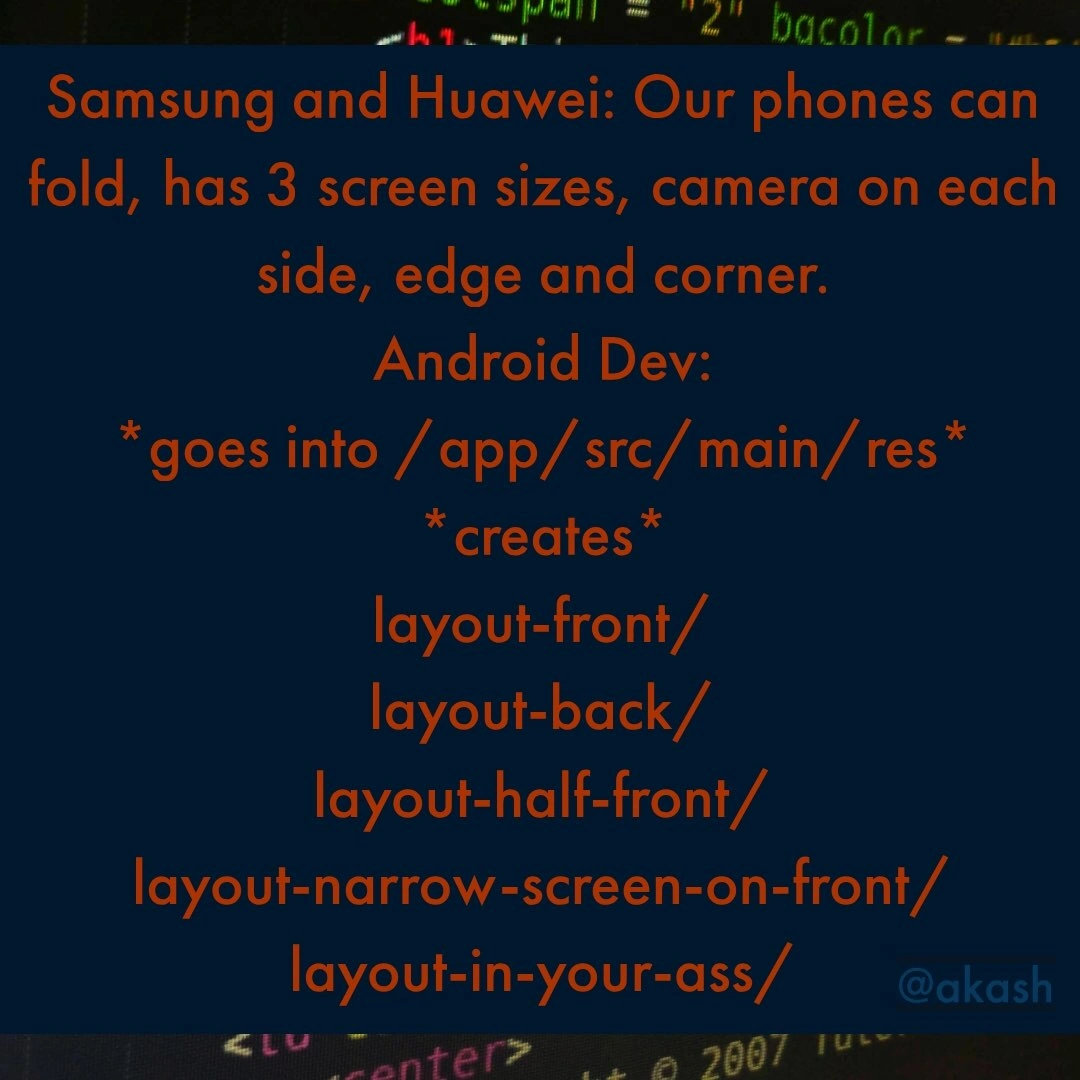
The meme dropped days after Samsung's Galaxy Fold reveal (with Huawei's Mate X landing the same week at MWC), and it nails the developer-side hangover of every flashy hardware keynote. The marketing line —

"Our phones can fold, has 3 screen sizes, camera on each side, edge and corner."

— translates, for the Android dev, into a grim trip to /app/src/main/res and an escalating pile of layout directories, ending with the only qualifier that honestly expresses the situation: layout-in-your-ass/.

The satire targets Android's resource qualifier system, which is simultaneously one of the platform's smartest designs and one of its heaviest taxes. Qualifiers like layout-land, layout-sw600dp, values-night, drawable-xxhdpi let the framework pick resources by device configuration at runtime — elegant, declarative, zero if statements. The catch: the matrix is multiplicative. Screen sizes × densities × orientations × API levels × OEM quirks was already Android's infamous fragmentation problem; thousands of distinct device profiles versus Apple's tidy handful. Foldables added an entirely new axis — posture — and worse, one that changes mid-Activity. Cover screen, unfolded inner screen, half-folded "Flex mode": your app doesn't just need more layouts, it needs to survive a live configuration change mid-animation without dropping state, which is exactly where Android's onSaveInstanceState lifecycle dance has been mauling developers since 2009.

There's a deeper industry pattern here: hardware vendors ship differentiation, and the cost lands on third-party developers as an unfunded mandate. Samsung gets the keynote applause; you get the bug report "app looks broken when I unfold mid-checkout" from a device your team cannot afford to buy ($1,980 at launch). It eventually pushed the ecosystem away from static layout buckets altogether — toward ConstraintLayout, then Jetpack Compose and window size classes — essentially admitting that enumerating folders per configuration, the approach this meme parodies, could not survive contact with hinged hardware. The fake qualifier names (layout-half-front/, layout-narrow-screen-on-front/) are barely exaggerations; the real fix was abandoning the enumeration game.

Description

The image is a meme with orange text on a dark, textured blue background that appears to have faded source code. The text presents a scenario: 'Samsung and Huawei: Our phones can fold, has 3 screen sizes, camera on each side, edge and corner.' Below this, it shows the reaction of an 'Android Dev:'. The developer '*goes into /app/src/main/res*' and '*creates*' a comically long and specific list of layout directories: 'layout-front/', 'layout-back/', 'layout-half-front/', 'layout-narrow-screen-on-front/', and finally, expressing frustration, 'layout-in-your-ass/'. A small watermark '@akash' is visible. The humor is rooted in the long-standing problem of device fragmentation in the Android ecosystem. The introduction of complex hardware like foldable phones exacerbates this issue, forcing developers to create numerous, highly specific UI layouts to ensure their apps display correctly on every possible screen configuration. The list of directories satirizes the increasingly absurd measures developers might feel they need to take, culminating in a vulgar expression of their exasperation

Comments

8
Anonymous ★ Top Pick Android Studio 5.0 will just have a 'Generate Layout for Whatever Esoteric Form Factor Was Announced This Week' button. It'll create 300 new resource directories and then crash
  1. Anonymous ★ Top Pick

    Android Studio 5.0 will just have a 'Generate Layout for Whatever Esoteric Form Factor Was Announced This Week' button. It'll create 300 new resource directories and then crash

  2. Anonymous

    I miss the days when the craziest qualifier in res/ was sw600dp - now a foldable launch means adding layout-sw600dp-hingeLeft-portrait-frontDisplay-dogEarPresent-v23 and calling it a “minor UI tweak.”

  3. Anonymous

    Remember when we thought responsive web design was complex? At least CSS media queries don't require a separate folder for every possible hinge angle and fold state combination

  4. Anonymous

    Android fragmentation used to be a matrix of API levels times screen densities; foldables added a hinge-state dimension, because what every dev wanted was a layout qualifier that changes mid-Activity

  5. Anonymous

    When product management says 'just add foldable support,' they don't realize they're asking you to maintain a Cartesian product of screen states that would make a combinatorics professor weep. Meanwhile, iOS devs are sipping lattes with their three device sizes and unified SwiftUI, while you're creating layout-half-folded-camera-left-notch-right-user-is-crying/ just to render a button correctly

  6. Anonymous

    Foldables turned Android UI from “layout” and “layout-land” into sw600dp, hinge‑occluded, half‑open, display‑cutout‑left - with a WindowSizeClass that changes mid‑scroll; PM still calls it “one screen.”

  7. Anonymous

    Foldables: Android's res/ finally gets the multi-region failover it always deserved - except it's your layouts failing over into oblivion

  8. Anonymous

    Foldables turned res/ into a sharded keyspace; WindowManager maps the partitions, but PM still wants pixel‑perfect parity across 64 posture/size permutations by Friday

Use J and K for navigation