
IDEs Editors Post #4356 · source on Telegram
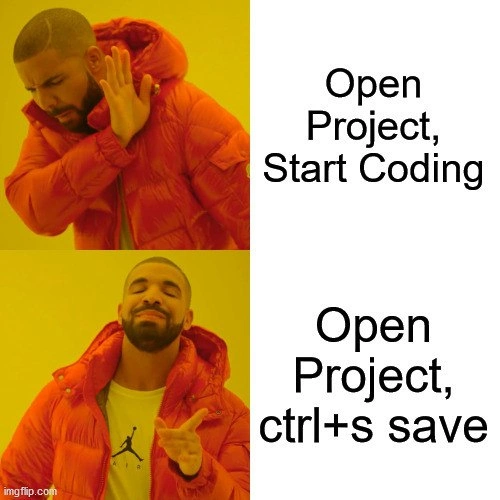
Drake Meme: Opening Project Just To Hit Ctrl+S Instead Of Coding
Description
Two - panel Drake “Hotline Bling” meme on a yellow-orange background. Top panel shows Drake with a hand up in rejection beside the caption “Open Project, Start Coding.” Bottom panel shows Drake pointing approvingly beside the caption “Open Project, ctrl+s save.” The joke riffs on developers who launch an IDE, press the universal save shortcut, and then quit - creating the illusion of progress without writing a single line. It pokes fun at productivity theater, version-control timestamps, and habitual keyboard-shortcut muscle memory common in senior engineering workflows
More like this
More like this in IDEs Editors →


Use J and K for navigation
Comments
12Comment deleted
Nothing like opening the monolith, tapping Ctrl+S on a whitespace change, and watching the 400-step CI pipeline burn $2k in AWS just to keep the GitHub activity graph green
The only version control more reliable than git is the phantom diff between your last Ctrl+S and the one you're about to hit right now
Ctrl+S on an unmodified file isn't a no-op, it's a heartbeat check - trust in autosave is eventual consistency, and we've all seen what 'eventual' means
Every senior engineer knows the sacred ritual: open project, ctrl+s three times to appease the git gods, watch prettier reformat nothing, check if tests still pass without changes, then finally consider maybe writing code. It's not procrastination - it's establishing a clean baseline state and ensuring your toolchain is properly initialized. The fact that it delays actual work by 15 minutes is purely coincidental
Senior dev pro tip: Ctrl+S first - because 'Unsaved Changes?' is the real prod outage waiting to happen
Open project, ctrl+s - the senior dev ritual that wakes the file watchers, pokes the LSP, placates Prettier, and proves we still don’t trust autosave
Modern dev ceremony: open the monorepo and hit ctrl+s to ping Prettier, ESLint, tsserver and webpack/vite - the local equivalent of kubectl rollout restart when the watchers fall asleep
!"IntlliJ IDEA" moment Comment deleted
Open project, Close project Comment deleted
You only save once? Pathetic Comment deleted
Coding difficulty levels: 1. Infinite saves, any time. 2. Automatic saves at a predefined checkpoint only (commit?). 3. A sinlge save per the entire project. 4. No saves at all - it's real life after all. [Re]type the code each time you need it. Believe it or not, level 4 was usual with antique computers not having a reliable way to store and load the data: that is, you could save the program to magnetic tape, but had near zero chance to load it later no matter how many times you tried. R TAPE LOADING ERROR Comment deleted
Even better Create Blank Project, F5 Run Comment deleted