
The Vim Mode Entry Exam
Description
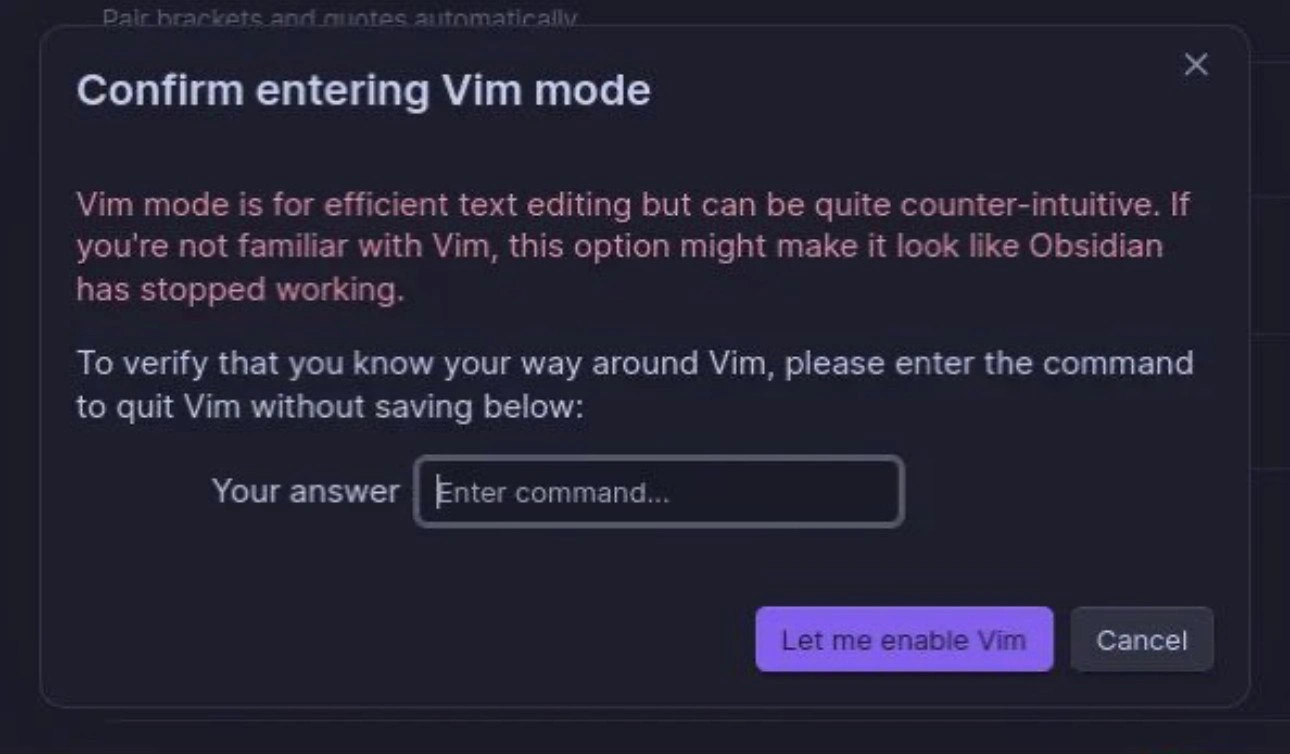
A screenshot of a confirmation dialog from a software application, likely the note-taking app Obsidian, which has a dark theme. The modal is titled 'Confirm entering Vim mode.' The text explains that Vim is a powerful but counter-intuitive editor and warns that enabling it might make the application appear to have stopped working. To prevent this, the dialog presents a challenge: 'To verify that you know your way around Vim, please enter the command to quit Vim without saving below:'. Below this text is an input field labeled 'Your answer' for the user to type the command. The humor lies in the well-known difficulty beginners face when trying to exit the Vim editor, a shared experience and running joke within the developer community. This UI feature acts as a clever gatekeeper, ensuring the user has fundamental Vim knowledge before enabling a mode they might not be able to escape from



Comments
56Comment deleted
This is the developer equivalent of a bouncer asking you to name three of the band's songs before letting you into the concert
New pipeline rule: tests green and coverage 95% isn’t enough - deploys stay red until someone exits Vim without googling, finally giving SOC 2 a control that actually terrifies seniors
Finally, a CAPTCHA that actually proves you're not a junior developer
Obsidian's Vim mode confirmation is the software equivalent of 'if you have to ask, you can't afford it' - except instead of price, it's measuring whether you've experienced the existential dread of being trapped in Vim at 2 AM, frantically Googling 'how to exit vim' while your unsaved work mocks you. The real power move? They're not even asking for :wq - they want :q! specifically, filtering out the cautious souls who still believe in saving their work. This is UX design as hazing ritual: 'Prove you've earned your scars before we let you collect more.'
Can we put the same gate in front of kubectl --context=prod; if ESC :q! isn’t muscle memory, you shouldn’t be anywhere near sharp modes
Obsidian gatekeeps Vim like a bouncer at a modal editing speakeasy: no :q!, no entry - keeping arrow-key tourists forever in insert mode purgatory
Obsidian gating Vim mode behind “:q!” is the most honest onboarding I’ve seen - SSO as in Single Sign‑Off; if you can’t quit Vim, you shouldn’t be allowed to enter it
ZZ Comment deleted
That saves though Comment deleted
а ты смелый Comment deleted
please use english in this chat or add a translation Comment deleted
8=D Comment deleted
netrw is pretty straightforward imo Comment deleted
and idk if you had telescope or some other fuzzyfind plugin, but usually that was the way i opened file i wanted in jetbrains ide Comment deleted
and you can also have tabs in vim like any other ide Comment deleted
It is indeed uncomfortable as hell for first week or two, but honestly i don't feel any urge to go back after three weeks of using it Comment deleted
this Comment deleted
I'm currently using VSCodium + vim plugin rn because I'm too stupid to write lua configurations Comment deleted
and netrw is directory listing system built in vim, looks like this Comment deleted
Guaranteed exit from Vim is to use killall -9 vim from a different console. Comment deleted
just unplug the power supply at this point Comment deleted
:!kill -9 $PPID Comment deleted
Try maybe first without enabling every weird feature and plugin first? That tends to be way less confusing. :-] Try vimtutor for the barest essentials and then https://github.com/dahu/LearnVim Some like making a paper cheatsheet with commands you use to quickly reference until you memorize them. Others just grab something like https://rumorscity.com/wp-content/uploads/2014/08/10-Best-VIM-Cheat-Sheet-03.jpg and/or https://www.john-gentile.com/kb/tools-techniques/vim-shortcuts.png Comment deleted
Really 80% of the magic is knowing how to use the built-in :help :-D Joining #vim on libera.chat also helps. Comment deleted
the second command looks happy Comment deleted
:Ni! Comment deleted
vimtutor all one command. It might be a separate package, it might be installed with regular vim, depends on your distro. Not sure how are things on Neovim side, it used to be way more experimental / move fast and break things / fix it yourself. It's probably settled now but still I'd advise starting with vanilla. Comment deleted
i remember this popup when trying out obsidian, god. the only thing this vim mode does is adds hjkl shortcut for arrows and even that doesn't work right (cursor's horizontal position sometimes gets messed up when moving vertically). but "hey look we made a funny confirmation menu don't you guys love memes haha?" Comment deleted
Cd to dir of project open neovim press ctrl + n Comment deleted
Tho im to retarded and new linux user still dont know how to install auto complete and something like intellisense for neovim Comment deleted
Scripts defining "omnicomplete" functionality usually come with a syntax file. :h ins-comp for that. Tho personally I'm mostly satisfied with CTRL-N keyword completion for most stuff. Comment deleted
Ty Comment deleted
The program knew in advance it would be executed Comment deleted
There’s no need to learn vim over VScode unless your main barriers to productivity are either environment (you jump from server to server a lot and don’t have a good way to keep configs up to date between them and a mouse doesn’t help) or you’re finding that navigating your code takes up a lot of your brainpower. If you program at a normal pace and scale in your own local environments then learning Vim doesn’t solve a problem that you actually have (though it’s fun and can be rewarding on its own if you’re that kind of person). Comment deleted
it allows me to operate a bit faster and it's much more customizable, it's worth it in my opinion Comment deleted
It’s definitely useful when you don’t expect much control over your environment. I need to be able to work across loads of different servers owned/managed by different groups across my org for my job. Where and whether anything is mounted or installed isn’t up to me, so being confident I can edit anywhere without begging to install or allow VScode is useful to me. Comment deleted
Sure, nano would be sufficient too, but at that point I’m just gonna say “I like using Vim more” lol Comment deleted
isn't that what the choice of IDE is ultimately about? What feels best for you? I mean I use kate and I've heard of literally nobody else using it and it's a huge hassle, but at least it's less annoying than vscode (and all the other IDEs that try to think for me), more powerful than nano (which I still use in terminal situations) and less of a hassle to learn (I'll never learn vim) Comment deleted
i've used kate until i switched to vim on my main device Comment deleted
noted, I now know me and one other person who ever used kate Comment deleted
Right, it’s about meeting your needs and balancing your wants. I need to be able to work in multiple environments that I don’t manage, that limits my options a lot. I want to be able to do quick navigation and robust refactoring, so I use Vim over nano. If there was an obviously best editor everyone would use it. I was just making the case that it’s worth it for me (and people in similar positions to me) to know Vim, nothing more Comment deleted
Kate works well enough, though at that point why not run whole KDevelop? Not that I intend to push IDEs. I'm not really into them myself - I treat unix as my IDE with tmux for windowing and vim or vis as capable editors but not much more. Being able to parse file:line:column from error messages certainly helps though. Comment deleted
I have no idea what the difference is, that's why Comment deleted
also I'm not really missing any features I think. just the LSPs are sometimes a bit bitchy Comment deleted
I didn't know they had LSP support. It's been quite a while I've used it. Fair enough I guess. Comment deleted
Some extra fancy stuff on top. Version control integration. CMake integration. #define interpolation. Some templating. Stuff like that. Not strictly C/C++ only but that certainly is a focus of KDE folks. Comment deleted
Kate has Git integration and it can deal with most fancy c++ features using clangd Comment deleted
kate has all of that too (via plugins that are shipped with it) though I turned cmake and ctags off. Comment deleted
I see. I guess they reintegrated a lot of it back. Comment deleted
looks like it. I wonder why they even distinguish between kate and kdevelop Comment deleted
https://docs.kde.org/stable5/en/kdevelop/kdevelop/exploring-source-code.html probably gives a good idea though these screenshots seem fairly old Comment deleted
Fwiw I really like Helix as an improved Vim with great out of the box features, it’s what I use for my personal editing at home. Comment deleted
sudo rm -f /sbin/vim Comment deleted
sudo ln -sf /usr/bin/nano /usr/bin/vim Comment deleted
Why do you even need to code with that speed using vim-like editors? What you're trying to do? Code some C++ script while police is chasing you on the car? Comment deleted
I used :o filename or vim filename before I found :[tab]e command Comment deleted