
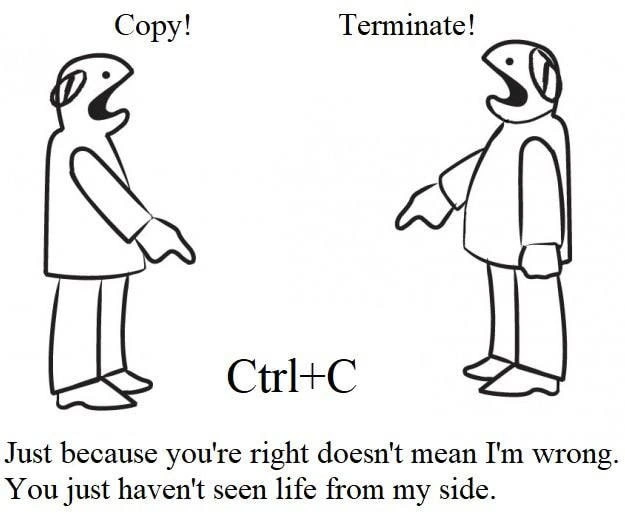
The Duality of Ctrl+C: A Developer's Daily Context Switch
Description
This is a black-and-white cartoon meme illustrating the conflicting functions of the keyboard shortcut 'Ctrl+C'. On the left, a simple line-drawn character shouts 'Copy!'. On the right, an identical character shouts 'Terminate!'. Between them, the text 'Ctrl+C' is displayed. Below this central conflict is a philosophical quote: 'Just because you're right doesn't mean I'm wrong. You just haven't seen life from my side.' The meme's humor is rooted in a fundamental developer experience: the context-dependent nature of this shortcut. In a graphical user interface (GUI) like a text editor or browser, Ctrl+C copies selected content to the clipboard. However, in a command-line interface (CLI) or terminal, Ctrl+C sends the SIGINT signal to interrupt and terminate the currently running process. The quote perfectly captures the idea that both functions are 'correct' within their own domains, personifying the two environments as individuals with different life experiences

Comments
22Comment deleted
The most dangerous muscle memory a developer has is hitting Ctrl+C. In one window it saves your work, in the other, it terminates a three-hour data migration with one second left
That split-brain moment when your IDE muscle memory hits Ctrl+C in a kubectl exec session - clipboard? Nah, you just SIGINTed the only pod holding the leader lock
After 20 years in tech, I've learned that Ctrl+C is like production deployments - whether it creates something new or destroys everything depends entirely on which window has focus and whether you remembered to check
The eternal philosophical divide in computing: GUI developers see Ctrl+C and think 'clipboard,' while systems engineers see it and instinctively check if their long-running process just died. Both are correct, both are traumatized, and both will defend their interpretation with the fervor of someone who's lost hours of work to the wrong context. It's Schrödinger's keyboard shortcut - simultaneously copying and killing until you observe which environment you're actually in
Ctrl+C: in the IDE it copies; in the active tmux pane it SIGINTs the revenue job - context is your SLA
Ctrl+C: in the GUI it duplicates, in the shell it delivers SIGINT - one keystroke that turns copy-paste into chaos engineering when you’re SSH’d into prod
Ctrl+C: Duplicating bugs in your IDE or SIGINT-ing that rogue process at 3AM - one hotkey, infinite context switches
copy for graphical/ncurses programs, terminate for cli programs Comment deleted
MacOS users be like "Wut?" Comment deleted
MacOS users also use it as "terminate" Comment deleted
yup, but we use cmd + c for copy Comment deleted
most Linux shells have strg+shift+C instead Comment deleted
Found the German. Comment deleted
*Austrian Comment deleted
QWERTZ - not german? Yep, you are from Austria Comment deleted
yes, but being a german != speaking german. I know it's nitpicking, but I don't want to be someone from germany, austrians are their own thing. Comment deleted
I understood, I meant that this kbd is german Comment deleted
yes, that's true. Comment deleted
Azertz Comment deleted
oh, sorry, that's Ctrl+shift+C in English Comment deleted
Sometimes [Ctrl+Ins] is better Comment deleted
Windows be linke Enter to copy. Also windows: enter to execute. Comment deleted