
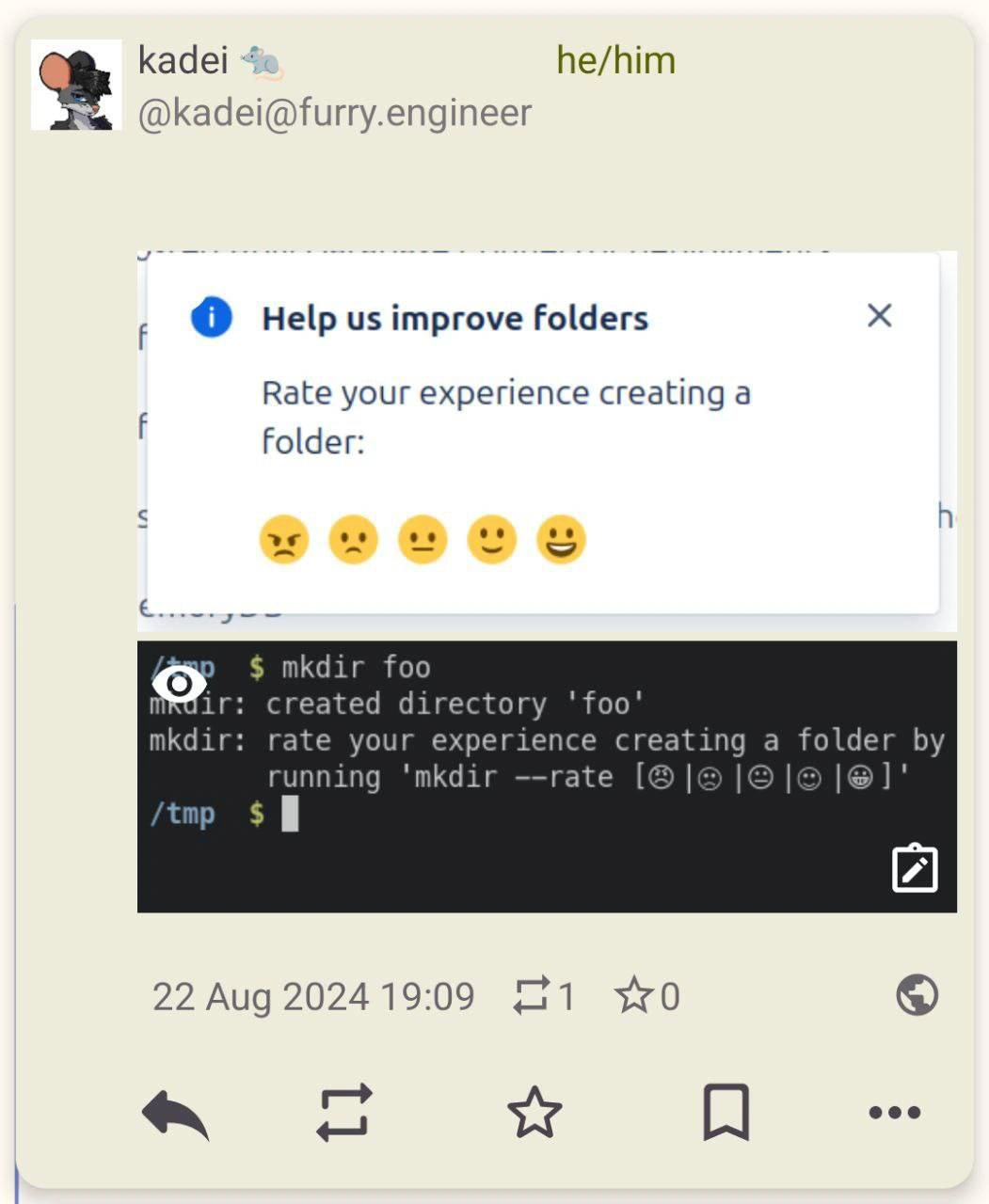
When CLI Tools Get User-Friendly: The 'mkdir --rate' Experience
Description
A screenshot of a social media post that juxtaposes a typical GUI feedback request with a command-line interface. The top part of the image shows a pop-up with the title 'Help us improve folders' which asks the user to 'Rate your experience creating a folder:' using a scale of five emojis, from angry to happy. The bottom part shows a terminal window where a user runs the command 'mkdir foo'. The command's output is 'mkdir: created directory 'foo'', followed by a humorous, fabricated line: 'mkdir: rate your experience creating a folder by running 'mkdir --rate [😠|😟|😐|🙂|😀]''. The meme satirizes the modern software trend of constantly soliciting user feedback for even the most basic actions, imagining this intrusive practice being implemented in the traditionally stoic and efficient command-line environment



Comments
22Comment deleted
Next up, 'git commit' will ask you to rate your emotional state regarding the changes, and the data will be fed directly into the sprint wellness dashboard
mkdir now emits an NPS event to Kafka, bumps the PM’s OKR, and still finishes before the React-based “rate your experience” modal can lazy-load
Next update: 'ls' will require a 5-star review before showing hidden files, and 'rm -rf' will ask if you'd recommend deletion to a friend - because nothing says 'Unix philosophy' like gamifying filesystem operations with Net Promoter Scores
This perfectly captures the dystopian future where even `mkdir` requires a Net Promoter Score. Next sprint: implementing `--skip-survey` as a premium feature, followed by `mkdir --rate --no-really-skip --i-mean-it --sudo-make-me-a-folder`. The real tragedy? Some PM is probably already drafting the RFC for 'Filesystem Operations Telemetry 2.0' with A/B testing for emoji sentiment analysis
If coreutils has an NPS target, rm -rf is going to be rebranded as “churn reduction.”
If coreutils ever ships NPS, I’m aliasing mkdir to 'install -d' and calling it observability-driven refactoring
In CLI, folders appear silently; in GUI, they demand a Yelp review
wtf Comment deleted
Humor level - #freedurov Comment deleted
how to enter emoji in the cli? Unicode? Comment deleted
copy-paste Comment deleted
win+. on Windows opens a character/emoji search, there are similar character lists in Linux too, at least Gnome has one for sure Comment deleted
Wont work in classic cmd. Only in terminal instance Comment deleted
Where could I check reviews on this and other commands? Is there any kind of rating for them it's really important please help 😞 Comment deleted
Oh thank you a lot 🙏 Comment deleted
Don't ask! Just leave a background daemon that tracks the next actions! You'll be able to analyze later Comment deleted
Big data! Artificial intelligence! 🤓 Comment deleted
microsoft mentioned? Comment deleted
Truly cursed shit. Delete it Comment deleted
hihim Comment deleted
by classic you mean a headless no-DE setup? yea, there probably is some REST API you can query with curl that gives you emojis. same energy as isevenapi.xyz tho Comment deleted
fucking abomination Comment deleted