
Skip to content
DevMeme
2326 of 7435
The Slippery Slope of Linux Customization
OperatingSystems Post #2585, on Jan 12, 2021 in TG

The Slippery Slope of Linux Customization

Why is this OperatingSystems meme funny?

Level 1: One Thing Leads to Another

Imagine you see a loose thread on your sweater and give it a tiny pull to fix it. Instead of neatly breaking off, that thread starts unraveling more… and more. You tug a bit more to try and tidy it up, and suddenly half your sweater is undone! What began as a small fix turned into a big project. This meme is joking about the same kind of snowball effect, but with using a computer. You start by trying one little new thing (like a different text editor), and it’s so neat that it makes you want to change something else, then another thing. Before you know it, you’ve gone way further than you ever expected – kind of like pulling that thread and accidentally reweaving the whole sweater. It’s funny because the person in the joke ended up doing something huge (rewriting how their computer’s sound works) all because of a tiny annoyance. We laugh because we recognize that curious feeling: one thing leads to another, and suddenly you’re on a wild adventure you never planned on.

Level 2: Tweaking All The Things

For those newer to this world, let’s break down what that tweet is talking about. It basically describes a step-by-step descent into Linux customization obsession, using some jargon that might need explaining:

  • Vim – Vim is a very popular text editor that runs in the terminal (command line). It’s old-school (born in 1991, building on even older Vi from the ‘70s) but extremely powerful. Unlike modern graphical editors (where you use a mouse and menus), Vim is keyboard-centric and has modes (for example, a mode for inserting text and a mode for giving commands). This makes editing super fast once you learn it. However, learning Vim can be tough at first – there’s a running joke that new users can’t figure out how to exit Vim (you actually exit by typing :q! to quit). If you’re a newcomer, think of Vim like a really fancy notepad that you control with only the keyboard. People who get used to Vim often start loving the CLI lifestyle: doing things in a terminal, using text-based tools, and avoiding the mouse. Vim is often a gateway into that more hands-on way of using your computer. Choosing Vim (versus something like VS Code or Sublime) is a personal TextEditorChoice, and it often signals you’re okay with steep learning curves in exchange for efficiency. Some developers become huge Vim fans – they learn all the tricks, and proudly take part in friendly editor wars discussions, playfully arguing “Vim or Emacs: which is better?”

  • Configs (Dotfiles) – “Configs” here refers to configuration files, often affectionately called dotfiles in the Linux world because their filenames start with a dot (like .vimrc for Vim, or .bashrc for the Bash shell). These files are where you put settings and preferences for your tools. For example, your .vimrc can define what keys do special actions in Vim, what color theme you use, etc. Similarly, .bashrc might contain custom shortcuts (aliases) or prompts for your terminal. When someone gets into Linux or programming, they often realize, “Hey, I can personalize this!” and start editing these text files to change how things look or behave. It’s a bit like customizing the settings on your phone, but far more powerful because you can script and change almost anything. Early on, a new developer might copy someone else’s config file to get cool features, and then they start tweaking it to their liking. This process can be really absorbing – you change one thing, test it, then change another. Over time, you accumulate a bunch of personalized dotfiles. Many people even put them on GitHub as a point of pride or so they can sync their environment across machines. If you hear someone say “I spent the afternoon tweaking my configs,” they mean they were editing these setup files to get their development environment just right. It’s a common early step into becoming a power user. You learn a lot about how the system works by doing this, because you discover, for example, what a $PATH variable is, or how aliasing a command works. It’s hands-on learning.

  • Window Managers – On a typical computer, a window manager is the part of the operating system that controls how windows appear: their borders, title bars, how you move and resize them. On Windows or macOS, you don’t really think about this – it’s built into the desktop environment. But on Linux, especially if you’re adventurous, you can swap out the whole desktop shell. A tiling window manager is a popular choice among advanced users. Instead of free-form overlapping windows, a tiling window manager automatically arranges windows in a grid or tiles that use the whole screen (no wasted space, no manual dragging). You control it with keyboard shortcuts. Examples include i3, Sway, AwesomeWM, or even using tmux inside terminal for tiling terminals. Using a tiling window manager often means you have even more config files to play with (for keybindings, layouts, rules for specific applications). For someone new, this is like discovering you can replace the entire “look and feel” of your computer’s UI with something custom. It’s a bigger leap than just editing a text editor’s settings – you’re now configuring how windows and workspaces behave system-wide. Many Linux users go this route for efficiency and aesthetics. It’s a bit of a project: you might spend hours setting up, for example, i3, to spawn your apps exactly the way you like, or to change volume/brightness via scripts. It’s definitely not something the average user does, but in the programming community there’s a whole subculture of this. People even share screenshots of their customized desktops on forums (you might hear the term “rice” or “ricing” which means heavily customizing the visual appearance of your *nix desktop, like adding fancy themes, icons, etc.). So when the quote says “then window managers”, it means the person has gone beyond editing program configs to actually rebuilding their entire desktop environment to their taste. We’re deep in the LinuxCustomization territory here.

  • Reprogramming Bluetooth drivers – Now, this is really deep. A driver is software that directly talks to hardware. In this case, a Bluetooth driver is part of the operating system (often the kernel) that manages communication with Bluetooth devices (like headphones, keyboards, etc.). Normally, almost nobody touches driver code unless you’re an operating system developer or there’s a serious bug with your hardware. The quote humorously suggests the person has become so particular that even a small inconvenience — the volume only adjusts in 5% jumps — pushes them to alter the driver. This implies coding in C (since Linux kernel and many drivers are in C) and understanding how the OS handles volume. Volume control for Bluetooth audio might involve the Bluetooth protocol and the audio server. For instance, pressing volume up on a Bluetooth speaker might send a signal to the computer, and the computer’s sound system (like PulseAudio or PipeWire on Linux) decides to increase by some fixed step, often 5%. To change that, one might dig into PulseAudio settings (there might actually be a config for step size!) or, more drastically, change the driver or firmware logic. Saying “reprogramming Bluetooth drivers” paints a picture of an extreme solution: literally rewriting part of the OS because a default behavior (5% increment) wasn’t satisfactory. This is essentially driver development, which is one of the most complex types of programming because you’re dealing with hardware interaction and kernel internals. It’s kind of the final frontier of tinkering. If you reach this point, you have absolute control (and responsibility) over your system. You’re not just changing how a program behaves; you’re changing how the OS works under the hood. That’s why this line is so over-the-top — it’s like the climax of being obsessive about customization. It’s both a joke and, for some hardcore folks, not entirely fiction! In reality, some Linux users do recompile their kernel or drivers for very niche reasons (like enabling an experimental feature or a slight behavior change). But it’s definitely not entry-level stuff.

In summary, the quote starts from something as small as adopting a new text editor (Vim) and ends at something as large as modifying the operating system’s Bluetooth driver. It highlights the culture of going all-in on the command line and customization. The phrase “entry drug” is used in jest: there’s no real drug, of course – it’s a metaphor. It means once you try Vim, you get hooked on this power and flexibility, and then you want more (just like a gateway drug leading to stronger stuff, in a joking way). Each step (configs, window managers, drivers) is like going for a stronger dose of customization. For a newcomer, it’s useful to know that this is hyperbolic – not everyone who uses Vim will end up hacking kernel drivers! 😄 But in the developer community, we’ve seen many people start with one tweak and then happily spend endless hours tailoring their system. It’s a passion and a bit of a running joke among programmers that sometimes we invest a ton of effort to automate or perfect something minor (like changing a 5% increment to 1%) just because we can. The result might not dramatically change the world, but it’s deeply satisfying for the person who did it. And who knows – along the way, they often learn a huge amount about how systems work. That’s the silver lining: each deeper level (editor -> config -> window manager -> driver) comes with a learning curve, and climbing that gives you skills and understanding that make you a more capable developer. So, while it’s a funny exaggeration, it’s also kind of celebrating the curious, hands-on spirit that drives many people in tech to keep exploring and tinkering with their tools.

Level 3: From Dotfiles to Drivers

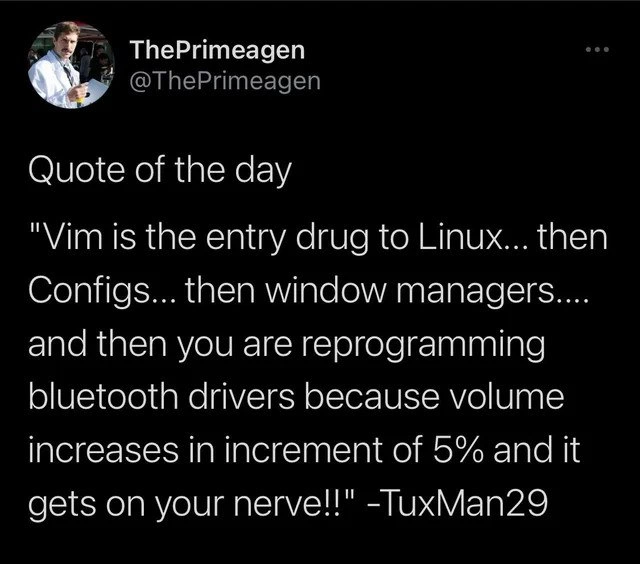
This meme perfectly captures a Linux rabbit hole journey that many seasoned devs find hilariously familiar. It starts innocently: “Vim is the entry drug to Linux”. A simple choice to use the Vim editor often acts as a gateway into the world of the CLI (Command Line Interface) and endless tweaking. Before long, you’re no longer just a casual user; you’re tweaking and tuning every aspect of your environment. The quote, originally posted by user TuxMan29 and amplified by ThePrimeagen on Twitter, strings together a progression of obsessions:

  1. Vim – The gateway text editor. Perhaps you started using Vim because a senior engineer swore by it or you wanted to quit using the mouse so much. Vim’s modal editing and efficiency are addicting. Soon you’re customizing your ~/.vimrc (Vim’s config file) with plugins, color schemes, and key mappings. You’ve entered the venerable arena of EditorWars, proudly picking sides in the eternal Vim vs Emacs debate. Your TextEditorChoice suddenly feels like a statement of identity.

  2. Configs (Dotfiles) – Once you have a taste, you want everything just right. You tumble further down, discovering configuration files for every tool: your shell (.bashrc or .zshrc), your prompt, your git settings, even custom scripts in your ~/bin. A lot of developers become borderline dotfile hoarders – tweaking ConfigurationFiles for the perfect workflow. You might keep all your dotfiles in a git repo, because of course you do. This “dotfile obsession” is practically a rite of passage. You find yourself browsing others’ dotfiles on GitHub for inspiration at 2 AM. Small tweaks (aliases, functions, environment variables) give a thrill because you’re personalizing your system. Each config tweak is like a hit of dopamine: your terminal does exactly what you want now!

  3. Window Managers – Next comes the desktop itself. Maybe the standard GNOME or KDE desktop feels too heavy or inflexible now that you’ve tasted the lean efficiency of Vim and CLI tools. So you install a tiling window manager like i3, Awesome, or Xmonad. Instead of dragging windows with a mouse, you’re moving them with keyboard shortcuts and splitting your screen like Tetris pieces. Of course, this requires writing a config file for the window manager to define shortcuts, rules, and layouts. You spend an entire weekend configuring your Linux desktop environment – setting up status bars, notifications, and theming – so that your workflow is optimized to your liking. This is deep LinuxCustomization territory. You’re effectively building your own personalized UI/UX. It’s fun, empowering, and admittedly a bit addictive. Your friends see your screen and go “Whoa, how did you make it do that?” Meanwhile, you’ve become the person who has a dotfile for everything. Changing your wallpaper involves editing a config; adjusting volume might be a shell script bound to a key. By now, you’ve distanced yourself from the default setups that ordinary users accept – you’re flying the plane manually and loving it.

  4. Driver Hacking – Finally, we reach the punchline: reprogramming Bluetooth drivers. This is an exaggeration... but only somewhat. The quote humorously suggests that, given enough time, the configuration junkie will rewrite parts of the OS itself to fix even the tiniest annoyance. The example gripe is the volume changing in 5% increments – a minor issue that most people would just live with. But after all those earlier stages, your tolerance for “good enough” is nil. Why accept a 5% jump if you can make it 1%? If the system won’t allow it, you make it allow it. Many senior developers chuckle here because they recall moments when they themselves went to absurd lengths: editing a driver, compiling a custom kernel, or scripting around a quirk, just to satisfy that urge for perfection. It’s both comic and relatable. OperatingSystems like Linux give you this power – to tweak even the low-level behavior – and the meme pokes fun at how easily a passionate developer can justify that deep dive. It’s the culmination of the “I can fix this myself!” mentality. The humor is amplified by how disproportionate it is: spending days coding and compiling, all for a volume slider that moves in 1% increments instead of 5%. Rationally, it’s overkill. But emotionally, to a power user, it feels so satisfying.

What’s great (and crazy) is that this progression is real in our industry. A lot of us started by learning a cool editor or tool and ended up with a completely custom setup. The meme resonates because it exaggerates a truth: the more you customize, the deeper in you get. There’s a shared camaraderie in this “down the rabbit hole” experience. We jokingly call Vim “the entry drug” because once you overcome its steep learning curve (like figuring out how to quit Vim, which is a classic newbie hurdle), you’ve basically proven you’re willing to dig deeper. From there, every new tweak is another hit. You become the developer who writes shell scripts to automate everything, who uses tmux and custom keyboard shortcuts, who runs Arch or Gentoo just to have finer control. You might start referring to yourself as a “ricer” (slang for someone who obsessively customizes the look and feel of their system). Your IRC or Reddit handle might even have “tux” in it (just like TuxMan29 in the quote, a nod to Tux the Linux penguin mascot) — a badge of being a Linux aficionado.

The tweet’s author, ThePrimeagen, is a known Vim enthusiast, so him sharing that quote is a wink to the community: “Yes, we know this path all too well.” It’s funny because it’s true. There’s collective humor in remembering our own journeys from simple tweaks to complex hacks. Perhaps you recall thinking, “I’ll just configure this one thing…” and next thing, the sun was rising and you were deep in C code and hardware datasheets. This meme says: be careful, today’s innocent Vim config could be tomorrow’s all-night driver debugging session. And honestly? A lot of us wouldn’t have it any other way, because half the fun of being in tech is solving puzzles and tweaking all the things — even if it’s just for that extra 5% of perfection.

Level 4: The 5% Solution

At the deepest level, this meme hints at kernel-level tinkering. Reprogramming a Bluetooth audio driver to change the volume step size is true low-level programming wizardry. In Linux, audio volume control often has discrete steps: a 5% increment means there are 20 steps from 0% to 100% volume. Why 5%? It could be a design choice or a hardware limitation (some Bluetooth devices only report a fixed number of volume levels). To alter this, our intrepid developer must dive into the guts of the system. This might involve patching the Linux kernel or the Bluetooth stack (such as BlueZ or the audio subsystem like PulseAudio/ALSA). Deep in that code lies something akin to:

// Hypothetical snippet from a Bluetooth audio driver or sound server
#define VOLUME_STEP_PERCENT 5  /* default volume increase per step */
...
current_volume += VOLUME_STEP_PERCENT;

Armed with source code, the obsessive tweaker changes that 5 to, say, 1 for finer 1% increments. Then comes the compilation and installation of a custom driver or rebuilt audio server. Essentially, they're performing surgery on the operating system itself. This is OperatingSystems meets DriverDevelopment: dealing with kernel modules, bitflags, and possibly kernel panics if something goes wrong.

From a theoretical perspective, it’s fascinating that open-source systems like Linux allow this. The OS is not a black box – anyone determined enough can study how the Bluetooth HCI (Host Controller Interface) or audio profile is implemented. Volume control might involve converting a linear scale to decibels, dealing with Bluetooth protocols (AVRCP for media control), and ensuring the hardware and software agree on volume levels. The 5% step could simply be a convenient constant chosen by a developer long ago (perhaps because human ears don’t discern tiny differences well, or 5% was “good enough”). But in the world of hardcore customization, “good enough” isn’t good enough! By reading kernel documentation and source code comments, one might discover that this value was hard-coded for simplicity or compatibility. Armed with that knowledge, a true hacker patches it, effectively bending the machine to their will.

It’s a deep rabbit hole indeed – going from editing text files to editing C source files of your OS. The joke’s brilliance lies in this extreme: most people would never imagine touching Bluetooth driver code just to adjust volume behavior, but in the Linux world it’s possible. The layers of abstraction peel away: what started as a simple configuration tweak evolves into understanding kernel syscalls, driver APIs, and maybe even the math of audio scaling. This is the final boss level of LinuxCustomization culture – when you’re tweaking constants in kernel space for that perfect setup, you’ve truly gone down the rabbit hole. And amazingly, the open-source nature of Linux means the sky’s the limit; you can modify anything, even if it means wrestling with kernel concurrency or hardware registers. It’s both empowering and a little terrifying that a developer’s annoyance at a 5% increment can lead them to traverse this much complexity.

Description

A screenshot of a tweet from the user ThePrimeagen (@ThePrimeagen), a well-known personality in the developer community. The tweet features a 'Quote of the day' attributed to a user named TuxMan29. The quote reads: 'Vim is the entry drug to Linux... then Configs... then window managers.... and then you are reprogramming bluetooth drivers because volume increases in increment of 5% and it gets on your nerve!!'. This text is displayed in white on a black background. The meme perfectly captures the 'yak shaving' rabbit hole that many developers, particularly in the Linux ecosystem, fall into. It starts with customizing a text editor (Vim), progresses to system configurations and window managers, and ends in an obsessive, deep-level modification of a system driver to fix a trivial personal annoyance. It’s a humorous and highly relatable observation about the developer mindset of seeking absolute control over their environment, even when it leads to absurdly complex solutions for minor problems


Comments

17
Anonymous ★ Top Pick The senior engineer's paradox: Spending three days recompiling the kernel to change the volume step from 5% to 3%, only to realize their new mechanical keyboard's volume knob renders the entire effort moot
  1. Anonymous ★ Top Pick

    The senior engineer's paradox: Spending three days recompiling the kernel to change the volume step from 5% to 3%, only to realize their new mechanical keyboard's volume knob renders the entire effort moot

  2. Anonymous

    First I remapped Esc in Vim; three dotfile commits later I’m bisecting BlueZ to make the volume step 1 dB - turns out the real slippery slope in tech is self-imposed precision

  3. Anonymous

    The real tragedy isn't spending 6 hours configuring your window manager to save 2 keystrokes - it's realizing your Bluetooth driver rewrite now conflicts with the custom ALSA configuration you forgot you wrote last year while procrastinating on that critical production bug

  4. Anonymous

    The Linux customization journey perfectly encapsulates the senior engineer's curse: you start wanting to exit a text editor efficiently, and six months later you're knee-deep in ALSA kernel modules at 2 AM because your volume control increments by 5% instead of 2%. It's not about the destination - it's about the increasingly esoteric yak-shaving along the way. We've all been there: 'I'll just tweak this one config file' becomes 'I'm now maintaining a fork of a Bluetooth driver because the maintainer thinks 5% volume steps are acceptable.' The real gateway drug isn't Vim - it's the belief that you can fix 'just this one thing' without descending into a multi-week architectural overhaul of your entire desktop environment

  5. Anonymous

    Vim hooks you, but it's the 5% volume steps that make you BlueZ your own driver - at that point, just fork the kernel

  6. Anonymous

    Scope creep in the homelab: you start mapping jj to Esc, and end up writing a DKMS patch against BlueZ so PipeWire exposes 1% steps - classic yak shave with root privileges

  7. Anonymous

    Vim is the gateway drug; a few dotfiles later you’re git-bisecting BlueZ to stop AVRCP’s 5% volume steps - $0 saved, 12 hours well spent

  8. @LyoLyonydas 5y

    For me the entry drug was 'windows update' actually :)

    1. @lord_nani 5y

      How’s that?

  9. @LyoLyonydas 5y

    Windows forced update in a critical moment in project, I wanted some os that I have actually basic control in 🙈

    1. @Agent1378 5y

      Get LTSC version with all shit disabled or cut out

      1. @RiedleroD 5y

        get Linux. easy.

        1. @dugeru42 5y

          What if his wife wants sims?

    2. @dugeru42 5y

      Windows ameliorated

  10. @LyoLyonydas 5y

    2 l8

    1. Deleted Account 5y

      10

  11. @f3rr0us 5y

    I tried on my wife's Ubuntu. Having Sims, especially Sims 2, run even on Windows is mostly a random chance

Use J and K for navigation
