Color-Coded Cable Management Perfection in a Server Rack
Why is this Infrastructure meme funny?
Level 1: Crayons in a Row
Imagine you have a big box full of different colored crayons all jumbled together – it’s pretty hard to find the one you want, and it looks like a mess, right? Now picture taking those same crayons and sorting them by color into neat rows – all the reds together, all the blues together, all the yellows together – like a perfect rainbow in the box. Suddenly, it’s easy to grab the crayon you need, and it just feels nice to see everything in order. That satisfying feeling is exactly why this picture of super tidy cables makes the people who work with wires smile: it’s like seeing a messy jumble turned into perfect order. When wires are all tangled and mixed up, it’s stressful and confusing; but when they’re arranged just right (like those crayons), it makes everyone feel calm and happy.
Level 2: Patch Panel Perfection
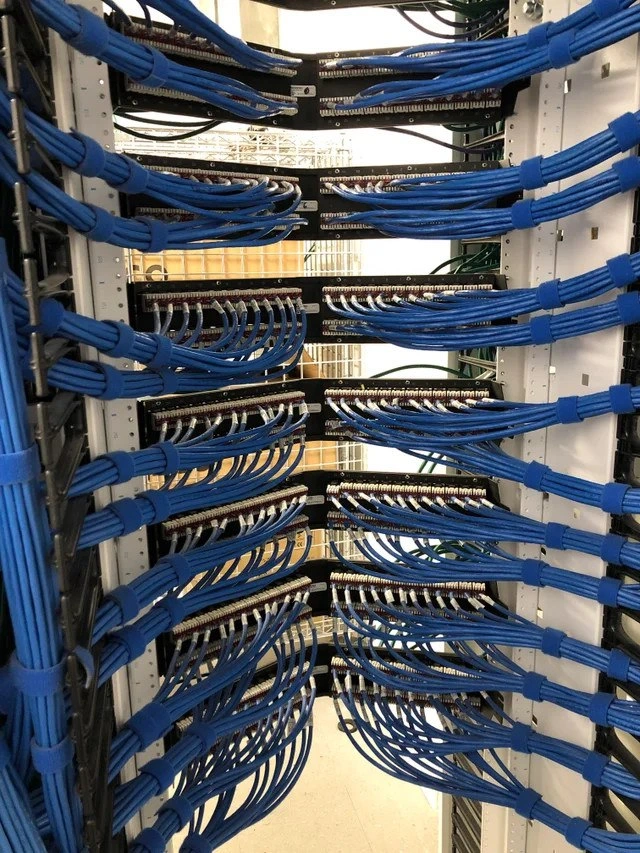
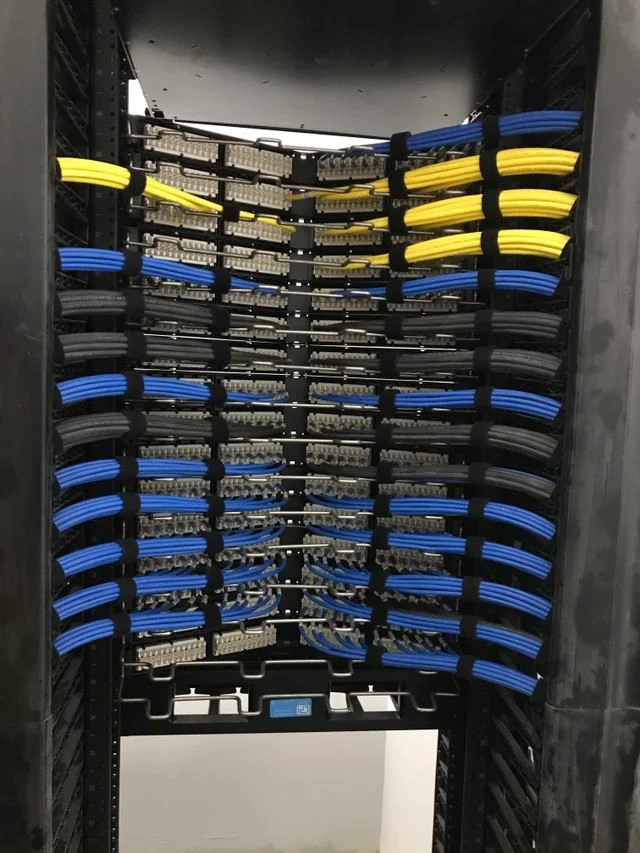
If you’re newer to IT or networking, let’s break down why this data-center rack photo is both impressive and amusing. What you’re looking at is a tall 42U data center rack (about 6 feet+ high) filled with organized networking gear. 42U means the rack has 42 unit spaces for mounting equipment – that’s standard for a full-size rack in many server rooms. Inside this rack, those rectangular blocks with lots of little ports (holes) are patch panels. A patch panel is like a connector hub for network cables. Here’s how it works: all the long, permanent cables that run through the building (maybe going out to office wall jacks or other rooms) terminate at the back of these patch panels by being punched down onto insulated terminals. On the front side of the patch panel are all those jacks where you can plug in short cables. Those short cables (the bright yellow, blue, and black ones we see) are called Ethernet patch cords. They go from the patch panel ports to the actual network devices (like switches) that direct traffic. Think of patch panels as a neat way to organize and label all your network connections: instead of one big cable going directly from a server to a distant switch through the walls, the cable goes from the server to the back of a labeled patch panel port. Then a short patch cord connects from that port (on the front side) to the switch. This way, if you need to re-route or change connections, you do it with those short cords at the front, rather than pulling long cables through ceilings or floors each time. It’s a cornerstone of structured cabling design – everything has a planned place to land.
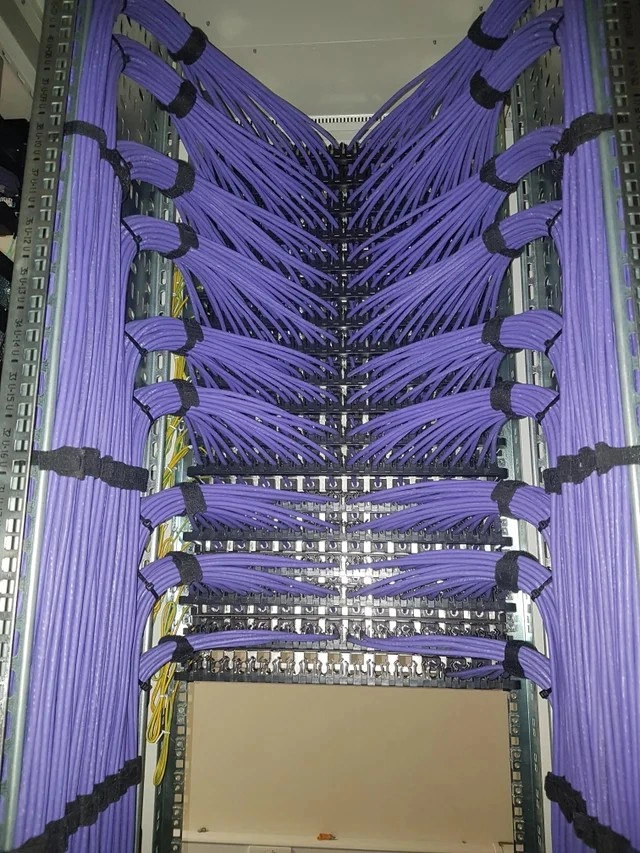
Now, the remarkable thing here is how those patch cords and cables are arranged. In many real-world server closets, cables end up turning into a rat’s nest: different lengths, colors, and types all tangled together in a chaotic snarl (often jokingly called spaghetti wiring because it looks like a pile of cooked spaghetti). It’s so common that messy cables are kind of an IT horror trope. In contrast, what we see in this photo is world-class cable management. The cables are combed and grouped into uniform bundles. They run parallel to each other, making clean horizontal rows from each patch panel towards the sides of the rack, then gracefully bending down or up to the next patch panel or to cable trays. Notice how every bundle of cables has been trained to follow the same paths, almost like lanes on a highway with no one straying out of line.
Each bundle is held together with black Velcro straps at regular intervals. Using Velcro (hook-and-loop) straps instead of plastic zip ties is actually a best practice in network engineering. Why? Because Velcro straps can be easily undone and redone whenever you need to add or remove a cable, and they apply just enough pressure to hold cables without pinching. Zip ties, on the other hand, are usually one-time use (you have to cut them off, which can accidentally cut cables if you’re not careful) and if overtightened they can even damage the cable insulation or the tiny copper wires inside by crimping them. So what you see is a very maintenance-friendly design: should someone need to run a new cable next week, they can simply undo a Velcro strap, lay in the new cable alongside the others, and strap it back up, all without disturbing the neatness or harming existing lines. The result? Incredibly tidy bundles that are also functional for day-to-day changes.
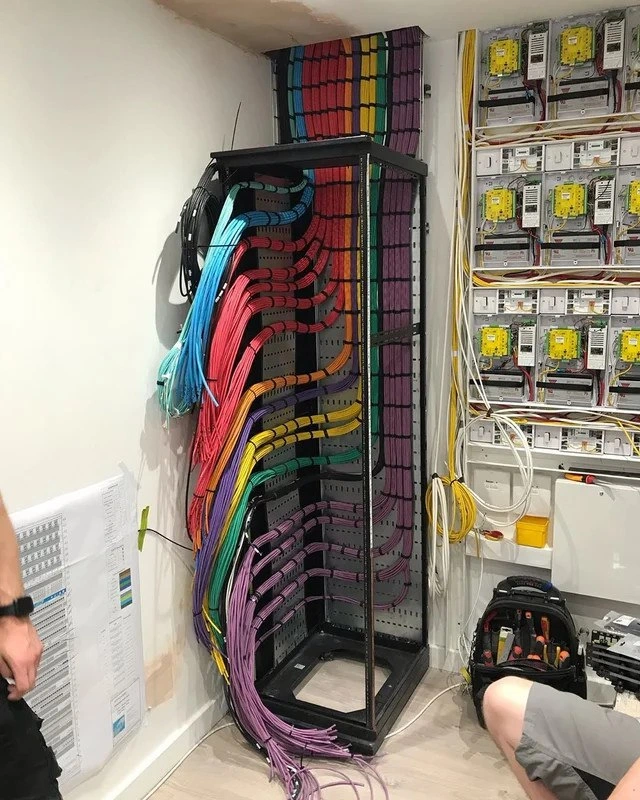
Another thing that jumps out is the color coordination. These Ethernet cables aren’t all just one color or random colors; they’re deliberately grouped (yellow at the top section, blue in the middle, black at the bottom). In professional setups, color-coding cables is a common strategy to distinguish different networks or purposes at a glance. For example, an organization might use yellow for all connections related to, say, core network infrastructure or inter-rack links, blue for regular device connections (like servers to switch ports), and black for a separate network like management, backup, or DMZ connections. The specifics vary, but the principle is that anyone working on this rack knows, “Oh, a yellow cable belongs to this particular network or usage.” That way, if there’s a network issue, you can narrow things down faster (“It’s a problem on the blue network, so check the blue cables”). It’s like labeling each cable by its job without having to read tiny labels – the color does the talking. And indeed, in the photo, each horizontal row likely corresponds to a specific patch panel or switch, and within that row all cables serve a similar role, hence the uniform color per row. This color coding plus clean labeling on the patch panels themselves makes for a very maintenance-friendly setup. Traceability is superb: you can follow a cable from the patch panel port, along its color-coded bundle, and know exactly where it goes.
Take a closer look at how the cables bend and turn. All the curves are smooth and consistent, almost like they were shaped with a template. In networking, there’s a concept of bend radius – the radius of the curve a cable makes when you bend it. Cables (especially copper Ethernet like Cat5e/Cat6) have a recommended minimum bend radius. If you bend a cable too sharply (too tight a curve), you risk damaging the twisted wire pairs inside or impairing the signal (it can introduce crosstalk or attenuation where the data signals degrade). In serious installations, you never yank a cable around a hard 90-degree corner or let it kink. What we see here is that every cable’s bend radius is generous and identical to its neighbors. They probably used a cable comb (a tool that helps align and guide many cables together neatly) and cable management brackets to train the cables into these graceful arcs. This not only looks great but means none of the cables are under physical stress. It also keeps the cables from overlapping in messy ways that could make it hard to remove one later. Plus, with such neat routing, airflow through the rack is largely unobstructed – important because networking gear and servers intake cool air from the front and expel hot air out the back. A jungle of cables at the front can act like a blanket or block air. Here, everything is off to the sides in ordered bundles, leaving plenty of open space for air to flow. Cooler equipment is happier equipment (overheated switches can throttle performance or even shut down).
Now, see that small gadget at the bottom center of the rack with a bubble inside? That’s a spirit level (also known as a bubble level). It’s a tool usually used when installing the rack to ensure it’s perfectly upright and not tilted to one side. The bubble in the middle tells you when the surface is level. The funny thing is, you normally remove the level after installing and leveling the rack. But the person who set this up left the level visible on purpose when taking the photo, as a playful brag. It’s like them saying, “Not only are my cables perfectly managed, but look – this whole rack is aligned with absolute precision!” It’s an extra bit of pride in workmanship. In reality, having a level rack is important (it prevents things from sliding around and ensures weight is distributed evenly on the rack’s frame and mounting points), but once it’s set, people don’t advertise it. Leaving the level in the picture is just for geek points. It made other tech folks chuckle because it’s such an over-the-top, tongue-in-cheek way of showing off perfection. It’s as if a car mechanic changed your tires and then also showed you a laser alignment readout just to prove how exact everything is. Here, the bubble dead-center is the network engineer’s way of showing their rack aesthetics are literally on the level.
So why does this image resonate and amuse people in IT? It’s the sheer rarity of such perfection. Imagine you’re a junior admin and on your first week you open a network cabinet door and see something like the top half of this picture – nice straight lines of cables. You might not even realize at first why it looks so clean, but you’ll find it easy to work with. Now compare that to your second week on the job when you open a different cabinet and it’s a nightmare of tangled cords going every which way. Suddenly, you appreciate how much easier life is with the first setup! This meme basically captures that first scenario and amplifies it. It’s funny in a gentle way: every IT person looks at this and goes, “Ha! If only everything in real life was this perfect.” It’s like a goal or fantasy because in practice, maintaining this kind of order is hard. Equipment gets added or removed, emergencies happen (and someone hastily runs a new cable across the front because they don’t have time to route it nicely), labels fall off, etc. Over a few years, even a beautifully installed rack can devolve into a bit of mess unless someone actively keeps it tidy.
The term “nirvana” in the meme title is a nod to how zen this image feels. It’s as if the network engineer reached a state of enlightenment by achieving ultimate cable order. There’s actually a lot of pride and almost OCD-like satisfaction among IT folks in doing this kind of job well. In fact, online communities (like subreddits dedicated to cable management or entire Pinterest boards of server rack makeovers) obsess over before-and-after shots of messy cables that get turned into something like what we see here. It’s practically an art form in the Data Center world. People will literally post a photo like this with captions like, “I can retire happy now,” or “Behold, cablegasm!” (a cheeky term combining cable and enthusiasm). So this meme is both celebrating that art and poking a bit of fun at it.
For a newcomer, the key takeaways are: organization matters even in the physical parts of IT. This tidy rack isn’t just about looking nice; it means the next time there’s a problem, the engineers can quickly find the right cable and port. It means if they need to swap a switch or reroute a connection, they can do so without accidentally unplugging ten other things or pulling a cable that’s snagged under a bunch of others. It’s about reliability and efficiency. And because all of us in IT have seen the other side (the chaotic spaghetti nightmare), we find this picture almost soothing. It’s like the ultimate “after” picture in a before/after comparison. The joke is that reaching this level of perfection is almost a spiritual achievement in network infrastructure management – hence the joking reference to nirvana.
In summary, this meme’s image is both inspirational and humorous for anyone who has managed networks. Inspirational because we all want our setups to be this good, and humorous because we know how much work and how few mistakes it takes to keep it that way. It’s a bit of a humblebrag by the original poster (“Look what I made, isn’t it glorious?”) and the community responds with a mix of “I salute you” and “You must have way too much free time, haha.” In any case, it definitely scratches that itch we have for order in a world full of technical chaos.
Level 3: Structured Cabling Nirvana
For experienced network engineers, this image is the stuff of legends. Achieving a completely structured cabling installation with cables so organized they look like a piece of art is no trivial feat. This is a full-height 42U rack filled with row upon row of patch panels, each connected to perfectly routed cables. The cables are arranged horizontally in immaculate bundles by color (bright yellow up top, vivid blue in the middle, charcoal black at the bottom), each bundle bound by matching Velcro straps at measured intervals. The effect is a uniform bend radius on every cable, indicating an almost obsessive attention to detail and consistency. They’ve essentially turned a messy job into a form of engineering artwork.
From a network architecture perspective, this precision isn’t just for show – it has practical benefits. Uniform cable routing and length means signals travel in a predictable way, and bundling cables cleanly (with just the right spacing) helps minimize crosstalk and electromagnetic interference. In high-bandwidth setups, tightly tangled cables can interfere with each other (think of noise at the physical layer of the OSI model), but neatly combed bundles reduce that risk. The presence of distinct color groups suggests a deliberate scheme: perhaps color-coded Ethernet cables for different functions or networks. It could be that yellow cables are all trunk lines or uplinks to core switches, blue cables connect servers or user ports, and black cables serve a separate purpose like a management network or storage backbone. By color-coding, the engineer has made the rack self-documenting – anyone who knows the scheme can instantly identify what each bundle of cables is for. This kind of clarity in Network Infrastructure Design is worth its weight in gold when you’re tracing connections or troubleshooting an issue at 3 AM under pressure.
Let’s talk about those patch panels: each horizontal row of ports is a patch panel bristling with modular jacks and backed by punch-down blocks. In a structured cabling setup, the permanent cables running through the building or data center (to desks, servers, other racks, etc.) all terminate on the back of these panels. The front of the panel provides accessible ports where short patch cords can then link to network switches or routers. This decouples fixed wiring from active equipment. It’s basically the textbook approach to infrastructure management: you can rearrange network connections easily by moving patch cords, without ever touching the long cables in the walls. It also means any cable mess (or orderliness) is concentrated on the rack, where you can manage it systematically. What we see here is that textbook approach taken to an extreme degree of perfection – essentially maintenance-friendly design incarnate. Every cable is labeled by position, length is optimized, and routing is planned so well that even future changes can follow the same orderly paths.
The inclusion of that small blue bubble level at the rack’s base is the hilarious cherry on top – a subtle bubble level flex. Normally, once a rack is bolted to the floor, you remove your spirit level tool and never think about it again. Here, the engineer left it in the photo, bubble dead-center, as if to say: “Behold, not only are my cables perfect, even gravity is perfectly aligned with my rack!” It’s essentially the network-equipment equivalent of a mic drop. A perfectly level rack ensures weight is evenly distributed and nothing is skiwampus, but showcasing it in the final glamour shot is a tongue-in-cheek boast. This person is signaling to fellow techies that every detail, down to the Earth’s pull, has been accounted for. It’s both practical (level racks prevent strain on mounts and make sliding servers in easier) and comical in its thoroughness. You can almost hear other sysadmins jokingly slow-clapping at this dedication.
The humor and joy in this image come from the contrast with the typical reality of server rooms. Every seasoned systems administration veteran has horror stories of opening a network cabinet to find an explosion of random cables: different lengths, colors mixed haphazardly, cords snaking in every direction – the infamous “spaghetti wiring” that makes any simple task a nightmare. In those scenarios, tracing a single cable is like following a strand of spaghetti in a bowl of pasta. By satirizing the exact opposite – a rack so orderly it could induce tears of joy – the meme strikes a chord. We chuckle because we all know how insanely hard and rare this is to achieve. It’s like an inside joke among IT pros: “If only everything in IT could be as straightforward as these cables look.” This rack is what many of us aspire to but seldom reach, at least not for long. After all, entropy and urgent deadlines have a way of turning even well-managed setups into tangles over time. The joke acknowledges that truth: reaching this kind of “cable nirvana” is often a fleeting moment, maybe right after a big infrastructure overhaul or data center relocation, before daily quick-fixes start creeping in again.
Yet, beyond the joke, there’s genuine admiration. Proper cable management is a hallmark of professionalism in Networking and data center operations. Many industry standards and best practices (like the TIA/EIA guidelines for structured cabling) exist precisely to encourage this kind of setup because it reduces errors, downtime, and equipment damage. Neatly bundled cables improve airflow through the rack (tangles of cables can act like a dam, blocking cooling air, leading to hot spots). Good airflow means cooler switches and servers, which in turn can mean better performance and longevity — even avoiding latency issues if overheating causes throttling. Furthermore, when everything is labeled and accessible, you don’t accidentally unplug the wrong cable when trying to fix something (we’ve all heard the horror stories of someone disconnecting the wrong network line and taking down a critical system). In short, it’s not just for looks: this level of organization has real operational benefits. But the reason it elicits such a grin is because so few ever get to see a setup this polished outside of vendor catalogs or Pinterest boards. It’s like seeing a unicorn in the wild for network engineers.
Lastly, consider the human element: achieving this took time, patience, and pride. There’s an almost meditative quality to routing cables this perfectly. Some might even find the process therapeutic, methodically training each cable along the ladder racks and through cable managers, Velcroing them just so. In IT circles, photos like this are sometimes lovingly referred to as “cable porn” because they’re oddly satisfying to look at (showing off the beauty of well-done CableManagement). The meme nails that feeling — it’s half “Wow, that’s beautiful” and half “I can’t believe someone actually did that!” The nirvana in the title isn’t just a joke; there’s a real sense of zen for the engineer who finally finishes a job like this and steps back to admire it. In the end, we’re all laughing a bit, nodding in respect, and maybe feeling a twinge of envy. It’s a celebration of the oft-overlooked artistry in IT infrastructure. This picture says: even in the gritty world of server racks and Ethernet, there’s room for perfection, and seeing it is downright cathartic for those who know the struggle.
Description
This image showcases a pristine server rack with meticulous, color-coded cable management. The view is from the front of the rack, looking at rows of patch panels. Bundles of network cables - segregated by color into distinct groups of yellow, blue, and dark grey - are expertly routed horizontally. Each bundle is secured with black velcro straps, creating clean lines and gentle arcs as they feed into the patch panels. The color-coding suggests a well-planned network architecture, likely separating different types of traffic or environments (e.g., data, voice, management). This level of organization is the hallmark of a highly professional data center or network operations team, as it simplifies maintenance, reduces error, and improves system reliability. It's a visual representation of order and control in a complex technical environment
Comments
7Comment deleted
I see color-coded cables and I think, 'Ah, a senior engineer who has spent years untangling the rainbow spaghetti left by their predecessors.' This isn't just clean; it's a well-documented API for the physical layer
Infrastructure-as-Code, 2025 edition: the rack fails CI if ‘terraform fmt’ detects a CAT6 bend-radius mismatch or the bubble level isn’t centered
This is the rack that gets photographed for the RFP response, while the actual production rack looks like someone sneezed spaghetti during a midnight outage
This is what network cable management looks like when the project actually has a 'documentation and cleanup' phase in the budget instead of the usual 'make it work by Friday and we'll clean it up later' (narrator: they never cleaned it up later). In six months, after three emergency patches at 3 AM and two 'quick fixes' by contractors who've never heard of cable ties, this will look like someone threw a bowl of rainbow spaghetti at the rack. But for now, this engineer can die happy knowing they've achieved what 99% of us only dream about: a rack photo they can actually show their parents without needing to explain why it looks like a rat's nest designed by a colorblind electrician during an earthquake
Cable management so bad, it's the physical embodiment of technical debt - with knots instead of kludges
Proof we finally implemented DDD - at Layer 1: yellow and blue bounded contexts, interfaces enforced by Velcro; meanwhile our microservices still share one database
Proof that Prettier exists for Layer 1: idempotent Velcro, deterministic patch panels, and an MTTR that actually survives the 2am CAB-approved change window