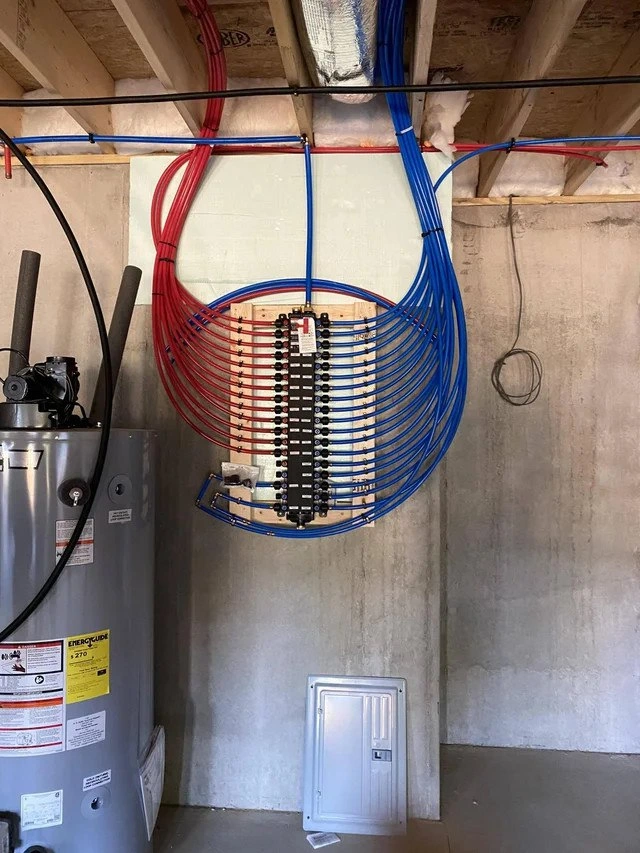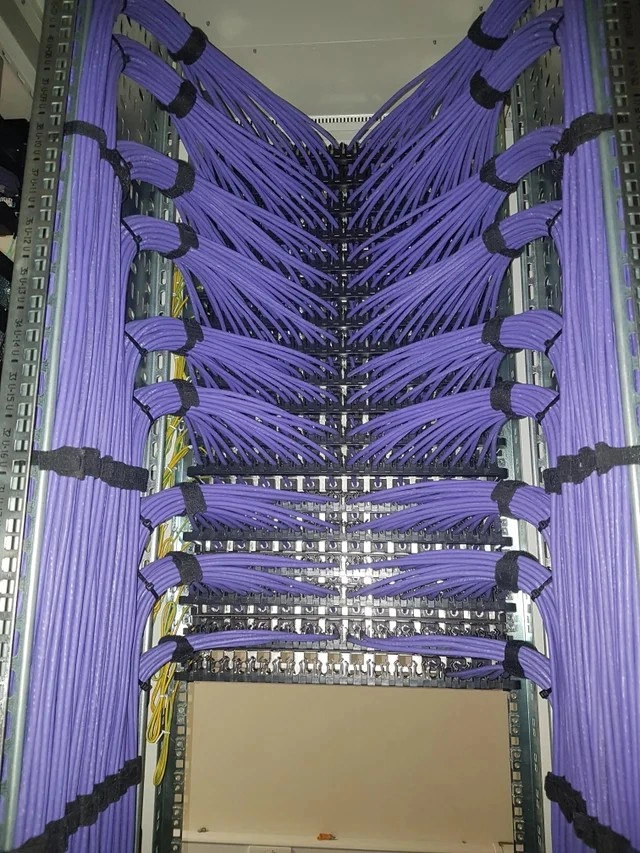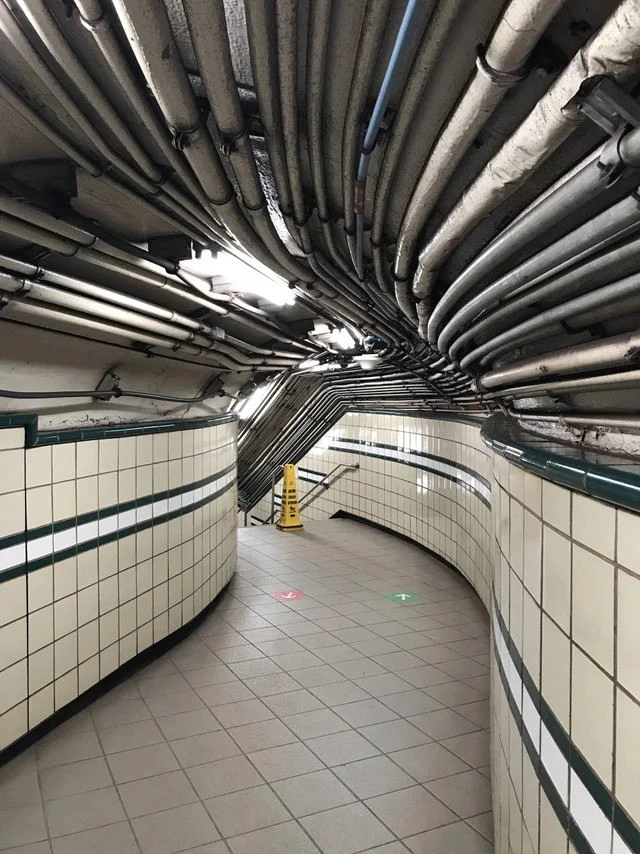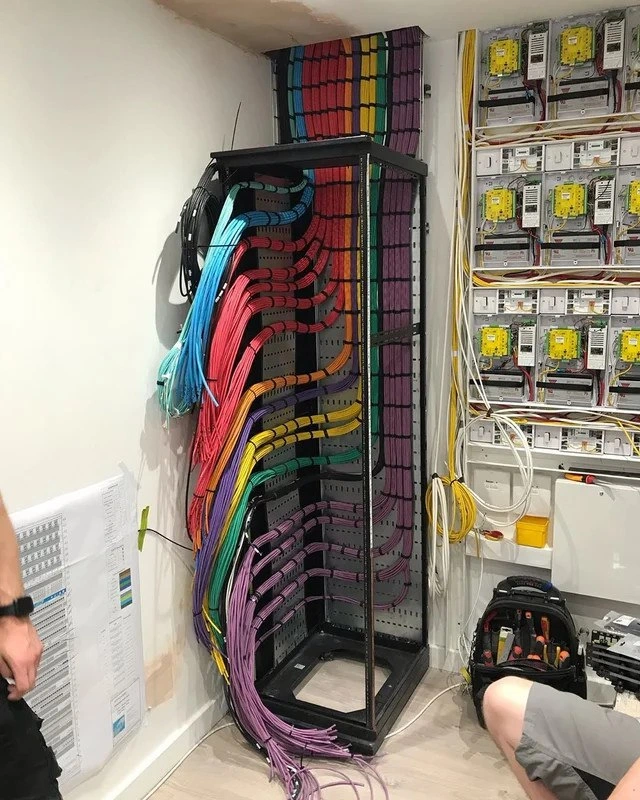
When a hardware engineer designs their entertainment center
Why is this Hardware meme funny?
Level 1: Everything in Its Place
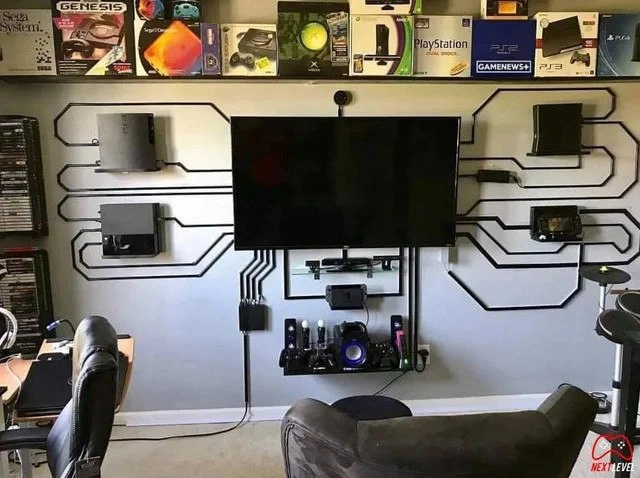
Imagine walking into a room and seeing all your favorite game machines displayed around the TV like trophies, with every single wire lined up perfectly like tracks on a race car set. Nothing is tangled, nothing is messy – it’s all super neat. It’s as if someone took all the toys in the playroom and hung them on the wall in a cool pattern, making sure each toy’s string goes straight to the TV without crossing others. The wall has black lines that look kind of like a giant connect-the-dots drawing or a maze, guiding each cable from the game consoles to the TV. It almost looks like a big circuit board picture, even if you don’t know what that is, you can see it’s a very techy pattern. The fun part is that usually behind a TV you’d find a messy jumble of cords (you know, the kind you have to sneak past so you don’t trip), but here the cords became part of the decoration.
This setup feels like a dream playroom for someone who loves video games. It’s so organized that it’s a bit surprising – kind of like walking into a friend’s room and seeing all their LEGO pieces sorted by color and snapped onto the wall in a display, instead of heaped in a box. You can tell the person who made this really cares about their gaming and their space. They have all the big game consoles (PlayStations, Xbox, Nintendo – all the different “teams” of games) living together in harmony. It’s funny and awesome at the same time, because who even has that many consoles hooked up at once, and how did they get it to look so clean? The feeling you get looking at it is a mix of wow, that’s cool and wow, that must have taken a lot of work. Even if you’re not into the technical stuff, you can appreciate that everything is tidy and right where it belongs. It’s like if a gamer was also a master at organizing – this is what their happy place would look like. In simple terms: every gadget is in its spot, every cord is in a line, and the whole setup is ready for fun without any of the usual mess. It’s both nerdy and beautiful, and it shows that sometimes, setting things up just right can make a room feel like magic.
Level 2: Gamer’s Dream Setup
At first glance, this looks like a gamer’s dream come true. What you see is a special home office corner where someone has mounted several video game consoles on the wall around a big TV. Wall-mounting means each console (like the PlayStation and Xbox machines that usually sit on a shelf) is attached directly to the wall, almost as if they’re floating next to the screen. The cool twist is how the wires from those consoles are handled: normally you’d have cords dangling messily down to the TV or power outlet, but here they’re all tucked inside plastic cable channels that run along the wall in straight lines and sharp angles. These black channels make the wiring look like a PCB-style cable routing – that is, they resemble the thin lines on a printed circuit board (the green boards inside electronics that connect all the parts together). So instead of hiding the wires completely, the owner arranged them as a design element. All those lines meet neatly behind the TV, which is where the cables plug in. It’s like turning a normally messy bunch of cords into a cool wall pattern – a bit of functional art for a Hardware enthusiast.
This setup includes five different game consoles: PlayStation 3, PlayStation 4, PlayStation 5 (those are three generations of Sony’s PlayStation), an Xbox 360 (Microsoft’s console from the same era as the PS3), and a Wii U (Nintendo’s console around the era of PS4). Basically, the owner has a collection of major gaming systems from the last 10-15 years all connected to one TV. That’s what we mean by a multi_console_setup – multiple consoles ready to play at any time. Under the TV there’s a shelf with a soundbar (a long speaker for better audio than the TV alone provides) and a media box (perhaps something like an Apple TV or cable box). On that shelf and the one below it, you can spot a row of game controllers and headphones, all lined up and organized. Nothing is random – even the accessories have their own place. There are also power strips and a network switch visible. A power strip is a device that lets you plug many electrical devices into one outlet (very handy when you have this many gadgets). The network switch is like a hub for Ethernet cables – it allows all these consoles and devices to connect to the home internet via wired connection. A wired connection (Ethernet) is faster and more stable than Wi-Fi, which is a big plus for online gaming and downloading those huge game updates. So this person didn’t just think about making it look good; they also made sure it’s technically solid – everything is powered properly and connected to the internet reliably.
One particularly charming aspect is the retro console boxes display along the top of the wall. You can see old console boxes like the Sega Genesis, Nintendo 64, the original Xbox, PlayStation Portable, and older PlayStation boxes. These are empty boxes (or maybe the consoles are stored inside them) kept as trophies or decoration. They form a sort of timeline of gaming history – a nod to all the classic game systems that came before the ones on the wall. It’s like saying the owner has been a gaming fan for a long time, honoring the past while enjoying the present. This blend of old and new is very much part of GamingCulture: gamers often cherish the nostalgia of old consoles even as they play the latest tech. For a geek or developer who loves hardware, having those boxes on display is similar to how a book lover might display vintage books – it’s showing respect for the era of 16-bit and 64-bit games that led up to today’s 4K graphics monsters.
In simpler terms, this home office is a mix of a workstation and a play area. On one side, there’s likely a desk with a computer (you can see a chair and some setup for a PC, meaning the person probably writes code or does their regular job there). And on the wall, there’s this amazing gaming center. It’s the kind of setup where you could finish your work or homework on one screen, then spin your chair around and immediately be in game mode on the big TV. Everything is organized: no tangled wires, no piles of games or controllers on the floor. This level of orderliness with tech is often jokingly called “geek nirvana” or nerd heaven – because it’s so satisfying to see. The humor or novelty here comes from the fact that most people have a mess of cables and devices around their TV, but this person managed to make it look like a showroom or a high-end tech demo room. It’s both a practical solution (no tripping over wires, easy to find the right controller) and a creative expression. By using those cable channels to create a PCB-like pattern, they proudly show off their love for hardware design. It’s like their wall is saying “I love technology and I even turned my room into a giant circuit board to prove it!” For anyone who works with tech or just loves gadgets, this setup is equal parts inspirational and a bit funny – inspirational because it’s so well done, and funny because it’s admittedly a bit over-the-top, in a only a true geek would do this kind of way.
Level 3: Next-Level Cable Management
This image hits every CableManagement nerve in the best way. It’s the ultimate flex for a gamer-developer’s home office: an immaculate multi-console setup where five different game consoles are not only present, but proudly wall-mounted like works of art. Each device – from the PlayStation 3 up to the PlayStation 5, plus an Xbox 360 and a Wii U – has its cables tamed and routed with military precision. For any experienced hardware geek, the humor and admiration come from knowing how absurdly difficult it is to make something usually so chaotic look this clean. We’ve all seen (or perpetrated) the spaghetti monster of cables behind a TV or under a desk – power cords snaking everywhere, HDMI cables in a hopeless tangle, dust bunnies lurking in the knot. Here, someone actually achieved immaculate cable management: every cord is hidden inside angular raceways, forming a geometric pattern as satisfying as a Mondrian painting. It’s both hilarious and inspiring because the typical reality of a “gaming den” is wires hanging down the wall or a jumble of devices crammed into an entertainment center. This person took the concept of a home office setup and elevated it to what they cheekily call “hardware geek nirvana,” and they’re not wrong.
From a seasoned developer’s perspective, there’s a ton of engineering savvy behind this setup. First off, mounting consoles on a wall isn’t trivial – it likely involved custom brackets or mounts (possibly 3D-printed or specialty kits) to hold each console securely. There’s a bit of irony: consoles usually are designed to sit horizontally (some even warn against vertical orientation), yet here they are, defying gravity, like monoliths in a tech shrine. Each console is placed for symmetry around the central TV, almost like a pantheon of gaming gods with the TV as the altar. This tongue-in-cheek “Mount Olympus of Consoles” vibe celebrates all platforms equally: Sony, Microsoft, Nintendo – no fanboy wars here, because why choose when you can have them all? It’s the dream of a multi-console setup: instant access to any exclusive game, one HDMI input switch away. The humor is in the over-the-top dedication: instead of hiding the fact that they have a ridiculous number of systems, the owner turned it into the room’s focal point. It’s bragging rights material for any techie: “Check out my rig – it’s not just a PC under the desk, it’s the last three generations of consoles mounted like a command center.”
The “pcb_style_cable_routing” is what pushes it from merely neat to next-level awesome. An experienced eye appreciates that this wasn’t done haphazardly; it was designed. The builder likely planned the path of each cable run, measured lengths, and installed those black plastic cable channels (raceways) piece by piece to create perfect 90° bends and straightaways. They essentially drew a circuit diagram on their wall and used cables as the ink. The result is not just tidy – it’s artistic. It tickles the same part of a developer’s brain that loves neatly indented code or perfectly aligned UI elements. There’s also functional wisdom here: by routing cables in fixed channels, troubleshooting or swapping a console is much easier, since each wire’s path is clear and distinct (no guessing which plug belongs to which device – you can literally trace the line). It’s reminiscent of how server racks in data centers are managed with labeled, bundled cables – not for looks, but for maintainability. Here we get the best of both: aesthetics and practicality.
Consider the logistics an IT veteran would notice: there’s a power strip (or two) managing the electricity for all this gear, and likely each console’s hefty power brick is hidden or organized out of sight. All consoles are probably wired to a network switch for stable Internet – the presence of that switch indicates the owner hates lag and download timeouts as much as messy wires. A wired connection for every console means faster game updates and smoother online play, a move any seasoned gamer-dev would approve of (Wi-Fi is convenient, but Ethernet is king when reliability matters). The shelf below the TV holding the soundbar, media box, controllers, and headsets is another satisfying detail – everything has a dedicated spot, no peripherals left cluttering the couch or floor. Even the controllers are lined up like they’re on parade. It’s a gamer_dev_workspace in the truest sense: you can imagine this person coding or teleworking at the adjacent desk by day, then swiveling to the console command center by night. The organization of the space screams “engineer mindset” – A place for every device, and every device in its place.
What really makes this funny to the tech crowd is the sheer level of commitment. This isn’t a quick weekend tidying; it’s a full-on project. There were measurements, drills, and likely a sketch of the wall layout beforehand – basically an at-home engineering project. It pokes gentle fun at how obsessive we geeks can get about our setups. It’s that impulse to optimize and perfect, taken to an extreme yet relatable level. Many developers have a bit of this perfectionism: whether it’s refactoring code to be just right or routing cables to be perfectly straight. Seeing it manifested so literally is both impressive and amusing. It’s also aspirational – we laugh, but we also kind of want it for ourselves (if we only had the time, budget, and patience!). In the culture of GamingCulture and HomeOfficeSetup brag pics, this one stands out as a mic drop. Essentially, it says: “I didn’t just clean up my cables; I turned them into a feature.” It’s hardware humor because it celebrates an inside joke among techies: cables are usually the bane of our aesthetics, but here they’ve been conquered and made glorious. This wall is the dream of every gamer who has ever cursed at a tangled controller cord or every dev who has ever crawled under a desk to identify which dang cable goes to the monitor. This is what victory over cable chaos looks like, and it’s as tongue-in-cheek as it is genuinely impressive.
Level 4: Traces on the Wall
On a macro scale, this wall is a giant circuit board. The black raceway lines mimic PCB traces – those thin conductive pathways etched on a Printed Circuit Board (PCB) connecting electronic components. In a real PCB, you’d see carefully routed copper traces linking chips, resistors, and connectors. Here, the “components” are full-blown game consoles (like discrete modules in a system) mounted around the TV, and the cables hidden inside those wall channels play the role of fat electrical traces. The result is a living room that visually resembles a motherboard, with the TV at the center acting like a hub or backplane where all signals converge. It’s as if the entire gaming nook was laid out as an electronic schematic: each console outputs video and audio signals through HDMI cables and draws power through cords, all of which run in straight, measured routes at right angles, just like a well-designed multi-layer circuit.
This design isn’t just aesthetic; it parallels real engineering principles. In PCB design, trace routing is meticulous: engineers consider signal integrity, interference, and path lengths for high-frequency buses. Notice how the wall routes are angular and separated – similar to how PCB traces are isolated to prevent cross-talk. The builder likely separated power cables from data cables, akin to keeping analog power planes apart from digital signal lines on a board, reducing noise. Those crisp 90° turns are visually satisfying, though in actual PCB high-speed design you’d often avoid sharp right angles (favoring 45° or curved traces) to maintain uniform impedance and avoid RF radiation at the corners. But at the scale of a home setup, HDMI and power cables aren’t as finicky; the right-angle raceways here are more about achieving that retro-tech look, evoking classic circuit diagrams. The “PCB-style cable routing” tag is spot on – the wall has become a functional art installation, practically a schematic mural, where form follows function in the nerdiest way possible.
It’s also a nod to the evolution of hardware connectivity. Each mounted console is a node producing HD video data, all feeding into one display. This resembles a star topology network or a computer’s system architecture where multiple subsystems connect to a central unit. The hidden network switch adds another layer: all consoles are likely connected via Ethernet for internet access, essentially creating a mini LAN behind the scenes. In network design (or distributed systems theory), having all nodes wired into a switch means low-latency, high-bandwidth communication – much like devices on a high-speed bus on a circuit board. By physically wiring everything, the owner ensures minimal lag and maximum throughput, analogous to how hardwired connections outperform wireless links in reliability. It’s as if the room itself is a giant integrated system: consoles = processing units, TV = output interface, network switch = I/O controller, power strips = power supply rails. Every piece is deliberately placed and “wired in” for optimal performance and symmetry, an embodiment of hardware-software co-design thinking applied to interior decor.
Historically, we’ve gone from chaotic tangles of wires in early telephone switchboards and prototype computers to the clean printed circuits inside modern consoles – and this setup playfully inverts that trend: taking modern devices out of their shells and wiring them up externally with the same care an engineer would etch tiny traces on a PCB. It’s a hardware geek nirvana because it merges engineering discipline with decor: a home office that’s part entertainment center, part science museum exhibit. The reverence for hardware lineage is even on display up top: the shelf of retro console boxes creates a timeline of gaming tech evolution (from 16-bit cartridges to DVD to Blu-ray and beyond). This homage to gadget history perched above the “active circuit” below suggests a profound appreciation of how each console generation is a building block in the grand architecture of gaming. In short, the meme tickles our inner engineer by showing a home setup that isn’t just plugging in devices – it’s system integration as wall art, complete with all the theoretical underpinnings of circuits, networks, and architecture translated into a visually striking reality.
Description
This image showcases an impeccably organized entertainment and gaming setup. A large flat-screen TV is centrally mounted on a light gray wall. Surrounding the TV are various video game consoles from different generations, including a PlayStation 3, a PlayStation 4, an Xbox, and a Nintendo Wii U, each on its own small shelf. The most striking feature is the cable management: all wires are concealed within black casings that are arranged on the wall to mimic the conductive traces of a printed circuit board (PCB), creating a clean, high-tech aesthetic. Above the entire setup, a shelf displays a collection of classic video game boxes, such as Sega Genesis, Sega CD, and original Xbox, adding a touch of retro nostalgia. The overall impression is one of meticulous planning and a deep appreciation for both technology and design. This appeals to senior engineers who value clean architecture, structured design, and elegant solutions, whether in code, infrastructure, or their own living spaces. It’s a physical manifestation of the satisfaction derived from turning chaos into order
Comments
7Comment deleted
I showed this to my lead architect, and he said, 'Finally, a dependency graph I can actually understand.' Then he submitted a PR to refactor my living room
Only a 20-year network architect would turn a game room into a PCB: five closed-source monoliths, immaculate trace routing, and one single-point-of-failure ingress - proof you can cable-manage entropy, but you still can’t HA the TV
When you spend more time architecting your cable management than your microservices, but at least the cables have clear separation of concerns and don't require a service mesh to communicate
When your cable management is so good it becomes a feature, not a bug. This is what happens when a hardware engineer designs their gaming setup with the same attention to signal routing as a multi-layer PCB - except instead of optimizing for impedance matching and crosstalk reduction, they're optimizing for aesthetic flex and console accessibility. The real question: are those traces following proper design rules for high-speed differential pairs, or is this just a very elaborate way to hide the fact that every console still needs its own power brick?
DevOps heaven: consoles as clustered nodes, traces as fiber channels - no packet loss, just perfect impedance matching
Living room as a PCB: perfect traceability, awful rollback - adding a console is a schema change that requires a sander
ADR‑042: replace spaghetti cables with PCB‑style trunking - pros: deterministic routing and excellent observability; cons: every “add one more console” becomes a breaking schema migration against the drywall