
Skip to content
DevMeme
4769 of 7435
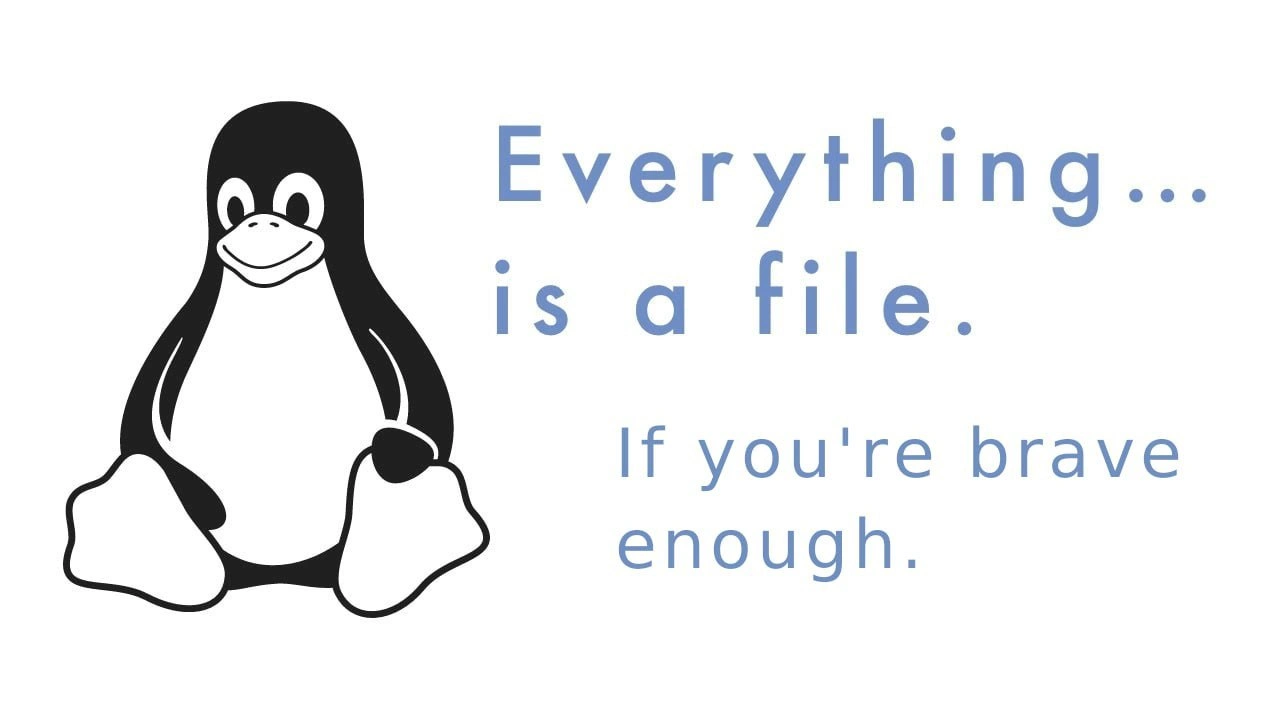
Linux wisdom: every socket, device, and process is a file - be brave
OperatingSystems Post #5224, on May 27, 2023 in TG

Linux wisdom: every socket, device, and process is a file - be brave

Why is this OperatingSystems meme funny?

Level 1: One Key for Every Door

Imagine you had one special key that could open every door in your house: the front door, the bedroom, the fridge, even the doggy door. 😮 Pretty cool, right? You wouldn’t need a big keyring – just that one key for everything. That’s kind of how Linux works on the inside: it tries to use one simple idea (a “file”) to open up everything in the computer. Your documents are files, of course, but Linux also pretends things like your keyboard, your printer, or the running programs are “files” too, which you can open or read from. Using one key for every door can be super handy and simple. But, would you use that key to open every door? What about the door to a scary basement or a wild animal’s cage? You’d only do that if you’re very brave (and know what you’re doing)! 🦁🚪 In the same way, Linux says “hey, you can treat everything as a file,” but if you try to open some crazy system things as if they’re normal files, you better be brave (and careful). It’s a funny way to remind us that with great power comes great responsibility – even for a little penguin operating system! 🐧🔑

Level 2: Devices Are Files Too

In Unix-like operating systems such as Linux, there is a famous concept that “everything is a file.” But what does that actually mean? Essentially, the system tries to represent many different things (not just documents or text files) in a file-like way so that you can use common tools and commands to interact with them. In the context of a Linux system, this includes things like hardware devices, processes, and inter-process communication channels.

Let’s break down some of the terms and examples mentioned:

  • File: Normally, you think of a “file” as something like a text document, an image, or a program – data stored on disk. In Linux, you would find these in directories (folders) and you can open or edit them. For example, README.txt or song.mp3 are files. You open them and read/write data.
  • File Descriptor: When a program wants to access a file (or some resource), the operating system hands it a number to refer to that open file – this number is a file descriptor. It’s like a little ID or handle for that open connection. Standard Linux programs start with three file descriptors already open by default: 0 is stdin (standard input), 1 is stdout (standard output), and 2 is stderr (standard error). These correspond to your keyboard input and terminal output streams. When you open more files (or other resources), you get new descriptor numbers (3, 4, 5, …) to work with. The trick is, Linux uses this same mechanism for things that aren’t regular files too.
  • Device Files (in /dev): The /dev directory in Linux is a special place that contains device files. These aren’t files full of text; they are actually interfaces to devices (like your hardware or virtual devices). For example:
    • /dev/null – Often called the “null device” or jokingly, the bit bucket. It’s a special file that doesn’t store anything. If you write to /dev/null, the data is thrown away into nowhere. If you try to read from it, you immediately get “end of file” as if there’s nothing there (because there is nothing). It’s useful for cases where you need to send unwanted output somewhere — basically garbage disposal for data. That’s why you’ll hear “send it to null” or see commands like 2> /dev/null (which means “redirect error output to nowhere”).
    • /dev/sda, /dev/sdb, etc. – These are disk drive device files. For instance, /dev/sda might represent your first hard drive. If you read from it, you’re reading raw data off the disk. If you write to it directly, you’re altering the disk’s data blocks (which could corrupt your filesystem if you’re not careful!). Normally, we don’t interact with raw disks directly at the file level; we use filesystems on them. But the interface is there.
    • /dev/tty or /dev/ttyUSB0 – These represent terminals or serial ports. If you echo "Hello" > /dev/tty, it will actually print "Hello" to the terminal device (possibly the current console). If you have a GPS device or Arduino connected on a serial port, it might show up as /dev/ttyUSB0, and you could potentially read/write to it like a file to communicate with the device.
    • /dev/random and /dev/urandom – These are special files that provide random numbers. Reading from them gives you random bytes (useful for cryptography, testing, or when you need random data). Newcomers are often surprised that you can just cat /dev/urandom and the terminal will spew out endless seemingly gibberish characters (those are raw random bytes interpreted as text). It’s a fun demo of “everything is a file,” though you’ll want to stop it quickly or your screen fills with chaos!
  • Processes and /proc: Linux exposes information about running processes through a pseudo-filesystem called /proc (short for process). Under /proc, you’ll see a bunch of numbers as directories – each number corresponds to a running process’s ID (PID). Inside each of those, you’ll find files that represent various things about the process: its memory usage, open files, environment variables, and more. For example:
    • /proc/1234/ would be a directory for process with PID 1234.
    • /proc/1234/fd/ is a subdirectory listing all file descriptors that process has open. If process 1234 has an open socket or file, you’d see entries like /proc/1234/fd/1 (which might be its stdout) or /proc/1234/fd/5 (whatever file/socket it opened as descriptor 5). It’s like peeking into another program’s pockets to see what files or connections it’s holding.
    • /proc/cpuinfo is not specific to one process; it’s general info about your CPU, presented as if it were the text contents of a file. You can open and read it to get details on your processor. Similarly, /proc/meminfo gives memory info, /proc/uptime tells how long the system has been on, etc. These files are generated on-the-fly by the kernel when you read them.
  • Sockets and Pipes: These don’t show up as regular files you can easily open by name on the filesystem (except via the /proc/<pid>/fd trick), but conceptually, Linux treats network sockets and pipes as file-like streams too. When a program creates a socket (using a socket API call), the program still gets a file descriptor number for it. That means the code can often use similar functions to send/receive data as it would use to read/write a file. For example, in C, you might use write(socket_fd, data, length) to send data over a network, very much like writing to a file. The system makes it look uniform.

The key point: UnixPhilosophy loves uniformity and simplicity. By making everything look like a file or a stream of bytes, you can use common tools for many tasks. For instance, the command-line tool cat (which concatenates or prints files) can be used not only on text files but also on things like /dev/urandom (to view random data) or /proc/cpuinfo (to quickly see CPU info). When you redirect output with > or < in the shell, you’re often redirecting from or to files or file-like resources. So you could do something like:

# Save a list of all open files of process 1234 to a text file
ls /proc/1234/fd/ > myprocess1234_fds.txt

This uses the fact that the list of a process’s open file descriptors is accessible like a normal directory listing. Pretty neat for a quick look under the hood!

Now, the second line of the meme, “If you’re brave enough.”, is poking fun at the fact that while you can poke at all these things as if they’re files, you need to know what you’re doing. It’s a lighthearted warning. For example, a new user might think “oh wow, everything is a file, so I can open anything!”. But if they try to, say, edit a binary device file in a text editor or write random stuff into a special file, they could hang or harm the system. Writing to certain files in /proc or /sys (another system info pseudo-filesystem) can change kernel settings on the fly. That’s powerful but also dangerous if done incorrectly. Hence the joking suggestion that you need to be brave (and knowledgeable) to treat literally everything as a file.

Finally, notice the friendly penguin on the left of the image – that’s Tux, the Linux mascot. Tux often appears in memes and illustrations about Linux. Here Tux’s presence immediately signals “this is a Linux joke/tip.” The combination of Tux and the phrase “Everything is a file” is a dead giveaway that we’re talking about Unix/Linux systems. The meme is categorized under OperatingSystems and CLI because it’s referencing a core operating system concept and the kind of thing you encounter when working at the command-line interface. In summary, the meme humorously conveys a real Linux design principle: most things in the system can be accessed like files, which is super convenient – but treat that power with respect!

Level 3: Open() All The Things

This meme hits a nerve with experienced Linux users by remixing a common saying (“Everything is a file”) with that jokey addendum “if you’re brave enough.” Why is it funny? Because those of us who have spent quality time in a terminal know that Unix-like systems really do let you treat every device or resource as a file – sometimes to astonishing (and occasionally hair-raising) effect. The phrase “if you’re brave enough” hints at the fact that while you can open or poke at just about anything via the filesystem, doing so isn’t always wise or straightforward. It’s a wink to the daring hacks and debug sessions where we’ve used file tools on things that newbie users wouldn’t even realize are there.

Picture a seasoned sysadmin or developer chuckling at a junior who just discovered they can cat /dev/urandom and watch an endless stream of gibberish flood the terminal. The junior might yelp, “It’s printing crazy characters nonstop! Did I break it?!” The senior just smirks: “Nope, that’s just the infinite randomness of /dev/urandom. You might want to hit Ctrl+C now... if you’re brave enough.” 😏 In other words, the humor often comes from newbie meets Unix’s “everything is a file” concept in a raw form. Many of us have a memory of accidentally using a normal text command on a special file and getting a surprise. For example:

  • Silencing output by redirecting to /dev/null: The first time you learn > /dev/null 2>&1 to black-hole all output, it feels like a magic trick. “Wait, there’s a location in my OS that just eats data and it’s accessed like a file? Neat!” Seasoned folks do this reflexively to dispose of noisy logs or command output (/dev/null is our friend in scripts to keep things quiet).
  • Inspecting system info via /proc: Instead of using fancy GUI tools, an old-school Linux user might check their CPU info with cat /proc/cpuinfo or memory info with cat /proc/meminfo. It’s just text output, as if those hardware details were stored in a simple file. We know /proc is a pseudo-filesystem exposing live system data; a newcomer just sees a weird path yielding useful info.
  • Peeking at a process’s files: When debugging a rogue process, a pro might do ls -l /proc/<pid>/fd to list all the files (and sockets, pipes, etc.) that process has open. It’s a clever use of the “everything is a file” philosophy to troubleshoot issues like “Is my program leaking file descriptors?” or “Which socket is it using for that connection?”. The fact we can inspect that through what looks like a file directory still feels a bit like sorcery.
  • Using device files directly: Need to test if a raw disk is working? You might be brazen and do something like dd if=/dev/sda of=backup.img bs=1M count=100 to read the first 100 MB of a drive into an image file. That’s literally treating the disk as a file (byte for byte). Or writing directly to a device file can be even scarier: e.g., dd if=mbr.bin of=/dev/sda to overwrite a master boot record – definitely an “if you’re brave enough” moment! The meme is essentially giving a nod to this daredevil side of Unix.

The inclusion of Tux, the penguin mascot of Linux, on the left side of the image is like a seal of approval on this wisdom. Tux is sitting there with that cheery penguin grin, almost as if saying, “Go ahead, treat that device like a file – I dare you.” It roots the meme in the context of Linux/Unix culture, where this concept is gospel. The text in pastel-blue “Everything… is a file” states the well-known principle, and the follow-up “If you’re brave enough.” adds the punchline. It’s reminiscent of a popular joke format (“Anything is X if you’re brave enough,” which you might have seen in non-tech contexts like “Any pizza is a personal pizza if you’re brave enough.” 😅). Here it implies that while the system lets you consider everything as a file, you might need courage (and cluefulness) to actually make use of that fact in unusual ways.

From a senior engineer’s perspective, this humor also touches on the Unix philosophy’s elegance and the potential pitfalls. We appreciate how powerful it is that we can pipe output from a process straight into a device or treat a network port as a file stream. For instance, the idea that you could do something crazy like:

# Using a bash feature to open a TCP connection like it's a file (advanced trick):
exec 3<>/dev/tcp/example.com/80  
echo -e "GET / HTTP/1.1\r\nHost: example.com\r\n\r\n" >&3  
head -n 5 <&3  

In this snippet, file descriptor 3 becomes a TCP socket to example.com’s web server, and we interact with it using shell redirection (>&3 and <&3) as if it were just another file handle. That’s pretty wild – and indeed only the brave (or the very savvy) shell users dabble in such things. It showcases that even the network can be shoehorned into the file paradigm.

Seasoned devs also recall times when using the “everything is a file” maxim was a lifesaver or a hazard. A lifesaver: you can debug or modify system behavior by echoing values into special files under /proc or /sys. For example, to quickly enable a kernel feature or tweak a setting, one might do echo 1 > /proc/sys/net/ipv4/ip_forward (to enable IP forwarding) instead of running a dedicated command or editing a config – that’s the sysadmin equivalent of a power move. A hazard: someone with less experience might unknowingly corrupt something by, say, accidentally redirecting data into a device file. The classic “oops” example is running a command like > file.txt but mistyping the path and hitting a special file – if you did > /dev/sda as root, you’d start writing to your raw disk (which is definitely reserved for the extremely brave or foolish!).

The “bravery” here is half-joking, half-serious. It’s joking because interacting with these special file interfaces often feels like doing something edgy and geeky – you feel like a hacker from The Matrix when you cat /proc/keys or poke at /dev/mem. But it’s serious in that you can cause real damage or confusion if you don’t know what you’re doing. For example, writing the wrong thing to certain files in /proc or /sys can crash or destabilize your system – no exaggeration. Linux often doesn’t stop you; it assumes you know to wear your safety gear (especially when you’re root). Thus, only the “brave” (i.e., those confident they know the consequences) will tread into those parts of the filesystem and treat, say, kernel memory or hardware ports as simple files.

In essence, the meme speaks to the inner Unix guru and risk-taker. It encapsulates a shared knowledge: Yes, we Unix folks have a superpower – a single uniform way to interface with everything. And it winks at the shared caution: We also know using that superpower indiscriminately can blow up in your face. That mix of admiration and tongue-in-cheek warning is exactly why an experienced developer finds this meme both clever and amusing. The next time you see someone doing sudo cat /dev/sda for giggles, you can nod and quote the meme: “Everything is a file… if you’re brave enough.” 😜

Level 4: One Abstraction to Rule All

At the heart of Unix/Linux design is a beautiful unifying idea: treat virtually everything like a file. This is more than a motto – it’s an operating system abstraction layer that uses a single interface (the filesystem and file descriptors) to interact with all sorts of resources. Under the hood, the Linux kernel doesn’t just use files for data on disk; it also represents devices, sockets, and even process information as file-like objects. The result is a consistent way to access disparate things. Need to read random bytes from the kernel’s entropy pool? Just open the special file /dev/urandom and read from it as if it were a normal file. Want to send output into a black hole? Open /dev/null and write to it – whatever you write simply disappears, just like writing to a file that never stores data. This uniformity is often called the “Unix file descriptor model.” It means that whether you’re reading a text document or writing to a device or communicating over a network socket, you often use the same set of system calls: open(), read(), write(), close().

This design is deeply ingrained in the kernel. Internally, Linux uses a Virtual File System (VFS) layer that abstracts different sources of data as files. For example:

  • When you open a “regular” file (say /home/user/data.txt), the VFS routes the request to the filesystem driver (like ext4 or NTFS) which then retrieves data blocks from storage.
  • When you open a device file like /dev/sda (a physical drive) or /dev/ttyUSB0 (a serial port), there isn’t a normal file on disk there. Instead, the kernel knows that “/dev/sda” is a special file linked to a device driver. The device driver registers a handler so that any read/write on that file is redirected into the driver’s code which talks to hardware. In code, these are often called character devices or block devices, and they have special identifiers (major/minor numbers) under the hood. But from userland, you just see a file node and use it with file operations.
  • Sockets (like a TCP network socket) don’t live in the directory tree as named files, but when a process creates a socket (via the socket() call), the kernel still hands back a file descriptor (an integer ID) to represent that connection. You can often use general calls like read() or write() on a socket file descriptor to receive/send data, just as if it were an open file. Even pipes and other inter-process communication channels use the file descriptor abstraction.

In Linux, processes themselves are exposed through the /proc filesystem (a procfs_reference). Every process gets a directory under /proc (named by its PID, e.g. /proc/1234/) containing info about that process. Inside, there’s even a subdirectory called fd (/proc/1234/fd/) that contains an entry for each file descriptor that process has open. Those entries are effectively pseudo-files (often symbolic links) pointing to whatever actual file or resource the process’s descriptors refer to. For instance, if process 1234 has file descriptor 5 open to /var/log/syslog, then /proc/1234/fd/5 will look like a file that “is” /var/log/syslog. If that FD 5 is actually a socket or pipe, the link will show something like “socket:[XYZ]” or “pipe:[XYZ]”, but you interact with it through the file namespace. This is the os_abstraction_layer at work: the OS exposes even ephemeral things like network connections or process internals via a file-centric view.

Why go to such lengths? Because a single, uniform interface is powerful. It means the same tools and APIs can be reused all over the system. A command-line program doesn’t need a special library to read system info – it can just open a file under /proc. A C program doesn’t need separate functions to read from a device vs a file – it uses read() for both. This “everything is a file” approach simplifies the mental model and the programming model. It originates from the early Unix philosophy, which prized simple, orthogonal features. One famous line from the Bell Labs era is “The number of input/output systems in Unix is one and a half” – meaning essentially everything is handled as a byte stream (that’s the “one”), with the “half” acknowledging mmap (memory-mapping a file) as a slight variation. Devices, pipes, network sockets all being byte streams is that one unified idea.

Of course, this abstraction is implemented with some kernel magic. The Linux kernel’s VFS layer distinguishes different file types (regular, directory, character device, block device, pipe, socket, etc.), and when you perform operations on a file descriptor, the kernel dispatches the request to the correct handler internally. Think of it like a big switchboard: file descriptor #42 might correspond to a disk file (use the filesystem code), while file descriptor #43 might correspond to a socket (use the network stack code), but you as the programmer use them in a similar way. It’s a bit of elegant OS design: under the covers it’s complex, but it presents a simple façade.

The meme’s bravado (“Everything… is a file. If you’re brave enough.”) hints at pushing this idea to its limits. Are processes files? Well – you can inspect and even manipulate processes via files in /proc (for example, writing to /proc/<pid>/mem could modify a process’s memory if you have permission – a very brave and dangerous thing to do!). Are sockets files? Yup, you can find them via /proc or use them through file descriptors and even treat them like files in some scripting scenarios. There’s even a quirky bash feature where you can do exec 3<>/dev/tcp/hostname/port – opening a network connection by pretending it’s a file path. Device drivers, as mentioned, expose themselves as files in /dev, so you might open /dev/dsp to send raw audio to your speakers or read /dev/input/mice to get mouse movements – wild but true.

In summary, Linux’s bold idea is to make one API to interact with almost everything. This has deep theoretical roots in operating system design – it’s all about abstraction and simplicity. Other systems (historically, designs like Plan 9 from Bell Labs) took this even further, making not just hardware but network and GUI resources accessible as files in a unified hierarchy. The reason seasoned engineers smile at this meme is because it cheekily celebrates that grand unifying principle. And it adds a wink: you can treat everything as a file… though doing so might lead you into some daring territory. Indeed, not every “file” in Linux is as harmless as a text document – and messing with certain special files can be like peeking behind the curtain of reality. It’s a testament to Unix’s consistency, and also a tongue-in-cheek acknowledgment that with great power (of a single abstraction) comes great responsibility (and bravery!).

Description

The image has a white background with the classic black-and-white Tux penguin mascot sitting on the left. On the right, in large pastel-blue sans-serif letters, the text reads: “Everything… is a file.” Beneath that, in a slightly smaller font, it adds: “If you're brave enough.” The composition humorously summarizes the Unix/Linux philosophy that everything - from /dev/null to /proc/1234/fd - can be accessed through the filesystem abstraction. Seasoned engineers will recognize the joke about treating devices, sockets, and even pseudo-files as ordinary file descriptors when working at the CLI or writing low-level code

Comments

29
Anonymous ★ Top Pick In Linux everything is a file - ask the intern who echoed “b” into /proc/sysrq-trigger and proved an unscheduled reboot is just a write operation
  1. Anonymous ★ Top Pick

    In Linux everything is a file - ask the intern who echoed “b” into /proc/sysrq-trigger and proved an unscheduled reboot is just a write operation

  2. Anonymous

    The beauty of 'everything is a file' hits different when you realize you can accidentally dd your entire production database to /dev/null because someone symlinked it to look like a log file during a 3am incident response. At least the write performance was incredible

  3. Anonymous

    Ah yes, the Unix philosophy: everything is a file... until you try to `cat /dev/urandom` and your terminal becomes a modern art installation, or accidentally `dd` to the wrong 'file' and realize that treating your entire disk as a writable stream was perhaps too much abstraction. The beauty of this design is that it's elegant until you're debugging why your socket won't `fseek()` or explaining to a junior dev why they can't just `vim /proc/self/mem` to patch their running process. But hey, at least we're consistent - consistently terrifying

  4. Anonymous

    Unix mantra: everything's a file - until 'echo 1 > /proc/sysrq-trigger' tests your bravery at 3AM

  5. Anonymous

    “Everything is a file” is beautiful - until ioctl and netlink show up with the asterisked appendix

  6. Anonymous

    Linux says everything is a file; real bravery is fixing prod with echo > /proc and realizing the “memory leak” was ulimit -n and 50k open FDs

  7. @declonter 3y

    Ha-ha, classic

    1. @azizhakberdiev 3y

      So russian people are the bravest creatures in the entire universe

      1. @declonter 3y

        Are you JS coder or just a stupid?

        1. @mekosko 3y

          Just a troll

        2. @azizhakberdiev 3y

          Yes and no

          1. @declonter 3y

            Oh, now I see... Continuing the dialogue is pointless

            1. @azizhakberdiev 3y

              Why are u judging my IQ lol

              1. @mekosko 3y

                Why do you think he's judging your IQ

                1. @callofvoid0 3y

                  maybe 'cause he ain't got other classes to implement Judgables

                2. @declonter 3y

                  Don't try to understand. His baseless claims - a symptom of JS. His brain now is unreasonable, illogical irrational. Forget ;)

                  1. @callofvoid0 3y

                    and non-binary

                  2. @azizhakberdiev 3y

                    I could tell some russian rude words to clarify my base, but joke stops being a joke if I start explaining everything. And just because your narrow worldview didn't allow you to get the joke you choose to publicly insult me. Majority of JS coders perhaps are smarter than you

        3. Deleted Account 3y

          both

  8. @doodguy1991 3y

    Treat bitches like files. sudo rm -rf and all

  9. 扇子 3y

    hol up is a folder a file

    1. @callofvoid0 3y

      a folder is just a an array of pointers

      1. @im_ali_pj 3y

        so what about symlinks?

        1. @RiedleroD 3y

          symlinks are files containing a path. It's ofc a special type of file, but still a file

          1. @RiedleroD 3y

            hard links work entirely differently and to explain those you actually need some understanding of how file systems work internally.

  10. @DrPratyash 3y

    Everything is a pointer if you're brave enough

    1. @RiedleroD 3y

      but if everything's a pointer, where is the data? I don't think I'm brave enough

      1. @DrPratyash 3y

        What is data, nothing but just 0s and 1s stored at memory locations where pointers are pointing at?

        1. @RiedleroD 3y

          yeah

Use J and K for navigation


