Kubernetes Networking: A Visual Representation
Why is this Containerization meme funny?
Level 1: Ball of Wires
Imagine you have a big playroom where every toy is supposed to be connected with strings so they can send messages to each other. At first, you have just a few toys connected by a couple of strings, and it’s not too bad – you can see which string goes where. But then you keep adding more and more toys, and for every new toy you add a bunch more strings to connect it to all the others. Pretty soon, the whole room looks like a giant messy spider web of string. It’s everywhere, crisscrossing and looping around. Now picture trying to follow one particular string through that mess – it would be super hard, right? You’d pull on one and five other strings jiggle, and you’re like, “Uh oh, which one was the robot trying to talk through?”
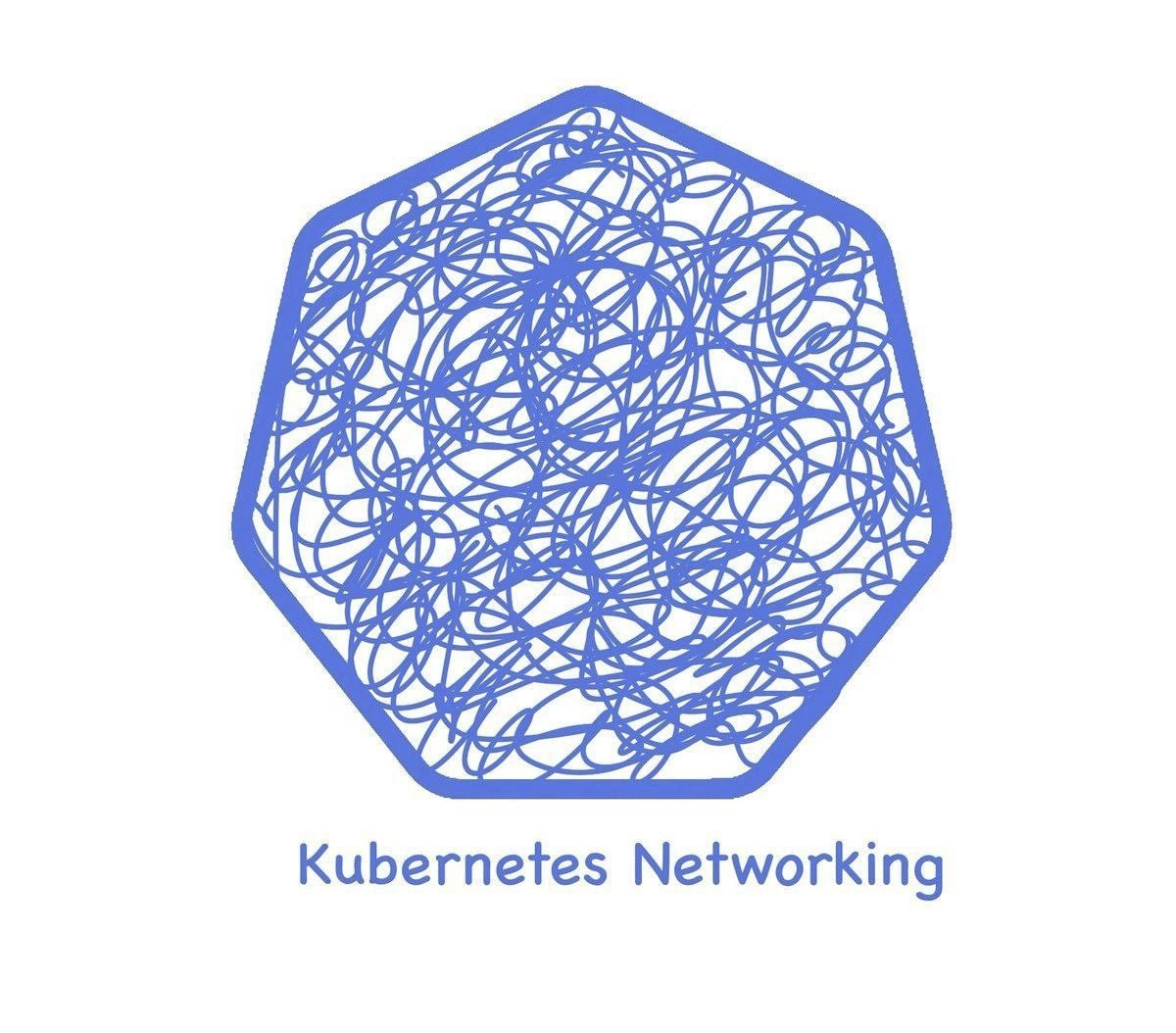
That’s exactly the joke this picture is making, but with computers. Kubernetes is like a big playroom for hundreds of little apps (our “toys”), and networking is all the strings that let them talk to each other. In the picture, the normally neat Kubernetes logo is filled with what looks like a doodle or a big bowl of tangled spaghetti. The caption “Kubernetes Networking” is saying, “This tangled scribble is what the network inside Kubernetes feels like.” It’s funny because we usually imagine high-tech computer systems as clean and orderly, but in reality, the behind-the-scenes can look as chaotic as a bunch of knotted wires. It captures that feeling you get when something isn’t working and you peek behind your computer or TV and just see a jungle of tangled cables – you know one of those wires is the problem, but good luck figuring out which! The meme is a lighthearted way to say: modern computer systems are powerful, but sometimes even experts see them and think, “Whoa, that’s a lot of tangled stuff in there!”
Level 2: Lost in the Network
So what is actually happening inside that blue Kubernetes shape full of loops and lines? To a newcomer, Kubernetes networking can seem magical: you deploy your containers in a cluster, and poof! they can all talk to each other across machines. But behind that magic is a lot of plumbing. Let’s break down some key terms and ideas (the “ingredients” of this spaghetti, if you will):
Kubernetes: an orchestration system that manages containers (like Docker containers) across many machines (nodes). It ensures your applications (packaged in units called pods) get the resources and connections they need.
Pod: the basic unit in Kubernetes, usually a wrapper around one or a few containers. Each pod gets its own IP address, kind of like its phone number on the cluster network. By design, any pod should be able to call any other pod by using that IP – in other words, Kubernetes sets up a flat, interconnected network.
CNI (Container Network Interface) plugins: These are the add-ons responsible for actually wiring that network together under the hood. Kubernetes itself doesn’t hard-code how networking is done; instead, when a pod is created, it calls a CNI plugin (such as Calico or Flannel) to connect that pod to the network. Think of the CNI plugin as the electrician who comes in to lay down cables (or the Wi-Fi technician setting up your router) for each new pod-house in the neighborhood. Depending on the plugin, it might set up a virtual wire that goes from the pod’s node to every other node (an overlay network), or it might configure the equivalent of street signs and routing paths so that packets know which road (node) to take to reach the right pod.
Overlay networks: This concept means creating a network on top of another network. If the physical network is the road system, an overlay is like an elevated highway built above the existing roads to connect special destinations. For example, Flannel often uses an overlay (VXLAN) which wraps pod network traffic in an extra header, effectively hiding pod-to-pod communication inside regular IP packets. It’s a clever trick: you don’t have to configure the physical network to know about every pod, because the overlay acts like a secret tunnel between Kubernetes nodes. The downside? If something goes wrong in that tunnel, you have to peel back that extra header layer to see what’s happening – it’s one more thing to debug.
iptables: This is a built-in Linux firewall and routing mechanism. Kubernetes leans on iptables rules heavily (especially through a component called kube-proxy) to direct traffic for Services. A Service in Kubernetes is an abstract way to refer to a group of pods (like “the frontend” or “the database”), and it gets a stable IP address. Since the actual pods come and go, Kubernetes uses iptables on each node to say “if you’re trying to reach the Service IP, actually send that traffic to one of the real pod IPs that is behind that Service.” It’s like a big telephone switchboard: calling the main company number (Service IP) gets forwarded to one of the employee’s direct lines (pod IP). For each service, a handful of iptables entries are added. With many services and pods, these entries pile up into long lists. For someone new, running a command like
iptables -L -t naton a Kubernetes node and seeing chains namedKUBE-SERVICESandKUBE-KUBELET-CANARYscroll by is a what the heck is all this? moment. Those scribbles in the meme? That’s how an iptables dump might feel to your brain when you see it the first time.Service mesh: Now, imagine on top of all that, we introduce another layer for managing traffic within the applications. A service mesh (like Istio, Linkerd, or Consul Connect) adds proxies (such as Envoy) alongside each pod. These proxies can control and monitor network calls between microservices (for resilience, security, etc.). The catch: to insert themselves in the path, they often use… you guessed it, iptables rules on each pod’s node to hijack outgoing calls from a service and route them into the local proxy first. This is another mini-maze: your request from Service A to Service B doesn’t go straight to B. It goes from A’s container to A’s sidecar proxy (looping through iptables rules on A’s host), then across the network (which itself might be an overlay as discussed), then arrives at B’s host where iptables might funnel it into B’s sidecar proxy, and finally into B’s container. Phew! The service mesh gives superpowers like traffic encryption and monitoring, but now even a simple call involves multiple detours. For a junior developer, it’s easy to be “lost in the network” trying to follow that path without a map.
All of these components – CNI plugins, overlays, iptables rules, service proxies – are like different colored wires crisscrossing inside the Kubernetes logo. When you’re new, you mostly don’t see them; Kubernetes just says “Pod A can talk to Pod B” and it works. The trouble (and humor, as this meme highlights) comes when it doesn’t work and you have to lift the hood. Suddenly, you’re confronted with this abstract diagram turned real: container network interfaces, routing tables, NAT rules, maybe even Linux kernel logs about dropped packets. It’s a far cry from the clean, cloud diagrams in tutorials!
If you’re a junior DevOps or developer, a relatable scenario might be: you deploy your app on Kubernetes, and it’s not talking to the database. Your first thought might be “Did I get the address or port wrong?” When that’s not it, you learn about NetworkPolicies (Kubernetes’s way to restrict Pod-to-Pod traffic). Perhaps there was a policy basically saying “deny everything not explicitly allowed,” and your app wasn’t on the allow-list – an unseen rule blocking traffic, much like an invisible scribble across that connection. Or maybe everything looks correct, but one node in the cluster had the CNI pod crash, so pods on that node are effectively isolated (one broken wire in the tangle causing a whole section to go dark). The more you dig, the more you appreciate that Kubernetes networking is made of many interdependent pieces. Each piece by itself is understandable, but together they create the kind of overlapping complexity shown in the meme.
The key takeaway for a newcomer: Kubernetes networking is powerful but intricate. The meme isn’t saying Kubernetes is bad – it’s poking fun at how something that sounds straightforward (“let’s connect all these containers!”) ends up involving a lot of under-the-hood mechanics. It’s like looking at a simple smart home setup vs. opening the walls and seeing all the cables, Wi-Fi signals, and circuits crisscrossing. When all is well, you don’t need to know about the tangle. But if one smart light isn’t turning on, suddenly you’re checking the wiring diagram. In Kubernetes, when an app can’t reach another, you might end up checking the “wiring diagram” of the cluster – and that’s when you truly appreciate the scribbles.
Level 3: Spaghetti at Scale
For anyone who’s operated Kubernetes in production, the humor of this meme hits home immediately. “Kubernetes Networking” is captioned under what looks like a plate of spaghetti dumped inside the Kubernetes logo, and that’s exactly what it feels like in real life. The joke here is that while Kubernetes promises a neat abstraction (any pod can talk to any other pod, service discovery just works™), the actual implementation of that abstraction becomes a tangled web as your cluster grows. Experienced DevOps engineers and SREs have war stories of chasing down connectivity issues in large clusters – it’s rarely a simple fix.
Why is this image so funny (or perhaps painfully funny) to cluster operators? Because it visualizes the invisible: all those overlapping network routes, firewall rules, and overlay tunnels that we configure to make a Kubernetes cluster function. In a small demo, the networking feels straightforward. But at scale – when you have dozens of nodes, hundreds or thousands of pods, plus layered extras like network policies and service meshes – the “network” transforms into a spaghetti monster. Imagine overlay networks on top of overlay networks: you might have an overlay network from a CNI plugin, plus an Istio or Linkerd service mesh adding another virtual network layer via sidecar proxies, plus perhaps even VPNs or cloud SDNs beneath it all. Each layer introduces its own routing logic and failure modes. The meme gets a laugh because anyone who has tried to untangle a serious Kubernetes connectivity bug knows it often feels like pulling one strand in a knotted ball and only tightening the knot elsewhere.
There are well-known pitfalls the meme alludes to. One is the heavy use of iptables by kube-proxy (in its default mode) to implement Kubernetes Services. When you have, say, 500 services in a cluster, kube-proxy writes thousands of iptables rules across every node to map service IPs to pod IPs. It works, but it’s not exactly elegant. Listing them feels like reading spaghetti code written in a language only the Linux kernel understands. (In fact, many in the Kubernetes community quip that kube-proxy’s iptables rules are essentially a domain-specific language for cluster networking.) There’s a reason newer solutions like IPVS or eBPF-based networking (e.g. Cilium) have been developed – to avoid creating a rat’s nest of netfilter rules that are hard to manage. But even those solutions, while improving performance, don’t necessarily make the system less complex; they just shift the complexity into a different form (for example, eBPF programs or IPVS configurations, which can feel like scribbles in another dialect).
Another pain point turned punchline is the CNI plugin ecosystem. Kubernetes hands off the actual implementation of pod networking to these plugins – with names like Calico, Flannel, Weave, Canal, etc. Amusingly, Calico and Flannel (both types of fabric) imply weaving a network fabric, yet in practice we often end up with a tangled fabric reminiscent of the meme’s scribbles. Each plugin has its own approach: if you’ve ever had to swap one out or upgrade it on a live cluster, you know how dicey it can get. Perhaps a node can’t reach the others because a Flannel overlay tunnel went down, or an IP address got reused incorrectly due to an IPAM quirk. Maybe the cluster DNS (CoreDNS) isn’t reachable because the iptables rule for the service vanished on one node. There’s a classic joke in ops: “It’s always DNS.” In Kubernetes networking, an equally cynical variant is "If it’s not DNS, it’s probably iptables or the CNI." This meme speaks to that reality – so many times the root cause ends up being some deeply-buried network configuration issue that looks as messy as that doodle in the logo.
The service mesh confusion is another layer of spaghetti. Teams adopt service meshes to get telemetry, retries, encryption, etc., but then they hit weird issues like double networking (traffic goes from Service A’s pod to Service A’s sidecar, then through the network to Service B’s sidecar, then into Service B’s pod). Each hop may use iptables redirection and introduces points of failure that are non-obvious at first glance. The meme’s chaotic lines encapsulate that feeling when you’re trying to follow why Service A can’t talk to Service B: “Did the request get lost in the Envoy proxy? Is the VirtualService configuration wrong? Or is it the base network policy blocking traffic?” — it all blurs together. The caption might as well read “Here be dragons” inside that Kubernetes wheel.
Ultimately, “Visualizing the tangled mess that is Kubernetes networking at scale” resonates because it’s a shared truth in the DevOps/SRE world. We strive for simplicity in design, but complexity creeps in as systems scale and evolve. Kubernetes itself is modular by design (lots of small pieces, each responsible for a part of networking), but the interactions of those pieces become unpredictable without very careful oversight. Seasoned engineers have learned (often the hard way) to respect this complexity. They implement extensive monitoring – checking that all nodes have the correct routes, that CNI components are healthy, that no iptables chain has overflowed its rules – essentially trying to sanity-check the scribbles. Even then, the moment something goes wrong, you get flashbacks to past incidents: a misconfigured kube-proxy causing a network partition, a ghost firewall rule from an old node lingering around, a mysterious IP collision between pods… The chaos drawn in the meme isn’t an exaggeration; if anything, it’s a slight comfort to know others have seen the same craziness. We laugh because otherwise we might cry – and then we double-check our Grafana dashboards for any hint of networking anomalies.
Level 4: The Iptables Labyrinth
At a deep technical level, Kubernetes networking can feel like navigating a multi-layered maze of low-level mechanisms. Every time a pod sends a packet, it traverses an intricate path:
- First, the packet hits a virtual Ethernet pair connecting the pod to the host node’s network stack.
- It might then enter an overlay network (like a VXLAN tunnel) where it’s encapsulated inside another packet to hop across nodes. This is essentially a network-on-top-of-a-network, an extra indirection that solves routing but adds complexity.
- Once the packet reaches the destination node, it gets decapsulated and passed through a series of iptables rules (or IPVS hooks) installed by Kubernetes’ kube-proxy. These rules perform NAT, cluster IP lookups, port mapping, and enforce any network policies. The rules chain can be massive, effectively a labyrinth of
-j KUBE-SERVICESandKUBE-POSTROUTINGjumps.
In theory, all pods in a Kubernetes cluster exist in a flat address space (they can all talk to each other directly). Achieving this distributed systems marvel requires stitching together many networking concepts. CNI plugins like Flannel and Calico program the kernel’s routing tables or overlays so each pod IP is reachable anywhere in the cluster. Flannel might create a full-mesh VXLAN (L2 over L3) network – encapsulating packets with an extra header across hosts – whereas Calico can distribute routes via BGP (the protocol ISPs use on the Internet!) to let each node know how to reach every pod’s IP. Both approaches have trade-offs: Flannel’s encapsulation hides pod IPs inside other packets (solving one problem by adding a layer of indirection), while Calico’s BGP floods each node with thousands of routes at scale (imagine each node keeping track of every other node’s pods like an exhaustive phonebook). The entropy of this system grows with each additional node and service. More pods and services mean more entries in routing tables and longer iptables chains – the network state space literally explodes. It’s a combinatorial tangle that, much like the scribbles in the meme’s Kubernetes wheel, becomes harder to mentally parse as it scales up.
Under the hood, Kubernetes networking is orchestrated by controllers that ensure eventual consistency of network rules cluster-wide. When a service or pod appears, updates propagate to all nodes (through etcd and the kube-proxy syncing iptables), much like a distributed database updating many replicas. This design favors reliability over immediate consistency, which means there can be brief moments where some nodes have updated rules and others don’t. In those moments, a packet might reach a node that hasn’t gotten the memo – leading to the kind of heisenbug that makes a senior engineer’s eye twitch. Fundamentally, the complexity arises from trying to overlay a logical network (where every pod sees a clean, flat network) on top of the messy reality of physical networks and operating system internals. Each additional layer – overlays, iptables NAT, service mesh proxies – is another twist in the maze. It’s a testament to both the power and peril of abstraction: we’ve solved cluster networking in principle, but in practice the solution is a Byzantine labyrinth of packet encapsulation and rule cascades.
To put it in perspective, debugging a broken connection in Kubernetes might require examining everything from ARP tables and MTU settings (for packet size mismatches in encapsulation) to overlay tunnel endpoints, then diving into iptables -L -t nat dumps to find which rule might be swallowing the packet. It’s not uncommon to discover that a single lost packet was due to an obscure combination of netfilter rules – a stray POSTROUTING masquerade, or a missing conntrack entry – buried in a scrollback of hundreds of lines of firewall config. In essence, those chaotic scribbles in the meme capture the packet’s journey through multiple transformations and hops. Each loop and twist in the drawing corresponds to a translation or routing decision that the poor packet endures. It’s almost poetic (in a dark way): a packet leaves a pod and must traverse the labyrinth of iptables and overlays, hoping to emerge unscathed at its destination. No wonder seasoned SREs sometimes joke that Kubernetes networking issues are where packets go in but never come out – the drawn maze is a bit too on-the-nose!
Description
The image features a stylized version of the Kubernetes logo, which is a blue heptagon. However, instead of the usual clean lines of the ship's wheel, the interior is filled with a chaotic, tangled scribble of blue lines, resembling a messy ball of yarn. Below this modified logo, the text 'Kubernetes Networking' is displayed in a simple, clean font. The meme humorously and accurately portrays the often-perceived complexity of Kubernetes networking. For experienced engineers, this is a relatable visual metaphor for the intricate web of services, ingresses, network policies, and CNI plugins that can become incredibly difficult to manage and debug in a large-scale distributed system
Comments
10Comment deleted
They say in Kubernetes, no one can hear you scream. That's because the sound can't find a route through the service mesh
Every time someone says “Kubernetes networking is just flat Layer-3,” an eBPF filter gets wrapped in two overlay tunnels and an 800-line iptables chain scribbles itself into existence - there’s your cluster self-portrait
After 15 years in the industry, I've mastered distributed systems, consensus algorithms, and even understood the CAP theorem... but explaining why a pod can't reach another pod in the same namespace? That's when I update my LinkedIn to 'Kubernetes Networking Philosopher' and start charging consultant rates
Kubernetes networking: where 'it works on my machine' evolves into 'it works in my namespace, but not yours, and definitely not in production, and I have no idea why because the network policies look fine, the CNI is supposedly configured correctly, and tcpdump shows packets going in but never coming out, so now I'm questioning my entire understanding of OSI layers while the SRE team Slack channel fills with fire emojis.'
Every time I say "it's just CNI + kube-proxy," an eBPF daemonset, three NAT layers, and a hairpin appear faster than my MTU can fragment
Kubernetes networking: watch a packet get DNATed by kube-proxy, SNATed by the CNI, take a scenic VXLAN tour across three nodes, stop for a sidecar, and still be blamed on DNS
Kubernetes networking: overlay networks, all the way down
more like "kubernetes NOTworking"! Comment deleted
And here's why that's a good thing... Comment deleted
when spaghetti not only inside of your microservices Comment deleted