
The Verified Commit Superiority Complex
Why is this VersionControl meme funny?
Level 1: Gold Star Feeling
Remember when your teacher put a shiny gold star on your homework? It didn’t make your answers any better, but it made you feel proud and special, right? This meme is about that same kind of feeling, but for a programmer. The programmer did a little extra step to prove the code changes were really theirs (kind of like signing their work), and in return they got a small “Verified” check mark on their code online. That check mark is like a gold star sticker on their project. It’s tiny, but it makes them feel really happy and proud – just like you feel when you get a reward for doing a good job. It’s a small mark that gives a big boost of confidence!
Level 2: Signed, Sealed, Committed
Let’s break this down in simpler terms. Git is a version control system – basically a tool that keeps track of changes in code, like a save history for your project. A commit in Git is like taking a snapshot of your work at a point in time, along with a message describing what you did (“Fixed a bug,” “Added a new feature,” etc.). Normally, when you make a commit, Git records your name and email as the author, but it doesn’t actually verify that “you are who you say you are.” In fact, anyone could set their Git config to pretend to be you, and Git would happily accept it. That’s where GPG commit signing comes in. GPG (GNU Privacy Guard) is a tool for encryption and digital signatures. By using GPG to sign a commit, you’re attaching a special encrypted stamp to that snapshot of your code. This stamp can be checked by others (or by GitHub) to make sure the commit really came from you and wasn’t tampered with.
Here’s how it works in practice: you create a GPG key pair on your computer. This gives you a private key (which you keep secret, like a password) and a public key (which you can share with the world). You then tell Git to use your private key whenever you make a commit (so it can sign it). After that, when you push your code to GitHub, GitHub uses your public key (which you’ve added to your GitHub account settings) to verify the signature on your commits. If everything matches up, GitHub displays a little “Verified” label next to those commits. It’s like the platform is saying, “We’ve confirmed this commit was signed by the real owner of the key – so it’s legit!”
For a new developer, setting this up is a bit like adding an extra ID check to your work. It doesn’t change your code at all – it just adds a layer of trust on top of it. Think of it like signing an official document with your unique signature or stamping a wax seal on a letter. Anyone who sees the seal knows the letter came from you and hasn’t been opened or changed. In the same way, that “Verified” badge on a commit means the commit wasn’t faked or altered – it’s authentically from the person it says it’s from. Doing this is considered a security best practice these days, especially in open-source projects, because it helps prevent bad guys from pretending to be project maintainers and sneaking in malicious code. But aside from the security aspect, there’s a fun personal aspect: when you see that green check mark next to your commit, it gives you a warm fuzzy feeling. It’s a bit of extra work to set up, and not everyone bothers with it, so having it there makes you feel like you’ve unlocked an achievement and are a more professional developer. It’s a small visual reward that can make you surprisingly proud.
Level 3: Green Badge Glory
The humor here plays on how a tiny tweak in our workflow can massively inflate our developer ego. Picture it: after months (or years) of ignoring those “Unverified” warnings on commits, you finally go through the arcane steps of adding a GPG key to GitHub. Suddenly, every commit has that coveted green “Verified” badge next to it. You know logically that this doesn’t magically improve your code’s quality, but it sure feels good. Seasoned developers share a knowing smile at this. We’ve all seen a colleague enable GPG commit signing and then walk around like they just implemented SHA-256 all by themselves. It’s as if successfully configuring a cryptographic key in your Git client grants you a new status in the programmer hierarchy overnight.
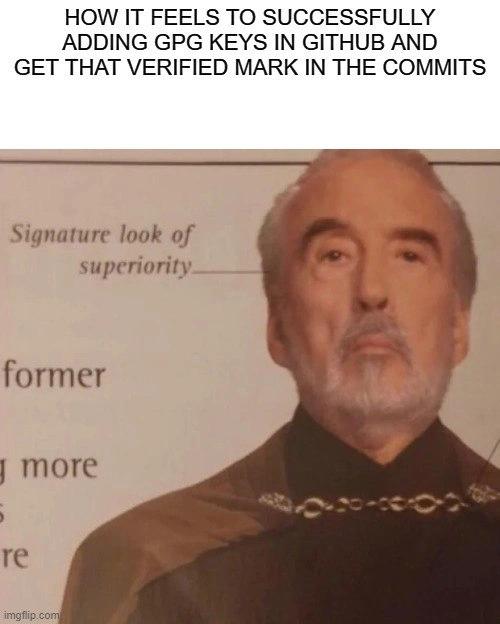
The meme nails this feeling with the image: a distinguished sci-fi villain in ornate robes (actor Christopher Lee as Count Dooku) giving a smug, regal stare. An arrow labels his expression as “Signature look of superiority.” That’s a double pun: it’s literally a superior look on his face, and it’s powered by a signature (the GPG signature on your commits). When your commit history is full of verified green checks, you can’t help but channel that energy. Your inner voice goes, “Behold my commits, for they are signed and approved!” Your friends or coworkers might joke, “Oh look, Mr. Verified has entered the chat,” as you grin like you’ve unlocked a secret level of Git wizardry. It’s a modest security improvement, but socially it feels like a badge of honor on your profile. Developers love these little tokens of distinction – it’s akin to having a 100% test coverage badge or a year-long GitHub streak. That GitHub green check gives you a smidge of clout in the community, a tiny mark that says you care about doing things right.
From a senior dev perspective, this meme is a lighthearted jab at our priorities. Sure, signing commits is part of modern security hygiene (after some high-profile supply-chain attacks, everyone started caring more about signed commits and tags). But let’s be real: enabling it is usually straightforward once you find the right docs, and it doesn’t solve deeper issues like flaky tests, spaghetti code, or actual app security flaws. Yet, human nature being what it is, we still sit a little straighter when we see “Verified” next to our commit. It’s a developer ego boost that’s totally disproportionate to the actual effort. We’ll take a win wherever we can get it! In some teams, the first time someone gets that badge, they’ll proudly announce, “Hey, check it out – my commits are verified!” hoping for some high-fives (or at least an approving nod). It’s half joking, half genuine pride. The meme playfully mocks that pride. The code hasn’t changed one bit, but suddenly you feel like a “Serious Security-Conscious Developer™.” It’s the kind of minor achievement only fellow coders appreciate: you conquered the mysterious GPG, and now your commit list is literally signed, sealed, delivered. For a brief moment, you are the robed figure with the superior smile, reveling in your own Green Badge Glory.
Level 4: Public Key Prestige
Under the hood, that little Verified badge on GitHub is powered by serious cryptography. By setting up GPG commit signing, you’re leveraging the magic of public key cryptography (an asymmetric encryption scheme) in your everyday workflow. You generate a cryptographic key pair – a private key you keep secret and a public key you share widely (for example, by adding it to your GitHub account). Every time you git commit -S (the flag to sign a commit), Git uses your private key to create a unique digital signature for that commit. This signature is essentially an encrypted hash of the commit’s contents. Anyone with your public key can mathematically verify this signature by decrypting it and checking it against the commit’s hash. If even a single byte of your commit was altered, or if someone tried impersonating you without your private key, the verification would fail. In short, a signed commit proves integrity (the content hasn’t changed) and authenticity (it was really you, not a random impersonator). It’s the same principle that secures websites and SSH connections – only here it’s applied to your Git history.
What you’ve done is a miniature version of code signing, a core concept in software security. Big companies use certificate-based code signing (part of the broader Public Key Infrastructure) to ensure that executables and updates come from a trusted source. In the open-source world, we often use OpenPGP (which GPG implements) for signing release tarballs and Git tags. Historically, PGP/GPG uses a decentralized “web of trust,” where individuals exchange and sign each other’s keys to establish trust. On GitHub, however, it works more like a lightweight PKI: you upload your public key to your account, and GitHub serves as the authority that vouches “this commit’s signature matches a key belonging to this user.” The underlying algorithms (RSA or elliptic curve cryptography like Ed25519) rely on hardcore math – factoring large primes or solving discrete logarithm problems – the kind of math that even supercomputers can’t crack easily. So when that Verified marker shows up, it’s not just a UI flair; it’s backed by mathematical proof that your commit is untampered and genuinely yours.
It’s pretty cool when you think about it: a bit of extra config, and now each commit carries a tamper-evident seal. You might have wrestled with generating your keys (gpg --gen-key), coaxing the GPG agent to cache your passphrase, and pasting the public key into GitHub, but the payoff is that satisfying green badge. In a way, your commit becomes royalty: cryptographically signed and sealed. No wonder you’ve got that smug grin – your “signature look of superiority” is literally coming from a cryptographic signature! The pride isn’t entirely misplaced: you’ve adopted a security best practice that helps fortify the software supply chain. It’s a tiny personal victory built on decades of cryptographic research. You’ve basically invited the ghosts of Bletchley Park and other cryptography legends to witness your commit and say, “This one is stamped and approved by the laws of mathematics.” How’s that for a confidence boost?
Description
This meme features the 'Signature look of superiority' format with Count Dooku from Star Wars. The caption at the top reads, 'HOW IT FEELS TO SUCCESSFULLY ADDING GPG KEYS IN GITHUB AND GET THAT VERIFIED MARK IN THE COMMITS'. The image shows a close-up of Count Dooku's smug face, with a line pointing to his expression labeled 'Signature look of superiority'. The joke resonates with experienced developers who have gone through the somewhat arcane process of setting up GPG keys to sign their Git commits. While not mandatory, having that green 'Verified' badge next to your commits on GitHub is a mark of technical diligence and security awareness, bestowing a feeling of quiet, nerdy accomplishment perfectly captured by Dooku's condescending pride

Comments
8Comment deleted
The 'Verified' badge is GitHub's way of saying 'Congratulations, you successfully copy-pasted five cryptic terminal commands from a tutorial you will never find again.'
Nothing says “enterprise-grade supply-chain security” like burning half a day wrestling gpg-agent configs so the same monolith you still SSH into as root can flex a green “Verified” badge
The real superiority complex kicks in when you realize half your team still thinks GPG signing is just security theater, but you've already automated key rotation with a YubiKey and have a 4096-bit RSA key that'll outlive the heat death of the universe
Ah yes, the green 'Verified' checkmark on GitHub commits - the developer equivalent of getting a gold star in kindergarten, except it took you three hours of fighting with gpg-agent, keychain integration, and git config --global user.signingkey to earn it. You've now cryptographically proven what everyone already assumed: yes, you wrote that code. Meanwhile, your unsigned commits from last week that actually shipped the feature? Peasant work. But this verified commit fixing a typo in the README? *Chef's kiss* - that's the mark of a true professional who definitely didn't just want to feel superior about understanding asymmetric cryptography
After an evening of gpg-agent necromancy, pinentry gymnastics, and email matching - the only measurable security gain is a UI pixel auditors worship: that green check
Coaxed gpg-agent, pinentry, and a stubborn YubiKey into agreement; now every production bug is cryptographically mine. GitHub calls it “Verified.” I call it my signature look of superiority
Verified commits: Proof even my git history demands two-factor auth - unlike that legacy monolith's auth
doing all commits through GitHub, so you are always verified Comment deleted

