The Duality of a Programmer: God Complex and Imposter Syndrome
Why is this MentalHealth meme funny?
Level 1: All Eggs in One Basket
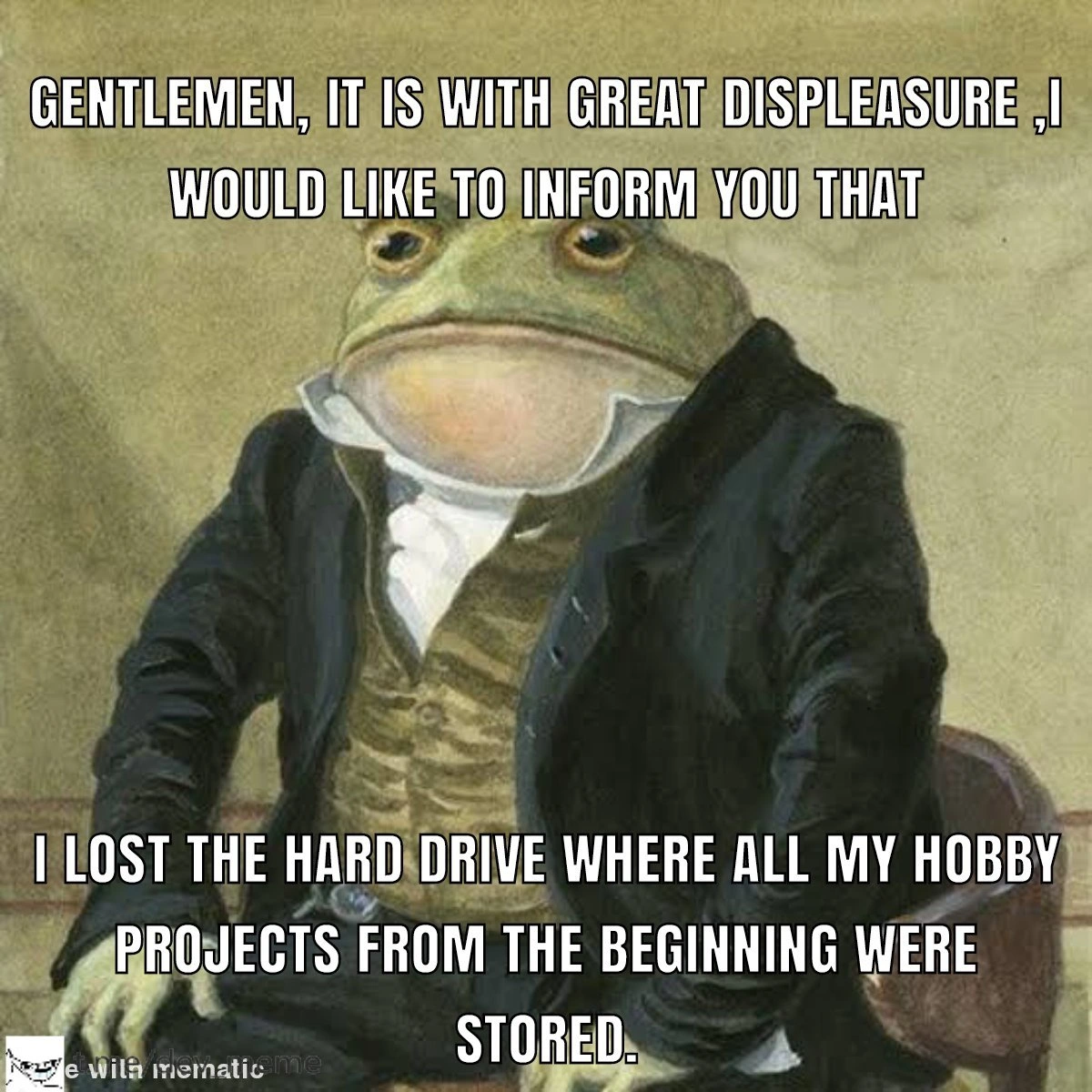
Imagine you have a special box where you keep all your favorite toys or drawings. You never made copies of those drawings, and you didn’t have your toys anywhere else – just that one box. Now picture that one day, oops, the box got lost or it broke and everything inside went missing or got ruined. How would you feel? Probably really sad and maybe a bit angry at yourself for not putting those precious things in a second box or a safer place. That’s exactly what happened to the developer in this meme, but with their computer stuff. They kept all their coding projects (imagine these like creative school assignments or art projects they worked hard on) on one computer hard drive – like one big box for all their important work. And then that hard drive died, which is like the box breaking apart and falling down a drain. Poof – all the projects they ever made disappeared, because there was no other copy.
There’s a saying: “Don’t put all your eggs in one basket.” If you carry all the eggs in one basket and you drop it, all the eggs can crack at once. The smart idea is to spread the eggs out into two baskets, or at least have a second set of hands holding another basket, so one fall won’t break everything. In the computer world, making backups or using things like cloud storage is just like using a second basket (or even a third) for your eggs. In our story, the developer only used one basket (one hard drive) for all their precious “eggs” (their projects). And unfortunately, that basket fell and everything broke. The meme is funny because of how formally the talking toad announces the bad news, but it’s also a bit of a sad story. It reminds everyone, even non-tech folks, that if something is important to you (whether it’s your homework, photos, art, or code you wrote), you should keep extra copies of it. That way, if one copy gets lost or damaged, you don’t lose everything. So, the big lesson is: always save your important stuff in more than one place – you’ll be very glad you did!
Level 2: Backup? What’s That?
Let’s break down what’s happening in simpler terms. The person in the meme is announcing that they lost all of their early coding projects because the hard drive those projects were on just died. A hard drive is basically the main place your computer stores files – kind of like a digital library for all your data. Traditional hard drives (the ones with spinning metal disks inside) can fail after a while. Picture a record player: if the needle breaks or the motor dies, the music stops. Similarly, if a hard drive’s parts wear out or it gets dropped or it just has an electronics failure, all the files on it can become inaccessible. This unfortunate dev had everything on one such drive, and that drive decided to quit. No warnings, no mercy – one day it’s working, the next day it’s a sad paperweight. That’s what we call a hard_drive_failure or more generally a storage failure. And when it happens, you get Data Loss – meaning files, projects, photos, whatever was on there, vanish (at least from your reach). It’s not just a scare story; hardware fails all the time. Ever heard someone say their phone died and took all their photos with it? Same idea, but here it’s a bunch of coding projects.
Now, normally developers have ways to protect their work from this kind of disaster. One key practice is making a backup. A backup means copying your data to another safe place. That way, if your main device fails, you still have another copy of your important files. It’s the core of Backup and Recovery: backup your data, so you can recover it later. For example, you might back up your projects folder onto an external USB drive, or upload it to a cloud service like Google Drive. In a professional setting, companies often back up data to multiple servers or tapes in different locations – that’s how seriously they take it. In this meme, though, the person admits they didn’t do any of that for their personal projects. They kept everything on a single drive with no backup at all. That’s a bit like writing a long report and never hitting “Save” – living dangerously! It’s a common rookie situation: when you’re just starting out or working on hobby code, you might not realize how important backups are. You might think, “It’s on my own PC, it’ll be fine.” until, well, it isn’t fine.
Another safeguard developers use is Version Control, especially tools like Git. With Git, you not only track changes to your code, but you can also push your code to a remote repository (for instance, on GitHub or GitLab). A remote repository is basically another computer (a server in a data center somewhere) that holds a copy of your code. If you regularly do git commit and git push, then your code isn’t just on your laptop – it’s also on that remote server. This means even if your laptop or hard drive crashes, your code still lives on the remote. You can clone it back down to a new machine and keep working. It’s both a collaboration tool and a de facto backup for code. In this scenario, our unlucky developer either wasn’t using Git at all, or perhaps they had a local-only repo (meaning they did git init locally but never set up a remote). If it’s the latter, that’s basically the same as not using version control for backup – a repo that only lives on your now-dead drive won’t save you. It’s like writing your diary in a secret code (version control) but keeping the only copy of the diary under your pillow – if the house is gone, the diary’s gone too, coded or not.
The meme text is written in an old-fashioned, ultra-polite style: “Gentlemen, it is with great displeasure I would like to inform you that...” etc. This flowery language is poking fun at how grave and formal the situation feels to the developer. Losing all your early projects is a big deal to someone who poured their time and creativity into them. Those projects can be considered their initial portfolio or personal legacy code – not “legacy” in the sense of ancient enterprise systems, but legacy as in their coding heritage. Often, early projects are messy or simple, but they carry a lot of sentimental value. Looking back at them can be both cringe-worthy and heartwarming because they show how far you’ve grown as a developer. So their loss hurts on a personal level. The posh tone (“Gentlemen, ...with great displeasure...”) is a tongue-in-cheek way to say “I’m extremely upset about this, and I present it as if it were tragic news from a royal courtroom.” It’s both humorous and an honest reflection of the regret and embarrassment the person feels. A modern translation of the meme’s caption would be: “Guys... I’m really unhappy to tell you... I screwed up and all my early code is gone forever.”
This situation is something many in the developer community have experienced or deeply fear. It highlights a key DeveloperPainPoint: the moment you realize you should have had a backup strategy, but it’s too late now. There’s also a bit of DeveloperRegret and embarrassment – admitting you ignored best practices that everyone recommends. But hey, most of us learn about the importance of backups the hard way. The meme is basically one developer’s confession so that others might learn from it. In practical terms, the lesson here for a newcomer is: always have at least one backup of anything you’re not willing to lose, and strongly consider using tools like Git + GitHub even for personal or small projects. Pushing code to GitHub not only lets you show it off, but also ensures you won’t lose it if your computer dies. And if something is truly precious, maybe keep multiple backups (an external drive at home, plus a copy in the cloud, for instance). Professionals do this because they’ve all seen things go wrong. As the saying goes in IT, “two is one, and one is none,” meaning if you only have one copy of something, you effectively have zero copies when that one fails.
So in summary, the meme’s fancy-talking frog is delivering a simple tech lesson: don’t trust a single hard drive with all your beloved code. Make backups, use version control, diversify where your projects are stored – otherwise you might end up like our friend here, giving a sorrowful announcement that everything you built has disappeared into the ether. This is a BackupAndRecovery 101 story wrapped in humor: backup your work (and do it before you need to)!
Level 3: Single Point of Failure
The meme’s highbrow Victorian formality is a tongue-in-cheek eulogy for lost code. An anthropomorphic toad in a 19th-century suit gravely announces a personal tech tragedy: “Gentlemen, it is with great displeasure... I lost the hard drive where all my hobby projects from the beginning were stored.” This absurdly proper tone, contrasted with a developer’s confession of catastrophic data loss, is what makes seasoned engineers smirk (and cringe). We’re essentially witnessing a very dignified way of saying “I messed up big time by not backing up my work.” The humor cuts deep because so many of us have been there – it’s a polite post-mortem for a pile of code that has vanished into the digital void.
At its core, this meme highlights the classic mistake of creating a Single Point of Failure. In reliability engineering, a single point of failure is any one component that, if it fails, brings down the whole system. Here, that component was a lone hard drive containing every early side project. No backups, no cloud copies, no Git remote repositories – just one spinning disk holding years of passionate late-night coding. Naturally, Murphy’s Law struck: that single hard drive failure meant total DataLoss. For experienced devs, it’s a facepalm-worthy scenario because it’s entirely preventable. We all know that storage devices have finite lifespans. Traditional drives (often jokingly called “spinning rust”) eventually die, whether from mechanical breakdown, a head crash, or the dreaded electrical surge. Even modern SSDs can abruptly fail. It’s never if a drive fails, but when. Relying on just one storage device without any safety net is like walking a tightrope with no catcher – thrilling until the moment it’s not.
This formal “Gentlemen...” announcement format exaggerates the seriousness, as if addressing an esteemed board about a national crisis, when in fact it’s a self-inflicted home_lab_disaster. The grandiose delivery underscores the regret and developer shame we feel after neglecting basic Backup and Recovery practices. Seasoned engineers recognize the subtext: the toad’s pompous style is exactly how we wish we could mask our embarrassment when admitting such a blunder to peers. It’s far more dignified to declare, “It is with great displeasure that I announce the permanent outage of my personal code archive,” than to say “I never bothered to back up my stuff and now it’s gone.” The aristocratic phrasing is a comedic coping mechanism for the very un-aristocratic mistake of backup_strategy_neglect.
Why is this scenario so relatable among developers? Because it hits on multiple DeveloperPainPoints:
- Nostalgic code gone: All those early apps, scripts, and experiments (our personal code_graveyard of creativity) just vanished. That’s an emotional punch – losing the history of your growth as a coder. Experienced devs feel a sting of DeveloperNostalgia here, recalling their own lost projects from the “good old days.”
- No VersionControl used: Clearly, none of these projects were pushed to a remote Git repository. Maybe they were local Git repos or just plain folders, but they lived and died on that single disk. This is exactly why Git was invented: a distributed VersionControl system means there are clones and remotes to prevent exactly this situation. A senior engineer chuckles grimly because using
git push origin mainto a service like GitHub could have turned this tragic tale into a minor inconvenience. Without version control, there’s no history, no off-site copy – nothing. - The “it’ll be fine” trap: Early on, many of us thought “It’s just my hobby stuff on my own machine, what could go wrong?” Fast forward to a fried drive, and the answer is “everything.” Best practices like regular backups or using cloud storage often don’t feel urgent until after disaster strikes. Senior devs recognize this as a rite of passage: there are those who have lost data, and those who will. After the first major loss, you either start religiously backing up, or you tempt fate a second time (most of us don’t). This meme is essentially a sombre initiation story into the ranks of battle-scarred developers.
In real-world scenarios, smart engineers design systems with redundancy so no single disk failure can cause total outage. We use RAID arrays, off-site backups, and replication precisely to avoid a single point of failure. Yet, ironically, we often fail to apply the same rigor to our personal projects. The meme’s author clearly fell into that trap – all eggs in one basket, and the basket broke. The DeveloperRegret is palpable. It’s the kind of regret that becomes a war story told to junior devs later: “Let me tell you about the time I lost everything because I didn’t bother with backups...” You can bet this person will spend the rest of their career preaching the virtues of backup drives, cloud storage, and git push. The humor here is laced with pain, because any senior developer reading this is probably hearing phantom hard drive clicking sounds and feeling a phantom pang of anxiety, remembering their own past sins of storage_failure.
To really appreciate the meme, you have to see the layers of irony: a formal aristocrat toad delivering the news makes it absurd, but the content of the news is a brutally real tech lesson. It’s like delivering a eulogy at a funeral for your lost code. We laugh, then nervously double-check that our own backups are up to date. The meme effectively says “I did something very foolish and now I suffer – learn from my misfortune, dear colleagues.” And learning we are: by now, dozens of readers have probably run off to back up their own hobby projects to avoid the same fate. In summary, this is a funny-yet-grim reminder that BackupAndRecovery planning isn’t just for big companies – it’s for you, the lone developer, tinkering away in your room. Because when that solitary hard drive dies without warning, all those passionate nights of coding can evaporate in an instant. As the veteran adage goes (with a cynical smirk): “Any data not backed up is data you don’t care about.” Hard lesson learned, old sport.
Description
This meme shows a picture of a cat looking at its reflection in a pool of water. The cat sees itself as a majestic lion. The caption reads: 'Me, five minutes after fixing a bug,' and then, below that, 'Me, five minutes later, reading my own code.' This meme perfectly captures the emotional rollercoaster of being a developer: the feeling of god-like power after solving a difficult problem, immediately followed by the crushing self-doubt and confusion of imposter syndrome when looking at your own, suddenly unfamiliar, code. For senior engineers, it’s a humorous and deeply relatable take on the daily vacillation between supreme confidence and utter bewilderment that defines a career in software
Comments
7Comment deleted
The two states of a developer: 'I am a golden god' and 'I am a drooling imbecile.' There is no in-between
Proof that “git init” without “git remote add origin” is just a ceremonially formatted eulogy
Somewhere in that drive is a half-finished distributed system that would've solved every problem we complain about today, but now we'll never know because past-me thought version control was what the volume knob on my speakers did
Ah yes, the classic 'I was going to set up Git next week' scenario - where decades of side projects, half-finished game engines, and that revolutionary framework you built in college now exist only in the quantum superposition of 'maybe I can recover it' and 'definitely gone forever.' The real tragedy isn't the lost code; it's realizing you've been preaching 'commit early, commit often' to juniors while your magnum opus lived on a single spinning platter with no redundancy. At least now you have a compelling answer for 'why aren't your early projects on GitHub?' - because they're achieving their final state of entropy on a dead Seagate drive in a drawer somewhere
Nothing exposes an architect's hypocrisy faster than realizing your side projects were a single-node, single-spindle, non-replicated primary with no offsite (aka 'git init' without 'remote add origin')
Hobby storage's CAP theorem: pick Availability and Partition tolerance, forfeit Consistency forever on first platter crash
When your monorepo lives on one external HDD, the 3 - 2 - 1 rule becomes 0 - 0 - 0; apparently “git init” is not a disaster recovery plan