Apple Permission Keyboard: Allow Once, Allow Always, Reject
Why is this Apple meme funny?
Level 1: The Giant "Yes" Button
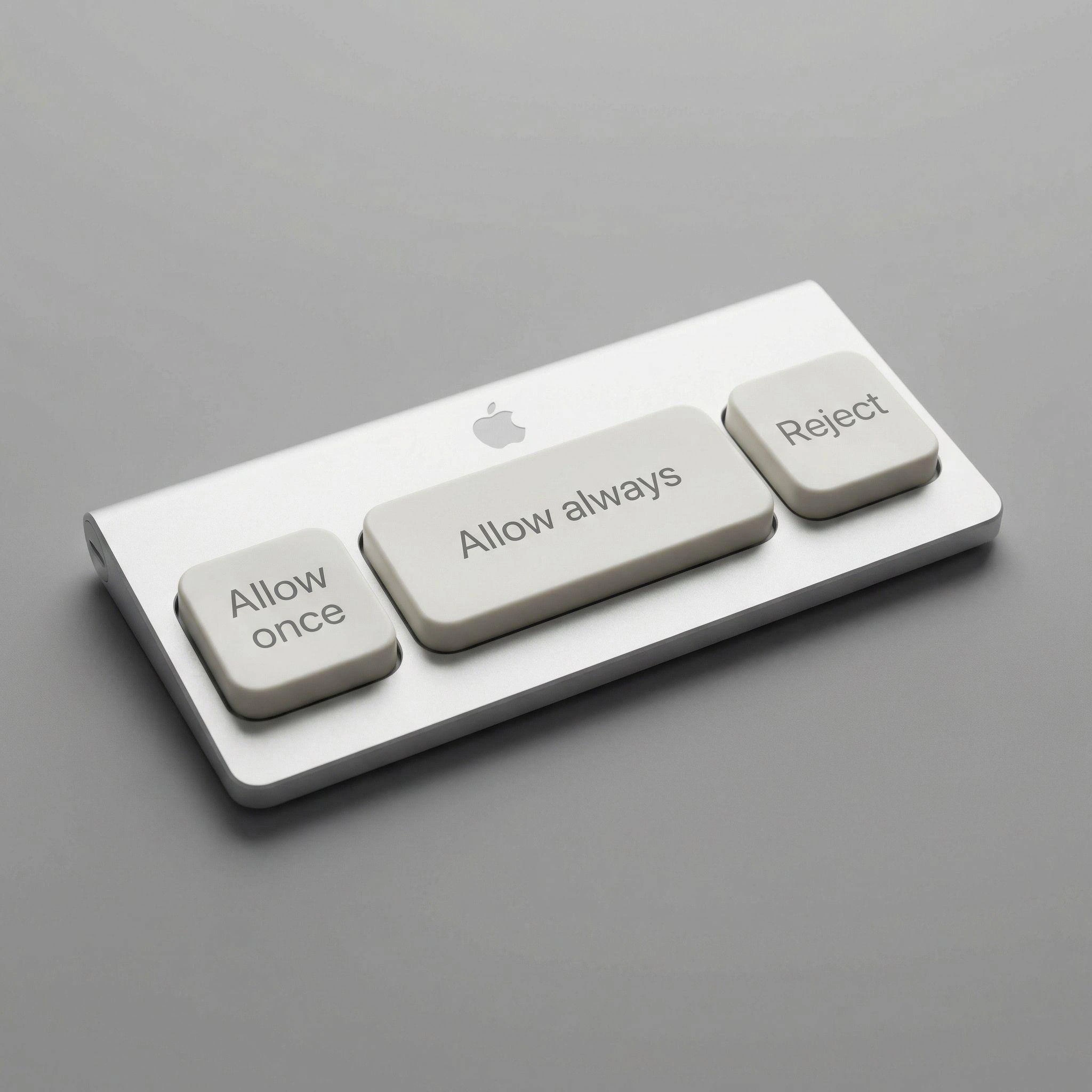
Imagine your house had a doorbell panel for deciding who can come in: a tiny button for "just this visit," a tiny button for "go away," and one enormous, pillow-sized button labeled "EVERYONE CAN COME IN FOREVER." Now imagine the fancy designer catalog photo of it, gleaming like an expensive gadget. It's funny because everyone knows which button people would actually smack on their way to the couch — we all say we care about who gets in, but mostly we just want the doorbell to stop ringing.
Level 2: Why These Three Buttons Exist
- Permission prompt: the dialog asking you to approve an action — an app reading your camera, a website setting cookies, an AI assistant running a shell command. The three captioned options (
Allow once,Allow always,Reject) are the literal vocabulary of macOS privacy dialogs and AI coding tools alike. - Consent fatigue: what happens after the fortieth prompt of the day. Each dialog gets less attention than the last, until clicking through becomes reflex — which defeats the entire purpose of asking.
- "Allow always": the option that trades safety for silence. Choose it and the system never asks again — convenient, and exactly how overly broad permissions accumulate until something abuses one.
- Fitts's law: a usability rule of thumb — big, close targets get hit faster and more often. Designers use it to guide you; this meme uses it to confess for you.
- Concept render: a fake but plausible product image. The genre works because the photography is sincere; only the idea is absurd.
The early-career rite of passage encoded here: the first time you grant an app or agent blanket access just to make the popups stop, then later wonder why your terminal can read your photo library. Everyone does it once. The keyboard just admits we do it daily.
Level 3: Fitts's Law of Least Resistance
The satire here is conducted entirely through key sizing. A photorealistic concept render — brushed aluminum wedge, neutral studio gray, tasteful Apple logo, the full industrial-design liturgy — presents a "keyboard" with exactly three keys: a modest square Allow once on the left, a small Reject exiled to the upper right, and dominating the center, at full spacebar width, Allow always.
That proportioning is the joke and the thesis. Fitts's law — the HCI principle that the time to hit a target shrinks as the target grows — means interface geometry is destiny: whatever's biggest gets pressed. Real consent UIs have exploited this forever (the glowing "Accept All" versus the gray "Manage preferences" link), but this render flips the satire inward, at users, by manufacturing revealed preference as hardware. We claim to weigh each permission carefully; our muscle memory has a spacebar-sized groove worn into "stop asking me forever." The device is an honest peripheral for a dishonest ritual.
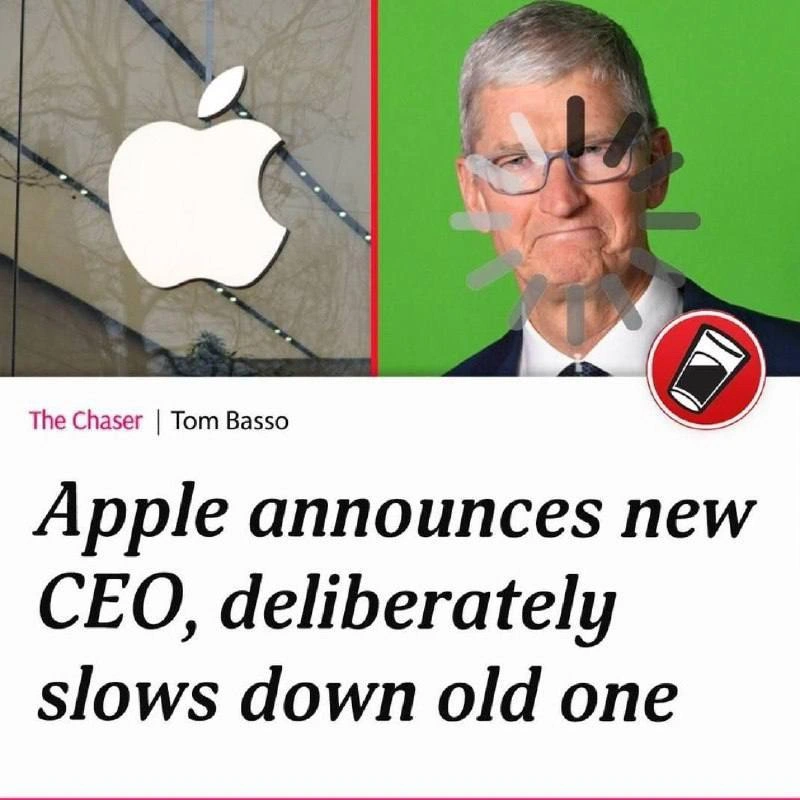
What makes it land in 2026 specifically is the AI agent layer. Permission fatigue used to mean macOS's TCC privacy dialogs ("Terminal would like to access your Documents folder") and cookie banners. Now the highest-frequency consent interaction in a developer's day is the coding-agent tool-approval prompt: may I run this command, edit this file, hit this API? The security model of the entire agentic era rests on a human meaningfully reviewing those requests — and every practitioner knows the human reviews the first five, then starts chording "always allow" like a rhythm game. This keyboard simply ships that behavior as an SKU. It's security theater critique in anodized aluminum: the checkpoint exists, the guard waves everyone through, and we've now ergonomically optimized the waving.
The Apple-design parody is load-bearing too. Rendering consent-fatigue in the visual language of a thousand-dollar minimalist peripheral implies a product team somewhere validated this user journey — that "mash allow" is not a failure mode but the use case. Cynics will note the Reject keycap is positioned exactly where a pinky never travels. That's not an accident; that's roadmap.
Description
A photorealistic render parodying Apple industrial design: a slim brushed-aluminum keyboard-like device on a neutral gray studio background, with a small Apple logo at the top. Instead of normal keys it has exactly three white chiclet buttons: a small square 'Allow once' key on the left, a wide spacebar-sized 'Allow always' key in the center, and a square 'Reject' key on the upper right. The concept hardware monetizes the modern developer's most frequent interaction - clicking through permission prompts, whether macOS privacy dialogs, cookie consent banners, or AI coding agent tool-approval requests. The oversized 'Allow always' key as the spacebar is the punchline: it's the button everyone actually mashes, security implications be damned
Comments
1Comment deleted
The 'Reject' key ships pristine in every unit returned for trade-in - meanwhile 'Allow always' needs a keycap replacement program by month two