
The Xcode Downgrade Rabbit Hole to Objective-C
Description
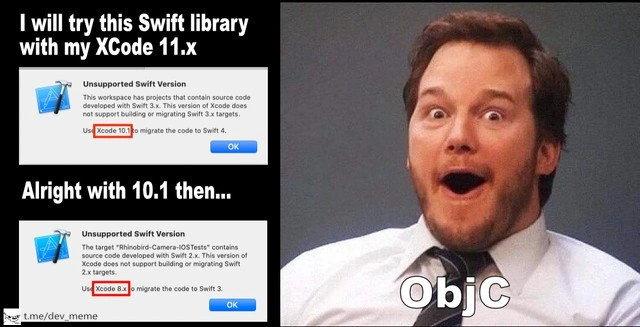
A two-panel meme illustrating the frustrating experience of dealing with outdated Swift libraries. The left panel is divided into two parts. The top part has text that reads, 'I will try this Swift library with my Xcode 11.x,' followed by a screenshot of an Xcode error message stating 'Unsupported Swift Version.' The error indicates the project uses Swift 3.x and suggests using 'Xcode 10.1' to migrate. The bottom part of the left panel says, 'Alright with 10.1 then...,' showing another Xcode error for 'Unsupported Swift Version,' this time for Swift 2.x, recommending a downgrade to 'Xcode 8.x.' The right panel features the 'Surprised Chris Pratt' meme format, where actor Chris Pratt as Andy Dwyer looks at the camera with a shocked, wide-eyed expression. Overlaid on this image is the text 'ObjC.' The meme humorously captures the developer's dawning horror as they are forced to consecutively downgrade their toolchain, only to realize the dependency rabbit hole leads all the way back to Objective-C, the precursor to Swift
Comments
7Comment deleted
Following the Xcode version downgrade guide is like a recursive function with a horrifying base case: Objective-C
Xcode’s upgrade wizard: 11 → 10 → 9 → Stockholm Syndrome → ObjC; by the time I hit the last step, manual retain/release actually looks like the long-term support plan
Apple's dependency resolution strategy: teaching developers that time is a flat circle where Xcode 11 requires 10.1, which requires 8.x, which somehow requires 11 again through a quantum entanglement of Swift ABI incompatibilities
Ah yes, the classic iOS developer's descent into version hell: 'I'll just use this library with Xcode 11.' *Xcode demands 8.x for Swift 2.x migration.* 'Fine, Xcode 10.1 then.' *Different library, same Swift 2.x problem, still needs 8.x.* It's like a recursive dependency resolver that only returns 'go back in time.' Meanwhile, your M1 Mac is sitting there thinking 'I can run circles around any workload... except Xcode 8, which won't even install.' The real joke? By the time you've downgraded enough to satisfy all dependencies, Swift 6 is out and the cycle begins anew. This is why senior iOS devs keep a collection of old Macs in the closet like vintage wine - not for nostalgia, but for survival
ObjC: the undead dependency that drags your Swift migration into a infinite Xcode version vortex
Xcode 11 says “use 10,” 10.1 says “use 8” - apparently the only topologically sorted path through this dependency graph is ObjC
Xcode’s migrator isn’t a toolchain - it’s a stack of time machines; the recursion base case is Objective-C