
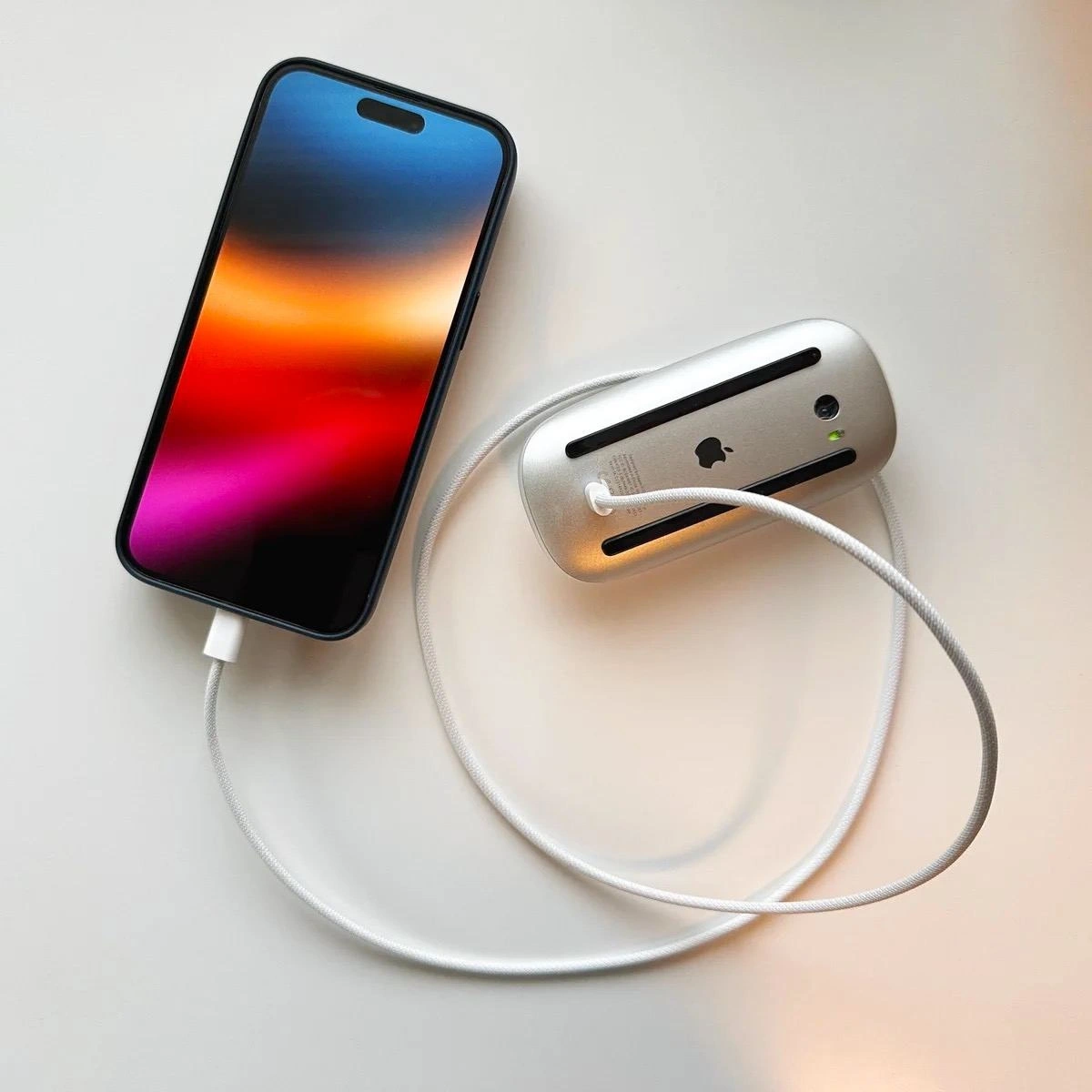
Peak Apple Design: Charging Your Phone With Your Mouse
Description
A top-down photograph on a clean white surface shows a modern iPhone with a vibrant, colorful screen wallpaper. A white, braided charging cable is plugged into the phone. The other end of the cable is connected to an Apple Magic Mouse that is flipped upside down, revealing its silver aluminum base, black sliders, optical sensor, and the infamous charging port. The image humorously depicts the mouse acting as a power source for the iPhone. The technical humor originates from the widely criticized design of the Magic Mouse, whose charging port placement on its underside makes it completely unusable while charging. This image creates an ironic role reversal, turning a famously inconvenient product into a 'solution' for another, thereby mocking Apple's 'form over function' design philosophy that sometimes leads to impractical products for the sake of aesthetics. It's a clever jab that resonates deeply with tech users familiar with this specific design flaw



Comments
24Comment deleted
The Magic Mouse's charging design is the physical equivalent of a blocking I/O call on the main thread. It halts all user-facing operations for a simple background task
Apple’s new concurrency tutorial: plug your iPhone into a Magic Mouse, watch both devices enter a hardware deadlock - two threads blocked, infinite elegance achieved
The $7,000 development machine tethered to the $1,200 device that actually ships the product - like watching a Formula 1 pit crew service a car that's doing all the actual racing
When your iPhone battery hits 1% during a production deployment and you realize the Magic Mouse has more juice than your laptop's USB-C hub can provide - suddenly that $79 wireless mouse becomes a $79 emergency power bank. Peak Apple ecosystem synergy: where every device can theoretically charge another, as long as you have the right dongle and a complete disregard for intended use cases
Magic Mouse architecture: no hot‑swap, mandatory maintenance window for recharging - mitigation is powering it from the client device, i.e., circular dependency injection courtesy of the walled garden
Magic Mouse charging: hardware's way of enforcing single-threaded productivity - no parallel scrolling allowed
Magic Mouse charging off an iPhone: gorgeous single‑cable design that creates a circular dependency and a stop‑the‑world maintenance window - zero‑downtime is for keynotes
powerbank? Comment deleted
magic mouse Comment deleted
then the lense supposes to face the other way but then the wire is on the wrong place Comment deleted
on the contrary: everything is in the right place. The mouse has Bluetooth wireless connection - there is no need for cable. Comment deleted
oh yeah? then why is it connected? Comment deleted
The the "magic mouse" is magically stupid designed like this. The charging port is at the bottom. User: "How can I charge my mouse while using it?" - Apple: "🖕" 😅 Comment deleted
Probably. Very special Kind of funny Comment deleted
Type c? Comment deleted
press F Comment deleted
Type F Comment deleted
press C Comment deleted
c Comment deleted
its not funny Comment deleted
i wondeR what charges what lmao Comment deleted
that li'l camera spying on you Comment deleted
I used to charge AirPods or another's iPhone this way with my Xiaomi when I had it and it just worked Comment deleted
i've charged my vape like this Comment deleted