Skip to content
DevMeme
5037 of 7435
Intern Learns the Horrifying Truth About File I/O Buffering
OperatingSystems Post #5514, on Sep 25, 2023 in TG

Intern Learns the Horrifying Truth About File I/O Buffering

Why is this OperatingSystems meme funny?

Level 1: Not Actually Saved

Imagine you’re drawing a really important picture and you put it in your folder, feeling proud that it’s “done”. You think it’s safe because it’s in the folder, right? But you haven’t given it to your teacher yet. If your little brother comes and accidentally spills juice on your folder before you turn it in, that drawing is ruined and the teacher never saw it. In this story, closing a file is like putting the drawing in your folder – it’s almost done, but not totally safe. Actually handing the drawing to the teacher, who will keep it safe in a big file cabinet, is like calling fsync – it makes sure your work is really saved in a safe place (the cabinet, or the computer’s disk).

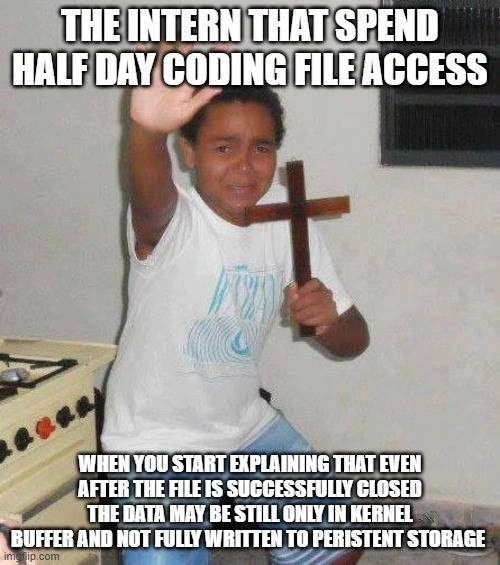
The meme shows a kid holding up a cross like he’s scared of a vampire. That’s the intern acting super shocked and scared of the “scary computer fact” that just because he closed the file, it doesn’t mean the data is completely saved. It’s a funny way to show how an everyday-looking thing (closing a file) can hide a sneaky surprise (the data might still be waiting to be written). Essentially, the joke is: “You thought your work was safe? Ha! Not yet!” And the intern is like “Stay back, evil data-loss monster!” It’s poking fun at how we all feel a little scared or surprised when we learn that computers don’t always do what we assume. In really simple terms: you gotta actually hand in your homework if you want credit – just finishing it isn’t enough. The intern learned that closing a file is finishing the homework, but fsync-ing (or flushing) is handing it in so it definitely counts. That’s why all the experienced folks find this meme funny; we remember learning that lesson, too, and it’s told here in a goofy, exaggerated way that even a kid warding off monsters can understand.

Level 2: Wait, Not Saved?

Let’s break this down in simpler terms and define some of these concepts, because this meme is jam-packed with specific Operating Systems and Storage terminology. The big scary phrase here is: “only in kernel buffer and not fully written to persistent storage.” What does that mean?

  • Kernel Buffer: Think of this as a waiting room in the computer’s operating system, where data hangs out briefly before it’s actually sent to the storage device (like your hard drive or SSD). When a program writes to a file, it hands the data to the OS. The OS says “Got it!” and typically puts the data in this in-memory waiting area (the kernel buffer). Writing to memory is super fast, so the program can move on quickly. The OS will, a bit later, take the data from this buffer and write it out to the disk when it’s a good time (maybe the disk isn’t busy, or it has a bunch of data to write in one go). This strategy is called write-back caching. It’s like collecting a bunch of letters in a mailbox and then the mail truck comes once a day to take them all to the post office, rather than driving each individual letter to the post office as soon as it’s put in the box.

  • Persistent Storage: This just means storage that doesn’t forget things when power is off – like a hard drive, SSD, USB stick, etc. If something is written to persistent storage, it’s really saved (barring catastrophes). If it’s only in memory (like the kernel buffer), it’s not persistent – if the power goes out or the computer crashes, memory is cleared and that data is gone. So, “not fully written to persistent storage” means the data hasn’t actually been safely placed on the disk yet; it’s still in a volatile place.

  • Closing a file: In programming, when you’re done writing or reading a file, you “close” it. This releases resources and, importantly, it usually flushes user-space buffers. Many programming languages have their own small buffers too (for efficiency). For example, if you’re writing text to a file in Python, Python might collect some of that text in its own buffer and write to the OS in chunks. When you close the file (or explicitly flush it), Python will send everything it was holding to the OS. The key point: closing makes sure your program’s part is done and handed off to the OS, but it doesn’t guarantee the OS has handed it off to the disk yet. The intern in the meme probably assumed that once his code closed the file, the data was fully handled and on the disk. It’s an assumption that “done with file = file data is safe.”

  • fsync (flush): fsync is a function a program can call to ask the OS to please flush the kernel buffer to disk right now. Similarly, many languages or libraries use the term flush for their own buffers. When you flush, you’re basically saying “deliver all those letters in the mailbox to the post office immediately, don’t wait for the mail truck’s usual schedule.” After an fsync, the OS will actually write the data to the disk and not just keep it in memory. This gives you a durability guarantee that the intern didn’t know about initially. Durability guarantee means you can be confident the data truly resides on the storage device, so even if the computer loses power right after, that data will still be there when it comes back up.

Now, the situation in the meme: The intern wrote some code to handle files, spent a bunch of time (half a day) making it work nicely. They probably opened a file, wrote data, and closed it, thinking “Alright, file saved. Next task!” Then a colleague or mentor starts explaining the nuance: “Actually, on many systems, just closing the file doesn’t force the data to be written to disk. It might still be in a cache. If, say, the power went out a millisecond after your program closed the file, that data might never reach the disk.” The intern’s reaction? Pure shock and maybe a bit of horror – thus the image of the kid holding up a cross as if confronting a villain. The intern’s panic (intern_panic as the context tag humorously puts it) comes from realizing something they took for granted isn’t true in all cases. It’s like telling someone who just learned to drive that turning off the engine doesn’t always mean the car is fully stopped – a bit mind-bending at first!

This is a common learning moment for junior developers. Terms like DataConsistency and DataPersistence tagged in the meme are fancy ways of saying “Is my data reliably saved, and will it stay around correctly?” The intern assumed yes, but the truth is, you sometimes have to take extra steps (like calling fsync or using specific file open options) to get that guarantee.

Let’s give a concrete analogy: imagine you’re writing a story in a notebook (that’s like writing data to a file). When you finish a page, you close the notebook (that’s like closing the file). Now, you might think your story is “saved” because it’s in the notebook. But what if you had only actually scribbled it in pencil and planned to ink it later, and you left the notebook open on your desk? If a fan blows or someone tears the page (like a crash or power loss), your story could be lost. Using fsync in this metaphor is like immediately photocopying that page and putting the copy in a safe. It’s an extra step to make sure your words are truly preserved beyond that piece of paper on your desk.

Why do operating systems even do this caching thing if it can risk data not being saved on crash? Because 99.9% of the time, the power doesn’t go out in the next second, and writing a bunch of small pieces of data in one go is much faster for the disk than piecemeal. It’s a trade-off between performance and absolute safety. Most of the time, we accept the tiny risk for a big speed boost. But when you really need the data safe (for example, finishing a financial transaction or saving a game), you or the program explicitly asks for that flush. Part of becoming a better programmer is learning to identify those situations. And part of the humor here is that the poor intern has just been confronted with this nuanced concept that wasn’t in the basic “File I/O 101” tutorial. We find it cute and funny because we recall being junior and hitting these “Wait, seriously?” moments every so often. It’s almost a rite of passage in systems programming to learn about the need for fsync.

So, in summary for Level 2: The meme is highlighting a misconception a lot of beginners have. File closed means file saved. Not always – sometimes the data’s just sitting in an OS cache. You need to flush or fsync to really, truly save it immediately. The intern’s dramatic reaction in the image is an exaggeration of that shock and maybe a bit of comedic commentary on how scary and complicated computers can seem when you peek behind the curtain. After all, who would think that even when you do everything right in code (open, write, close), the computer might still be like, “Eh, I’ll write it to disk later, no rush.” It sounds almost lazy! But it’s by design. And now our intern (and anyone reading the meme) knows a little more about how data is handled under the hood, even if it gave them a spook.

Level 3: Write-Back Revelation

At the core of this meme is a classic “Aha – or rather, Oh no! – moment” for any programmer dealing with files: the realization that closing a file isn’t the same as truly saving the data to disk. In the meme, the intern spent half a day happily coding up some file I/O logic, probably thinking that once close(file) returns success, their data is safely on the drive. Then a more experienced dev drops the bombshell: even after a successful close, your precious bytes might still be lounging in a kernel buffer (an in-memory cache) and haven’t actually been written to the physical disk yet. The image of the intern recoiling with a wooden cross is a comedic exaggeration of their panic – as if the senior just revealed some dark operating system voodoo. And to newbies, it does feel like voodoo: “What do you mean it’s not really saved? I closed the file! It said everything’s fine!”

Here’s what’s happening under the hood: modern operating systems implement write-back caching for file systems. When your code writes to a file (using something like write() system call or even higher-level I/O), the OS usually doesn’t immediately hit the slow hard drive (or SSD). Instead, it writes the data into an in-memory cache (often called the page cache or buffer cache). Writing to RAM is blazingly fast compared to disk, so this makes your program run quicker. The OS will later flush these changes to disk on its own schedule (maybe after a few milliseconds, or when the disk is idle, or when the buffer fills up). Closing a file typically does ensure that user-space buffers are flushed (for example, if you used fwrite in C or a buffered FileOutputStream in Java, those libraries flush their own buffers on close). But the OS kernel’s own caching layer doesn’t guarantee a flush to physical storage on close – it might, or it might not, depending on the OS and configuration. The data is marked to be written eventually, but eventually could be a tiny moment or many seconds later. If the system loses power or crashes before that write-back happens, the data in memory vanishes and never reaches the disk. 😱

Now, seasoned developers have a healthy respect (and a few scars) from this behavior. It’s why you’ll hear them talk about fsync or flush calls when data integrity is critical. The function fsync(fd) on Unix-like systems is explicitly there to say: “Hey kernel, I know you’re caching writes – please flush everything for this file descriptor fd to the actual disk now, and don’t return until it’s done.” High-level languages often have similar mechanisms: in C you might fflush() then call fsync(fileno(file)), in C++ fstream.flush(), in Python file.flush() and os.fsync(file.fileno()). The meme specifically mentions fsync because that’s the canonical system call to ensure durability. The joke is that an intern might not even know fsync exists – after all, when learning basic file I/O, who mentions that behind the scenes the OS might lie to you about the data being on disk? It’s one of those unwritten lessons of real-world systems programming: successfully writing and closing a file doesn’t always mean “mission accomplished”.

Let’s talk common scenarios that make this meme resonate as Developer Humor: Imagine a junior dev writes a config file or a log file, runs the program, sees no errors, and calls it a day. Later, maybe an unexpected power loss or a crash occurs, and that file is found empty or incomplete. The intern is baffled: “But we closed it! It should have been saved!” Every senior dev has that knowing smile because they’ve been that intern once. The realization hits: data consistency isn’t automatic. The code needs to explicitly handle it if you require strong guarantees. Another scenario: maybe the team was debugging why occasionally a report file is blank if the server rebooted. A senior explains the fix: “We forgot to flush or fsync the file after writing. We were lucky most of the time, but occasionally the OS hadn’t written it out yet.” That mix of luck and disaster is fertile ground for humorous exaggeration – hence the intern in the meme is acting like he’s warding off a vampire with a cross. The vampire here is the scary truth about how storage works, sucking away the intern’s naive assumption.

From an Operating Systems perspective (one of the meme’s categories), this is a fundamental design choice. Disks (especially older spinning HDDs) are slow, so buffering writes in memory is huge for performance. Nearly all OSes do it – Linux, Windows, you name it. But then they provide system calls or flags for programs that absolutely need durability guarantees. For example, databases use things like O_SYNC (open the file with the flag that makes every write go through to disk immediately) or they liberally sprinkle fsyncs on critical files (like after writing a transaction to the log). They do this so that even if the machine crashes, the data is not just in volatile memory. There’s also often a write cache on the disk controller or the drive itself, which adds another layer (most drives will commit writes from their cache to platters on their own, but some have a battery backup or use flush commands from the OS). We usually rely on the OS and hardware to eventually get data to non-volatile storage, but “eventually” isn’t good enough if you can’t afford any data loss.

The intern’s shock in the meme hints at a common junior developer assumption: “File closed = file saved, right?” It’s a reasonable assumption if no one taught them otherwise. High-level environments often hide this detail. For instance, when you save a document in a text editor, the editor might explicitly flush and fsync under the hood to make sure your data is safe, so users rarely think about it. But as a developer, once you get close to the metal (working with files at the system call level, or writing low-level code), you must handle it yourself. The humor comes from how totally counter-intuitive this can feel at first. It’s a moment of entering the “real world” of systems programming. We find it funny because we recall our own disbelief, maybe how we too reacted with “Are you serious?!” — though perhaps without an actual crucifix in hand! The intern is portrayed as overly dramatic for comic effect, but internally, a lot of us felt a tiny bit of that horror when first learning about volatile write caches.

The upper text of the meme, “THE INTERN THAT SPEND HALF DAY CODING FILE ACCESS”, sets the stage – a proud newbie developer, likely thinking they nailed the task of writing to a file. They’re feeling accomplished. Then comes the bottom text, the reality check: explaining the nuance that “even after the file is successfully closed the data may still only be in kernel buffer and not fully written to persistent storage.” It’s lengthy (typical of an Impact-font meme when cramming in a very specific tech joke) and reads almost like something a senior engineer would tediously explain at a whiteboard. You can almost hear the senior’s lecture: “Well, you see, just because you closed it doesn’t mean the drive has it yet. It could be in the cache….” and that’s the moment captured — the intern recoils in fear from this unexpected knowledge demon. It’s funny to us because it’s true. The meme is labeled with tags like kernel_buffer, fsync_required, write_back_caching — all jargony things that, to a junior, sound like an incantation. For the experienced devs, these words are everyday concerns; for the intern, they are Dracula coming out of nowhere to bite their assumptions.

So at Level 3, we appreciate the humor on a professional level: it’s the collision of junior optimism with the harsh edges of operating system reality. We laugh because we’ve been that intern, and we might also laugh a bit nervously because even as seniors, we know that forgetting an fsync can still bite us in production. The meme’s scenario is an initiation rite every programmer goes through — learning that “Saved isn’t always saved,” and thereafter carrying an metaphorical cross (or rather, a mental checklist) to ward off such pitfalls in the future.

Level 4: Distributed Durability Dilemma

When the discussion moves beyond a single machine’s file system to cluster storage like Ceph or a network file system (NFS), the complexity multiplies. Closing a file on an NFS client or a Ceph mount doesn’t magically teleport the bits to safe storage on a remote server — it kicks off network protocols that have their own caching and consistency behaviors. The operating system’s kernel buffer on your local machine hands data over to the network layer, which then hands it to a remote server’s buffer. Even if your local code calls fsync(), that only guarantees the data left your machine’s cache; with distributed storage, the data might now be sitting in the server’s memory or in a distributed object store’s journal. Ensuring true persistence often involves multiple nodes and ack messages: your write might be considered “safe” only after, say, Ceph has replicated it to a quorum of OSDs (object storage daemons) or an NFS server has written it to disk and perhaps to a backup server if one is configured.

In distributed systems theory (think CAP theorem territory), we’re trading off consistency, availability, and latency. For example, NFS can be configured in synchronous mode (each write or close waits until data is on disk server-side) or asynchronous mode (the server can ack writes quickly and flush later). With async NFS, closing a file might just mean “the server got it (in memory)” but not necessarily “it’s safely on spinning platter or SSD cells”. If the NFS server crashes at that unlucky moment, data can vanish — an unpleasant surprise akin to our intern’s initial shock, but now at network scale. Ceph, being a more modern distributed storage, typically tries to guarantee that once a write is acknowledged, it’s replicated and durable to a certain fault-tolerance level. Yet, even Ceph has layers of caching (client-side caches, page caches, OSD caches) and it uses algorithms (like the PAXOS-inspired Ceph’s OSDMap updates or CRUSH placement) to decide where data lives. A simple close() on CephFS might initiate a flurry of network activity where data is sent to a primary storage node, then replicated to secondaries, and only after those nodes confirm the write is on stable storage does the cluster truly consider the file fsync’d.

From an academic perspective, this enters the realm of distributed consistency models. The local write-back caching that startled the intern is just one node’s optimization. In a distributed file system, you also contend with network latency and partial failures. Distributed storage often employs write-ahead logging or two-phase commit to safely commit data across multiple machines. It’s like the durability guarantees of a single OS (POSIX semantics) taken to the power of N nodes. You might even introduce fencing or leases in protocols to handle the case where one client’s idea of “file closed and done” isn’t communicated to another client instantly due to caching. In short, if our intern thought a kernel buffer was scary, wait until they learn that across a network, there are multiple buffers (client-side, server-side, network routers) and multiple disks! Ensuring durability now means coordinating all those pieces.

The humor escalates here because every seasoned engineer knows: the deeper you get into storage (from local disks to SANs, NAS, distributed object stores), the more layers of caching and eventual persistence you uncover. The meme’s next step joke (“understanding what happens with Ceph or NFS”) is a wink at how an innocent file write on a modern system can involve a Rube Goldberg machine of software layers. It’s both amazing and terrifying: amazing that it usually works, terrifying when you realize how many places data could still be in transit. The distributed durability dilemma is that we want data persistence guarantees, but we also crave performance. So systems like NFS and Ceph strike a careful balance – they often default to safety (NFS by default will be fairly synchronous for critical parts, Ceph won’t lose data acknowledged), but they also give options to relax guarantees for speed. Seasoned developers have learned (sometimes the hard way) that reading the fine print of those durability guarantees is critical. It’s why database admins get nervous running databases on NFS mounts without sync options, or why distributed storage admins monitor that all replicas are healthy.

So, the intern’s panicked look with the crucifix? At Level 4 we’re chuckling because we’ve been there, saying “the power of fsync compels you!” as we ward off data demons in distributed systems. It’s a mix of dark humor and genuine respect: we respect the immense engineering in OS kernels and distributed protocols that (mostly) save our data, and we joke about the times those guarantees fail in spectacular ways. If the intern’s brain wasn’t melted by the local kernel buffer revelation, the complexities of Ceph and NFS will finish the job – but at least now they’re armed with knowledge (their new figurative crucifix) to confront these bigger demons of consistency.

Description

This is a meme using the 'Scared boy holding a cross' format. A young boy with a distressed expression holds up a wooden cross and raises his other hand defensively, as if to ward off something evil or unholy. The top text, in a bold, white, all-caps font, reads: 'THE INTERN THAT SPEND HALF DAY CODING FILE ACCESS'. The bottom text reads: 'WHEN YOU START EXPLAINING THAT EVEN AFTER THE FILE IS SUCCESSFULLY CLOSED THE DATA MAY BE STILL ONLY IN KERNEL BUFFER AND NOT FULLY WRITTEN TO PERSISTENT STORAGE'. The meme humorously captures the shock junior developers experience when they move from the simple abstraction of file operations to the complex reality of how operating systems handle I/O. The idea that a successful 'close' operation doesn't guarantee data persistence due to kernel-level buffering is a non-intuitive and often frightening concept for those new to systems programming, as it implies a risk of data loss they hadn't considered. The post's caption, 'The next step is understanding what happens when Ceph or another NFS is used', adds to the joke by suggesting this is just the first layer of a much deeper, more complex world of distributed storage


Comments

16
Anonymous ★ Top Pick The intern thinks `fclose()` is a transaction commit. The senior knows it's just an optimistic async call and is already typing `fsync()` before the intern's code even compiles
  1. Anonymous ★ Top Pick

    The intern thinks `fclose()` is a transaction commit. The senior knows it's just an optimistic async call and is already typing `fsync()` before the intern's code even compiles

  2. Anonymous

    Intern: “close() returned 0 - we’re good!” Senior: “Right… after ext4’s journal checkpoint, the drive’s write-back cache flush, and Ceph’s min_size=3 quorum blesses your bytes; until then it’s just cached optimism.”

  3. Anonymous

    The real horror isn't teaching interns about file I/O - it's explaining why their perfectly working code still lost data in production because nobody told them about the unholy trinity of fsync(), O_DIRECT, and write barriers. Next week's lesson: why databases spend 90% of their code dealing with what happens when the power cord gets yanked

  4. Anonymous

    Ah yes, the classic intern initiation: discovering that close() is merely a polite suggestion to the kernel, not a legally binding contract with your SSD. Nothing says 'welcome to systems programming' quite like explaining that their meticulously crafted file writes are currently enjoying a leisurely vacation in page cache, blissfully unaware they might never make it to persistent storage if the power goes out. It's the moment every senior engineer remembers - when you realize the OS has been gaslighting you about I/O completion this whole time, and fsync() becomes your new best friend and performance bottleneck

  5. Anonymous

    close() just drops your fd; durability is an opt-in API with a p99 surcharge called fsync

  6. Anonymous

    Explaining to the intern that close() isn’t durability: you still fsync the file, rename, fsync the directory, then hope the SSD’s write cache isn’t lying - eventual consistency on a single machine

  7. Anonymous

    Interns celebrate fclose(); veterans mutter 'msync or perish' under their breath

  8. @sevos 2y

    Which NFS do you have in mind? Underground? Most wanted?

    1. @RiedleroD 2y

      I think hot pursuit

      1. @mihanizzm 2y

        The man of culture

  9. @casKd_dev 2y

    O_DIRECT

  10. @qtsmolcat 2y

    We call that "someone else's problem" around here

  11. @Assarbad 2y

    Well, where's the followup meme were the same intern started flushing to disk religiously and destroys application performance?

  12. @Mikle_Bond 2y

    And even after that it may be living in hard drive's write buffer...

  13. @callofvoid0 2y

    wtf

    1. @underbermensch 2y

      take a look on screenshots, there are yellow filter on the game

Use J and K for navigation