
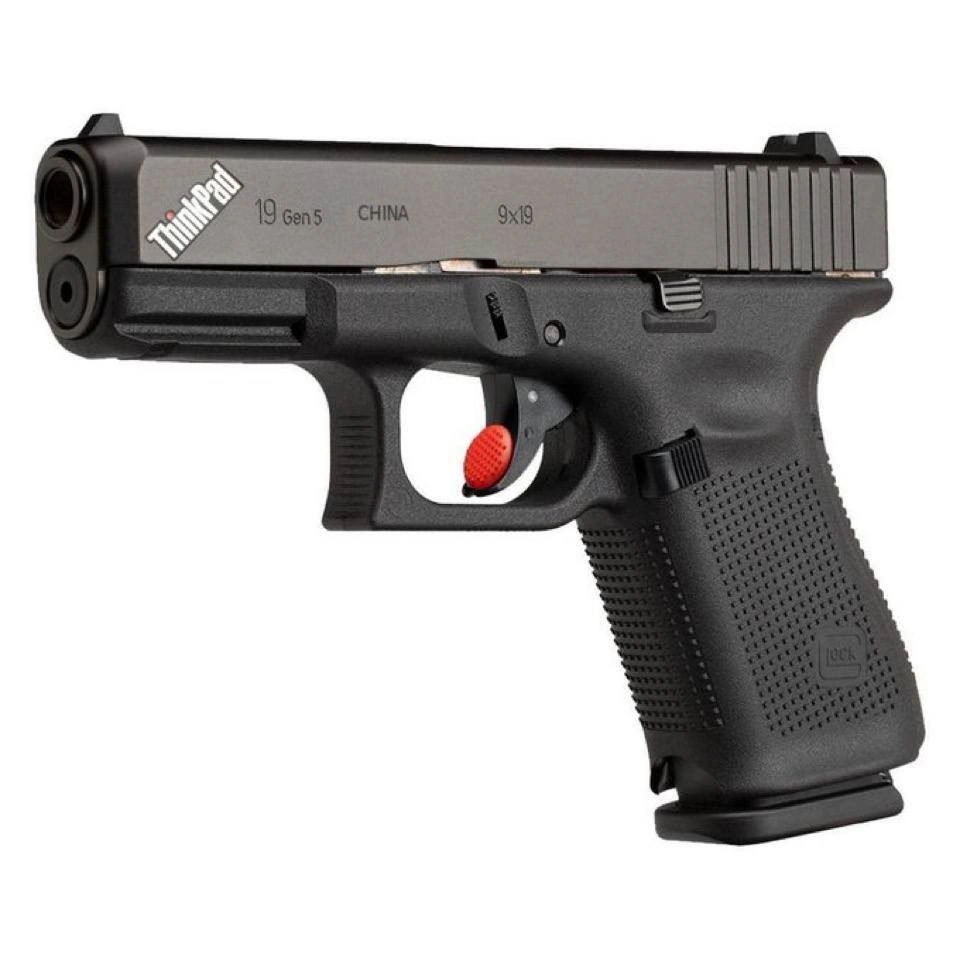
The ThinkPad Glock: For When You Need Absolute Pointing Precision
Description
A cleverly photoshopped image showing a black Glock 19 Gen 5 handgun against a plain white background. The humor and tech reference come from two modifications made to the firearm. First, the iconic 'ThinkPad' logo, in its recognizable font with the red dot over the 'i', is emblazoned on the slide of the gun. Second, and more absurdly, the trigger has been modified to incorporate the famous red TrackPoint 'nub' controller, a pointing stick input device found on ThinkPad laptops. The joke creates a surreal mashup of two products known for their legendary reliability, utilitarian design, and dedicated user bases: the Glock pistol and the ThinkPad business laptop. It appeals to senior tech professionals who appreciate the rugged, no-nonsense ethos of both items and understand the cult-like following of the TrackPoint nub for its precision and ergonomics



Comments
18Comment deleted
It's the perfect sidearm for a sysadmin. You can aim with pixel-perfect precision without ever taking your hands off the home row, and the trigger pull is still better than any butterfly keyboard
At last - a ThinkPad with a hardware kill-switch powerful enough to terminate any runaway process (and its entire cluster)
Finally, a ThinkPad that can kill processes with more authority than 'sudo kill -9' - though the red TrackPoint trigger suggests it's still optimized for middle managers who insist on using the pointing stick instead of a trackpad
When your ThinkPad's legendary durability and reliability aren't enough, and you need to physically enforce your architectural decisions in code review. Features the classic red TrackPoint trigger for precision targeting of technical debt, and like all ThinkPads, it's built to survive being dropped from a conference room table. Backwards compatible with all legacy holsters, and the keyboard is still better than a MacBook's
Procurement requested “ThinkPad Gen 5, 9×19”; the vendor shipped Glock’s interpretation - yet another case study in why ambiguous specs and model-number collisions deserve an RFC before a purchase order
Finally, a ThinkPad with a physical kill switch for prod - the SRE wants it idempotent, Legal wants it SOC2-compliant, and Product wants it disabled on Fridays
ThinkPad Glock: TrackPoint precision for sub-millisecond deploys under fire
Glock meets Thinkpad, a man's true dream Comment deleted
now install arch on it Comment deleted
And not shoot your leg Comment deleted
then what's the point? Comment deleted
I'm pretty sure the joke is about the red thing that randomly moves the cursor when you accidentally touch it while typing, even if you turned off touchpad Comment deleted
It can be disabled in the UEFI setup utility, but the touchpad is pure pain... Comment deleted
What is that util called? Comment deleted
F12 on boot? Maybe my ThinkPad is too recent Comment deleted
Some colleagues call it clitoris 😜 Comment deleted
more like nipple Comment deleted
WRAFS x OPENSEA hurry up BASE chain collab, almost sold out try to mint something and HODL https://opensea.io/collection/wraf/overview Comment deleted