Managed Kubernetes vs. Bare Metal: The Disney Experience
Why is this Containerization meme funny?
Level 1: Magic vs Mess
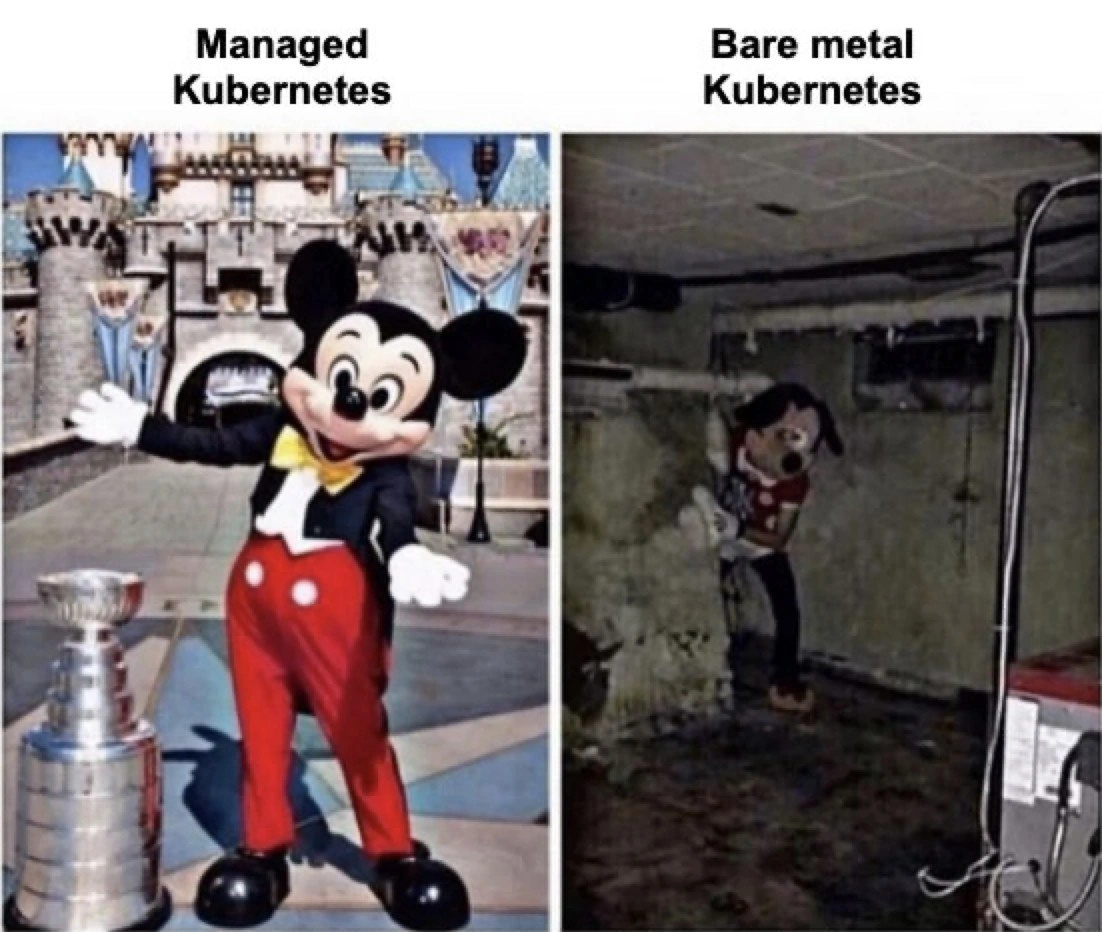
Imagine you have a big magical theme park versus a playroom in a basement. In the magical Disneyland theme park, everything is taken care of for you: the rides are safe and shiny, Mickey Mouse is there waving happily, and if anything breaks, a staff member fixes it so fast you don’t even notice. This is like using a managed Kubernetes service – it’s a playground that’s already set up and taken care of by experts, so you can just have fun (or in tech terms, focus on your apps) without worrying about the hard stuff.
Now think of a basement playroom that you decide to build all by yourself. You dress up as Mickey Mouse in an old costume and set up your own little rides with whatever you can find. It’s dark, a bit dirty, and if something breaks – oh no! – you have to fix it all alone. There are pipes on the walls and maybe a weird dripping sound, and you’re the only one in a Mickey suit trying to keep it all together. That’s what running Kubernetes on bare metal (your own machines) is like – you’re doing all the work to keep things going, and it’s not nearly as smooth or cheerful.
The meme is funny because it’s showing these two Mickeys side by side: one in the bright castle environment (yay, everything’s great!) and one hiding in a creepy basement (uh-oh, this is tough and scary). It’s like saying “using the fancy service feels like a dream, but doing it all yourself can be a bit of a nightmare!” Even if you don’t know Kubernetes, you can laugh at how doing something the easy way versus the hard way looks so different – just like a magical kingdom compared to a messy basement.
Level 2: Cloud Castle vs Basement
Let’s step back and explain the basics for those newer to Kubernetes or just starting their DevOps journey. Kubernetes (often abbreviated “K8s” because there are 8 letters between “K” and “s”) is a platform for managing containers across a cluster of machines. Think of containers as lightweight packages that bundle an application with everything it needs to run. Kubernetes helps you deploy and scale those packages, handling things like restarting them if they crash, or moving them if a machine in the cluster fails. It’s a huge part of the modern Cloud Native movement – the idea of designing systems that run reliably in cloud environments.
Now, running Kubernetes itself requires some setup. You need a set of machines (these can be virtual machines in the cloud or physical servers) and you need to install the Kubernetes components on them. Broadly, there are two ways to get a Kubernetes cluster: use a managed Kubernetes service or set up your own (often on your own hardware, which we call bare metal deployment).
Managed Kubernetes: This means a cloud provider (like Google, Amazon, Microsoft, etc.) does the heavy lifting of setting up and managing the Kubernetes control plane for you. For example, Google’s GKE or Amazon’s EKS will create the Kubernetes master servers, configure them, and present you with a ready-to-go cluster. You still decide how many worker nodes (the machines that actually run your containerized apps) you want, but even those can often be cloud-managed (for instance, you might use auto-scaling groups that add or remove VMs as needed). The key point is that a lot of the tricky parts – configuring the cluster’s brain, keeping it updated, ensuring it’s secure – are handled by experts behind the scenes. In the Disneyland analogy, you’re the visitor enjoying the park. If a light bulb goes out on Main Street or a water pipe leaks underground, you don’t know because Disney’s crew fixes it quickly and efficiently. In tech terms, if an etcd server (the database of cluster state) dies in a managed service, the cloud’s SRE team replaces it and you might never notice anything except maybe a log entry. Managed services often come with a nice web UI or commands that make tasks easy (like upgrading Kubernetes version with a click, or integrating with other services like storage). So, as an engineer using managed K8s, life is relatively carefree – you focus on your applications, and the cluster just works. The “Mickey Mouse in front of a castle” image represents this perfectly: it’s the fun part of Kubernetes without visible worry.
Bare-metal Kubernetes (self-hosted): This is when you (and your team) directly set up Kubernetes on your own machines. “Bare metal” implies these could be physical servers (like in your company’s data center or even a closet or basement server rack) rather than cloud VMs. You can also self-host on cloud VMs, but typically we just say self-hosted vs managed. When you go this route, you are in charge of everything. You have to install all Kubernetes components yourself or via tools. One popular method is using a tool called
kubeadm, which helps initialize a basic cluster, but even then you must configure things like networking. Every Kubernetes cluster needs a pod network, which is handled by add-ons (CNI plugins) you install, and possibly a way to allow external traffic in (like Ingress controllers for web traffic, and if on true bare metal, something like MetalLB to simulate cloud load balancers). All of a sudden, you’re not just writing application code; you’re doing a lot of DevOps work: setting up YAML configuration files, generating TLS certificates for cluster components, and so on. If managed K8s is a shiny ready car, bare-metal K8s is more like a kit car – you get the pieces, and you have to assemble the engine, wheels, chassis yourself. It can be a great learning experience (you truly get to know how Kubernetes works under the hood), but it’s also easy to get things wrong. And when things break, there’s no “cloud support” to call – you are the support. The meme’s basement Mickey image conveys how it feels: a bit lonely, somewhat messy, and definitely not glamorous. There might be days you’re literally on the floor plugging cables or metaphorically deep in documentation trying to figure out why the DNS in your cluster isn’t resolving container names (Kubernetes has an internal DNS so containers can find each other; if that breaks, the cluster feels broken – an issue that’s basically always DNS, as the running joke goes in ops).
Some key terms and why they matter here:
- Operational overhead: This means all the extra work and maintenance required to keep a system running. Managed Kubernetes reduces operational overhead by doing a lot for you (monitoring the masters, updating them, etc.). Bare metal Kubernetes has high operational overhead – you have to do tasks like checking logs, applying security patches to your Linux servers, ensuring backups of etcd, monitoring resource usage, and planning capacity. Just like maintaining a house, there’s always something to tend to.
- Networking quirks: On cloud Kubernetes, the networking is software-defined and vendor-handled – it’s usually very stable and high performance because it’s part of their virtual network fabric. On bare metal, you might hit quirks like needing to allow certain ports on physical firewalls, dealing with multiple subnets, or ensuring your chosen CNI plugin’s traffic encapsulation is supported by your hardware. A common “gotcha” is MTU (Maximum Transmission Unit) settings: if your overlay network encapsulates packets, it can lead to fragmentation issues if not configured, causing weird connectivity issues between pods – exactly the kind of subtle, weird problem that basement Mickey would have to troubleshoot with no guided tour.
- DevOps/SRE: DevOps is the combination of development and operations – basically, developers who also handle deployment and infrastructure, aiming for smoother collaboration. SRE (Site Reliability Engineering) is a role focused on keeping systems reliable, often by applying software engineering to operations problems. In a managed scenario, much of the SRE work (like ensuring uptime of the control plane) is outsourced to the cloud provider’s SRE team. In a bare metal scenario, you are the SRE. This meme is a bit of dark DevOps humor (“OpsHumor”) because it exaggerates that difference: one scenario you’re just chilling with Mickey in sunshine (no worries, the SREs have it under control), the other you’re the one in the Mickey suit sweating in a broken basement (all the SRE worries are on you).
So, the two halves of the meme highlight Managed vs. Self-Hosted Kubernetes. If you’re a junior developer or just starting with Kubernetes, imagine: Managed Kubernetes is like using a well-maintained library or service – things are set up with best practices and you follow clear documentation to use it. Bare-metal Kubernetes is like writing something from scratch or using an open-source project that you need to assemble and run yourself – powerful, but you better know what you’re doing. Many new engineers learn Kubernetes using local tools (like running minikube on their laptop or a Raspberry Pi cluster) which is fun, but when scaling that to a real production cluster, the “fun” can turn into real work quickly. That’s why companies often choose managed services unless they have a very good reason (like special compliance requirements to keep everything in-house, or cost considerations at huge scale). The meme basically says: if you’ve only seen Kubernetes in its managed, “works like magic” form, you might be unaware of how messy and hard it can be to run it yourself. And if you have tried running it yourself, well, you probably have your own basement horror stories and this meme makes you either laugh or shiver remembering them!
To connect back to the images clearly: The Disney castle and clean Mickey = an environment where someone else (cloud provider) did a ton of behind-the-scenes work to keep things clean, stable, and smiling for you. The basement and creepy Mickey = an environment where you’re doing it all yourself with limited resources; it might work, but it’s far from polished, and it feels a bit like a makeshift solution that could collapse without constant attention. This contrast is exactly what a lot of DevOps folks joke about when deciding between cloud or on-premises. Now you know why – it’s not just hype, there’s a real technical gap between those two scenarios.
Level 3: A Tale of Two Clusters
From a seasoned DevOps/SRE perspective, this meme captures the night-and-day difference between using a managed Kubernetes service and running your own self-hosted cluster on bare metal. On the left, “Managed Kubernetes” Mickey stands in front of a pristine castle on a sunny day, even posing next to a big shiny trophy. It screams success, ease, and polish. This is what it feels like when you spin up GKE, EKS, or AKS (managed Kubernetes on Google Cloud, AWS, or Azure). You click a few buttons or run a single CLI command (gcloud container clusters create my-cluster and you’re off to the rides), and voila – you have a fully functional Kubernetes cluster. The control plane is highly available by default, patched regularly, and monitored by the provider’s engineers. Security defaults are sane, upgrades are often one-click, and the integration with other cloud services (like load balancers, storage volumes, and monitoring) is seamless. In short, managed Kubernetes feels like a Disneyland for cluster operators: everything appears clean, friendly, and taken care of by an army of unseen staff. The “trophy” in the image might as well represent the achievement unlocked by using managed Kubernetes – you’ve effectively outsourced a ton of infrastructure toil and can focus on deploying your applications (winning!).
Now, contrast that with the right side: “Bare metal Kubernetes” Mickey lurking in what looks like a damp, creepy basement with exposed pipes, cracked concrete, and flickering lights. That image is hilariously relatable to anyone who’s tried to run Kubernetes on their own servers (be it in a literal on-premises server room or even a home lab in the basement). It’s a tale of toil. Sure, you can run the same Kubernetes software on your own hardware – that’s the whole promise of being cloud-agnostic and CloudNative – but the experience is far from the enchanted theme park. You quickly discover that operational overhead is the name of the game. There are so many pieces to assemble and maintain:
- Control Plane: You need to set up at least one (but really, for production, three or five) master nodes running
kube-apiserver,controller-manager,scheduler, andetcd. In a managed service, these components are invisible to you; on bare metal, you’re editing YAML manifests or usingkubeadmto initialize masters. You become the on-call SRE for the control plane. If one of your master nodes goes down at 2 AM on a Sunday, guess who’s scrambling in the “basement” to bring up a replacement? Not some cloud support engineer – it’s you. - Networking: In the cloud, Kubernetes networking just works – the cluster comes pre-wired so that each Pod gets an IP and can reach others, and Services can get cloud load balancers with a single command. On bare metal, “just works” turns into hours of configuring. You likely install a CNI plugin (like Calico or Flannel), which involves its own YAML configs and understanding of overlays vs BGP mode. Perhaps you realize you need an ingress controller for HTTP traffic, so you set up NGINX Ingress or Traefik. For services that need external IPs, you might deploy MetalLB to fabricate a load balancer by speaking BGP to your routers (if you even have those) or using ARP trickery on your LAN. In short, you’re now not only a cluster admin but also a network engineer, crawling behind the scenes like that dejected Mickey hugging the wall.
- Upgrades & Patches: Cloud providers roll out Kubernetes version upgrades regularly; they’ve automated the process to update control plane components with minimal downtime. They even patch the underlying OS for you. On your own cluster, upgrading from Kubernetes v1.17 to v1.18 becomes an adventure. You’ll cordon and drain nodes one by one, replace binaries, and pray to the cluster gods you don’t end up with a downtime. Each upgrade requires reading release notes in detail (will the API deprecations break my YAMLs? Is the newer kube-proxy compatible with my iptables version?). The polished Mickey in Disneyland doesn’t worry about these – but basement Mickey has a checklist a mile long and is sweating inside that costume.
- Hardware and Maintenance: In managed environments, if a node goes bad (CPU fault, memory leak, etc.), the cloud will usually auto-replace it. You might not even notice beyond maybe a Kubernetes node alert that self-resolves. On bare metal, a failing server is a hands-on affair. Maybe a DIMM went bad or a disk failed – you’ll have to pull that machine out of the rack (hope you have redundancy!). The image of the grimy basement evokes exactly this – perhaps water leaks or power issues that you have to personally fix. There’s a tongue-in-cheek saying: cloud is just someone else’s computer. With managed Kubernetes, it’s someone else’s computers, and someone else’s problem when they break. With your own metal, it’s still your computers – and definitely your problem when they break.
The humor here comes from how painfully accurate this contrast is. The left image is how managers and product folks imagine Kubernetes – “just use containers, it will be easy, the cloud will handle it!” – all smiles. The right image is how the DevOps team feels when told “we don’t need a cloud, we have our own servers, let’s save money and run Kubernetes ourselves.” Suddenly, the friendly mascot turns into a sketchy bootleg version of itself, hiding in a corner, probably because everything is on fire (or about to be). There’s an old joke in ops: running your own data center is like maintaining a house – something is always leaking, squeaking, or breaking. In the meme, bare-metal Mickey is literally in a leaky basement, embodying that joke.
Another layer to this is the “Mickey Mouse” metaphor. Mickey at Disneyland is official, maintained, and up to standard (the costume is clean, workers rotate shifts, etc.). The off-brand Mickey is likely some wannabe or forgotten mascot suit that hasn’t been cleaned in ages – think of this as the “DIY” Kubernetes cluster that doesn’t get the same love and resources. It’s Kubernetes, but not quite Kubernetes-as-intended. Many engineers have started a cluster on spare hardware or minimal VMs and found that it works initially – until usage grows or something fails spectacularly. Then you find yourself in “the Mickey basement scenario,” dealing with weird network quirks (why aren’t pods on Node A reaching Node B? Is the basement wall blocking the signal? 😅), hunting down hardware issues (that horrible feeling when you realize the cluster is down not because of Kubernetes, but because a switch powered off or an ethernet cable got yanked – an exposed wire problem quite literally).
This meme hits on the shared experience and Ops humor: the huge gap between the idyllic vision of cloud-native infrastructure and the gritty reality of managing infrastructure yourself. It’s the quintessential developer/DevOps inside joke. Everyone wants the containerization revolution to be as easy as Mickey welcoming you to the Magic Kingdom. But if you don’t leverage cloud managed services, you’ll be dealing with the unglamorous underbelly of that kingdom. And yes, sometimes that underbelly looks exactly like a creepy basement where even Mickey Mouse would be afraid to work.
To put it succinctly: Managed Kubernetes is like having a full Disney cast and crew making sure the show runs perfectly for guests, whereas bare-metal Kubernetes means you’re the lone maintenance guy in a Mickey suit, juggling everything from greeting visitors to fixing the plumbing. The meme gets a knowing chuckle from seasoned engineers because they’ve lived this “double life” or at least dodged the bullet by persuading their team to go managed. It’s a comedic reminder that, despite Kubernetes being the poster child of modern infrastructure, how you run it can be the difference between a fairy tale and a horror story.
Level 4: RAFTing the Hard Way
At the deepest technical level, Kubernetes is a distributed system with a complex control plane coordinating container workloads across nodes. When you use a managed Kubernetes service, the cloud provider’s infrastructure quietly handles critical distributed systems challenges behind the scenes. For example, the cluster’s state is stored in etcd, a distributed key-value store that uses the Raft consensus algorithm to ensure consistency. Maintaining a healthy etcd cluster is non-trivial: it requires an odd-number quorum of etcd instances, careful handling of leader elections, and tolerance to network partitions. In a managed service, you don’t see those etcd nodes at all – they’re part of the castle infrastructure. On your own bare-metal Kubernetes cluster, however, you become the caretaker of this consensus system. Lose quorum (say one too many etcd nodes go down or get partitioned) and your cluster’s brain freezes up. No new pods can be scheduled, and you might be spelunking through etcd logs at 3 AM, chasing split-brain scenarios.
Beyond consensus, consider scheduling and service discovery. Kubernetes has a scheduler that decides which node runs a new Pod (a group of containers). This scheduling problem is essentially a bin-packing optimization (NP-hard in theory), juggling CPU, memory, affinity rules, and taints/tolerations. Cloud providers fine-tune these algorithms and run them on beefy control-plane VMs; you get a smooth “Mickey at Disneyland” experience where workloads magically find a home. But running your own scheduler on bare metal, you might encounter edge cases: a misconfiguration can lead to pods endlessly Pending, or the scheduler process consuming too much CPU on your modest controller node. In the worst case, a cascade failure might occur if the control plane node itself runs out of resources – e.g., your single master node gets overwhelmed and there’s no managed high-availability pair to take over.
Networking in Kubernetes is another hidden dragon. Every cluster relies on a Container Network Interface (CNI) plugin to weave all pods into a virtual network. Cloud-managed clusters typically come pre-configured with robust networking – their “castle courtyards” have spotless, high-bandwidth highways (and an entire SRE team ensuring there’s no packet traffic jam). On bare metal, you set up your own CNI, perhaps Calico or Flannel, effectively laying down network plumbing yourself. And yes, those exposed pipes in the basement image aren’t just for show – they symbolize how a self-hosted cluster means manually configuring network routes, dealing with IP address management, and possibly wrestling with BGP or embedding a software load balancer like MetalLB for LoadBalancer Services. Each of these components (DNS add-ons, Ingress controllers, etc.) is a separate moving part you must install and maintain. It’s a delicate dance of distributed components where one misstep (say a kernel parameter mismatch for VXLAN) can bring down inter-pod networking.
In summary, the managed Kubernetes side hides the theoretical and algorithmic complexity of cluster orchestration. The cloud provider’s control plane is built on decades of distributed systems research (Paxos/Raft consensus, scalable scheduling heuristics, high-availability design adhering to the CAP theorem trade-offs). You get an API endpoint and a shiny dashboard – the provider’s Site Reliability Engineering (SRE) team worries about consistency vs. availability during a network partition, or how to gracefully handle a node that falls out of the cluster. Meanwhile, the bare metal side forces you to internalize those theories in practice: you are the one ensuring consistency and availability, manually upgrading etcd clusters without losing data, and double-checking every component version for compatibility. The meme’s dark humor arises from this contrast: in theory, CloudNative infrastructure promises a magical experience, but without the cloud’s hidden machinery, you’re left managing distributed complexity in a dimly lit on-prem dungeon. It’s a nod to the underlying reality that Kubernetes’ power comes from complex mechanisms — mechanisms that feel as arduous as exploring cryptic catacombs when you run them yourself.
Description
A two-panel meme comparing 'Managed Kubernetes' to 'Bare metal Kubernetes'. The left panel, labeled 'Managed Kubernetes', shows a cheerful, clean Mickey Mouse mascot standing in front of the bright and idyllic Disneyland castle, next to the Stanley Cup trophy. This represents a polished, user-friendly, and well-maintained service. The right panel, labeled 'Bare metal Kubernetes', shows a decrepit and terrifying Mickey Mouse costume in a dark, dirty, and unfinished basement with exposed pipes. This visual metaphor powerfully contrasts the clean, abstracted experience of cloud-provider managed Kubernetes (like GKE or EKS) with the complex, gritty, and often frustrating reality of building and maintaining a Kubernetes cluster on your own physical servers from scratch. For engineers, it captures the hidden complexity and operational burden that managed services abstract away

Comments
7Comment deleted
The difference is simple: with managed Kubernetes, the control plane goes down and you open a ticket. With bare metal Kubernetes, the control plane goes down and you open a bottle of scotch
Managed Kubernetes is reserving FastPass slots; bare-metal Kubernetes is wearing the mascot suit while hot-swapping a failed NIC and arguing with iptables about hairpin NAT at 3 a.m
The real difference between managed and bare metal K8s? One lets you sleep at night dreaming of Disney vacations, the other has you debugging etcd consensus failures at 3 AM while your pager plays 'It's a Small World' on repeat
The meme perfectly captures the Kubernetes experience: managed services are the Disneyland castle where you wave at happy customers, while bare metal is the maintenance tunnel underneath where you're manually rotating TLS certificates at 3 AM, debugging CNI plugins, and explaining to leadership why the etcd cluster needs five nodes for quorum. Sure, you have 'full control' on bare metal - control over every single thing that can and will break, including the hardware, networking, storage drivers, kernel versions, and that one node that keeps going NotReady because someone's running a cryptocurrency miner in a sidecar container
Managed K8s: kubectl apply and a LoadBalancer appears; bare metal: same command and suddenly you’re writing BGP for MetalLB, babysitting etcd quorum, and justifying cordon/drain/reboot/pray in the SLA
Managed K8s: Cloud hides etcd backups. Bare metal: You become the backup, at 3AM
Managed K8s: debate pod budgets; Bare‑metal K8s: you’re the cloud‑controller‑manager and the janitor, rotating etcd certs while MetalLB and MTU/BGP convert Friday night into an incident