The Modern Library of Alexandria: A Clipboard Tragedy
Why is this DeveloperExperience DX meme funny?
Level 1: Gone in One Keystroke
Imagine you spent all afternoon building a big, beautiful sandcastle at the beach. It has towers, walls, and little seashell decorations – you’re really proud of it. Now imagine that just as you’re finishing, you accidentally step on your own sandcastle or a big wave rushes in unexpectedly. In an instant, poof!, your masterpiece is destroyed and washed away. You’d feel shocked and upset, right? You might think, “All that work is gone!”
That’s what happens to a programmer in this meme. They wrote a bunch of important code (like building a sandcastle out of ideas) and then with one wrong keyboard press, all that code disappeared (like the sandcastle collapsing). It feels terrible, like a small disaster. The meme jokes that it’s as if a huge famous library full of knowledge burned down – that’s an extreme way to say “I lost something super valuable!” It’s funny because it’s such an exaggeration of the feeling. Of course, the programmer’s code can probably be written again or maybe reversed with an undo, and losing some code isn’t as bad as a whole library burning down. But in that moment, the surprise and panic make it feel disastrous. The joke makes us laugh because we know they’re being a bit over-dramatic on purpose, and we remember feeling that same “oh no!” when we’ve made little mistakes that messed up something important. It’s a way to share an emotional moment that everyone can understand: the sudden fear when something you worked hard on is suddenly gone by accident.
Level 2: Lost Code Panic
Let’s break down what’s happening in this meme step by step, and why it’s such a relatable developer experience:
Cutting the code (
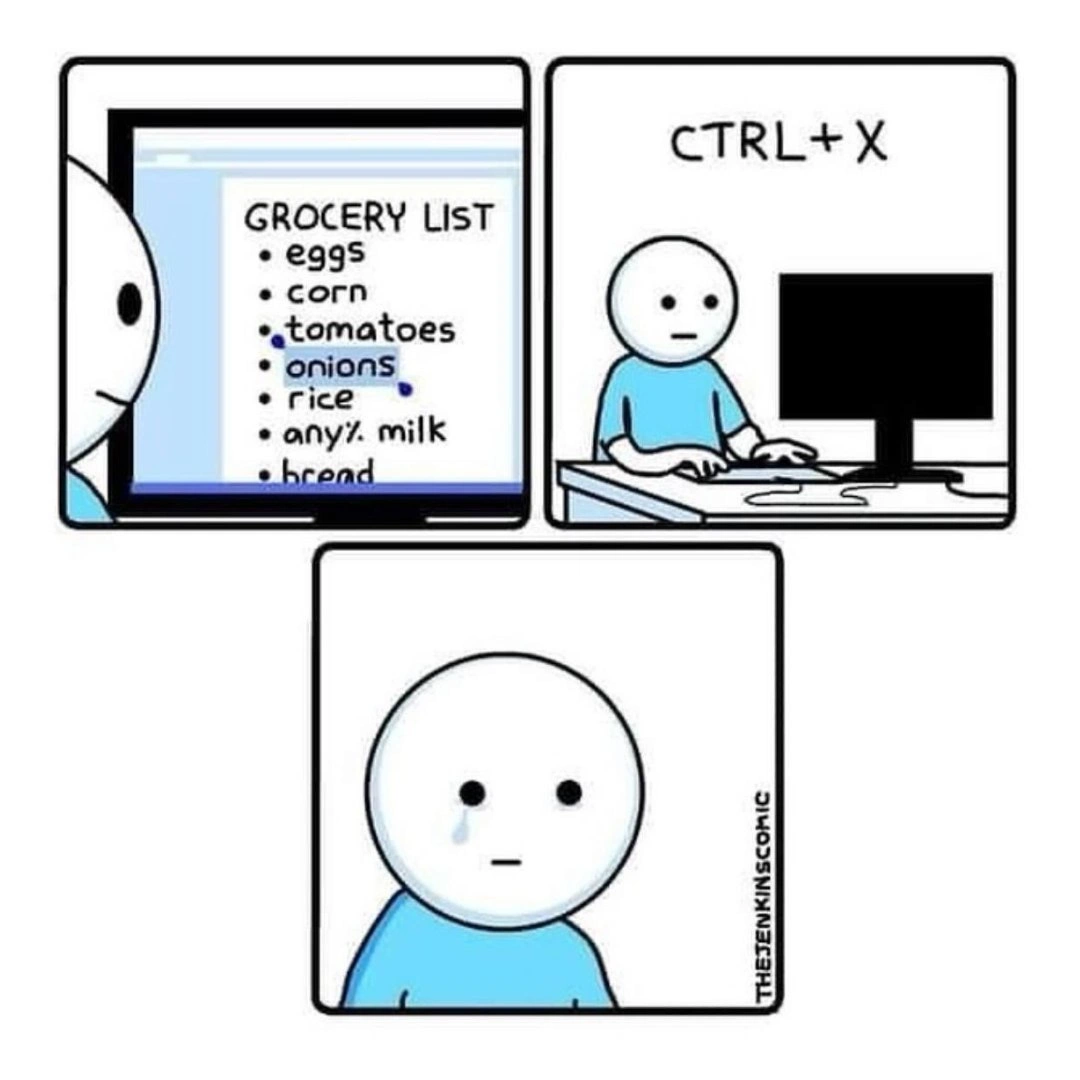
Ctrl+X) – The developer highlights a large block of code and pressesCtrl+X, the shortcut for “cut”. Cutting means the text is removed from the document and copied to the clipboard (the computer’s temporary memory for cut/copy-paste). Now that code block is no longer in the file – it’s sitting invisibly in the clipboard, waiting to be pasted.Intending to Paste (
Ctrl+V) – The next intended action was to pressCtrl+V, the shortcut for “paste”, at the new location. Pasting would take whatever is in the clipboard (in this case, the cut code) and insert it into the document. This is how you move code from one place to another using shortcuts: cut, then paste.Accidental Copy (
Ctrl+Cinstead) – Here’s the slip-up: the developer accidentally pressesCtrl+Cinstead of V.Ctrl+Cis the shortcut for “copy”. If you have text selected, copy will put that selected text into the clipboard without removing anything from the original document. But if you pressCtrl+Cwhen nothing is selected (or you accidentally select a blank line), it can effectively copy “nothing” or the wrong snippet into the clipboard. This action overwrites the clipboard’s content. In other words, the clipboard forgets the large code block (from step 1) and now holds whatever was just copied (which might be an empty string or some unintended text).Realization – Code is Gone – Now the clipboard no longer has the big chunk of code, and remember, that code was cut from the file (so it’s gone from the editor too). At this point, the developer looks at where they meant to paste and finds nothing to paste – the code block has effectively vanished. The only copy of that code was in the clipboard, and it’s been replaced. This triggers a wave of panic: “Oh no, did I just lose that entire block of code?!”
At this moment, it feels dire. That large block might have taken a long time to write or contained complex logic. The meme compares this feeling to the “Library of Alexandria burning.” The Library of Alexandria was an ancient library housing an enormous collection of knowledge (thousands of scrolls) in the city of Alexandria, Egypt. It famously burned down (partially or completely) over 2,000 years ago, and that fire symbolized a catastrophic loss of knowledge. By comparing a lost block of code to the loss of the library, the meme humorously exaggerates how big of a tragedy it feels like to the developer. It’s saying: “When I hit the wrong key and lose my code, it’s like I just destroyed priceless knowledge!” This is of course an extreme comparison — losing some code you wrote is not actually as bad as losing an entire library of ancient wisdom — but emotionally, especially in the heat of the moment, it can feel devastating. This kind of coding frustration is exaggerated for comic effect, and that’s why it’s funny and relatable at the same time.
Now, in reality, most of the time you can recover from this mistake with a little patience. Most code editors/IDEs have an Undo feature (commonly triggered by Ctrl+Z). If you undo immediately, you can often bring back the code you cut (it will reappear in the original spot). So the “burning library” scenario is usually avoided after that brief heart attack, thanks to undo. Also, modern editors and operating systems sometimes offer a clipboard history (for example, Windows has an optional clipboard history you can open with Win+V, and some coding editors have extensions or built-in support for multiple clipboard entries). If such a feature is enabled, you could retrieve that earlier clipboard content (the code block) even after copying something else.
Another safety net is version control (like Git). If the code was already saved or committed before this accident, you have a backup in your repository. Version control systems keep a history of changes, so you could get the code from a prior commit if needed. However, if this was new code you just wrote and hadn’t saved or committed yet, then version control wouldn’t have it. That’s why this scenario still causes panic even for experienced developers — it typically strikes when you have unsaved, in-progress work. It teaches the importance of saving your work and making frequent commits.
So, to sum up in plain terms: the meme is about a common developer mistake – mixing up keyboard shortcuts – that leads to clipboard_loss of code. It’s dramatized by comparing it to a legendary loss of knowledge (an ancient library fire) to emphasize how awful it feels. Every programmer learns this lesson the hard way at least once. After such a scare, you can bet they double-check before cutting large blocks, or they use copy-then-delete as a safer method, and they’re grateful for that Undo button! The humor works because it’s a shared learning moment in programming and a reminder that even a tiny key press error can create a big scare.
Level 3: Clipboard Conflagration
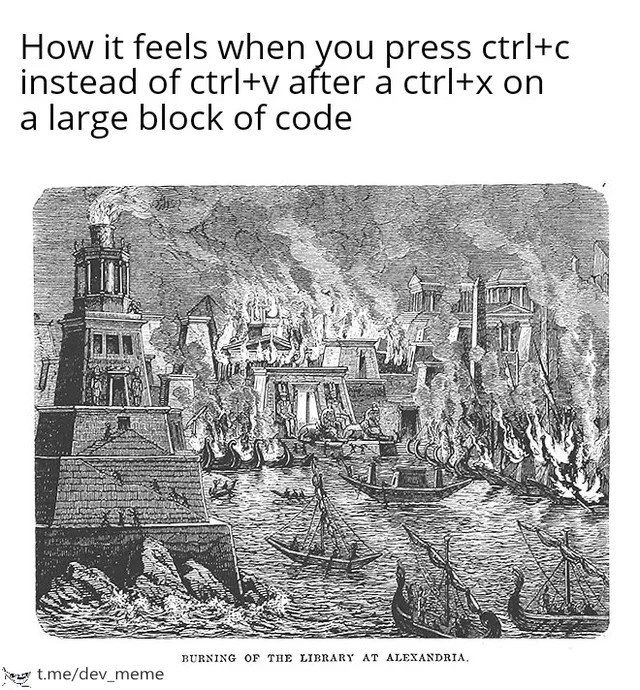
Pressing the wrong keyboard shortcut can trigger a one-keystroke catastrophe in a developer’s workflow. In this meme, a coder accidentally hits Ctrl+C (copy) instead of Ctrl+V (paste) after using Ctrl+X (cut) on a large block of code. The result? The clipboard’s precious content (the code) is overwritten or lost, and the developer experiences a moment of sheer code_loss_panic. The meme dramatically likens this feeling to the Burning of the Library of Alexandria, one of history’s greatest intellectual disasters. This over-the-top analogy is hyperbole – an exaggeration for comedic effect – but any programmer who’s lost code in an editor slip-up can relate. It humorously captures that stomach-dropping sensation when you fear all your painstaking work just went up in digital smoke. It’s a classic slice of DeveloperHumor born from real DeveloperPainPoints: a tiny mistake causing outsized frustration. Seasoned engineers have been there and nod knowingly at this scenario, equal parts amused and sympathetic.
From a technical perspective, the humor stems from the fragility of editor workflows and the single-point failure of the clipboard. The system clipboard is essentially a single-slot buffer – a temporary holding area for cut or copied data. When you hit Ctrl+X on code, the editor removes that code from your file and places it into the clipboard. At that instant, the only copy of that code exists in volatile memory. It’s not yet saved to disk or source control; it’s floating in your computer’s short-term memory. Now, pressing Ctrl+V would safely paste the code to its new location. But hitting Ctrl+C by mistake replaces the clipboard’s content with whatever is currently selected (often nothing, if no text was highlighted). In one keystroke, your carefully cut code vanishes from the clipboard, leaving nothing to paste. The single buffer that held your “library” of code just got torched. This is the clipboard_loss catastrophe: the original block is gone from the document (because you cut it) and gone from memory (because you copied over it). In that horrifying moment, it feels like you’ve irrevocably erased something invaluable.
What makes this a shared RelatableDeveloperExperience is that even though most modern editors and IDEs have safety nets, the initial panic is real. Nearly every developer has at some point fumbled a shortcut and felt the immediate oh no of potential data loss. It highlights how a seemingly minor CodingMistake (pressing the wrong keys) collides with a fundamental design of our tools. The default clipboard isn’t multi-layered; it’s a LIFO (last-in, first-out) structure with a size of one. Put something new in, and the old thing is gone. Undo steps (commonly Ctrl+Z) are a saving grace – savvy devs quickly hit undo to bring back the cut code in its original spot, defusing the crisis. But those few seconds before you think to undo (or if undo isn’t available) are absolutely terrifying. It’s a dramatic demonstration of CodingFrustration when you realize that a huge chunk of your logic might have just been wiped out by a slip of the finger.
Beyond the joke, there’s an element of truth that even veteran programmers respect: developer productivity can hinge on tiny details like this. It’s why editors and IDEs (categories: IDEs_Editors, DeveloperExperience_DX) put so much effort into features that prevent data loss. For instance, some tools maintain a clipboard history or "kill ring" (Emacs, for example, keeps a list of last cut/copied texts) exactly to prevent this nightmare. Power users often install clipboard manager utilities or use macros to guard against losing important text. And of course, the meme underscores the value of version control and frequent saves – if that code was checked into Git or at least saved, you have a backup. But if it lived only in your unsaved buffer or clipboard, it was as fragile as the ancient scrolls of Alexandria. The comparison to a burning library is tongue-in-cheek, but it resonates because knowledge (or in this case, code) once lost can be very hard to reconstruct. Everyone in the engineering team might joke “CopyPasteCoding gone wrong!” but under the laugh is a collective understanding: DeveloperExperience is full of these small-but-heart-stopping moments. It’s both funny and painfully true that one errant shortcut can feel like annihilating weeks of wisdom.
Description
A meme that humorously dramatizes a common developer mistake. The top text reads, 'How it feels when you press ctrl+c instead of ctrl+v after a ctrl+x on a large block of code'. Below this is a black-and-white, historical-style engraving of a city in flames, with the caption at the bottom identifying the scene as the 'BURNING OF THE LIBRARY AT ALEXANDRIA.' The meme creates a hyperbolic analogy, equating the catastrophic loss of ancient knowledge with the gut-wrenching feeling of losing a large block of cut code by accidentally overwriting the clipboard. For developers, this is a moment of pure panic, as the code exists only in the volatile memory of the clipboard. While modern editors and version control often offer an 'undo' safety net, the initial shock and self-inflicted frustration are universally understood
Comments
7Comment deleted
Ctrl+Z is our modern Rosetta Stone for deciphering the ruins of a corrupted clipboard
Overwriting your clipboard after a Ctrl-X is that instant you realise your DR strategy is basically ‘git reflog | pbcopy’ - one garbage-collection cycle away from a second burning of Alexandria
The only time in my career I've genuinely considered implementing a blockchain: creating an immutable clipboard history after losing three hours of refactoring to a ctrl+c muscle memory betrayal
The burning of Alexandria was tragic, but at least they didn't have version control. When you ctrl+x a 500-line refactor, then ctrl+c over it instead of ctrl+v, you've just invented a new form of archaeological loss - except there's no Rosetta Stone to recover your work, just a clipboard buffer containing 'TODO: fix this later' from three hours ago
Ctrl+C on a large block: because your monolith wasn't unmaintainable enough without a perfect clone for merge hell
I treat Ctrl+X like a production DELETE endpoint - use two‑phase commit, replicate to multiple clipboards (registers/kill ring), and keep Git local history, or one keystroke turns into the Alexandria postmortem
The clipboard is a single-replica, last-write-wins DB with no WAL; hit Ctrl+C instead of Ctrl+V after Ctrl+X and you’ve just reenacted the burning of Alexandria