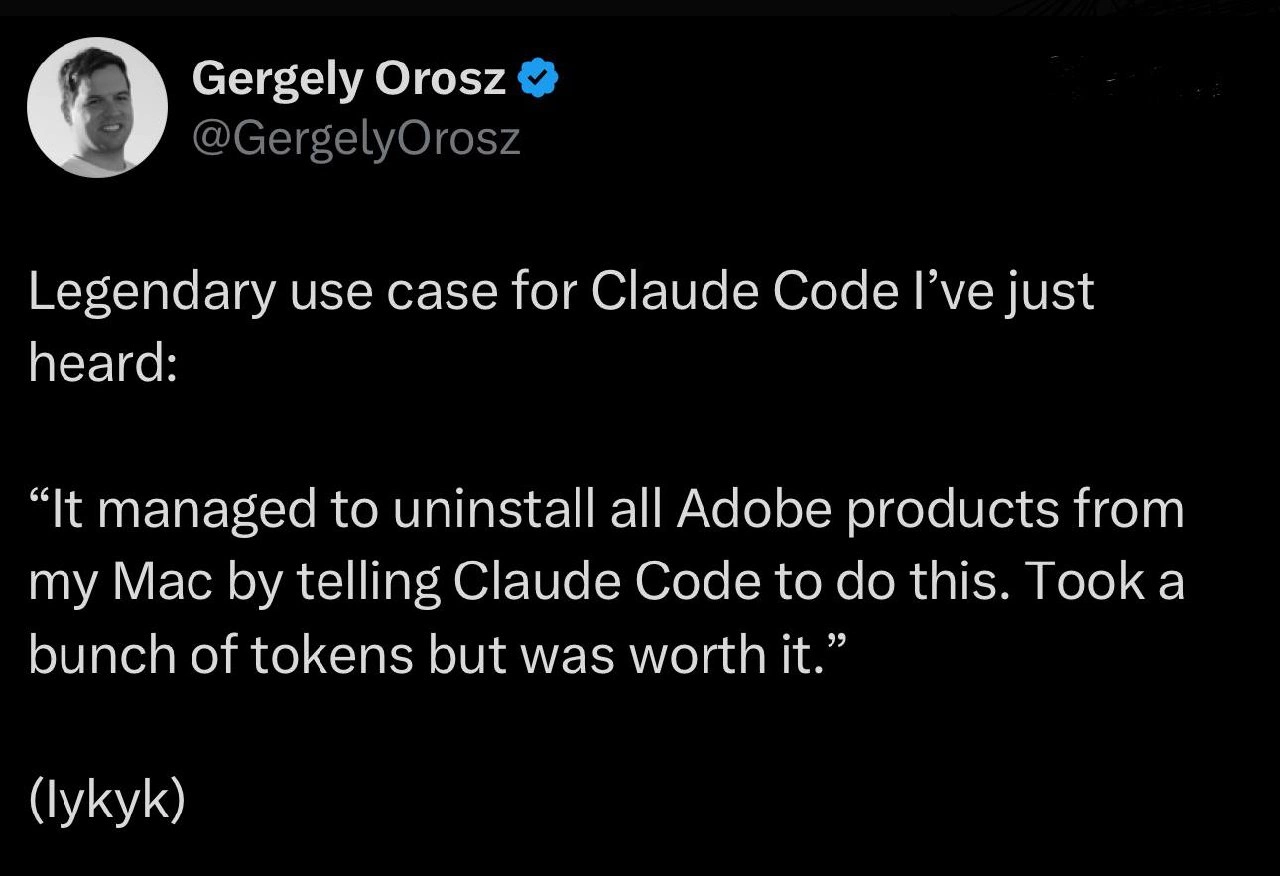
The AI-Powered Adobe Uninstaller We Deserve
Why is this DeveloperExperience DX meme funny?
Level 1: A Helpful Cleaning Robot
Imagine you have a big box of toys, and when you put them away, some tiny pieces still keep showing up all over your room. Adobe’s apps on a Mac are like those toys that leave bits everywhere – even after you clean up, you keep finding stray pieces under the bed or in the closet. Now think of Claude Code as a super smart helper robot. Instead of you crawling on the floor to find every little piece, you just tell this robot, “Please find and remove all the toy pieces from everywhere in my room.” The robot spends a lot of energy and time (that’s like using a lot of its battery power, similar to the AI using many tokens) to carefully pick up every last piece. In the end, your room is completely clean – no more surprise bits to step on! It might have cost a lot of the robot’s energy, but you’re really happy because the mess is truly gone. That’s basically what happened here: a programmer used a super smart computer helper to clean up a messy problem on their Mac, and even though it took a lot of the helper’s effort, it was totally worth it to finally have a clean, fast computer again.
Level 2: Claude the Cleaner
Let’s break down what’s happening in this meme in simpler terms. Adobe Creative Cloud is a suite of apps (Photoshop, Illustrator, etc.) that also installs a bunch of helper programs on your Mac. These helpers (often jokingly called bloatware) run in the background as daemons (background services) to do things like check for updates or validate licenses. The problem is, even after you think you uninstalled Adobe stuff, those little programs can stick around, auto-start when you reboot your Mac, and generally slow things down or annoy you. Removing them manually can be quite complicated – you’d have to know all their names and where they live on your disk (they hide in places like the Applications folder, the Library folders, and startup configuration files).
Now, Claude Code is an example of an AI assistant (specifically a Large Language Model focused on coding tasks). Think of it like an advanced version of ChatGPT that you can ask to write code or help with programming-related chores. When the person in the tweet says they told Claude to uninstall all Adobe products, it means they typed a prompt (instructions in natural language) to the AI, basically saying “please remove every trace of Adobe from my Mac.” Claude then likely generated a series of steps or a script to do just that – for example, a list of terminal commands to run that delete Adobe files and stop Adobe’s background services. This scripted approach is a form of automation – instead of clicking around and deleting things one by one, you run a script that does it in one go.
The tweet humorously mentions “took a bunch of tokens but was worth it.” In AI terms, tokens are pieces of words or characters that the model reads and writes. Complex answers or long scripts require more tokens. Many AI services charge by the token, so a “bunch of tokens” implies the request was large or detailed (and maybe cost a bit of money or credit). It’s like saying “it took a lot of computing effort from the AI.” But it was worth it because the user’s Mac is now free of all those Adobe bits and bobs. For a developer (especially someone who has dealt with slowdowns from Adobe’s auto-updater or seen random Adobe processes in their Task Manager), having an AI quickly clean that up is a huge relief. It’s a funny and relatable scenario: using a cutting-edge AI tool to solve a very mundane tech headache. Essentially, this shows how far automation scripts have come – you don’t even need to write the script yourself; you can just ask the AI to do it. And for anyone in the Apple ecosystem who’s struggled to uninstall stubborn apps, the idea that an AI can do it for you feels almost magical. The post is poking fun at how we now throw AI at even simple problems, and at how developers will gladly invest high-tech resources to eliminate pesky bloatware.
Level 3: Battle of the Bloat
Seasoned developers will immediately smirk at this scenario. It’s the classic Developer Experience (DX) pain: uninstalling Adobe Creative Cloud from a Mac feels like a mini-boss battle. The meme riffs on how bloated Adobe’s ecosystem is – you uninstall Photoshop, yet Adobe’s updater and helper processes linger like unwanted guests, auto-launching at startup and consuming resources. Everyone who’s opened Activity Monitor only to find some AdobeIPCBroker or Creative Cloud background task eating CPU can relate. If you know, you know – ripping out Adobe’s tendrils usually means trawling through system folders, hunting launch agents, and deleting obscure files one by one.
In our “epic quest,” the dev enlists Claude Code as a kind of AI sidekick to do the dirty work. This is funny because it’s AI humor meets real-life frustration: instead of manually writing a bash script or following a 10-page uninstall tutorial, the engineer basically said, “Hey Claude, hold my beer – figure this out.” And apparently it did. The tweet calls it a “legendary use case”, suggesting this story has already become tech folklore among engineers. It’s a modern twist on automation: using a conversational LLM assistant to generate an automation script on the fly. We’ve gone from writing our own shell scripts to prompting an AI to write them for us – talk about improving productivity (or at least offloading tedium).
Remember, Claude (by Anthropic) and tools like it are trained on heaps of programming knowledge. So Claude likely knew about common Adobe bloatware components and could string together a purge plan without breaking a sweat. The tweet notes it “took a bunch of tokens but was worth it.” That’s both a tongue-in-cheek reference to AI usage costs and a shared sentiment among devs: we’ll happily burn through some compute (tokens = money or credit in AI land) to save our sanity. In practical terms, maybe the prompt or the output code was very long, hence many tokens. Perhaps Claude iteratively confirmed each deletion step, or listed every last file. The veteran dev is basically saying: Yes, I might have spent a few dollars worth of AI queries, but my Mac is Adobe-free and my soul is at peace. For anyone who’s spent an afternoon manually purging Adobe CreativeCloud junk or writing a find / -name "*Adobe*" command, this feels vindicating. It’s the ultimate Developer Humor: using bleeding-edge AI to solve an annoyance that has pestered us for years.
We also glimpse a bit of “AI prompting fixes everything” satire here. LLMs are becoming the multi-tool for developers – stuck on a regex, ask the AI; need an obscure API usage, ask the AI; even uninstall software, sure, ask the AI! It’s absurd and impressive at the same time. The post’s punchline lands because any senior dev with a Mac has probably fantasized about a “nuke from orbit” solution to Adobe bloat. Claude Code fulfilling that fantasy – and Gergely Orosz (a well-known tech author) broadcasting it – gives the story credibility and comedic weight. It’s a sign of the times: rather than curse Adobe under our breath, we now conjure an AI automation script and watch the purge with glee. The “took a bunch of tokens” line even adds a bit of self-aware sarcasm about the cost: yes, it’s an extravagant use of AI power, like using a rocket launcher to swat a fly, but developer experience sometimes demands extreme measures. And every battle-scarred dev will toast to that victory.
Level 4: Daemon Exorcism Protocol
At the deepest technical level, this meme highlights a clever intersection of AI assistants with OS internals to perform a "system exorcism." On macOS, fully purging Adobe Creative Cloud is notoriously hard because Adobe’s software litters the system with numerous background services (daemons) and support files. These Adobe daemons – essentially always-on processes like update checkers and license managers – embed themselves via launchd (the macOS service that auto-starts system processes on boot). Removing them properly means not just deleting the app, but also unregistering launch agents, flushing caches, and deleting libraries and preference files strewn across /Applications, /Library, and ~/Library. It’s a tedious manual whack-a-mole.
Enter Claude Code – Anthropic’s large language model tuned for coding – being used as a surgical strike tool. This “legendary use case” implies the user wrote an extensive prompt detailing the uninstall goal, effectively instructing Claude to generate a comprehensive removal script. Under the hood, Claude navigates a wealth of system knowledge (likely gleaned from training data like Apple’s docs and Stack Overflow discussions on Adobe bloatware removal). It’s synthesizing an automation script that hunts down every last Adobe process and file. The token count mentioned (“took a bunch of tokens”) hints at the size of the AI’s output or instructions – possibly a long shell script or step-by-step guide. In LLM terms, tokens are chunks of text; a high token usage suggests Claude might have produced dozens of detailed commands. That’s a fascinating trade-off: using substantial computing power (and possibly some API cost) to achieve what is essentially a deterministic system cleanup task. Yet for a veteran developer, offloading this brain-draining chore to an AI is a no-brainer – it’s leveraging automation to an extreme.
We’re essentially seeing an AI-driven uninstall routine, akin to a custom automation script brewed on the fly. There’s an almost formal algorithmic feel to it: enumerate Adobe’s known install locations, terminate running processes, unregister launchd plists, and delete directories – all steps Claude can infer. In an ideal output, the AI’s solution might look like:
# Pseudocode for the "Adobe exorcism" that Claude might generate
launch_agents=$(sudo launchctl list | grep -i adobe | awk '{print $3}')
for agent in $launch_agents; do
sudo launchctl remove "$agent" # Unload Adobe launch agents
done
# Remove Adobe applications and support files
sudo rm -rf "/Applications/Adobe*" \
"/Library/Application Support/Adobe" \
"~/Library/Application Support/Adobe" \
"/Library/LaunchDaemons/com.adobe*.plist" \
"/Library/LaunchAgents/com.adobe*.plist" \
"~/Library/LaunchAgents/com.adobe*.plist"
# ... plus any other Adobe-related caches, prefs, etc.
This kind of thorough purge would be error-prone to write manually from memory, but an LLM can collate all these paths and commands in seconds. It’s a showcase of how prompting an AI can effectively engage a massive context of system knowledge – almost like performing a targeted search-and-destroy in the OS. On the theoretical side, it reflects how far AI automation has evolved: we can now describe a desired end state (“no Adobe software on my machine”) in natural language and have generative models produce an actionable plan. We’ve weaponized high-level machine intelligence to do low-level grunt work, and the humor is in the extreme lengths (and compute cycles) we’ll spend to vanquish those stubborn Adobe daemons. It’s an exorcism by code – all hail the new daemon slayer.
Description
This image is a screenshot of a tweet from Gergely Orosz, a well-known author and voice in the software engineering community. The tweet, set on a black background with white text, reads: 'Legendary use case for Claude Code I've just heard: “It managed to uninstall all Adobe products from my Mac by telling Claude Code to do this. Took a bunch of tokens but was worth it.” (lykyk)'. The humor resonates deeply with experienced developers for several reasons. First, Adobe's software suite is notoriously difficult to fully uninstall from macOS, often leaving behind numerous hidden files and background processes. Second, using a sophisticated and computationally expensive AI like Anthropic's Claude Code for such a mundane task is absurdly over-engineered, highlighting the sheer desperation of users. The punchline, 'Took a bunch of tokens but was worth it,' perfectly captures the sentiment that the cost of using the AI is less than the pain of manual removal. The acronym '(lykyk)' for 'if you know, you know' reinforces that this is an inside joke for those who have suffered this specific technical frustration

Comments
14Comment deleted
You know your uninstaller has failed when users are willing to burn through a small nation's GDP in AI tokens just to achieve a clean file system
When the official Adobe Uninstaller needs an uninstaller, call the LLM - just be ready to pay in tokens instead of tears
The real AGI benchmark isn't passing the Turing test or solving P=NP - it's successfully removing every trace of Adobe Creative Cloud from a Mac without leaving behind 47 background processes, 3 launch agents, and a mysterious 8GB cache folder that regenerates itself at 3am
Finally, an AI use case that justifies the compute costs: automating the one task that's harder than distributed consensus - completely removing Adobe Creative Cloud from a Mac. Who knew the real killer app for LLMs wasn't replacing developers, but replacing the Adobe Creative Cloud Cleaner Tool?
Claude wrote the bash that nuked CCXProcess and forgot the pkg receipts - the first time tokens successfully canceled a subscription
LLM ROI math: pay for tokens, get a bash script that unloads LaunchAgents/Daemons, pkgutil --forget receipts, and evicts Creative Cloud - still cheaper than Adobe’s twelve‑dialog uninstall
Claude's context window: finally long enough to hold all of Adobe's uninstall manifest without truncation errors
Wanna do this with VS on win Comment deleted
But can it completly uninstall MailRuSputnik? Comment deleted
MailRuSputnik will easily destroy claude code if youll ever try to do this Comment deleted
please explain Comment deleted
You need to live in Russia to understand it. MailRuSputnik is https://en.m.wikipedia.org/wiki/Potentially_unwanted_program Comment deleted
no it's literally like everywhere like this. Comment deleted
no I meant the meme itself not MailRuSputnik Comment deleted