
OperatingSystems Post #5216 · source on Telegram
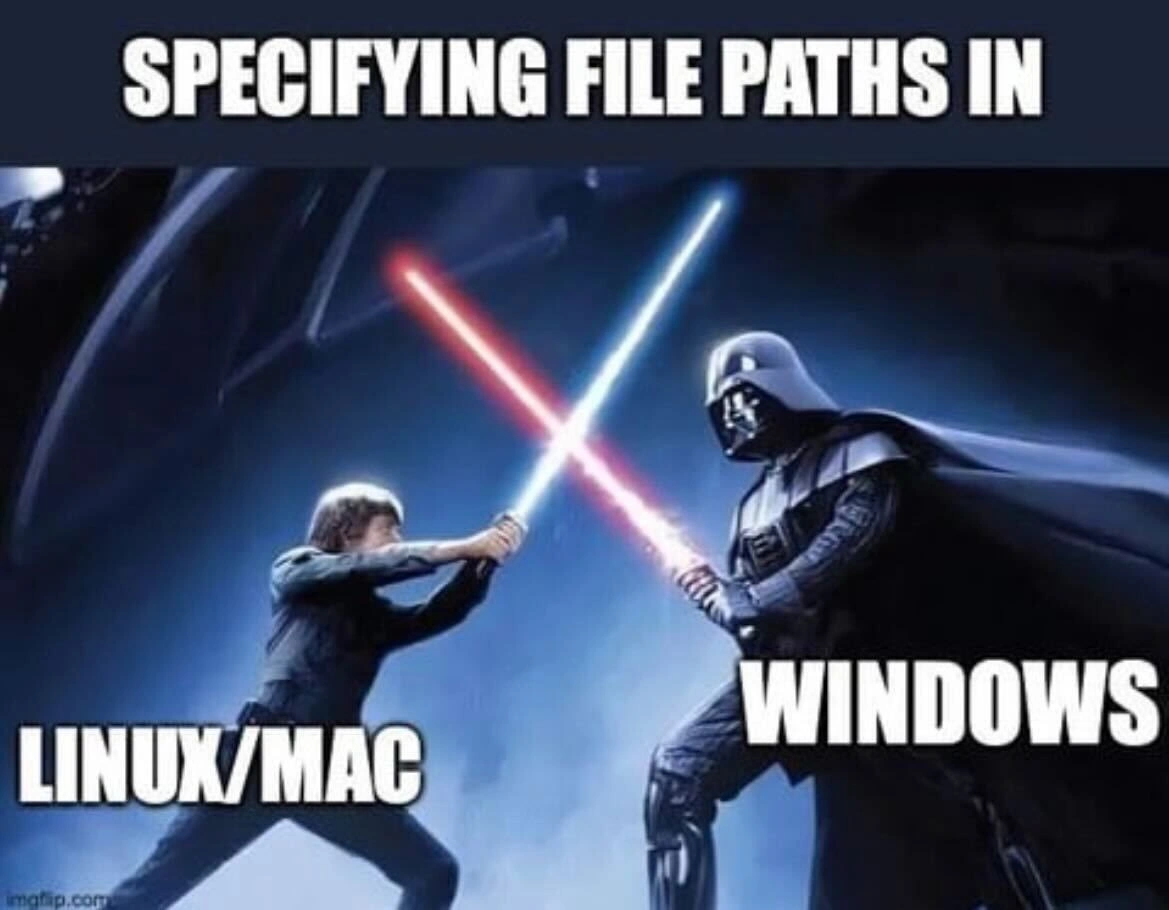
File path separator battle: Linux/Mac slashes vs Windows backslashes lightsaber duel
Description
The meme uses a dramatic Star Wars lightsaber duel scene - Luke Skywalker on the left and Darth Vader on the right - set against a dark, bluish sci-fi backdrop. Across the very top, bold white text reads “SPECIFYING FILE PATHS IN.” Overlaying Luke’s side is the label “LINUX/MAC,” while Vader’s side is labeled “WINDOWS.” The visual joke equates the struggle between forward-slash syntax (POSIX paths) and backslash syntax (Windows paths) to an epic, adversarial showdown. Developers who write cross-platform scripts or configuration files instantly recognize the pain of escape characters, path normalization, and CLI tooling breaking when the wrong separator is used
More like this
More like this in OperatingSystems →
Use J and K for navigation
Comments
29Comment deleted
After 20 years shipping ‘cross-platform’ tools, the only thing that still force-chokes our CI is a single Windows backslash sneaking into a Bash script - the true power of the dark side is the escape character
After 20 years of writing path.join() and os.sep everywhere, you realize the real dark side was the friend who insisted on hardcoding 'C:\Users\' in the shared codebase because 'it works on my machine.'
The eternal struggle of path.join() versus manually concatenating strings with hardcoded separators - a battle as old as time itself. Senior engineers know the real dark side isn't Windows paths, it's the legacy codebase that has both hardcoded throughout, mixed with the occasional os.path.sep for good measure. And just when you think you've normalized everything, someone commits a Dockerfile with Windows-style paths in the COPY command. The Force may be strong, but it's no match for a regex that tries to handle both slash types while accounting for escaped backslashes in JSON configs
Pro tip: 'C:\\new\\test' in JSON isn’t a path - it’s 'C:' + newline + 'est'; use a path library or keep funding the backslash empire in your CI budget
Windows paths: the dark side where backslashes multiply like technical debt, demanding escapes just to resolve
Specifying paths: Unix gives you '/', Windows gives you '\', UNC gives you '\\\\', and JSON gives you '\\\\\\\\' - by the time CI fails, it’s not a file path, it’s string theory
Platform.pathSeparator 🤝 Comment deleted
wait till you hear about C:\\ Comment deleted
Uri.parse ? Comment deleted
I don't even know what language that is Comment deleted
Dart Comment deleted
ok I can't say anything about that, I don't use dart. I just know python solved this by just using unix-style paths and Rust and C++… who knows. I haven't done any file work on windows with those. Comment deleted
win32 can handle it usually, heck you can even use forward slashes on cmd and explorer Comment deleted
Correct. The exception is when you basically tell the Win32 subsystem to sidestep its usual processing and practically pass the path directly to the object manager. The three forms \??\, \\?\ and \\.\ supress different parts of path processing. Such a path will have to be already an absolute path and therefore won't accept \..\ or similar path components and will also choke on forward slashes. Some of the gory details can be found at: https://googleprojectzero.blogspot.com/2016/02/the-definitive-guide-on-win32-to-nt.html Comment deleted
sample of latter on w2k (i am too lazy for installing w2k compatible compiler and showcasing as WinAPI code) Comment deleted
os.sep Comment deleted
use.mac.or.linux.instead Comment deleted
aka / because Linux /MacOS/BSD and also Windows are all fine with / Comment deleted
MAC also case insensitive..should be in the dark force… Comment deleted
Only if you are about the address (-_-) Comment deleted
I can get behind case insensitivity, but backslashes as path separators is the true evil here Comment deleted
Use forward slashes. Earliest versions of NT could deal with it already. It's just not the canonical form and that can create issues below the Win32 subsystem. Comment deleted
huh Comment deleted
you can configure it to be case sensitive at disk format time Comment deleted
Well "Windows" is not case-insensitive, the Win32 subsystem/personality (csrss) accesses file systems case-insensitive by default, that's all. Claiming "Windows" being case-insensitive is as much BS as claiming Linux is case-insensitive based on mounted FAT-based file systems alone ... Case-retaining and case-sensitive are features of the file systems in combination with the file system drivers/OS. NTFS ACLs equally have no meaning on their own, if the driver/OS doesn't heed them. Comment deleted
Thanks for your explanation Comment deleted
The worst is when you're on Windows and you run a program built for Windows and you copy a path for file explorer and the program says "path not found" or whatever. But then you put the same path but switch the slashes and suddenly everything is ok Comment deleted
I've been using / on Windows anywhere it makes things easier. Comment deleted
I don't use Windows. It makes life easier Comment deleted