
IDE Screen Real Estate Meme Explained
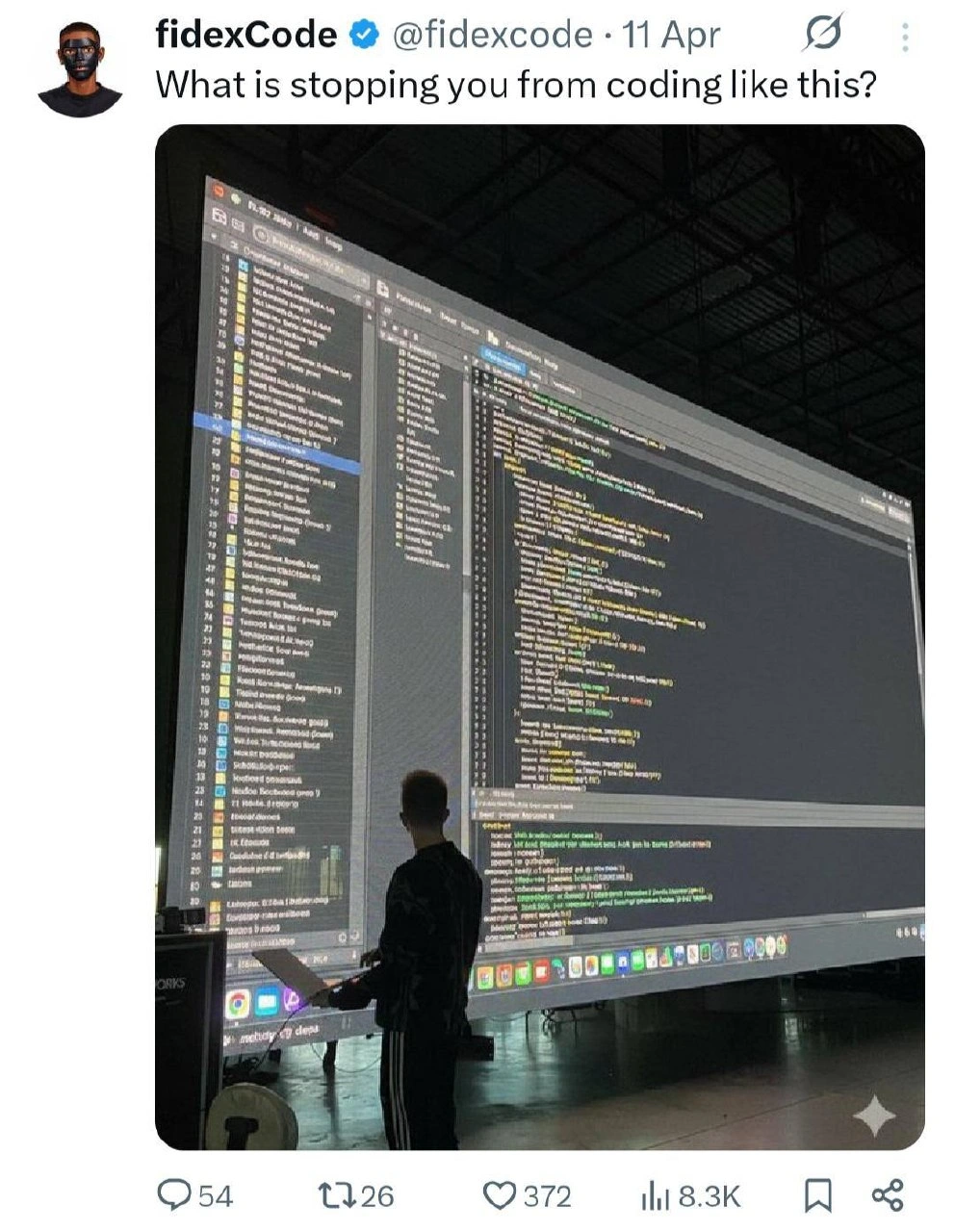
A developer stands before a cinema-scale IDE projection while a tweet asks what is stopping you from coding like this. The dive explains real multi-panel workspace hunger, then why giant public screens fail on privacy, latency, and neck strain.
Level 1: Giant Homework Screen
Imagine doing homework on a screen as big as a movie theater wall. It sounds amazing because you can see everything, but it would also be awkward because everyone can watch your mistakes and you would have to move your whole head just to read the next line. That is why the picture is funny: it turns "I need a bigger monitor" into something completely over the top.
Level 2: More Pixels Please
An IDE, or integrated development environment, is a program used to write and manage code. It usually includes a text editor, file browser, terminal, debugger, test runner, and code navigation tools. The projected screen in the image appears to show exactly that kind of dense workspace.
Developers often want larger monitors because programming requires keeping many related things visible at once. You might need the function you are editing, the type definition, the failing test, the terminal output, the documentation, and the Git diff. If those are all hidden behind tabs, you spend mental energy switching windows instead of solving the problem.
The joke is that the image takes a reasonable preference and makes it ridiculous. A bigger display can improve productivity, but a giant public projection is not a normal workstation. It is hard to read up close, awkward to navigate, and terrible for anything private. It also makes normal coding mistakes feel theatrical.
The tweet's question, What is stopping you from coding like this?, works because the real answers are obvious and funny: cost, space, lighting, latency, privacy, and the fact that most developers would rather not have their half-written variable names projected at industrial scale.
Level 3: Cinema Mode IDE
What is stopping you from coding like this?
The tweet asks a simple question over an absurd image: a developer standing at a lectern while an enormous projected IDE fills a wall. The screen shows a file tree, code editor panes, syntax highlighting, and terminal/output panels at a scale normally reserved for keynote demos or emergency war rooms. The joke exaggerates a real developer desire: more screen space, more context, fewer tabs, fewer hidden panels, fewer "where did that file go?" moments.
The senior-level punchline is that screen real estate does help, but only until ergonomics starts collecting interest. A wall-sized editor gives you infinite context and also turns every cursor movement into a public event. The code is visible, the terminal is visible, the file tree is visible, and if a secret accidentally prints to output, congratulations, it is now available in auditorium resolution.
Developers love big monitors because modern tools are spatially hungry. An IDE wants a project explorer, editor splits, debugger variables, tests, terminal, logs, Git diff, documentation, AI panel, preview window, and maybe the actual application if there is room left after the plugins finish colonizing the sidebars. The image takes that trend to its logical endpoint: instead of buying a second monitor, occupy a venue.
There is also a performance and UX joke buried in the photo. Projection introduces latency, blur, weird contrast, bad viewing angles, and scale problems. A huge IDE looks powerful from a distance, but editing code requires precision: caret placement, small punctuation, indentation, diagnostics, hover tooltips, and quick visual scanning. At this size, the bottleneck is not CPU, RAM, or editor choice. It is neck rotation and the tragic distance between your eyes and line 427.
Developer request:
"Can I get a larger monitor?"

Procurement interpretation:
"Would a building-sized JetBrains instance solve morale?"
The engagement counts under the tweet make it feel like a community dare rather than a serious setup recommendation: 54 replies, 26 reposts, 372 likes, and 8.3K views. Everyone knows what is stopping them: rent, projector latency, privacy policy, neck pain, and the fact that debugging in front of an audience turns every typo into live entertainment.



At that resolution, the real bottleneck is no longer code review; it is finding your cursor before standup ends.
The codebase finally fits on one monitor; the cursor's round-trip latency is now forty seconds.
Common sense?
space
Too small for java
Sanity
being broke..
HDMI doesn't work on my Linux laptop
My neck
auditorium is always booked
This
Neck pain.